Copying a Week's Schedule Growth+This feature requires the Growth+ plan or higher
If your weeks look roughly the same, you don't need to rebuild them by hand. Use the Copy action to duplicate every shift from the week you're viewing onto any other week.
When to Use It
- Your schedule is mostly stable week-to-week and you want to clone last week's plan as a starting point.
- You've mapped out a busy-season template and want to replicate it across the full season.
- You want to fast-forward by copying this week to next week and then just tweak the differences.
If you expect to reuse a week more than once, save it as a Schedule Template instead — see Schedule Templates.
Copying the Current Week to Another Week
- Go to Staff → Schedule.
- Make sure you're viewing the source week — the week whose shifts you want to copy.
- Click the Copy button in the toolbar, then choose Copy schedule from the dropdown.
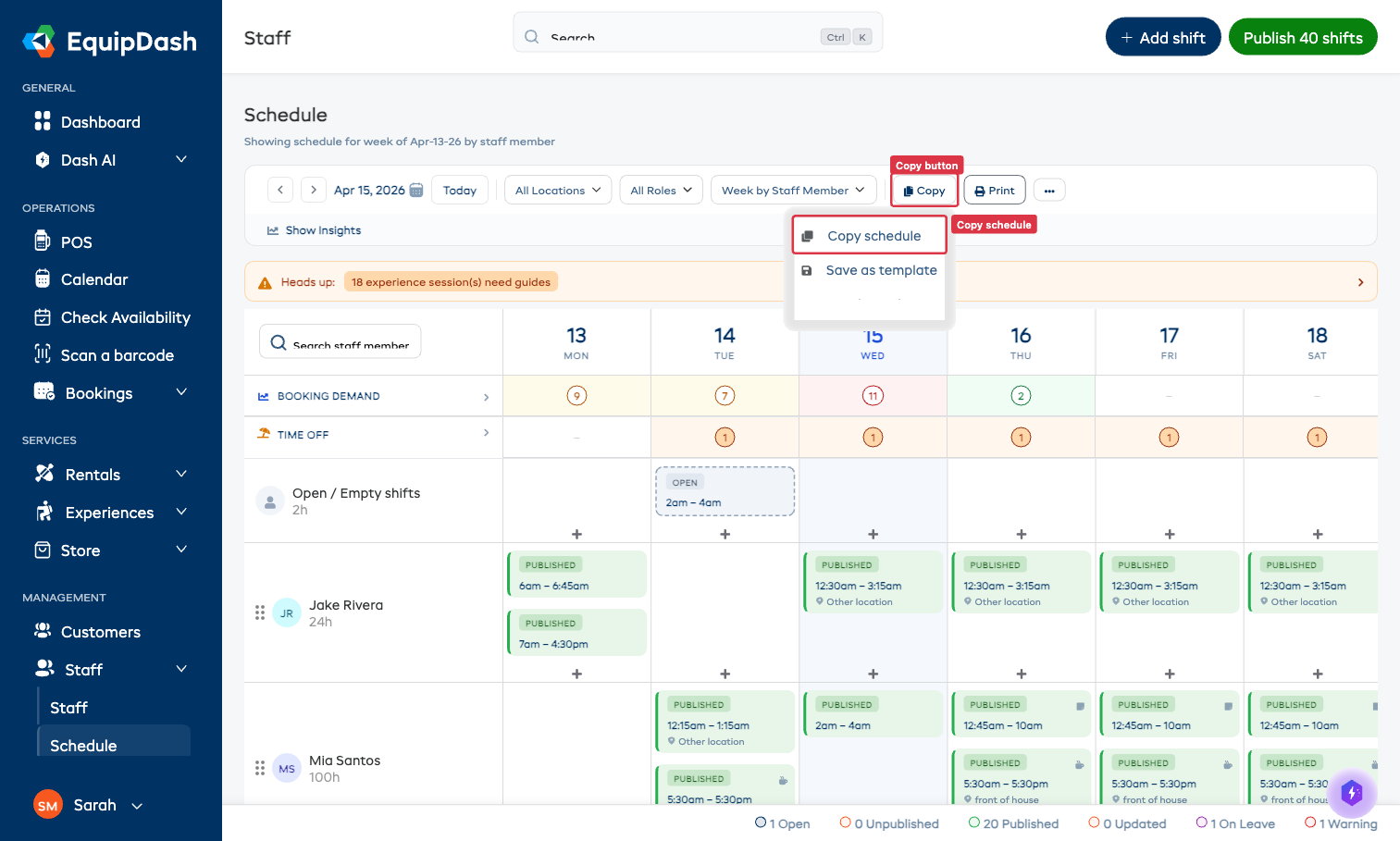
- The Copy Schedule modal opens.
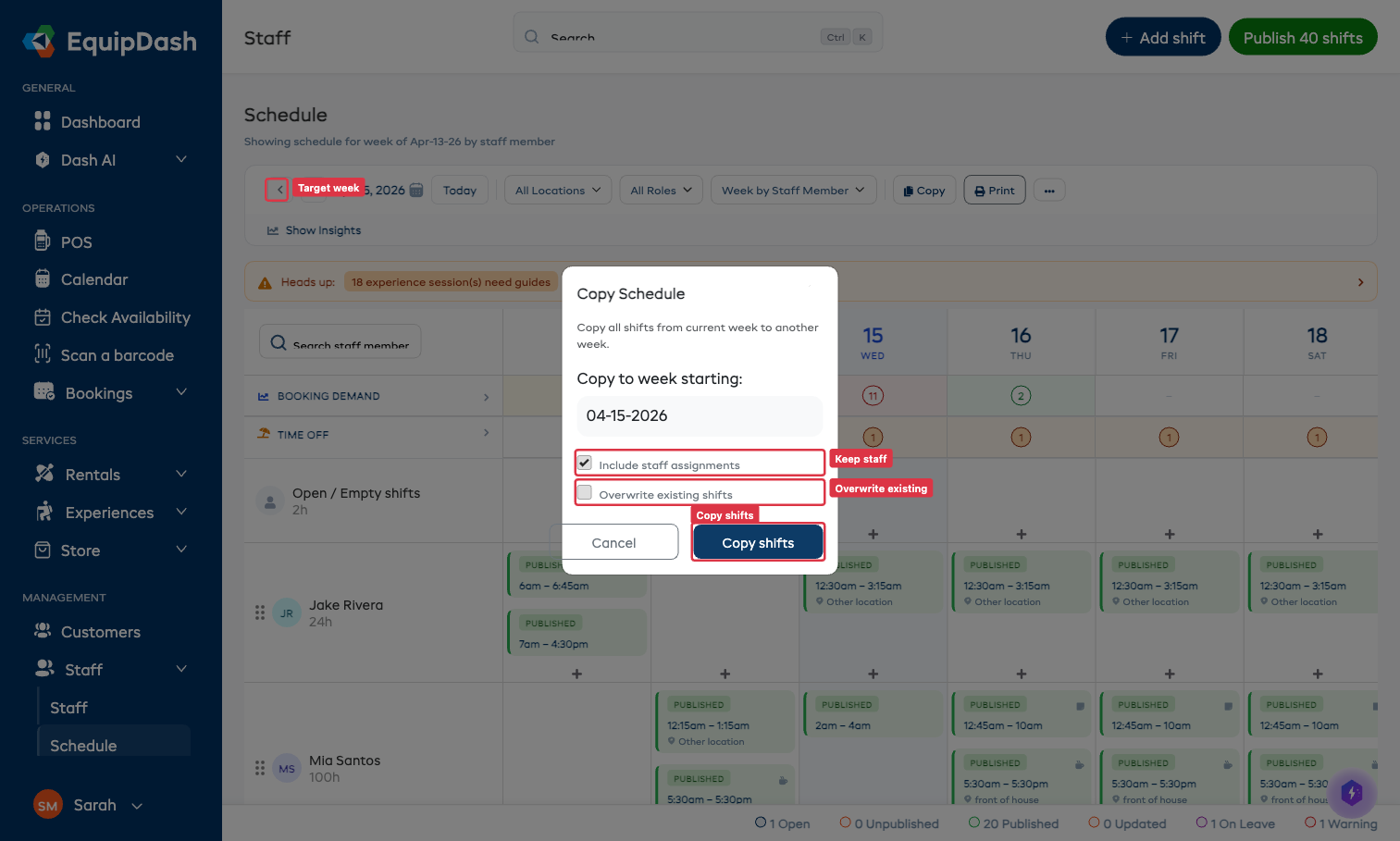
Options
| Field | What it does |
|---|---|
| Copy to week starting | The Monday (or first day) of the target week. The copy preserves the same day-of-week for each shift — a Monday shift stays on Monday in the target week. |
| Include staff assignments | Leave ticked to keep each shift's staff member in the target week. Untick to copy the shift times but leave them open for assignment. |
| Overwrite existing shifts | Off by default. Turn on to delete any shifts already in the target week before copying. Be careful — this can't be undone. |
- Click Copy shifts.
The target week now has a duplicate of every shift from the source week.
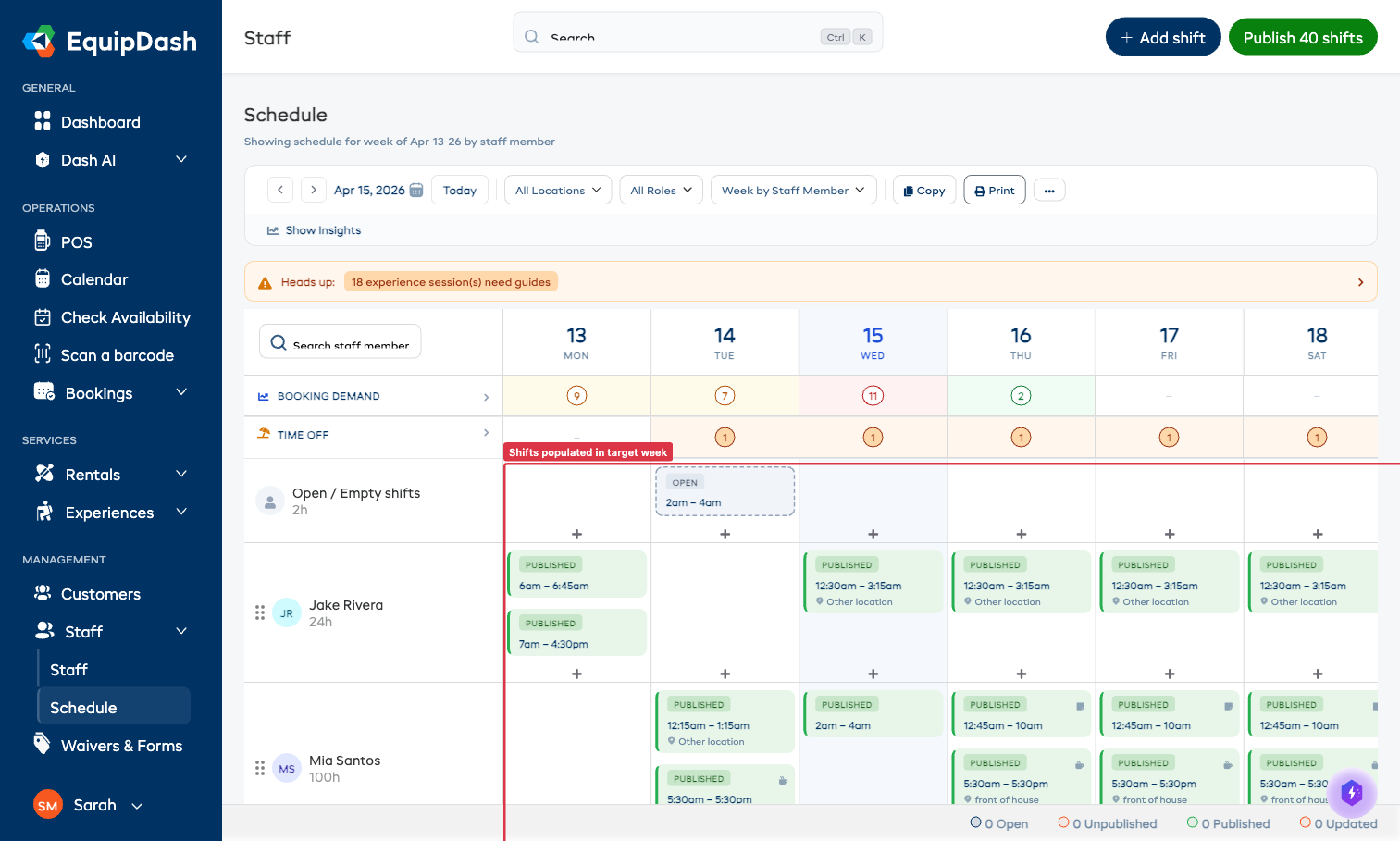
What Gets Copied
- Shift times (start, end, duration)
- Staff assignment (unless you unticked Include staff assignments)
- Location
- Break configuration
- Shift notes
- Shift status resets to Unpublished — you'll need to publish the new week to notify staff
What Doesn't Get Copied
- Time-off requests (these are per-person, not per-week)
- Booking demand / experience session data (that's driven by actual bookings)
- Shift history / audit entries (a new shift gets a fresh history starting from the copy action)