Following One Person's Consent Growth+This feature requires the Growth+ plan or higher
The Consent tracker tells you which bookings are waiting. This page is about the other question: what happened with this one person?
That answer sits on the booking itself, and the same short summary follows the person onto your program rosters and session manifests.
On a Booking
Open any booking and scroll to Booking participants. Consent lives here now, alongside the people it belongs to — there is no separate consents card to go and find.
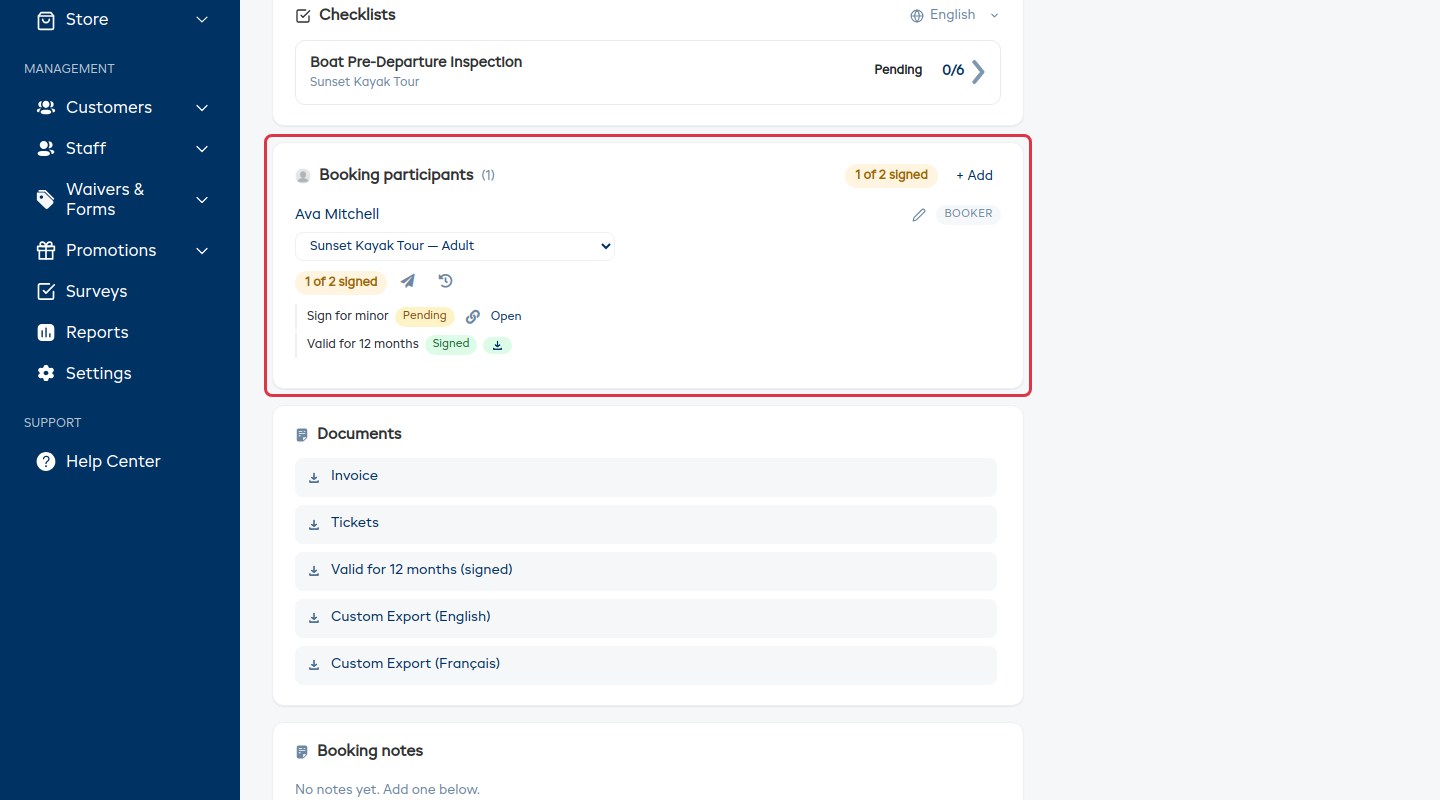
- The card header shows the whole booking at a glance — 1 of 2 signed.
- Each person gets their own chip with the same count, plus two buttons: a paper plane to send them a reminder for everything they still owe, and a history icon to open their timeline.
- Underneath, one line per form they've been given, each with its own state:
- Signed — with a download for the completed PDF.
- On file — signed on an earlier booking and still valid, so you're not asking again. If it expires, the date is shown.
- Pending — with a copy link button to hand the signing link over in a message or in person, and Open to fill it in there and then.
Because the link button is per form, there's never any doubt about which one you just copied.
Reading the Timeline
Click the history icon next to anyone's name to open their full record, form by form.
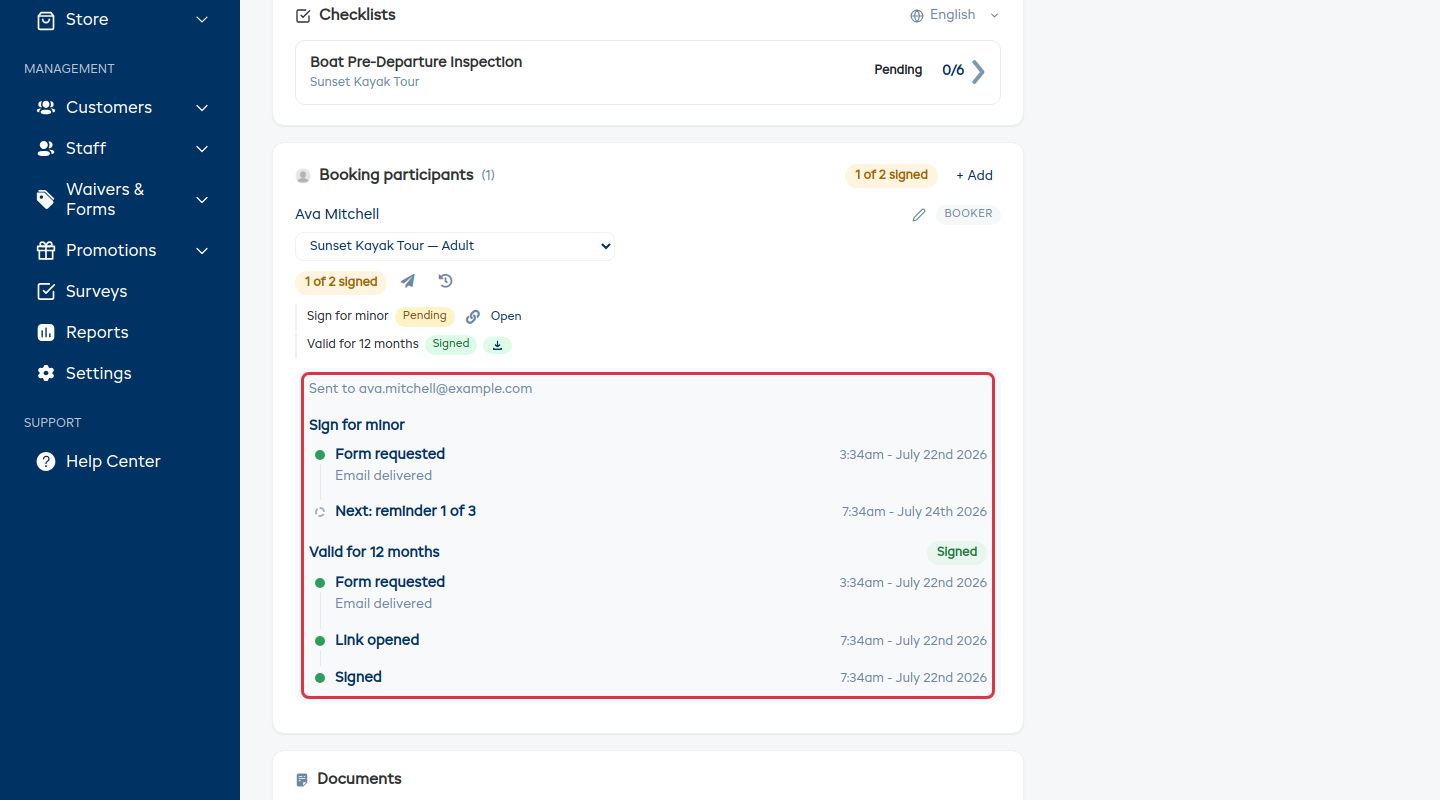
You'll see, in order:
| Event | What it means |
|---|---|
| Form requested | The first send, with whether the email was delivered. |
| Link opened | They clicked through. Opened but not signed is the "almost there" group. |
| Reminder 1 of 3 | Each nudge that went out, whether it was an email or a text, and whether it was delivered. |
| Next: reminder 2 of 3 | What's coming, and when. The last one is labeled so you know the chase is nearly over. |
| Reminders finished | Every reminder has gone out and nothing more is scheduled — this is the moment to pick up the phone. |
| Signed | Done. If an adult signed for someone else, this line names who actually signed and their relationship. |
| Consent on file | Signed on an earlier booking and still valid. |
| Counter-signed | Your own team member added their signature, and who. |
The email address everything was sent to is shown at the top, so a typo is easy to spot.
When a Send Fails
If an email or text couldn't be delivered, the timeline says so in plain words along with the reason — mailbox full, for example — and suggests phoning them instead.
This matters more than it sounds. A bounced reminder is usually why someone hasn't signed. Without it you'd keep sending nudges into a dead address and wonder why nothing came back.
When Someone Signs for Someone Else
Where a parent or guardian signs on a child's behalf, the timeline records who actually signed, not just who the form was for. That's the record you want if anyone ever asks.
On a Program Roster
A program's Participants tab is a small tracker of its own. Every person on the program has a Consent column with their status and a chase button, and the toolbar shows how many of the whole roster have signed, with a progress bar.
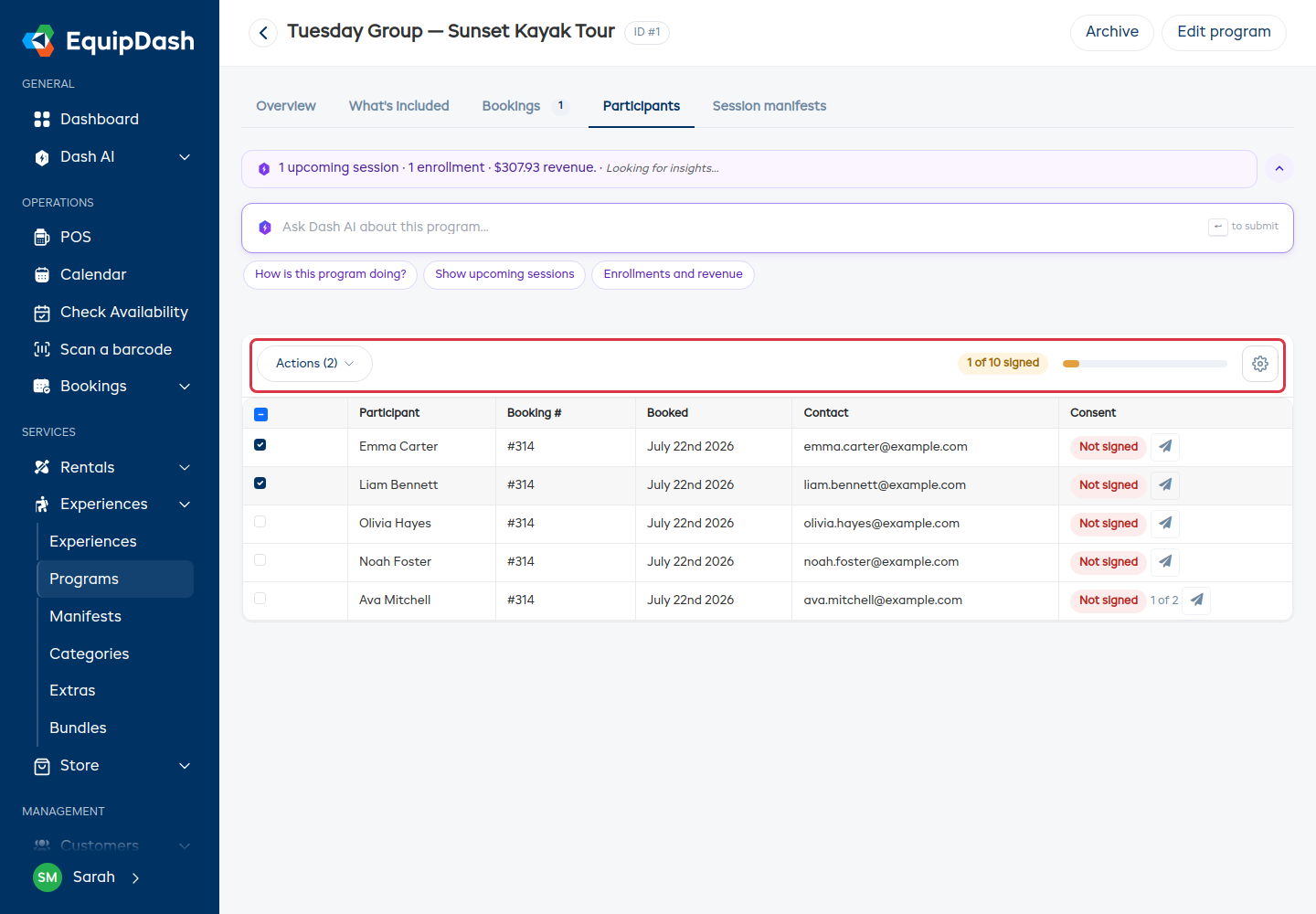
To chase several people at once, tick their rows and use Actions → Send reminders. Use the gear icon to choose which columns you see.
On a Session Manifest
Open a session and the Waiver column on the roster shows each person's status — Signed, Opened, not signed, or Not signed — with a chase button right there.
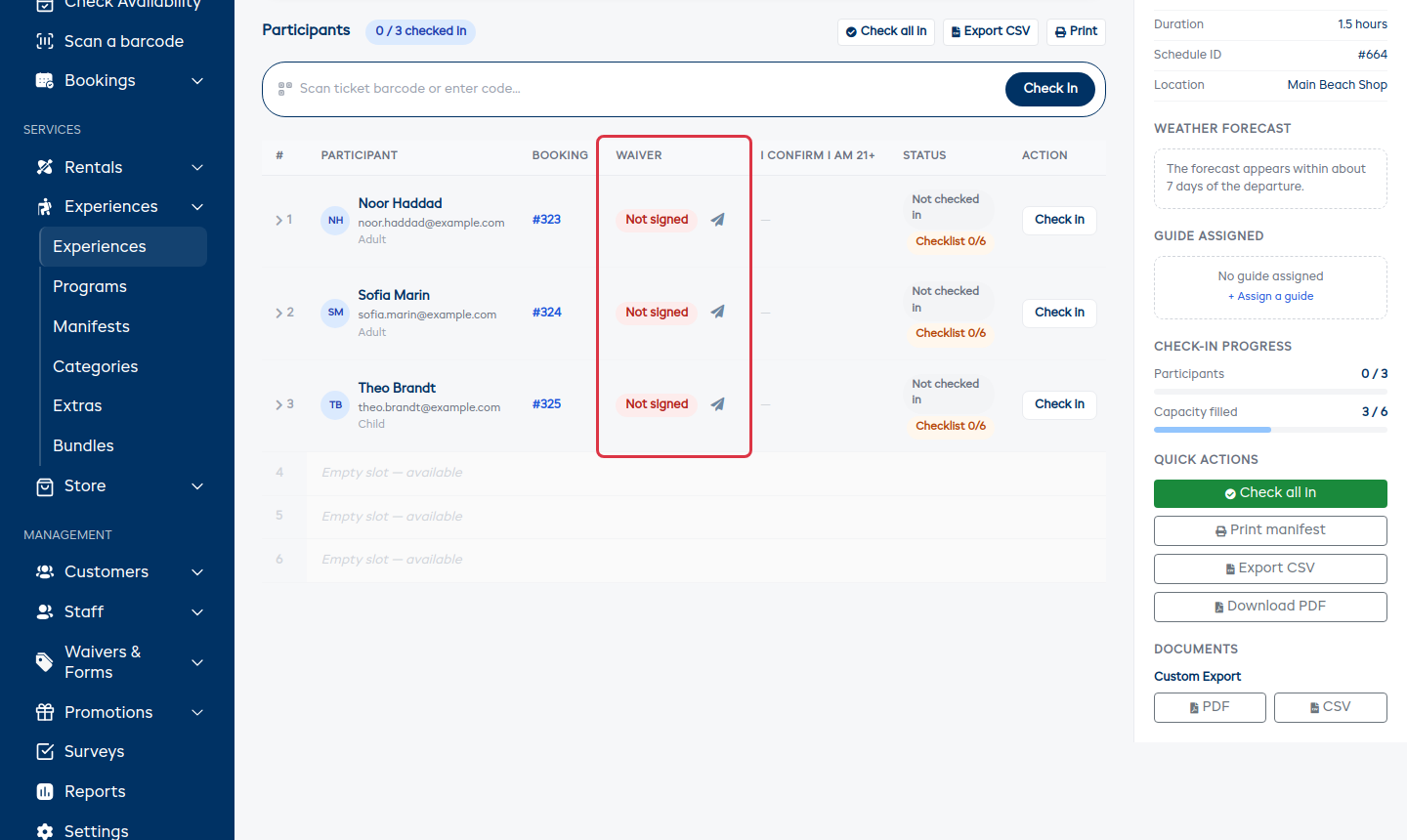
Someone with more than one form outstanding shows how far along they are, e.g. 1 of 2, and one press chases everything they still owe.
Good to Know
- Chasing from any of these places is the same action — it counts as one reminder for that person and appears on their timeline.
- Someone who has signed shows no chase button. You can't nudge them by accident.
- Sending reminders needs the Manage waivers & forms permission. Anyone who can view waivers and forms can still read the statuses and timelines.