Automated Reporting for Your Rental Business
Most rental owners run their business on gut feel. They know roughly how busy last weekend was and roughly which gear moves, but ask them to prove it with numbers and it means an hour lost in a spreadsheet, or a shrug. The other half live in those spreadsheets, rebuilding the same summaries by hand every Monday morning.
Neither is a good place to be. The whole point of reporting is to see what's working before it costs you money: a line of gear that never rents, a season that started slower than last year, a group of customers who quietly stopped coming back. You don't need a finance degree to spot those things. You need the right handful of reports, and you need them to arrive without you building them. This guide covers both. For the wider picture on cutting manual work, our complete automation guide sets the strategy.
The Reports Every Rental Business Needs
You can drown in metrics. Most owners don't need a wall of charts. They need three reports that answer three plain questions: What did I earn? How hard is my gear working? Are people coming back?
Get those three running and you already know more about your business than most of your competitors know about theirs. Everything else is refinement.

The trap is starting with the fancy stuff (profit-per-category breakdowns, cohort curves, forecasting) before the basics are in place. Nail the three fundamentals first. They're the ones you'll actually act on.
Revenue and Booking Reports
This is the report you look at most. It answers the simplest question — is money coming in, and is it growing?
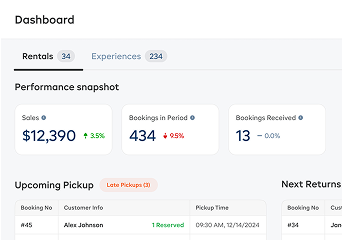
A good revenue and booking report shows takings by day, week, and month, alongside booking counts and average order value. That last number matters more than owners think. Two shops can pull the same revenue while one is quietly making twice as much per booking through smart add-ons and longer rentals.

Watch the trend, not the single day. A quiet Tuesday means nothing on its own; a fourth quiet Tuesday in a row is a signal. When revenue and bookings are tracked automatically, those patterns surface on their own instead of hiding in a drawer full of receipts.
Utilization and Inventory Reports
Revenue tells you what came in. Utilization tells you why. It's the share of available days each item actually spends out on rent, and it's the most underused number in the whole business.
Low utilization across a category means capital sitting idle: gear you paid for that earns nothing on the shelf. Sky-high utilization on a few items means the opposite problem. You're probably turning away bookings you could fill with one more unit. Either way, the report pays for itself the first time it changes a buying decision.

Pair it with a returns-due view so you always know what's coming back tomorrow, and you stop double-booking gear that isn't back yet. We go deeper on this in our guide to equipment utilization tracking.
Customer and Retention Reports
New customers are expensive. Returning ones are pure margin. They already trust you, and they book without a second thought. Yet most shops have no idea what share of their business is repeat versus first-time, because nobody's counting.
A retention report closes that gap. It shows how many customers came back, how long between visits, and which ones haven't been seen in a while. That last list is gold: a short, warm note to a lapsed customer converts far better than any ad chasing a stranger. Track it and you can act on it before those regulars drift to the shop down the road.
Setting Up Automated Delivery
Here's the part that changes your week. A report you have to build by hand gets built when you're panicked or not at all. A report that builds itself gets read.
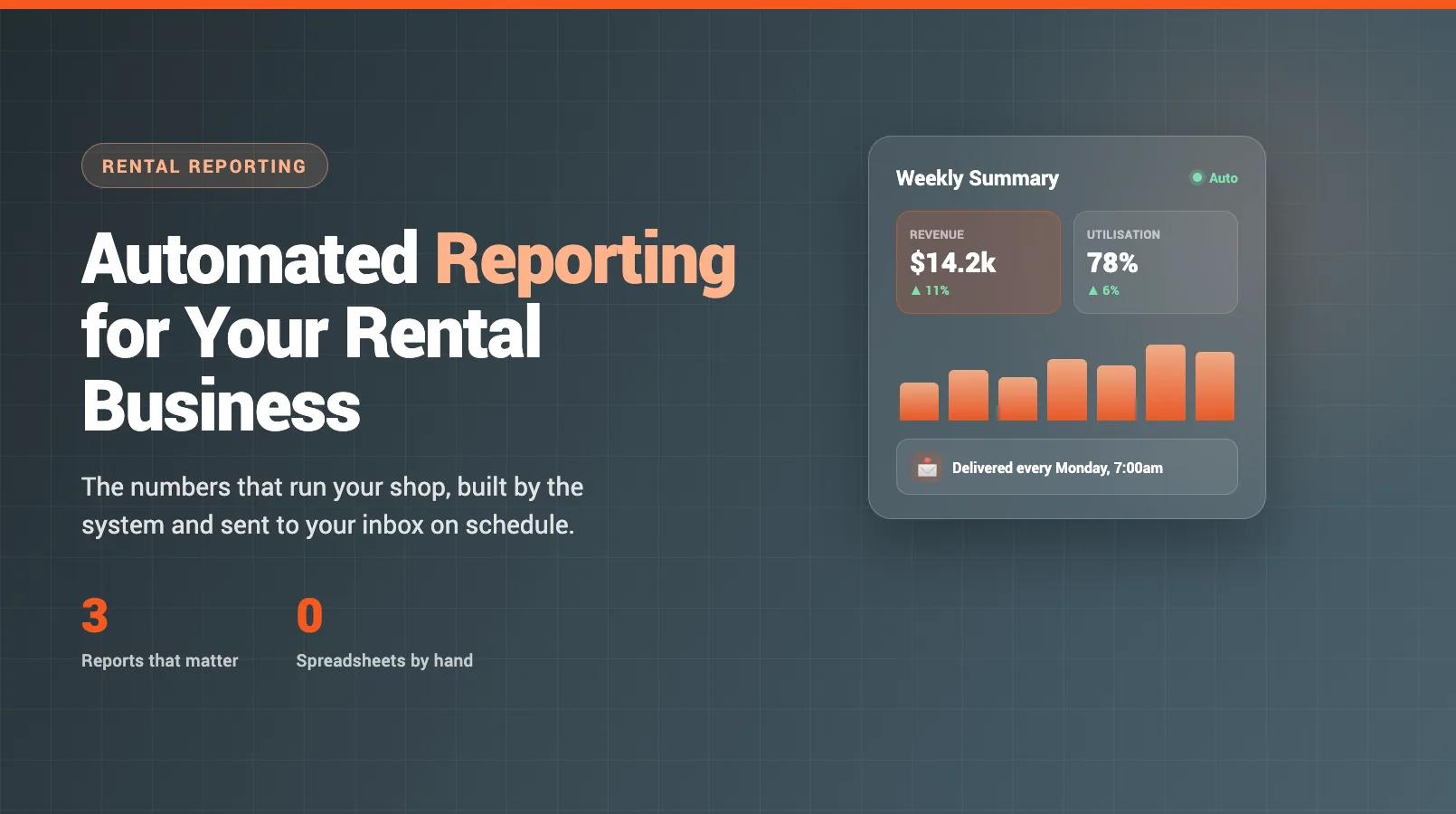
Automated delivery works the same way in most modern rental platforms: you pick the report, choose the frequency, and choose who receives it. A daily revenue snapshot before you open. A weekly utilization summary every Monday. A monthly retention report on the first. Each one lands in your inbox, or on a live dashboard, on schedule, built from the data your bookings and payments already capture. Dash can even flag the outliers worth a second look, so you're reading exceptions instead of scanning rows.
One condition makes or breaks it: your data has to live in one place. Reports built from a system that only sees half your bookings will quietly lie to you. Get every reservation, payment, and return into a single platform, and reporting stops being a chore you dread and becomes the five minutes each morning that tells you exactly where to point your day.
FAQ
What reports does a small rental business actually need?
Start with three: a revenue and booking report, a utilization report, and a customer retention report. Together they tell you what you earned, how hard your gear worked, and whether people came back. Everything else is a nice-to-have until those three are running.
How often should I review my rental reports?
A quick revenue and booking snapshot daily or weekly, a utilization report weekly, and a retention report monthly. The point of automating delivery is that the numbers land in your inbox on that rhythm without you having to build them.
Can I automate reports if I still take phone and paper bookings?
Only partly. Automated reports are only as complete as the data in your system. If bookings live in a paper diary, they never make it into the numbers. Getting every reservation into one system first is what makes reporting trustworthy.
What is equipment utilization and why does it matter?
Utilization is the share of available days each item is actually rented. Low utilization means money tied up in gear that sits on the shelf; high utilization on a few items means you may be turning away bookings. It's the single most useful number for buying decisions.
Do I need separate software just for reporting?
No. If your bookings, payments, and inventory already live in one rental platform, reporting is a feature of that system, not a separate purchase. The reports build themselves from the data you're already capturing.
How do automated reports get delivered?
You choose the report, the frequency, and who receives it, usually a scheduled email or a live dashboard link. Once it's set, the system builds and sends each report on schedule with no manual work from you.
in one place