How to Automate Booking Confirmations
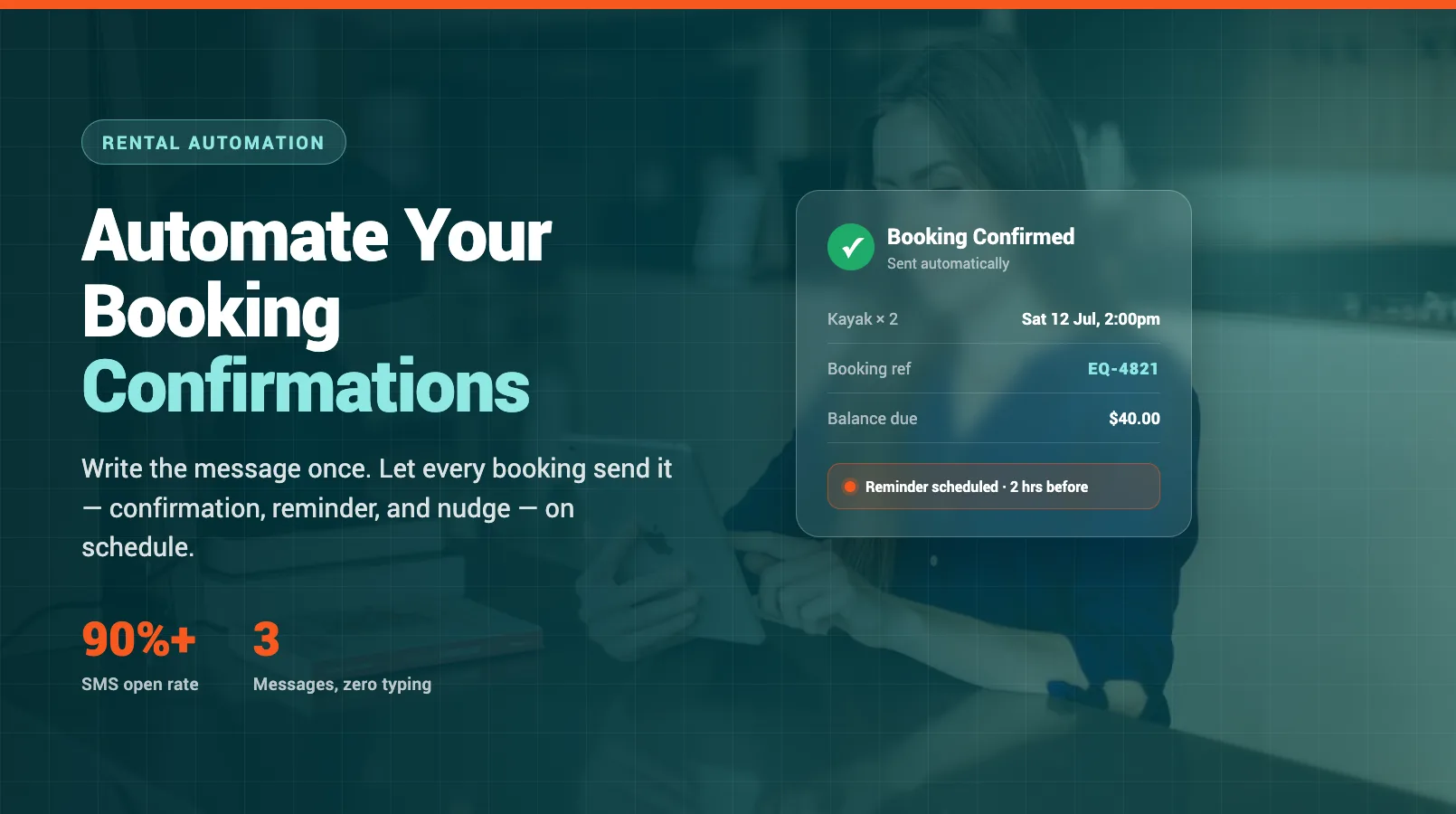
Every booking should trigger a confirmation. Most operators know that — they just end up typing them by hand, one at a time, between customers. Then a reminder the day before. Then a "you still coming?" text when someone's running late. It adds up to hours a week, and it's the same message every time.
Confirmations and reminders are the easiest admin to automate, because they follow fixed rules: a booking comes in, a message goes out. This guide covers what a great confirmation includes, how many reminders to send and when, whether to use email or SMS, and how to switch the whole thing on. If you want the bigger picture, our complete rental automation guide shows where confirmations fit alongside waivers, payments, and reporting.
What a Great Confirmation Includes
A confirmation isn't just a receipt. It's the message that stops a customer calling to ask a question you've already answered — so it needs to carry everything they'll want before they arrive.
The essentials:
- Booking reference and date/time. The single most-looked-at detail. Make it big and unmissable.
- What they booked. Item, quantity, duration, add-ons. No jargon.
- Where to go and when to arrive. Address, a map link, and a "please arrive 15 minutes early" line if that matters.
- What to bring. ID, closed shoes, a signed waiver — whatever applies.
- Price and what's paid. Total, deposit taken, balance due, and how to pay it.
- How to reach you. Phone and email, plus your cancellation or reschedule policy in one clear line.
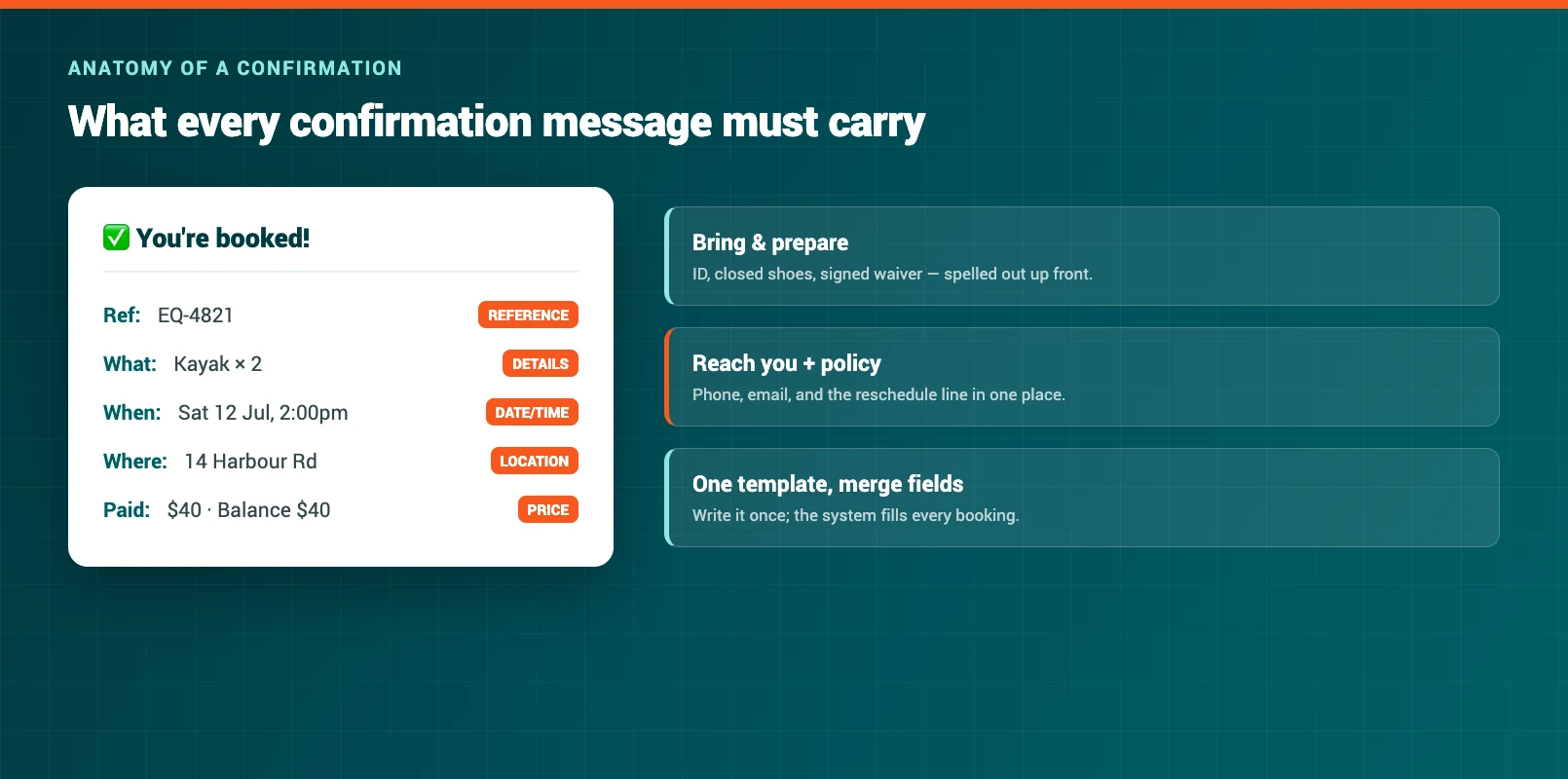
Build this once as a template with merge fields — name, date, item — and the system fills in the blanks for every booking. You write it a single time; it sends forever.
Reminder Timing
The confirmation goes out the moment someone books. Reminders are what actually cut your no-shows, and timing is everything. Send too many and you're spam; send none and people forget.
A cadence that works for most rental and tour operators:
- Immediately: confirmation. Sent on booking, while they're still paying attention.
- 24 hours before: the main reminder. Enough time to sort transport, childcare, or a re-schedule if plans changed.
- 2 hours before: a short nudge. Best as a text. "See you at 2pm — we're at 14 Harbour Rd. Reply if anything's changed."
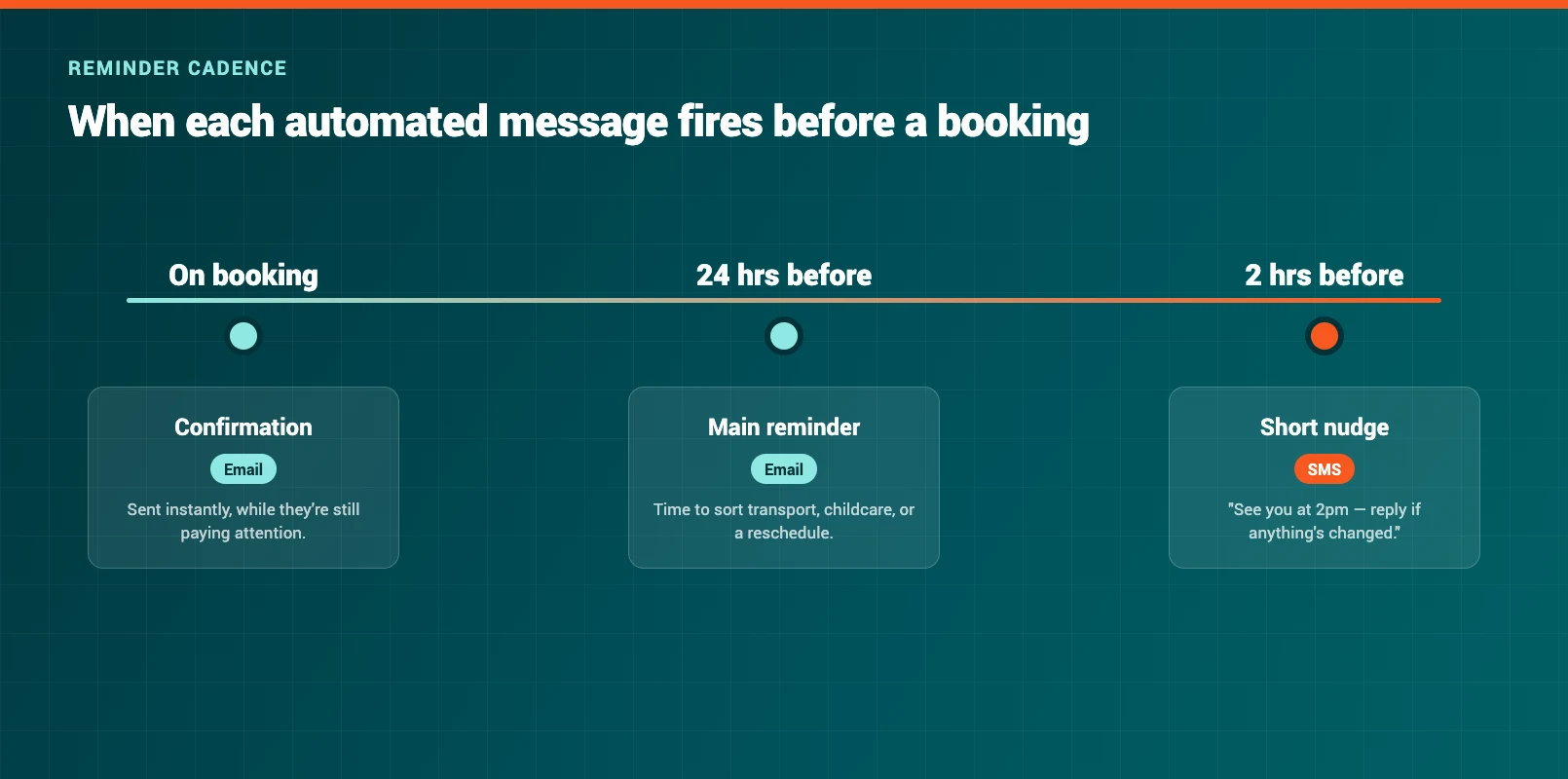
For bookings made far in advance, add a gentle check-in a week out. For same-day bookings, drop the 24-hour reminder and keep the 2-hour nudge. The rule of thumb: every reminder should either reduce a no-show or answer a question — if it does neither, cut it.
Email vs SMS vs Both
Neither channel wins outright. They do different jobs, and the best setups use each for what it's good at.
Email carries detail. It's free, it holds the full confirmation, map links, and policies, and customers can dig it back up later. The downside: open rates hover around 20–30%, and it can land in spam.
SMS gets read. Text open rates run above 90%, usually within minutes — perfect for time-sensitive reminders. But texts are short, they cost a few cents each, and they're the wrong place for a wall of policy text.
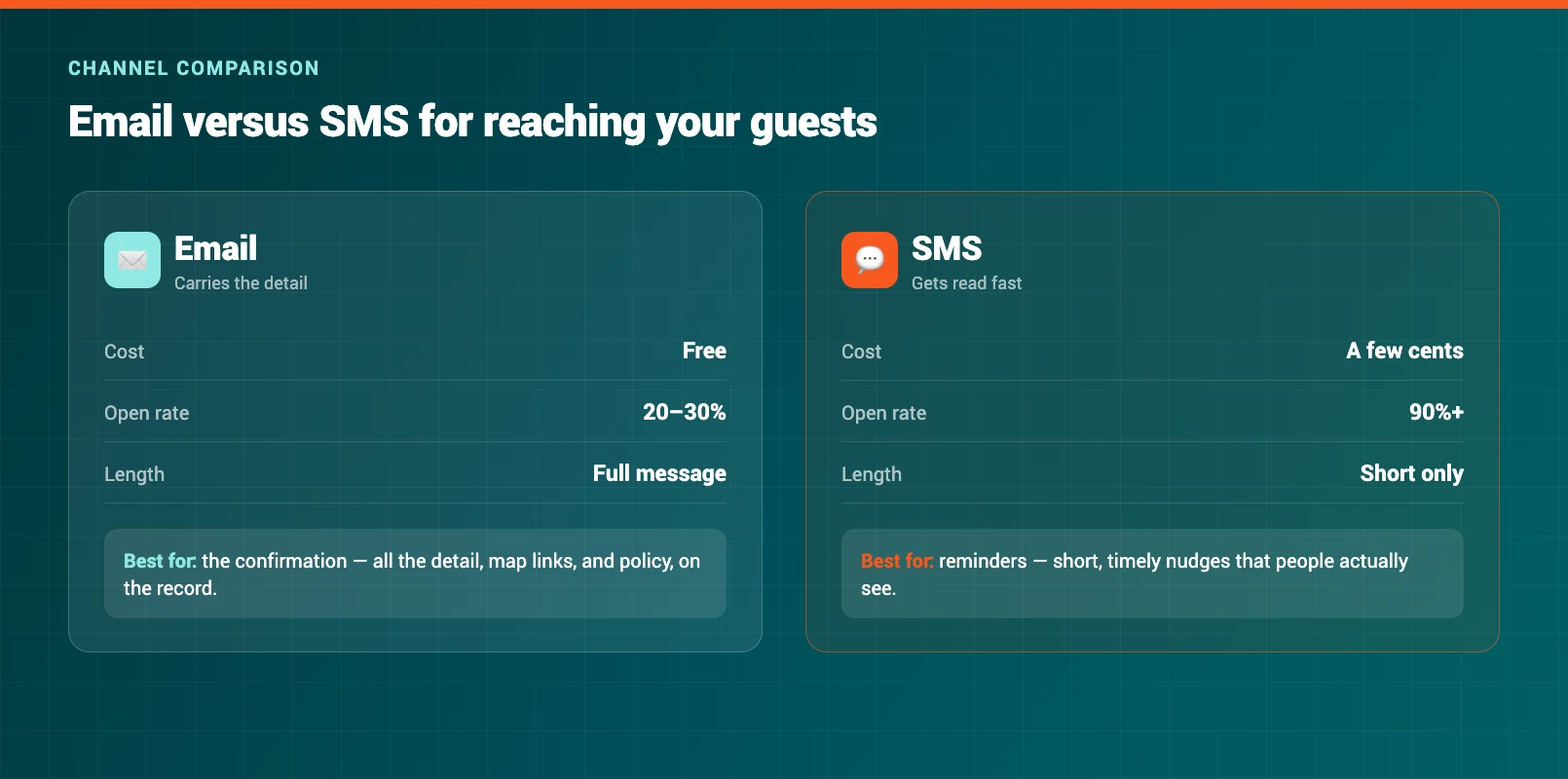
The winning combination for most operators: email for the confirmation (all the detail, on the record) and SMS for the reminders (short, timely, actually read). You get the completeness of email and the reliability of text without paying to send long messages.
Setting Up (Step by Step)
You don't need a developer for this. Any modern rental or booking platform handles automated messaging out of the box. Here's the order to do it in.
- Write your confirmation template. Use the checklist above. Drop in merge fields for name, booking reference, date, item, and balance due.
- Write two reminder templates. A detailed 24-hour email and a short 2-hour SMS. Keep the text under 160 characters.
- Set the triggers. Confirmation on booking, reminder at 24 hours before start, nudge at 2 hours before. Your platform sends them automatically from there.
- Add your policy and contact details. Cancellation window, reschedule link, phone number — the same in every message so nobody has to ask.
- Test with a real booking. Book yourself in, check every message on both a phone and a desktop, and confirm the merge fields fill correctly.
- Turn it on and leave it. Once it's live, it runs on every booking without you touching it again.
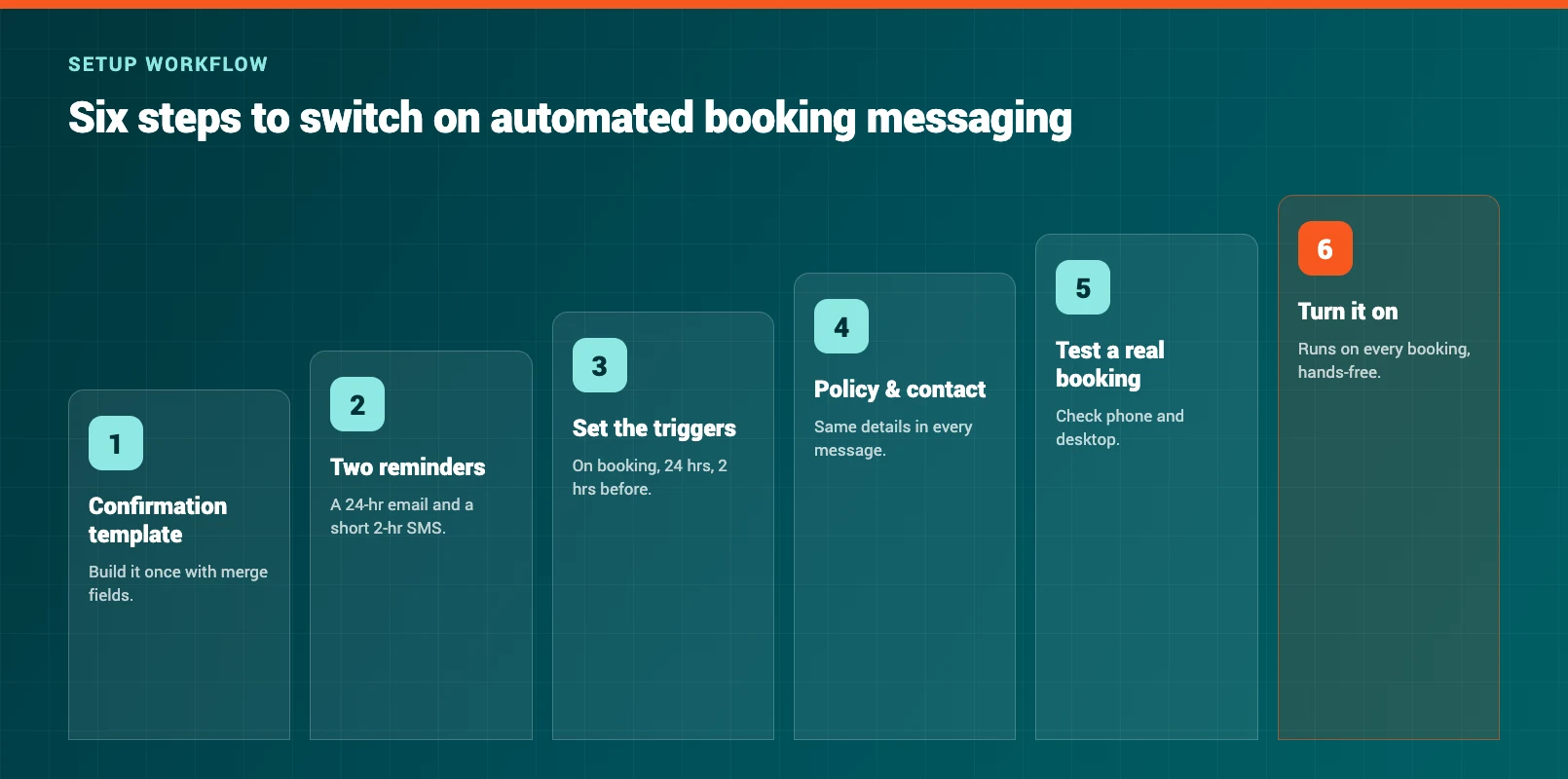
Set it up once and it handles hundreds of bookings a month — no evening typing, no forgotten reminders, no missed no-shows.
Template Examples
You don't have to start from a blank page. Here are two skeletons to adapt.
Confirmation email:
Hi {first_name}, you're booked! 🎉 {item} on {date} at {time} Booking ref: {reference} Where: {address} — please arrive 10 minutes early. Bring: ID and closed-toe shoes. Paid: {deposit} · Balance due on arrival: {balance} Need to change something? Reschedule here: {link} or call {phone}.
2-hour SMS reminder:
Hi {first_name}, see you at {time} today for your {item}. We're at {address}. Reply here if anything's changed — {shop_name}.
Keep the tone the same as you'd use at the counter. Short sentences, a friendly line, and every detail they need in the first two lines. Once these templates are written, automation does the rest — and the counter admin that used to eat your evenings quietly disappears.
FAQ
What should a booking confirmation email include?
The booking reference, date and time, exactly what was booked, where to go and when to arrive, what to bring, the price and what's already paid, and how to reach you. Add your cancellation or reschedule policy in one clear line so customers don't have to call to ask.
How many reminders should I send, and when?
For most rental and tour bookings, two reminders work well: a detailed one 24 hours before (usually email) and a short nudge about 2 hours before (usually SMS). For bookings made weeks ahead, add a gentle check-in a week out. For same-day bookings, keep only the 2-hour nudge.
Should I use email, SMS, or both for confirmations?
Both, for different jobs. Email carries the full confirmation — all the detail, map links, and policies — and it's free. SMS gets read fast (over 90% open rates), which makes it ideal for time-sensitive reminders. The common setup is email for the confirmation and SMS for the reminders.
Do I need special software to automate confirmations?
No. Any modern rental or booking platform sends automated confirmations and reminders out of the box. You write the templates once with merge fields, set the send triggers, and the system handles every booking after that — no developer required.
Will automated messages feel impersonal to customers?
Not if you write them like you'd talk at the counter. Use the customer's first name, keep sentences short and friendly, and include only what they need. A clear, on-time confirmation feels more professional than a hand-typed one that arrives hours later — or not at all.
How much time does automating confirmations actually save?
Most operators spend several hours a week typing confirmations and chasing reminders. Because these messages follow fixed rules, automation removes almost all of that time — and it also cuts no-shows by making sure every reminder actually goes out, on schedule, every time.
in one place