How to Reduce Admin Work at Your Rental Shop
You didn't open a rental shop to spend your evenings typing confirmation emails. But that's where a lot of owners end up — at the counter after closing, copying booking details into a spreadsheet, chasing a signature, building a report nobody asked for.
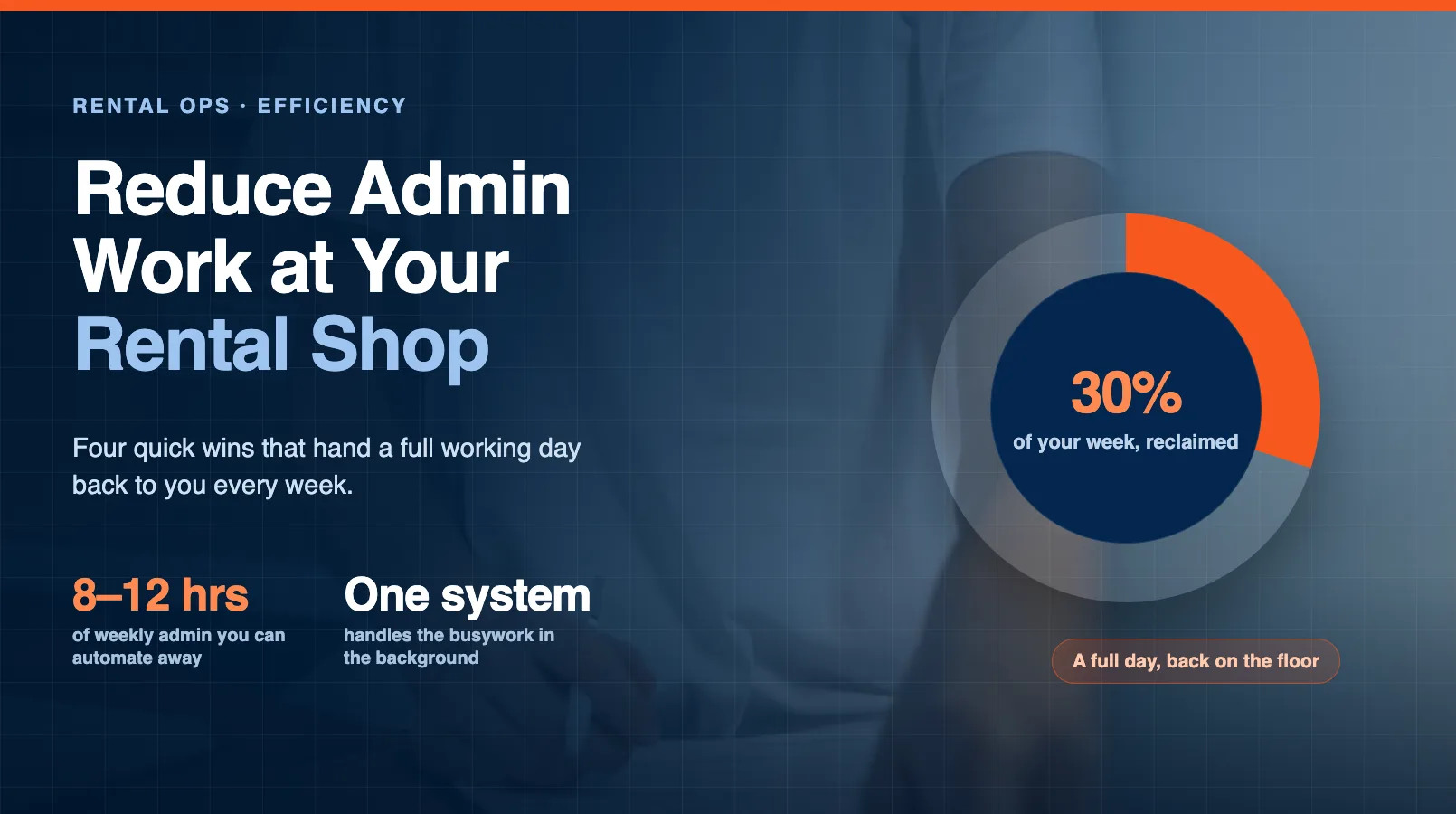
Admin doesn't make you money. It's the cost of doing business, and most shops pay far more of it than they need to. The average independent operator burns 8 to 12 hours a week on tasks that software can handle without a second thought.
The good news: you don't have to rebuild your whole operation to win that time back. A handful of focused changes — most of them quick to set up — can cut your weekly admin in half. This guide walks through the biggest time-wasters and four specific fixes. If you want the full picture, our complete automation guide covers the broader strategy.
The Biggest Admin Time-Wasters
Before you fix anything, it helps to know where the hours actually go. Most owners are surprised when they track it for a week.
Here's where the time usually disappears:
- Booking confirmations and reminders. Typing or copying the same email for every reservation. Then a reminder the day before. Then a "where are you?" text when someone's late.
- Waivers and paperwork. Printing forms, handing out clipboards, chasing missing signatures, then filing the paper somewhere you'll never find it again.
- Phone and email bookings. Playing phone tag, checking a paper calendar, manually blocking off gear, writing it all down twice.
- Data entry. Moving the same customer details between your calendar, your spreadsheet, and your payment system.
- End-of-day reports. Adding up the day's takings, tracking which gear went out, working out what's due back tomorrow.
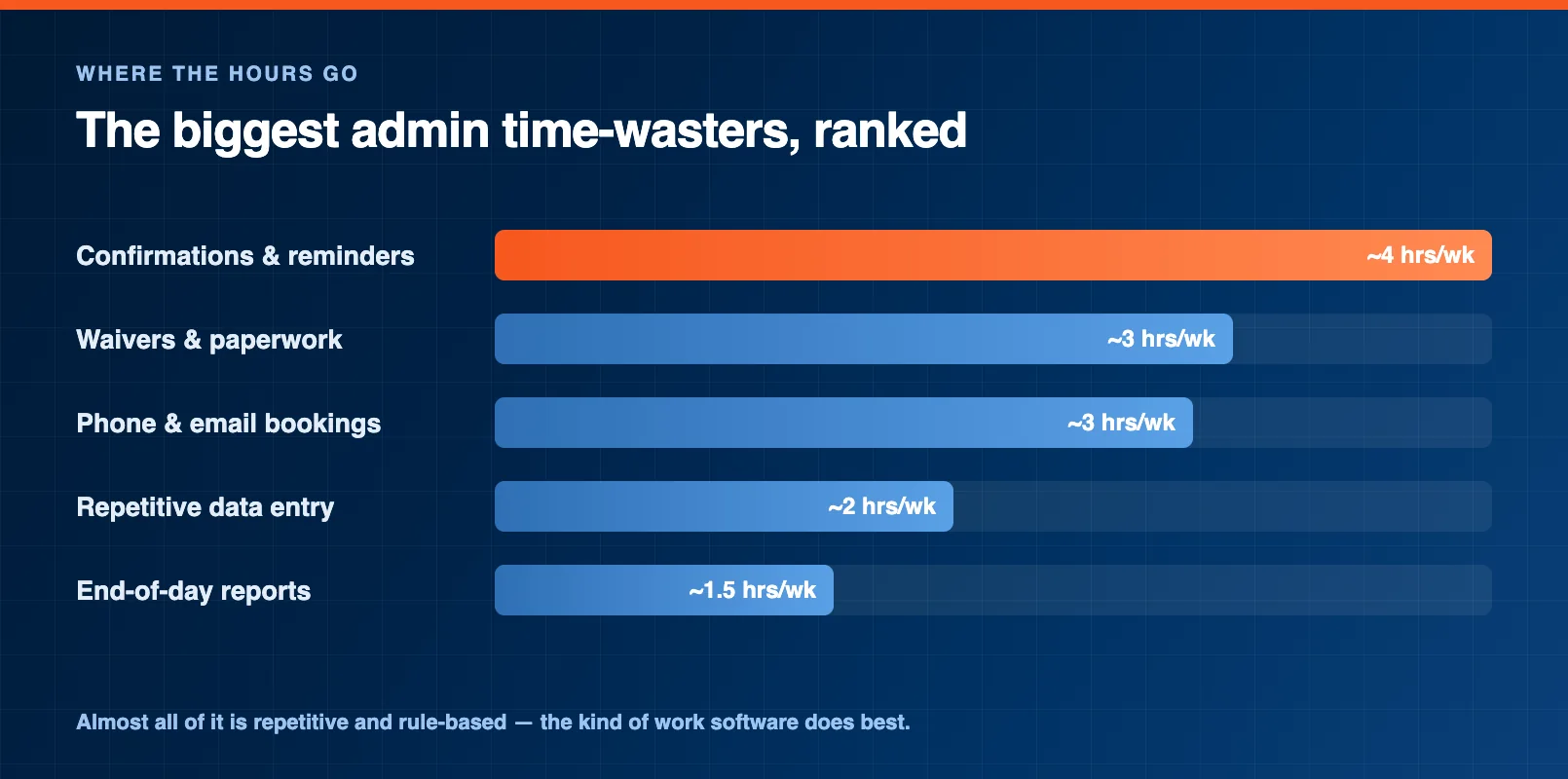
Notice a pattern? Almost every item is repetitive and rule-based. The same steps, in the same order, every single time. That's exactly the kind of work a system handles better than a person — and it's where your quick wins live.
Quick Win #1: Automated Confirmations
Confirmation and reminder messages are the easiest admin to kill, and they're usually the biggest single drain.
The fix is simple: set up the message once, and let your booking system send it automatically the moment a reservation comes in. A reminder goes out the day before. A thank-you and review request follows after. You write nothing.
A good automated confirmation includes the booking date and time, what they reserved, your address and parking notes, and a link to sign their waiver before arrival. That last detail quietly solves a second problem — more on that next.
Shops that automate confirmations and reminders also see fewer no-shows. A timely reminder is the cheapest insurance against an empty slot you can't refill. Set it up once and it works every day, including the days you're closed.
Quick Win #2: Digital Waivers
Paper waivers are slow at the counter and useless in a dispute when you can't find the right form. Digital waivers fix both.
Customers sign on their phone before they arrive — often straight from the confirmation email. The signature is timestamped, stored automatically, and tied to the booking. No clipboards, no filing cabinet, no teenager who wandered off before signing.
The counter speed-up is the headline. A family that signs ahead of time checks in within seconds instead of the usual ten-minute clipboard shuffle. On a busy Saturday that's an hour of prime rental time you get back. For the full setup — legality, minor waivers, and how to fit signing into your booking flow — see our digital waivers guide.
Quick Win #3: Self-Service Booking
Every booking you take by phone is a booking you had to stop and process. Self-service online booking flips that. The customer does the work, and the work is done correctly.
When someone books online, they pick a real available slot, enter their own details, pay, and sign — all without you touching a thing. The reservation lands in your calendar, the gear is blocked off, and the confirmation fires automatically.
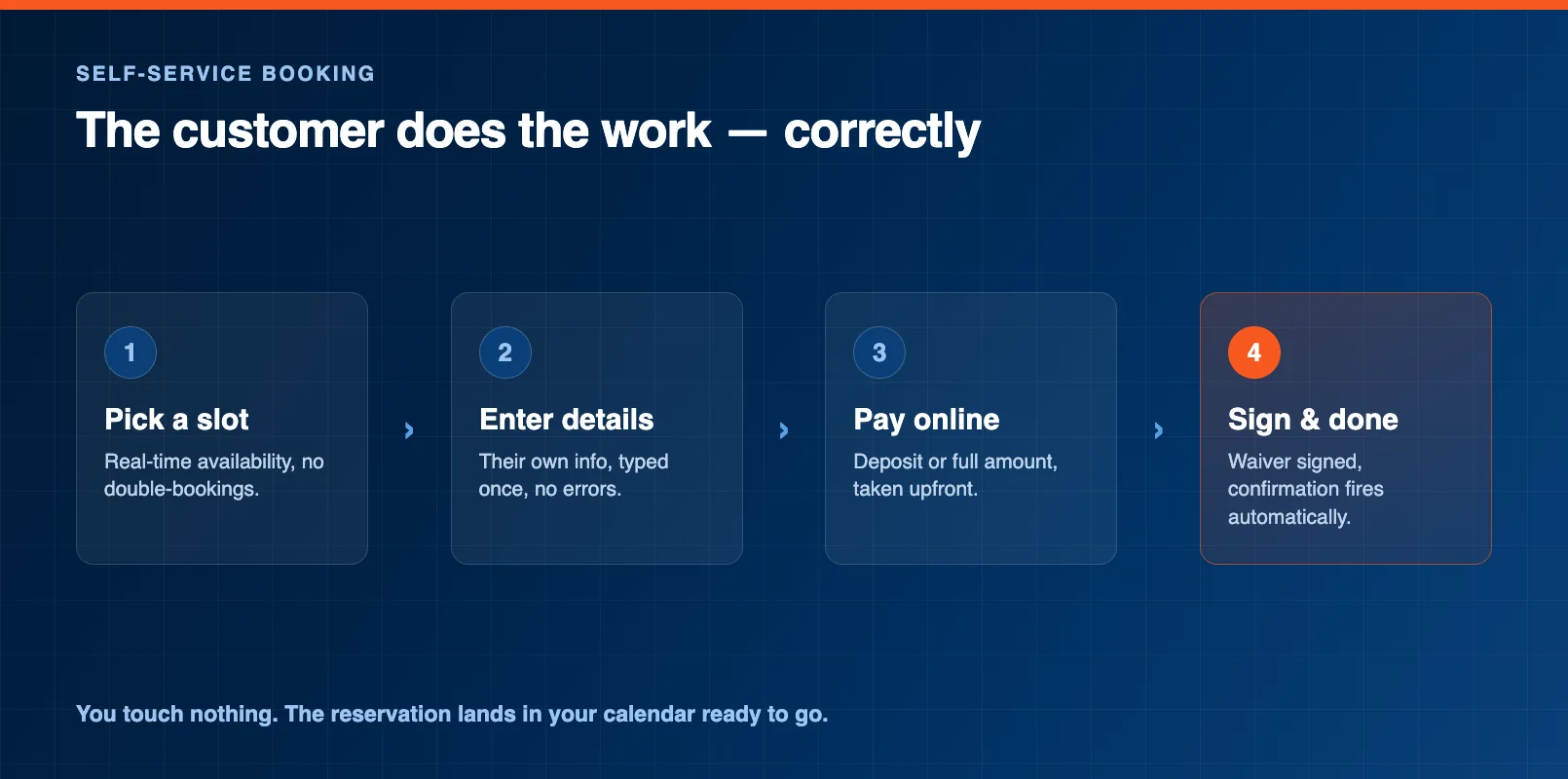
The hidden win is after-hours revenue. A booking page that's open at 11 PM captures customers who'd otherwise give up or call a competitor in the morning. We cover that in detail in our guide to after-hours booking. Real-time availability also means no double-bookings — the slot disappears the second it's taken.
Quick Win #4: Automated Reports
The end-of-day add-up is a ritual most owners do on autopilot, long after it stopped being necessary. If your bookings, payments, and inventory live in one place, the numbers are already there.
Automated reports pull your daily takings, gear utilization, upcoming returns, and revenue trends without you touching a calculator. You glance at a dashboard instead of building a spreadsheet. Some systems will even email you a morning summary before you've had your coffee.
This is also where consolidating your tools pays off twice. When booking, waivers, payments, and inventory share one system, reporting is automatic because nothing has to be stitched together first. Our guide to consolidating your rental tools explains why the disconnected-spreadsheet setup costs you more than the software ever would.
How Much Time You'll Save
Add the four quick wins together and the math is hard to ignore.
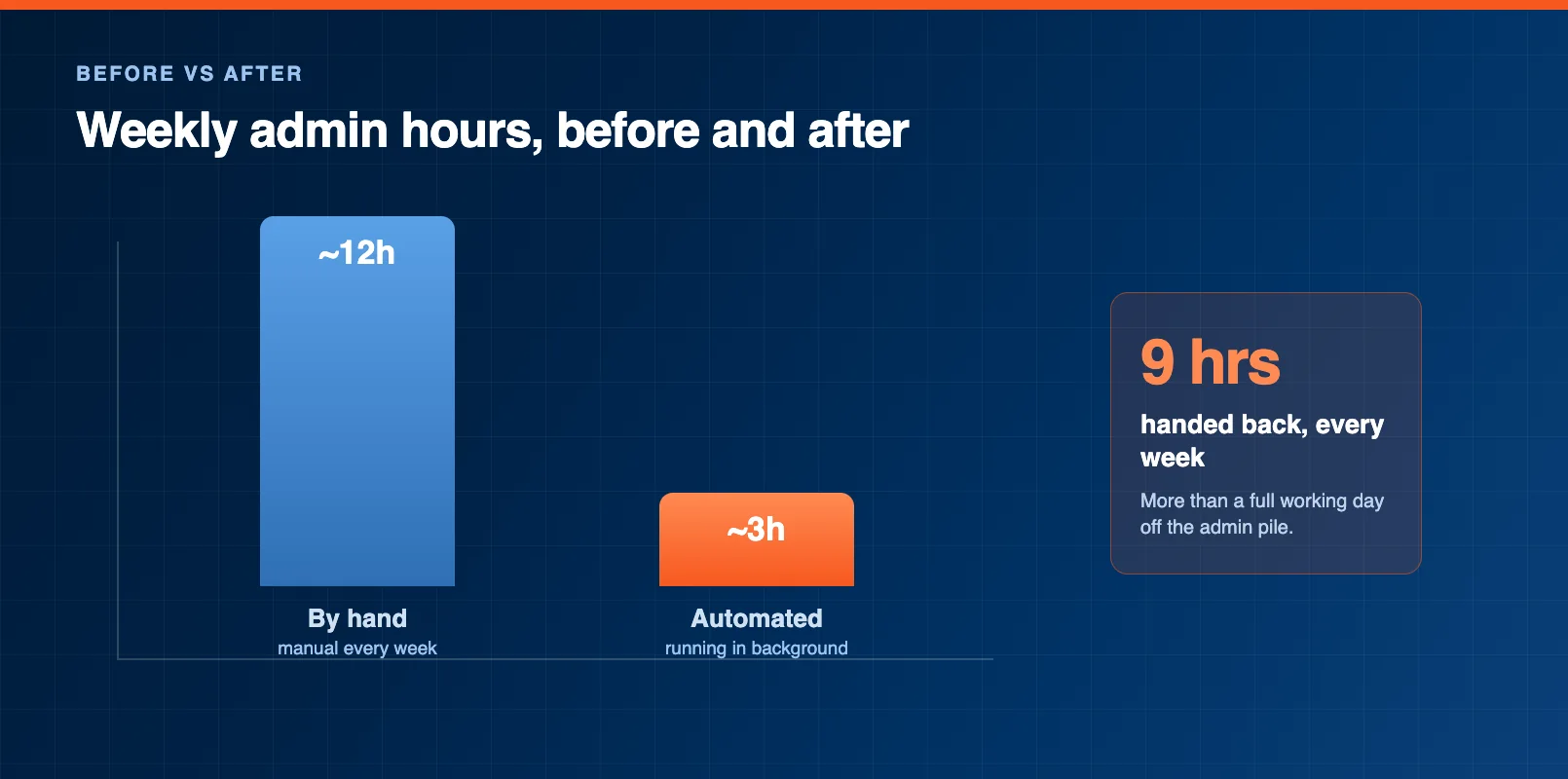
Here's a realistic breakdown for a small shop:
- Automated confirmations and reminders: 3–4 hours a week saved.
- Digital waivers: 2–3 hours, plus faster check-in on busy days.
- Self-service booking: 2–4 hours of phone and email handling gone.
- Automated reports: 1–2 hours of end-of-day number-crunching.
That's roughly 8 to 12 hours a week — more than a full working day — handed back to you. Time you can spend with customers, on the floor, fixing gear, or simply not at the shop after closing.
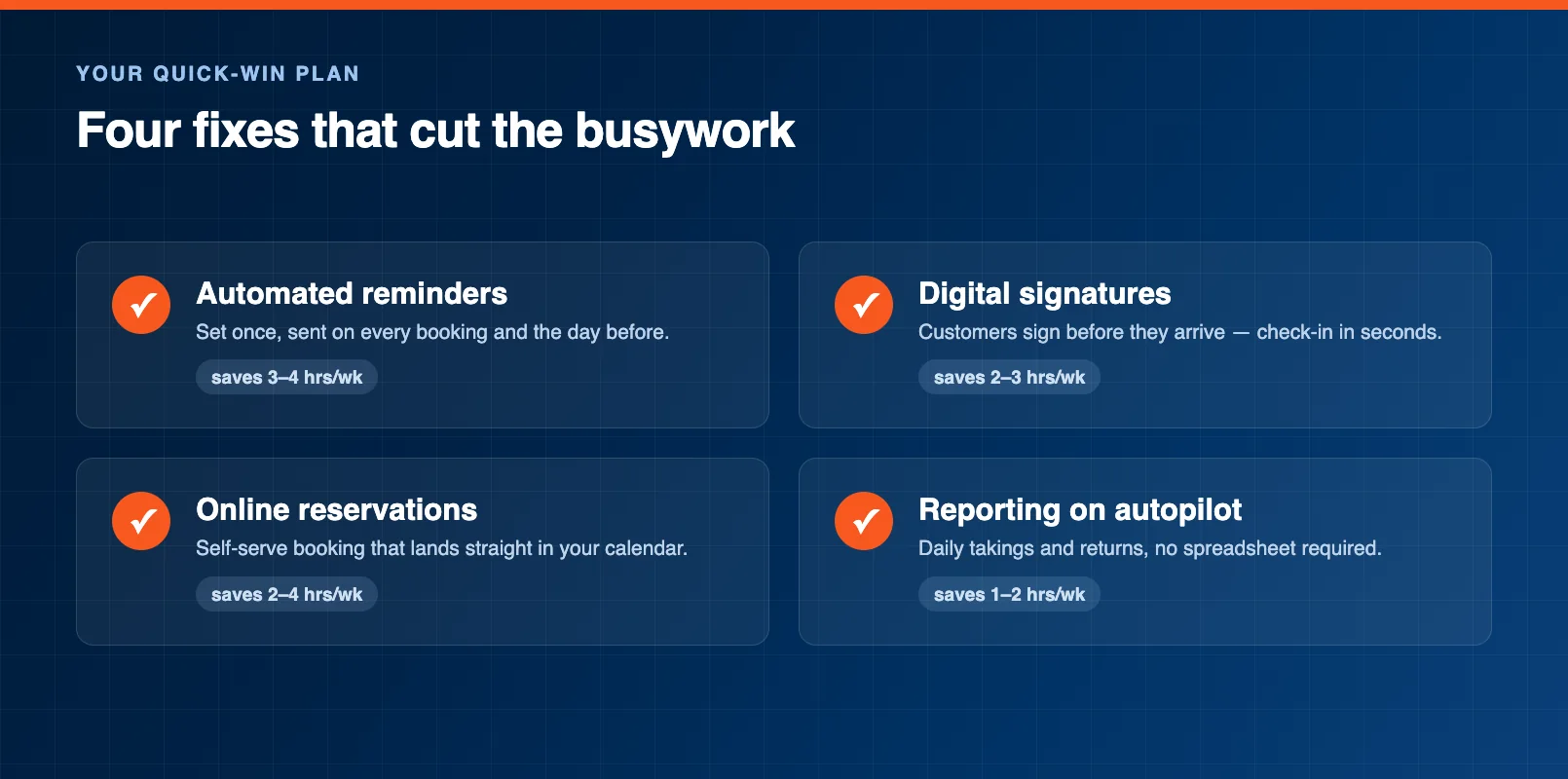
You don't have to do all four at once. Start with confirmations — it's the fastest to set up and usually the biggest single win. Add the others as you go. Each one compounds, because the real saving isn't any single task. It's having one system that handles the busywork so you don't have to think about it at all.
FAQ
What admin tasks waste the most time at a rental shop?
For most shops it's booking confirmations and reminders, waivers and paperwork, processing phone and email bookings, repetitive data entry, and end-of-day reports. Nearly all of it is repetitive and rule-based, which is exactly the kind of work software can automate.
How much time can I actually save per week?
A small shop that automates confirmations, digital waivers, self-service booking, and reporting typically saves 8 to 12 hours a week — more than a full working day. The biggest single win is usually automated confirmations and reminders.
Can I reduce admin work without buying new software?
Some, yes — saved email templates, a shared online calendar, and a free digital signing tool all help. But the real savings come when one system handles bookings, waivers, payments, and reports together, so the same details don't have to be entered two or three times.
Which quick win should I start with?
Start with automated confirmations and reminders. It's the fastest to set up, it removes a task you repeat for every single booking, and it cuts no-shows at the same time. Add digital waivers, self-service booking, and automated reports from there.
Will automating admin make my shop feel impersonal?
It does the opposite. Automating busywork frees you to spend more time with customers at the counter and on the floor, instead of buried in a spreadsheet after closing. The repetitive tasks get handled quietly in the background.
Do automated reminders really reduce no-shows?
Yes. A reminder sent the day before a booking is the cheapest insurance against an empty slot you can't refill. Because it sends automatically, it works every day — including the days the shop is closed and you're not thinking about it.
in one place