How to Switch Rental Software Mid-Season (Without Losing Bookings)
You know your current booking platform is holding you back. The fees are too high, the support is slow, or it just can't do half of what you need. But it's June, the bookings are rolling in, and the thought of switching rental software mid-season makes your stomach drop. What if a booking falls through the cracks? What if a customer shows up and there's no record of them?
Here's the truth: operators switch platforms during the season all the time, and the ones who plan it properly don't lose a single booking. The risk isn't switching — it's switching badly. This guide walks you through how to migrate rental software safely, when to do it, and how to run both systems in parallel so nothing slips.
Why Operators Delay (And Shouldn't)
The most common objection is "I'll switch in the off-season." It sounds sensible. But the off-season is also when you have the fewest bookings to test against, the least urgency, and the easiest excuse to keep putting it off. A lot of operators say that every year for three years running.
Meanwhile, the platform that's frustrating you keeps charging you. If your current tool takes a 4% booking fee and you're running $200,000 in season, that's $8,000 — and a chunk of it is avoidable. Every month you wait is real money and real hours lost to clunky workflows.
The fear of losing bookings is valid, but it's a planning problem, not a reason to stay stuck. Done right, a mid-season switch is a weekend of focused work, not a catastrophe. If you're still weighing options, our rental software comparison breaks down what to look for before you commit.
The Best Time to Switch
You don't have to choose between "now" and "October." The best window is a shoulder period — a quieter stretch inside your season. Think the gap between two long weekends, a mid-week lull, or the slower fortnight before your next peak.
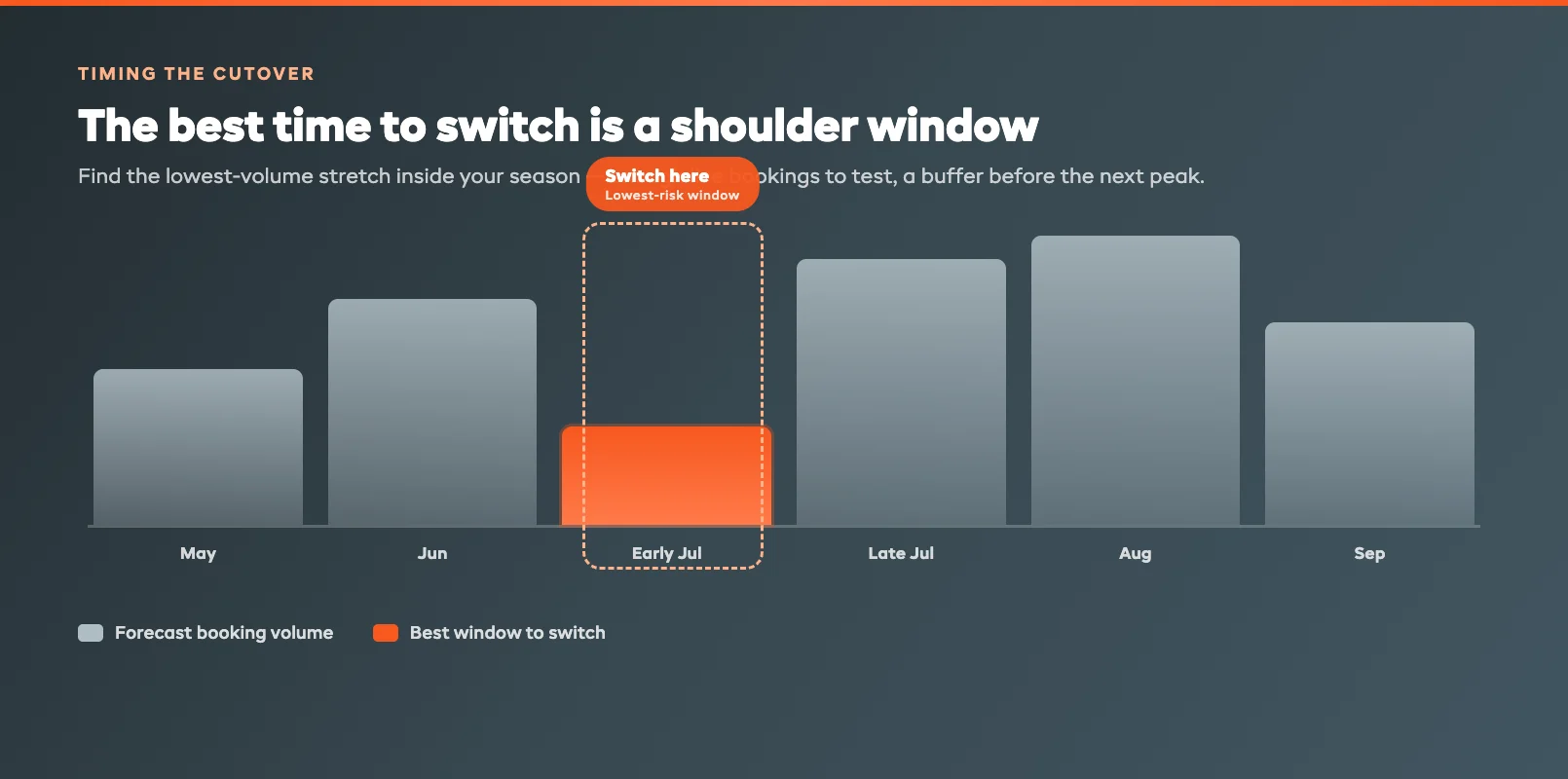
Look at your own booking data and find the three or four days with the lowest forecast volume in the next month. That's your cutover window. You want enough live activity to test the new system properly, but not so much that a hiccup costs you a fully-booked Saturday.
A few timing rules that keep the change of booking platform safe:
- Never cut over the day before a peak. Give yourself a buffer of at least a few quiet days after go-live.
- Avoid public holidays and event weekends. Support response times are slower and your team is stretched.
- Pick a window when you — the owner — are actually around. Don't migrate while you're away.
Pre-Migration Checklist
The work that protects your bookings happens before you flip the switch. Most "lost booking" horror stories trace back to a data export that was rushed or incomplete.
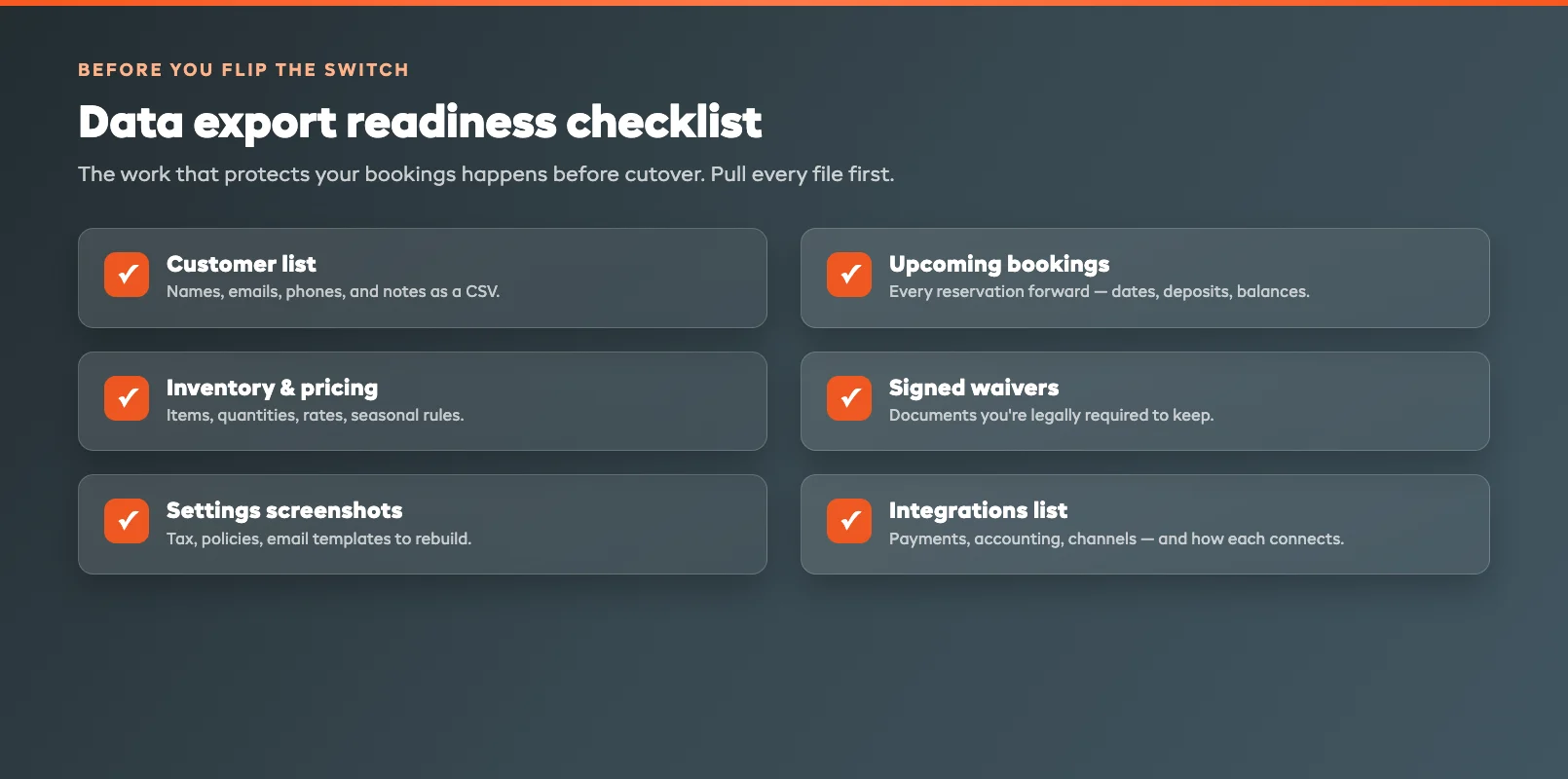
Work through this before your cutover window:
- Export your customer list. Names, emails, phone numbers, and any notes. Most platforms let you download a CSV from the customer or contacts section.
- Export all upcoming bookings. Every reservation from today forward — dates, items, deposits paid, balances owed. This is the file that matters most.
- Export your inventory and pricing. Items, quantities, rates, and any seasonal pricing rules.
- Save your waivers and documents. Download signed waivers and any customer agreements you're legally required to keep.
- Screenshot your settings. Tax rates, booking rules, cancellation policies, email templates. You'll rebuild these in the new system.
- List your integrations. Payment processor, accounting tool, any channel managers. Note exactly how each one connects.
If your current platform makes exporting hard, that's a red flag worth remembering — and a reason to leave. Good rental software lets you get your own data out easily. The new platform should help you import these files; ask their support team to walk you through it before your window, not during it.
Running Both Systems in Parallel
This is the step that removes almost all the risk. Instead of a hard cutover, you run your old and new systems side by side for a short overlap — usually one to two weeks.
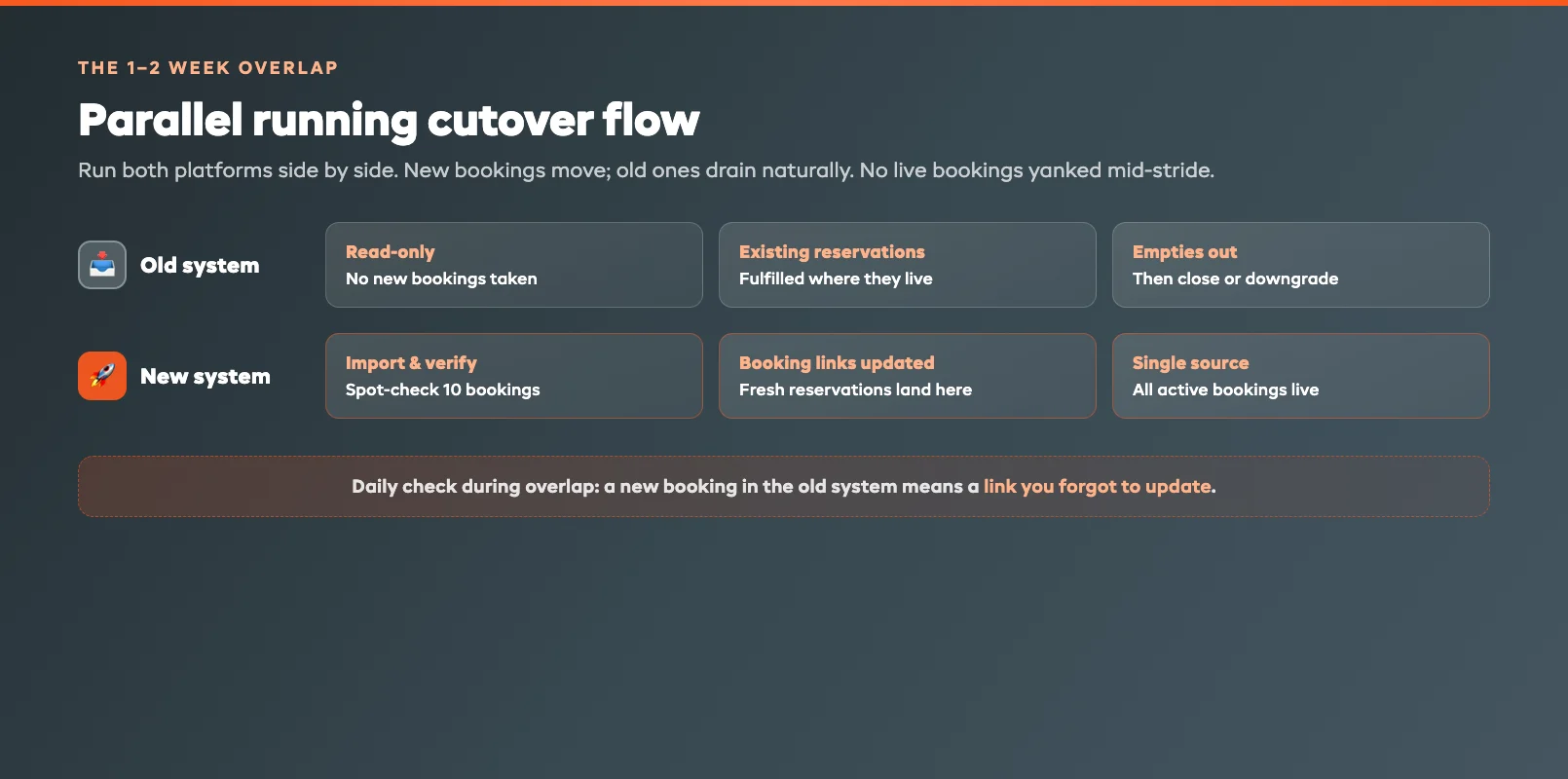
Here's how the overlap works in practice:
- Import your data into the new system during your quiet window, then verify it. Spot-check 10 bookings against the old system — right dates, right deposits, right items.
- Switch new bookings to the new platform. Update your website booking button and any booking links so fresh reservations land in the new system only.
- Let existing bookings play out where they live. Reservations already in the old system stay there until they're fulfilled. You're not moving live bookings mid-stride — you're letting the old pipeline drain naturally.
- Keep the old system read-only. Don't take new bookings in it, but keep it open so you can check anything. Most platforms let you downgrade to a cheap or free tier for a month.
Run a daily check during the overlap: any new booking in the old system means a link you forgot to update. By the end of the overlap, every active reservation lives in the new platform and the old one is empty. That's a clean migration with zero gaps. Tools like EquipDash are built to import existing booking data so this overlap stays short.
Post-Migration: Week One Checks
Once you're live on the new system, the first week is about confidence, not crisis. Run these checks daily for the first seven days:
- Confirm every new booking generates a confirmation email. Make a test booking yourself and watch it land.
- Check that payments and deposits are flowing into the right account and reconciling correctly.
- Watch your calendar for double-bookings. Cross-reference against any old-system reservations still being fulfilled.
- Ask your front-counter staff what's confusing. They'll find the rough edges faster than you will.
- Verify your reminders and waivers fire at the right time before each booking.
By day seven, the new platform is just how you work. The dread you felt in June turns into "why did I wait so long?" — which is exactly what operators who've made the switch always say. If you're comparing replacements, our guides to the best Booqable alternatives and best FareHarbor alternatives are a good place to shortlist.
FAQ
Can I switch rental software during my busy season without losing bookings?
Yes. The key is to never do a hard cutover. Run both systems in parallel for one to two weeks: send new bookings to the new platform while existing reservations finish in the old one. Pick a quiet shoulder window inside your season for the switch, and you can change platforms without losing a single booking.
How do I export my data from my current booking platform?
Most platforms let you download CSV files from the customer, bookings, and inventory sections. Export your customer list, all upcoming reservations, your inventory and pricing, and any signed waivers. If your current tool makes exporting difficult, ask their support to send you a full data export — getting your own data out is your right.
How long should I run both systems in parallel?
One to two weeks is usually enough. The goal is to let bookings already in the old system get fulfilled while every new reservation lands in the new one. Once the old system has no active bookings left, you can close it. Keep it read-only during the overlap so you can check records if needed.
What's the safest time of year to migrate rental software?
A shoulder period inside your season — a mid-week lull or the quiet stretch between two peak weekends. You want enough live bookings to properly test the new system, but a buffer of quiet days after go-live so a small hiccup never costs you a fully-booked day. Avoid migrating right before a holiday or event weekend.
Will customers notice when I change booking platforms?
Done well, no. Existing customers keep their original confirmations and their bookings are honoured exactly as made. New customers simply book through your updated booking link. The only visible change is usually a better booking experience — faster checkout, clearer confirmations, and reminders that actually arrive.
in one place