Boat Inspection & Insurance Tracking
A boat that carries customers has to stay current on its inspection and insurance. EquipDash keeps both dates on the boat itself, reminds you before they lapse, and (if you want) stops the boat taking bookings the moment either one is out of date.
The dates live on the boat, which is a rental item in EquipDash. Every experience that uses the boat - a sunset cruise, a fishing trip, a dive trip - reads them from there, so you enter them once.
Setting it up
- Go to Rentals → Products and open the boat (or add it).
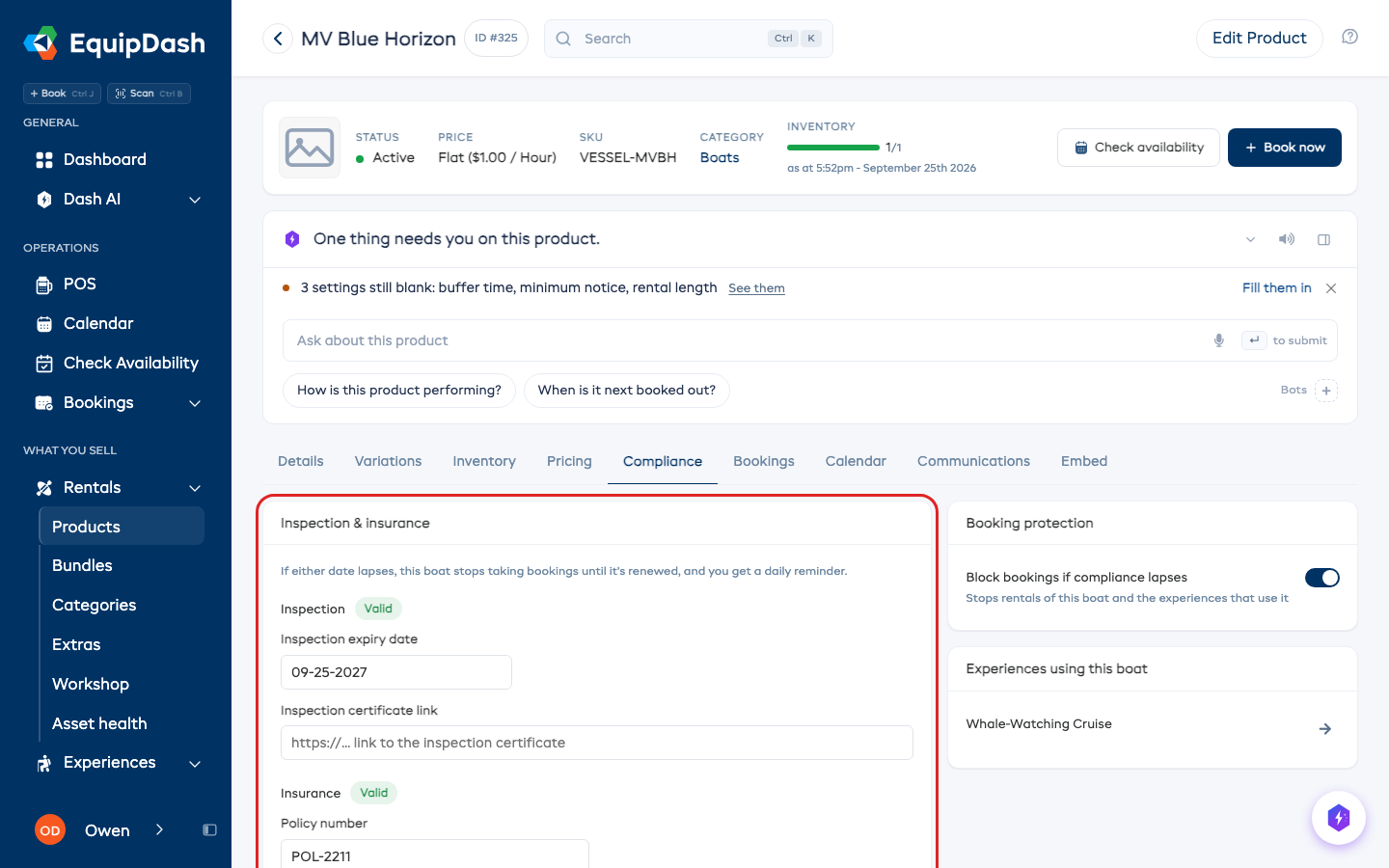
- Set its Product type to ⛵ Boats. A Compliance tab appears.
- On the Compliance tab, enter:
- Inspection expiry date (and, optionally, a link to the inspection certificate).
- Insurance expiry date (and, optionally, the policy number and a link to the policy).
- Click Save compliance.
Each date shows a status badge: Valid, Expiring soon (within 30 days), Expired or Not set.
Using the boat on an experience
On the experience, open the Details tab and add the boat under Gear this uses. The experience then gets its own Compliance tab showing the boat's status, with an Update on boat button that takes you to the boat.
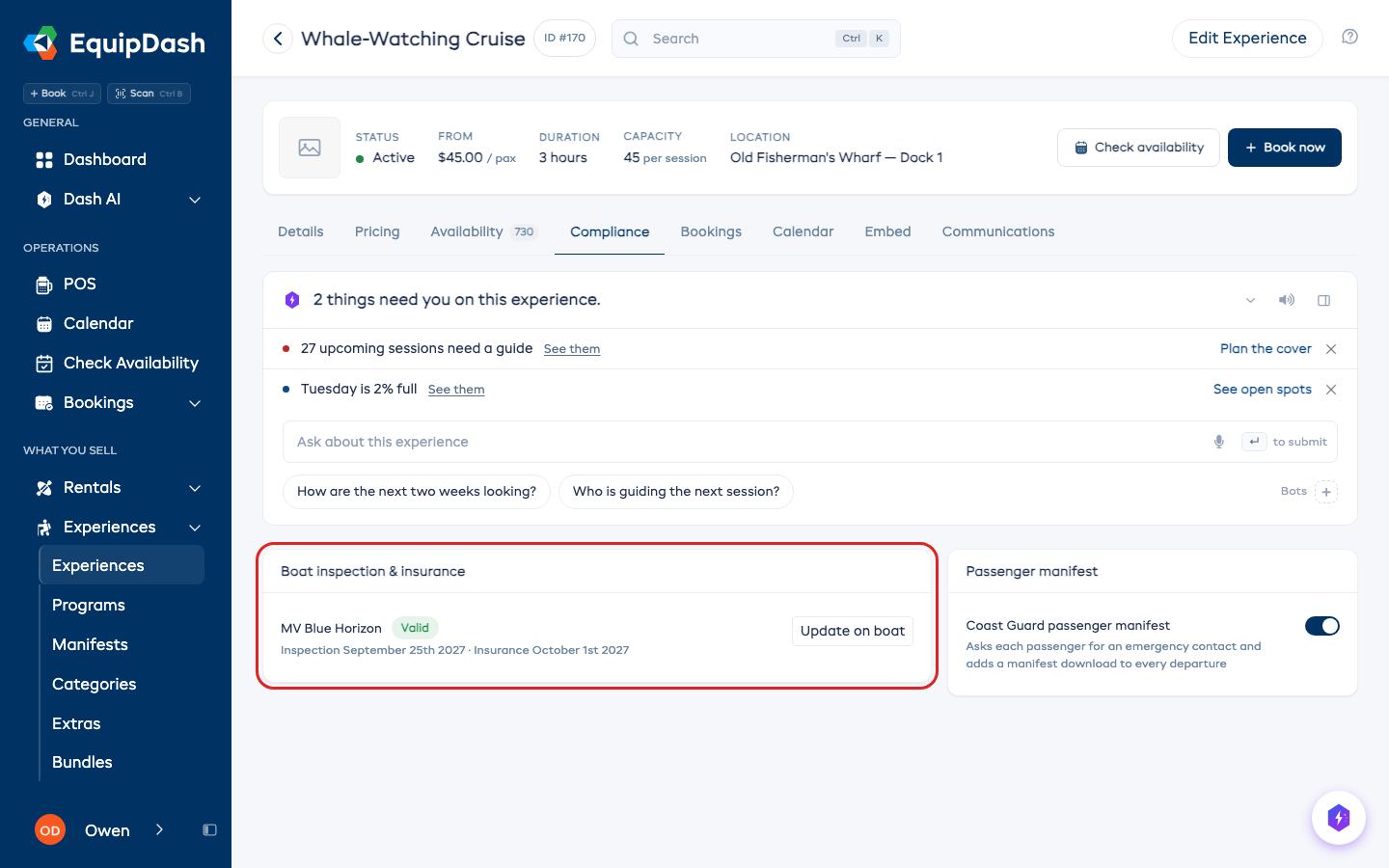
Linking a boat also turns on the Coast Guard passenger manifest for that experience. You can turn the manifest off on the same tab.
Stop bookings when it lapses
On the boat's Compliance tab, Block bookings if compliance lapses is on by default. While it's on and either date is in the past, the boat can't be rented, and every experience that uses it stops taking bookings - on your booking page, in POS, and everywhere else - until you renew it. Turn it off if you'd rather just get the reminders and keep selling.
Reminders before it's too late
- Your Dashboard's Dash card lists any boat that is expired or expiring within 30 days, with a Renew link that opens it.
- A daily email to your admins lists anything that needs renewing.
Letting Dash AI keep watch
Ask Dash AI "Any inspections or insurance expiring soon?" any time, or turn on the Inspection & Insurance Expiry bot (in Dash AI → Bots → Templates, filter to Boat Charters).
Experiences set up before boats had their own dates
If an experience had its own inspection and insurance dates before this change, they keep working until you add a boat under Gear this uses. When you do, the dates move onto the boat (unless the boat already has dates of its own).