Tour Operator CRM: Do You Need One?
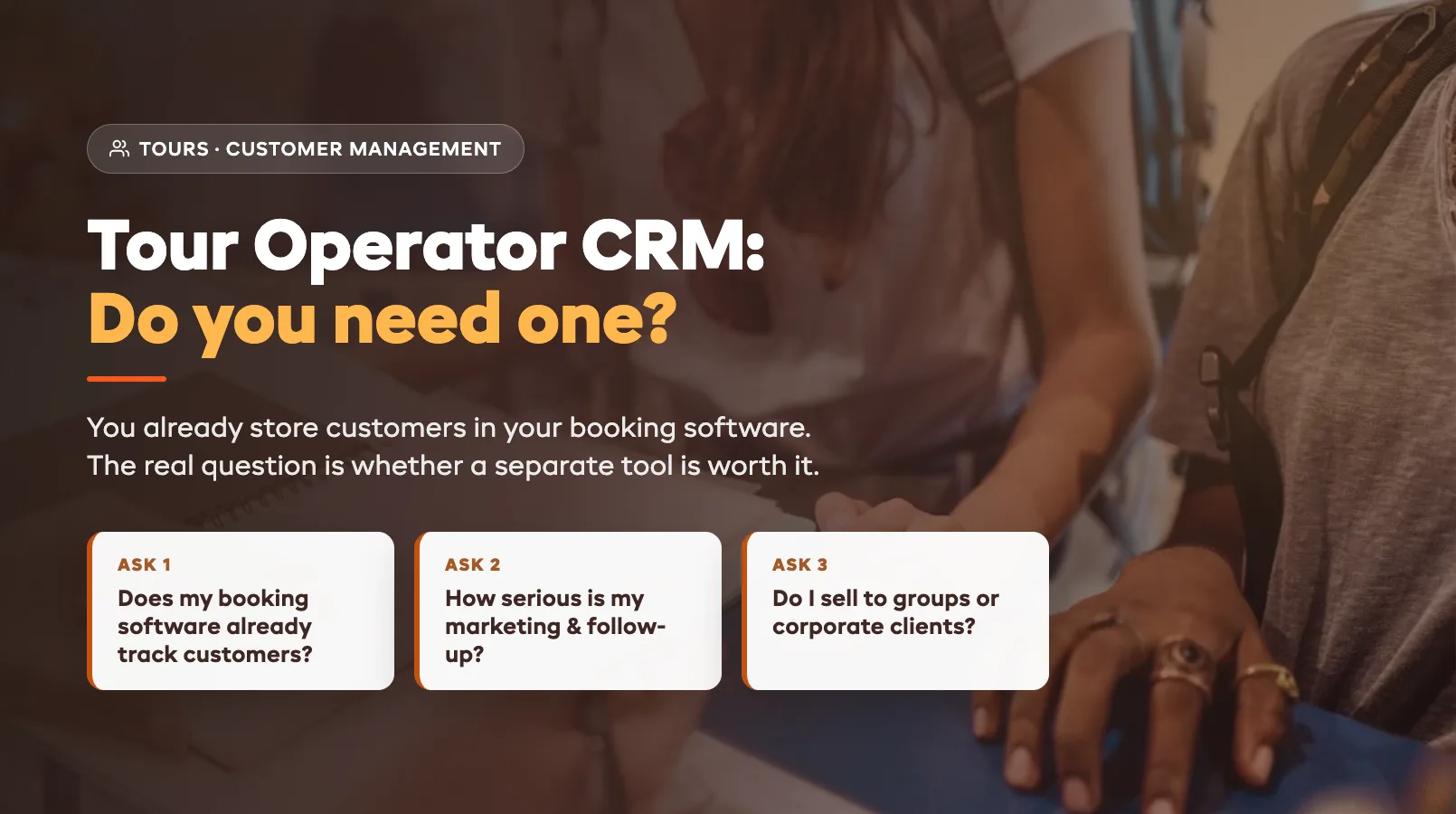
Every tour operator hears the same advice eventually: "You need a CRM." It sounds obvious — of course you should manage your customer relationships. But here's the catch most of that advice skips over: if you already take bookings through software, you almost certainly already have customer records. Names, emails, booking history, what they paid, who they came with. So the real question isn't whether you need to manage customers. It's whether you need a separate tool to do it, on top of the booking system you already pay for.
The answer depends on how you sell, how often guests come back, and how much follow-up you actually do. This guide breaks down what a CRM does for a tour business, where built-in customer management is plenty, and where a dedicated CRM finally starts paying for itself. For the wider picture of what your core software should handle, start with the tour operator software guide, and see the tours operator hub for the full toolkit.
What a CRM Does for Tour Operators
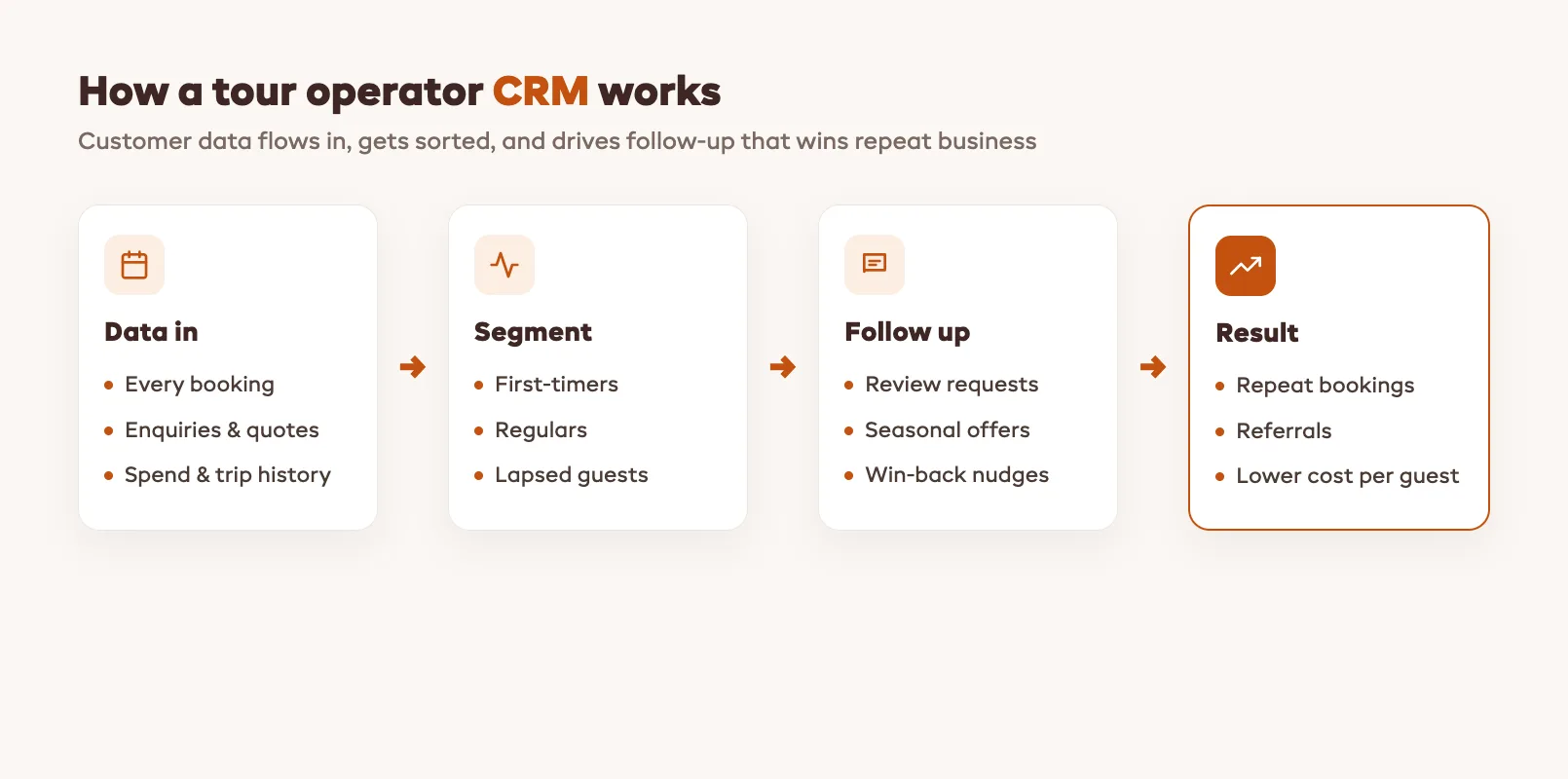
CRM stands for customer relationship management, and at its core a CRM is just an organized record of everyone who has booked, enquired, or might book, plus the tools to follow up with them. For a tour operator, that means a few practical jobs.
It remembers your customers. Every guest, every trip they took, what they spent, who they traveled with, and any notes your guides added. It segments them, so you can tell a first-timer from a regular, a solo traveler from a family, a local from an overseas visitor. And it helps you act on that: sending a thank-you after a trip, a birthday offer, a "we miss you" nudge before the season starts, or a targeted promotion to people who did your kayak tour but never tried the sunset cruise.
The point of all this is repeat business and referrals. If terms like segmentation, lifecycle, or churn are new to you, the tour operator glossary defines the ones this article leans on. Winning a brand-new customer through an OTA or paid ads is expensive. Getting a past happy guest to come back, or to send a friend, is far cheaper, and a CRM is the machine that makes that happen systematically instead of whenever you remember to.
Built-In vs Standalone CRM
There are two ways to get these capabilities, and the difference matters more than the brochures suggest.
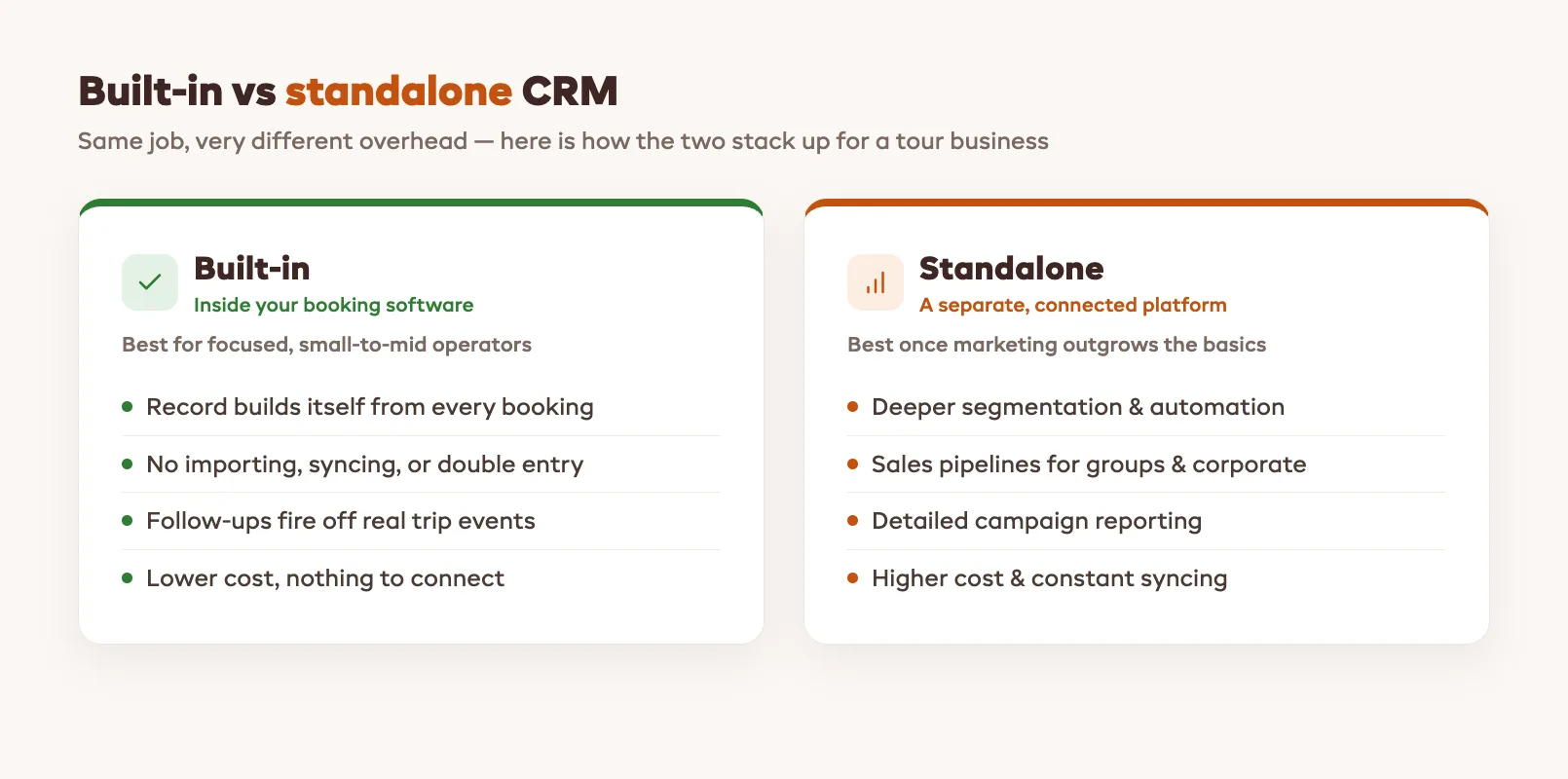
A built-in CRM is the customer management that already lives inside your booking platform. Because every booking flows through it, the customer record builds itself: no importing, no syncing, no double entry. The history is always current, and follow-ups can fire automatically off real booking events: a review request after the trip, a reminder before a known annual booking, a win-back to guests who haven't returned in a year.
A standalone CRM, think the big general-purpose platforms, is a separate, more powerful system you connect to your booking data. It offers deeper segmentation, full marketing automation, sales pipelines for chasing corporate or group enquiries, and detailed reporting. The trade-off is cost, setup, and the constant job of keeping two systems in sync so your CRM doesn't drift out of date.
For most small and mid-size operators, the built-in option covers the real work without the overhead. The standalone makes sense once your marketing ambitions outgrow what the booking system can do.
When Built-In Is Enough
For a large share of tour businesses, the customer management inside good booking software is all they will ever need. You can skip the separate CRM if most of the following sound like you.
You run a focused set of tours rather than a sprawling catalog. Your follow-up is mostly transactional and lifecycle-based (confirmations, reminders, review requests, the odd seasonal offer) not a complex, multi-step marketing campaign. Your repeat business comes from doing great trips and staying in light touch, not from elaborate nurture funnels. And your team is small enough that one shared customer record, visible to whoever is at the desk, beats a dedicated marketing tool nobody has time to run.
If that's you, bolting on a standalone CRM usually adds cost and admin without adding revenue. You'd spend more time syncing and configuring than you'd ever earn back. The smarter move is to use what's built in well: tidy customer records, a couple of automated touchpoints, and a habit of asking for reviews. A simple, reliable post-tour review request routine does more for most operators than a CRM they never log into. It is the same lean-software thinking that runs through tour operator software for small businesses. Pick the tools you will actually use.
When You Need a Dedicated CRM
There's a real point where the built-in tools stop keeping up, and a dedicated CRM earns its place. The signals are fairly consistent.
You're running serious, segmented marketing: different campaigns to different audiences, drip sequences, win-back flows, and you want to measure each one. You sell to corporate, school, or group clients where each deal is a multi-step conversation that needs a sales pipeline, not just a booking. You have enough customer volume and enough staff that handoffs and notes need proper structure. Or you operate across multiple brands or locations and want one unified view of every customer.
In those cases the depth pays off: advanced segmentation, automation that branches on customer behavior, and reporting that ties marketing spend to actual bookings. The cost and the setup stop being overhead and start being leverage. A pre-season customer reactivation push, for instance, is far more powerful when it can target precisely the guests most likely to rebook, and it pairs well with a clear tour operator pricing strategy so the offers you send actually protect your margin.
Connecting Your Booking Platform to a CRM
If you do decide a standalone CRM is worth it, the make-or-break detail is the connection between it and your booking system. A CRM is only as good as the data flowing into it, and that data lives in your bookings.
The cleanest setup is a direct, native integration where new bookings, customer details, and trip history sync automatically into the CRM in real time: no manual export, no spreadsheets, no stale records. Where a native link isn't available, operators use a connector tool to bridge the two, or, at worst, periodic manual imports (which is exactly the drift-prone busywork you're trying to escape). Before you commit to any CRM, confirm how it will talk to your booking platform, because a disconnected CRM quietly becomes a second, out-of-date copy of your customer list. This is one more reason the built-in option appeals: with tour operator software that manages customers natively, there's nothing to connect — the relationship layer and the booking layer are already the same system.
FAQ
Do I need a CRM if my booking software already stores customer info?
Often, no. If your booking platform keeps customer records, trip history, and what each guest spent, and lets you send follow-ups, you already have a working CRM built in. A separate CRM only earns its place when you outgrow that: serious segmented marketing, corporate sales pipelines, or multi-location reporting. For a focused tour business, the built-in customer management usually covers the real work without the extra cost and syncing.
What's the difference between a built-in CRM and a standalone CRM?
A built-in CRM lives inside your booking software, so the customer record builds itself from every booking and follow-ups can fire automatically off trip events. A standalone CRM is a separate, more powerful platform you connect to your booking data. It offers deeper automation, sales pipelines, and reporting, but costs more and has to be kept in sync. Built-in wins on simplicity; standalone wins on depth.
How do I track repeat customers as a tour operator?
The simplest way is to let your booking system do it. Because every booking ties to a customer record, you can see who has booked before, how many times, and what they took. From there, segment guests into first-timers, regulars, and lapsed customers, and set up a couple of automatic touchpoints: a thank-you and review request after each trip, and a pre-season nudge to guests who haven't returned. That captures most of the repeat-business value without a separate tool.
What's the simplest follow-up approach for a small tour business?
Pick two or three automated touchpoints and do them consistently: a booking confirmation, a review request a day after the trip, and a seasonal "come back" message to past guests. Run them straight from your booking software so they fire off real events instead of relying on you to remember. Consistency beats complexity — a few reliable, well-timed messages outperform an elaborate campaign you can't keep up.
When is a standalone CRM worth the extra cost?
When your marketing or sales has outgrown simple lifecycle messages. Clear signs: you're running segmented, multi-step campaigns and want to measure each one; you sell to corporate, school, or group clients through a real sales pipeline; or you operate multiple brands or locations and need one unified customer view. At that scale the deeper automation and reporting become leverage rather than overhead. Below it, a standalone CRM usually adds admin without adding revenue.
How does a CRM connect to my booking platform?
Ideally through a native, real-time integration so bookings, customer details, and trip history flow into the CRM automatically. Where that's not available, operators use a connector tool to bridge the systems, or fall back to periodic manual imports, which reintroduces the stale-data problem you're trying to avoid. Always confirm how a CRM will sync with your booking system before committing, because a disconnected CRM quickly becomes an out-of-date copy of your customer list.
in one place