AI for Rental Businesses: What Actually Works
You've seen the headlines. "AI will transform your rental business." "Run your shop on autopilot." Then you look at your counter — a stack of waivers, a phone that won't stop ringing, and 30 bikes that all need checking before the weekend — and wonder what any of it has to do with you.
Here's the honest version. AI won't run your rental shop. But it will quietly take over a handful of jobs you hate doing, and for a small operator that's worth more than any glossy demo. This guide cuts the hype and shows you what actually works today, what to skip, and how to start without being technical.
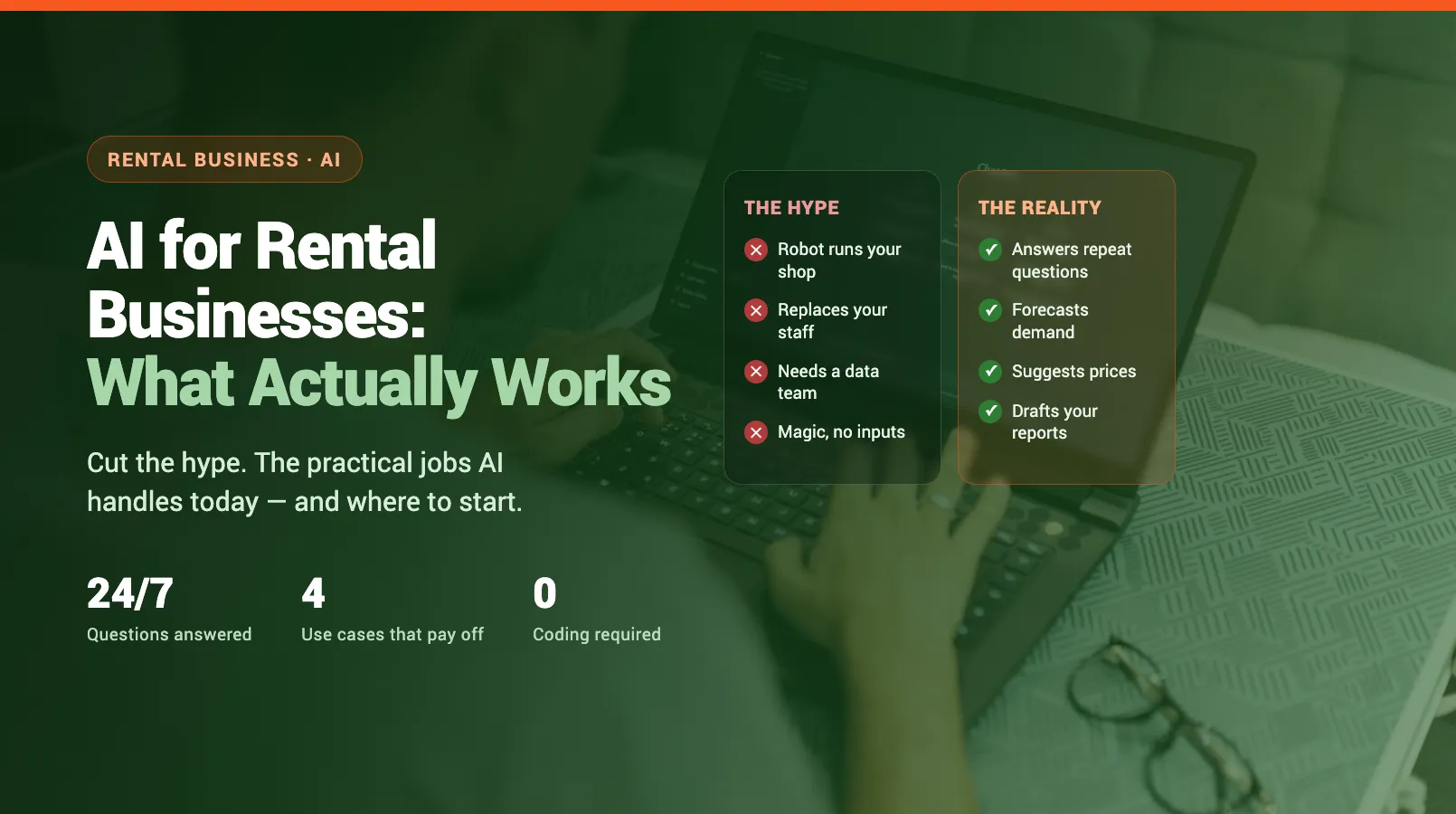
AI for Rental Businesses: Hype vs Reality
Most of what gets sold as "AI for rental businesses" is marketing paint on features that already existed. The promise is a robot that runs your shop. The reality is narrower and far more useful: software that handles repetitive decisions and routine messages so you don't have to.
The gap matters because it changes what you should buy. You don't need a self-driving business. You need the same answer typed for the hundredth time, the same Saturday rate decision, and the same end-of-week report — done for you.
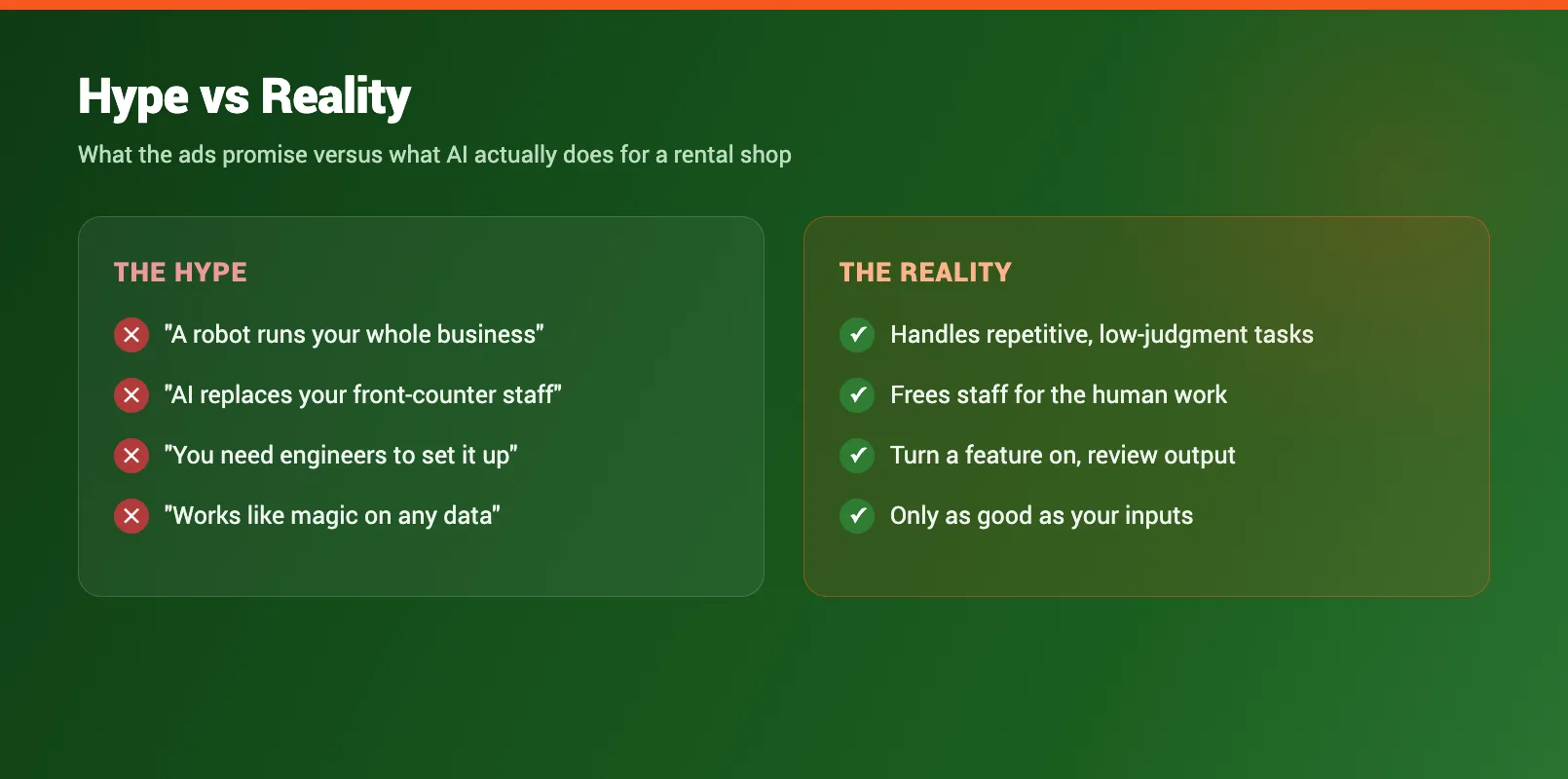
Strip the language back and the test is simple. If a task is repetitive, follows a pattern, and doesn't need your personal judgment, it's a good fit. If it needs a human read on the situation, it isn't. For the bigger picture on which jobs can be handed off, our rental automation guide covers the full list.
What AI Can Do Today
Forget the future-facing pitches. Here's what's already working in real rental shops in 2026:
- Answering repeat customer questions at any hour, in your own words.
- Spotting demand patterns: which weekends will spike, which gear sits idle.
- Suggesting price changes based on the weather, the calendar, and last year's bookings.
- Drafting reports that used to eat your Sunday night.
- Writing routine emails: confirmations, reminders, follow-ups, from a short prompt.
Notice the theme. Every one is a task you already do, just faster and without you at the keyboard. None of them require you to understand how the technology works. The good tools live inside your booking or rental platform, so you turn a feature on and review what it produces. If you run gear-heavy operations, our guide to AI for equipment rental businesses goes deeper on maintenance and inventory. The rest of this guide walks through the four use cases that move the needle most.
AI Chatbots: 24/7 Customer Questions
The single biggest time drain for most rental shops is answering the same questions over and over. "Do you have anything for Saturday?" "What's your cancellation policy?" "How old do kids have to be?" You answer them at the counter, on the phone, and at 10 PM from your couch.
A chatbot trained on your shop's details handles those automatically. It pulls live availability, quotes your policies, and points people to the booking page, every hour of every day. The questions it can't answer get passed to you with the context attached, so you're only stepping in when it actually matters.
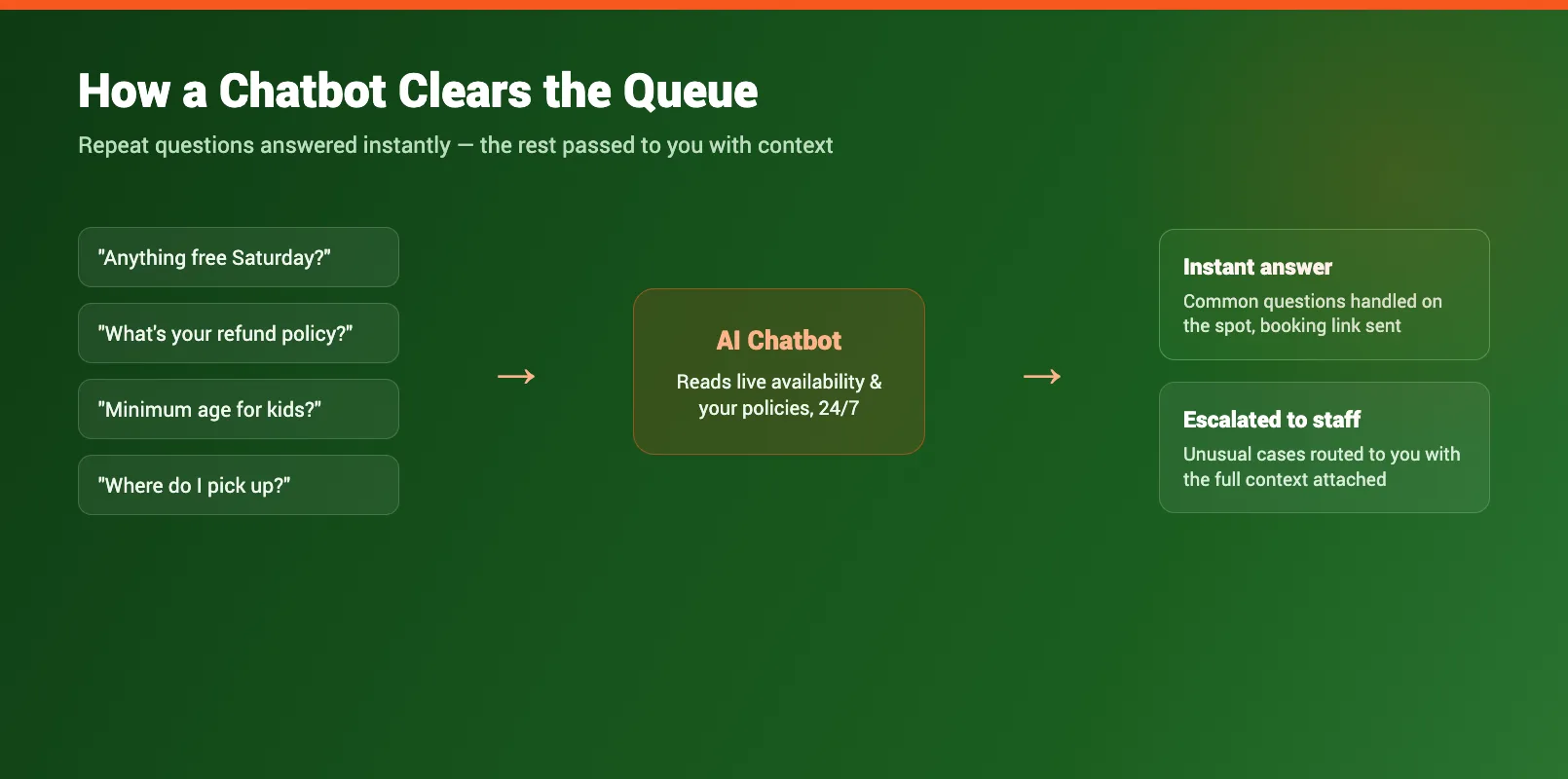
The payoff is two-sided. You stop repeating yourself, and customers get instant answers instead of waiting for a callback that loses the booking. For a deeper walkthrough of setup and what to train it on, see our guide to an AI chatbot for your rental business.
Demand Forecasting and Dynamic Pricing
Most shops set prices once a season and leave them. A peak rate, an off-peak rate, and a lot of money left on the table. The trouble is that real demand swings on dozens of signals you can't track by hand: the forecast, local events, school holidays, last year's same-weekend numbers.
This is where the technology earns its keep. It watches those signals together and tells you what's coming: a sunny long weekend that'll sell out, or a quiet Tuesday that needs a nudge. Then it suggests a rate to match, up when demand is high, down to fill gaps when it's slow.
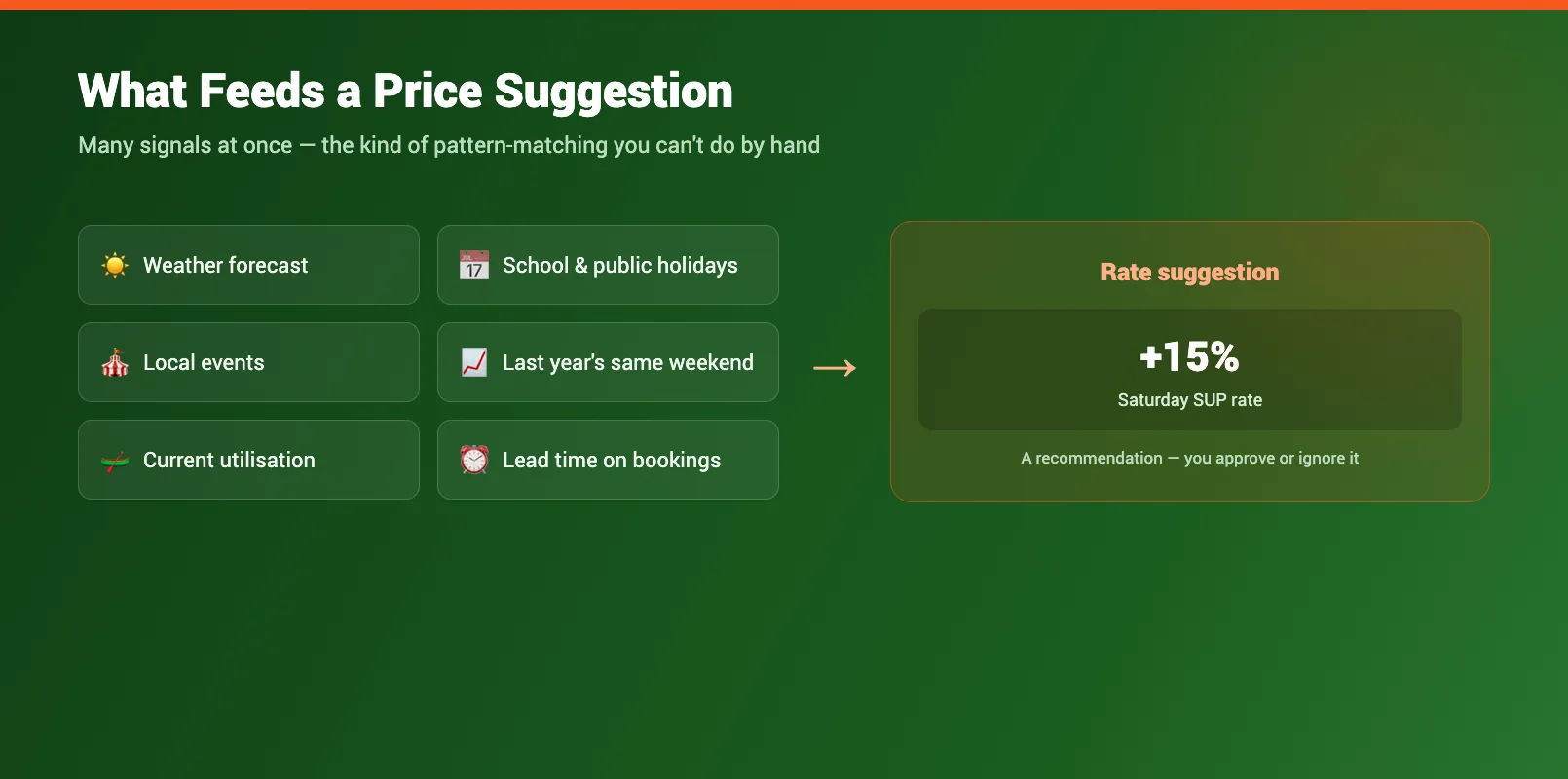
You stay in control. The suggestions are recommendations, not auto-changes. You approve or ignore each one. Used well, it's the difference between guessing and pricing on evidence. We break down both halves in AI demand forecasting for rental companies and AI dynamic pricing for equipment rental.
Automated Reports and Insights
You already have the numbers. They're scattered across your booking system, your spreadsheet, and your head. Pulling them into something useful is the part nobody has time for, so most operators fly blind between busy seasons.
Automated reporting closes that gap. It reads your booking data and writes a plain-English summary: what sold, what sat idle, which gear earned the most per unit, and where revenue moved week over week. No pivot tables, no formulas, just the takeaways, ready every Monday morning.
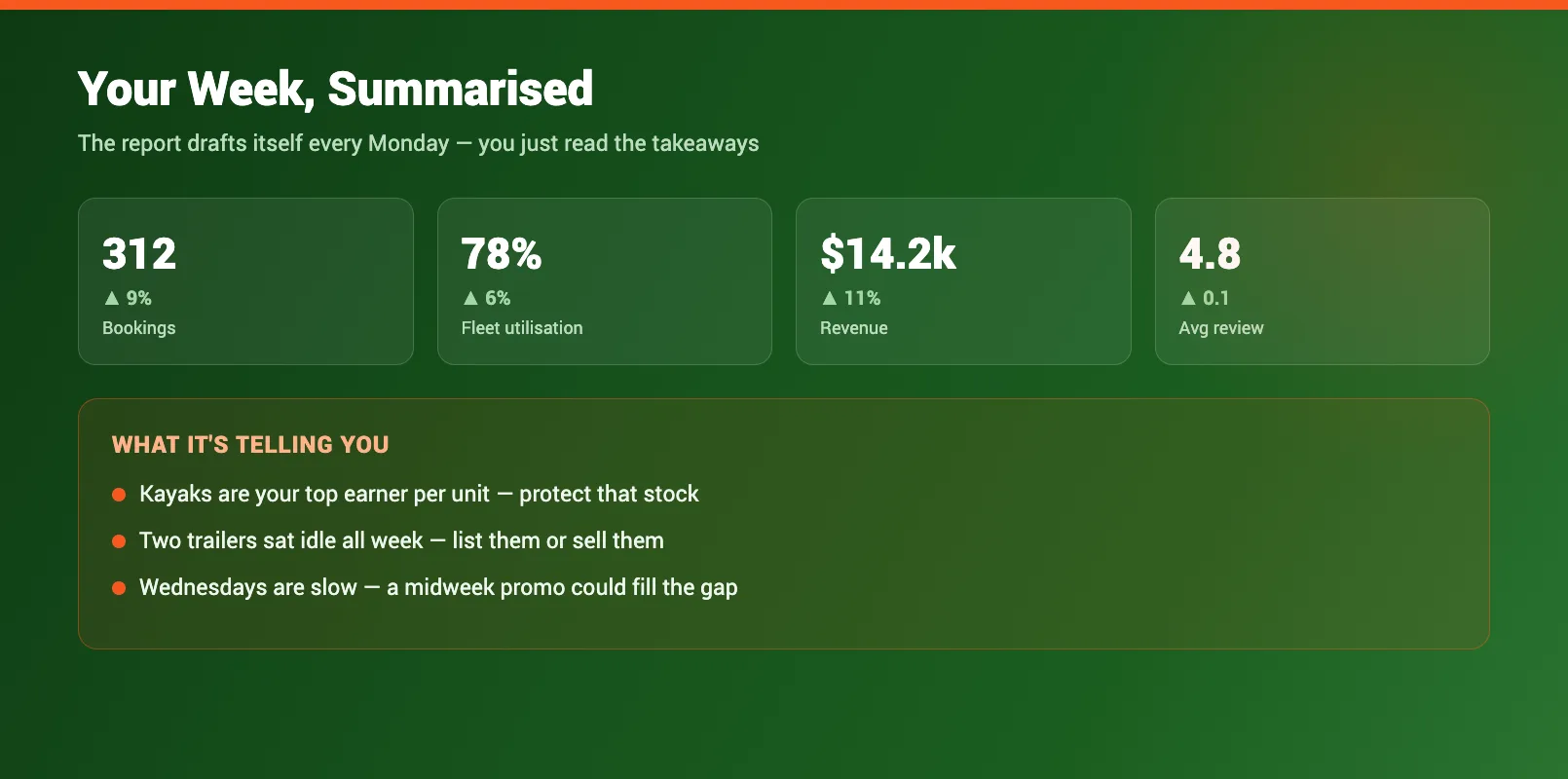
The value isn't the chart. It's the decisions the chart makes obvious: the kayak line that's quietly your best earner, the trailer you should sell, the slow Wednesday that's begging for a promo. You get the insight without becoming an analyst.
What AI Can't Do (Yet)
Honesty keeps you from wasting money, so here's the other side. AI won't fit a customer's boot, calm down someone whose trip got rained out, or make the judgment call on whether to waive a late fee for a regular. It doesn't know your town, your reputation, or the gut feel you've built over years.
It also isn't magic with bad inputs. If your booking data is messy or your policies aren't written down, the output will be just as messy. And anything that claims to fully run your business without you is overselling — the useful tools assist decisions, they don't replace the operator making them. Treat every suggestion as a draft to approve, not an order to follow.
Getting Started
Don't buy a platform because it has "AI" on the box. Start with what you already pay for. Most modern booking and rental systems include these features — the trick is turning them on and actually using them.
Here's a simple first month:
- Pick one painful task. For most shops it's after-hours customer questions. Start there.
- Turn on the matching feature in your existing software. Don't add a new tool yet.
- Review the output daily for a week. Fix the wording, correct any wrong answers, build trust.
- Add a second use case — usually demand and pricing suggestions — once the first runs itself.
Keep the bar concrete: did it save you time this week, yes or no? If a feature isn't earning its keep after a month, switch it off and move on. The shops that win with this technology aren't the most technical. They're the ones who started small, kept what worked, and got their evenings back.
FAQ
Is AI useful for a small rental business, or just hype?
It's useful, but not in the way most ads suggest. For a small shop, the value is in repetitive, low-judgment tasks: answering the same customer questions, flagging slow weekends, and drafting reports. You don't need a data team or a big budget to benefit.
Do I need to be technical to use AI in my rental shop?
No. The practical tools today are built into booking and rental platforms. You turn features on, review the suggestions, and approve or ignore them. If you can use a calendar app, you can use these.
What rental tasks can it handle right now?
Answering common customer questions 24/7, forecasting demand, suggesting price adjustments, drafting weekly reports, and writing routine emails. These are pattern-matching and writing tasks — exactly the kind of work the technology is good at.
Will it replace my staff?
No. It removes busywork so your team spend time on the things that need a human: fitting gear, handling upset customers, judgment calls. Think of it as clearing the queue, not replacing the people.
How much does it cost?
If it's built into your booking platform, usually nothing extra beyond your subscription. Standalone tools cost more and create another system to manage. Start with what's already included before buying anything new.
What's the safest way to start?
Pick one repetitive task that frustrates you, usually after-hours customer questions, and turn on the matching feature in your existing software. Run it for a month, check the results, then add a second use case.
in one place