AI Tools for Tour Operators (2026): What's Worth Using Today
Open any industry newsletter this year and you'll find a new "AI tool for tourism" promising to change your business. Most of them won't. Some are repackaged chatbots, some are enterprise software priced for resorts, and a few are genuinely useful for a small tour operator running ten trips a week.
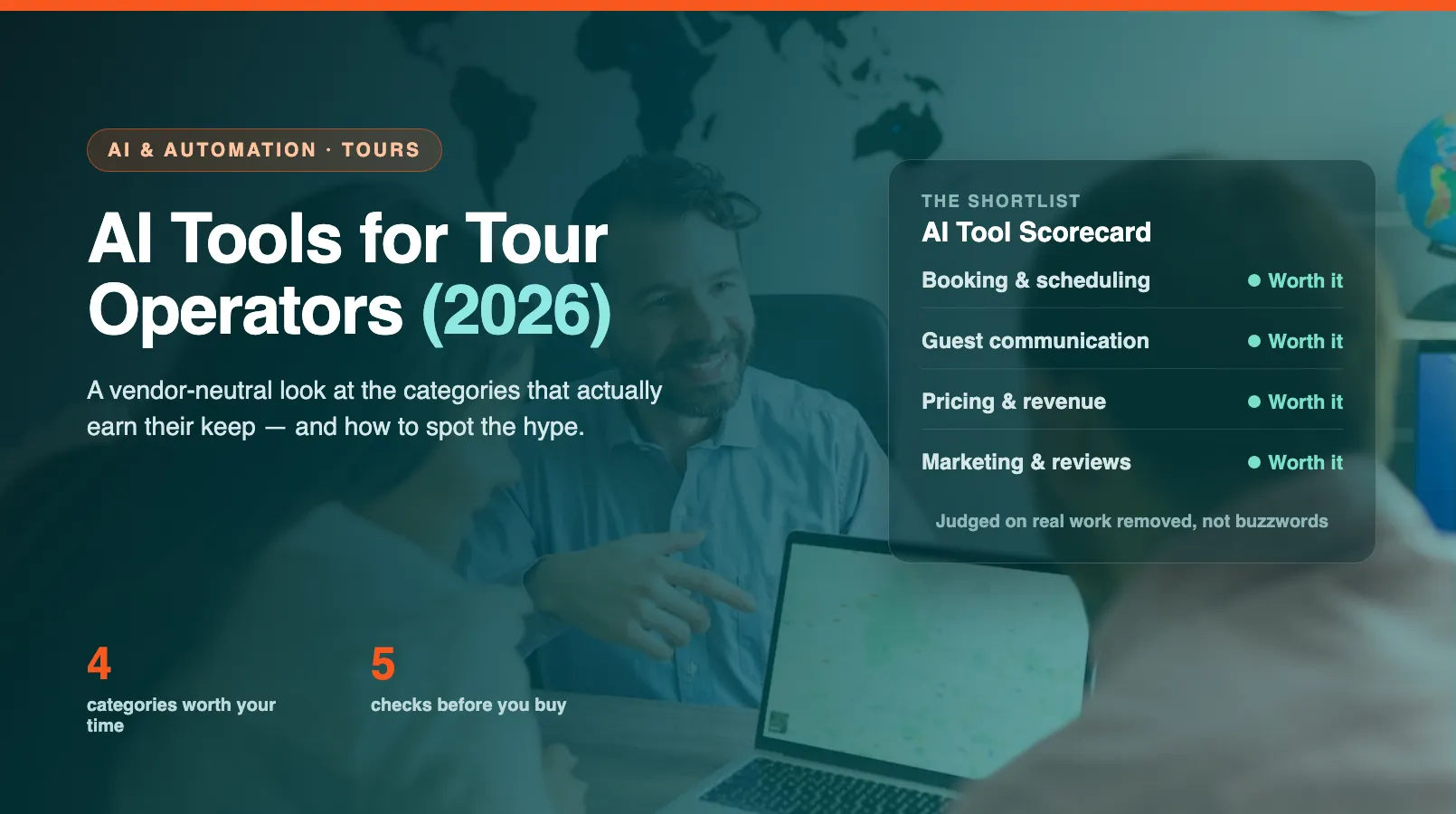
This guide cuts through that. It's vendor-neutral and organized by the job you're trying to do, not by brand. We'll walk the four categories of AI that actually move the needle for operators in 2026, show where an all-in-one platform fits, and finish with a short checklist to run before you pay for anything.
How We Evaluated These Tools
We didn't rank products by feature lists or funding rounds. We looked at whether a tool removes real work from a small operator's week and whether the average owner can switch it on without hiring a consultant.
Three questions decided what made the cut. Does it tie to a number you already track: hours, bookings, response time, no-shows? Can a non-technical owner set it up in a day, not a quarter? And does it work with the booking data you already have, instead of demanding you re-enter everything?
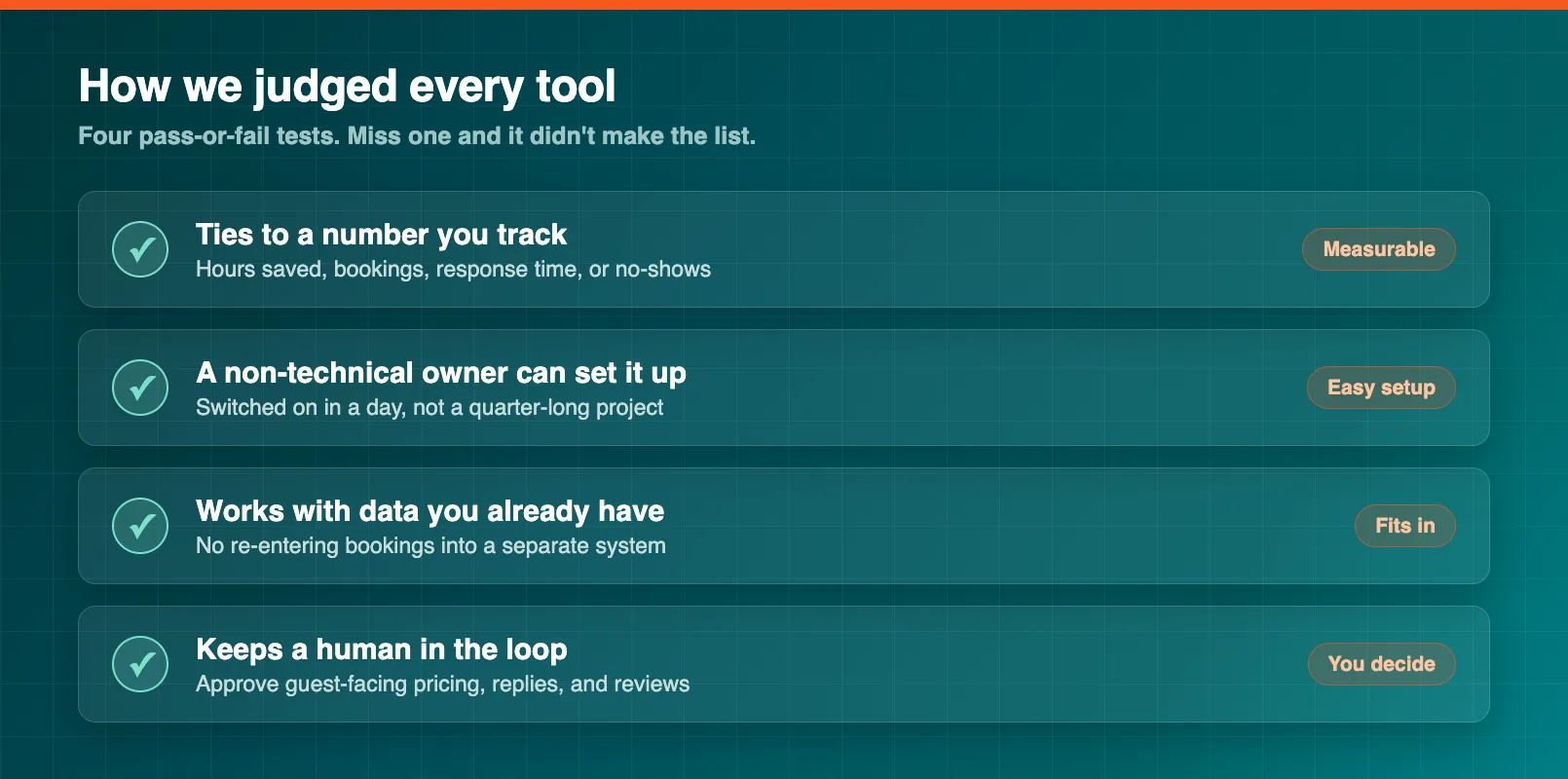
Anything that failed those tests got left out, no matter how impressive the demo. A tool that needs a developer, a six-month rollout, or a separate data warehouse isn't built for a business your size. It's built for someone who can afford a team to babysit it.
AI Booking and Scheduling Tools
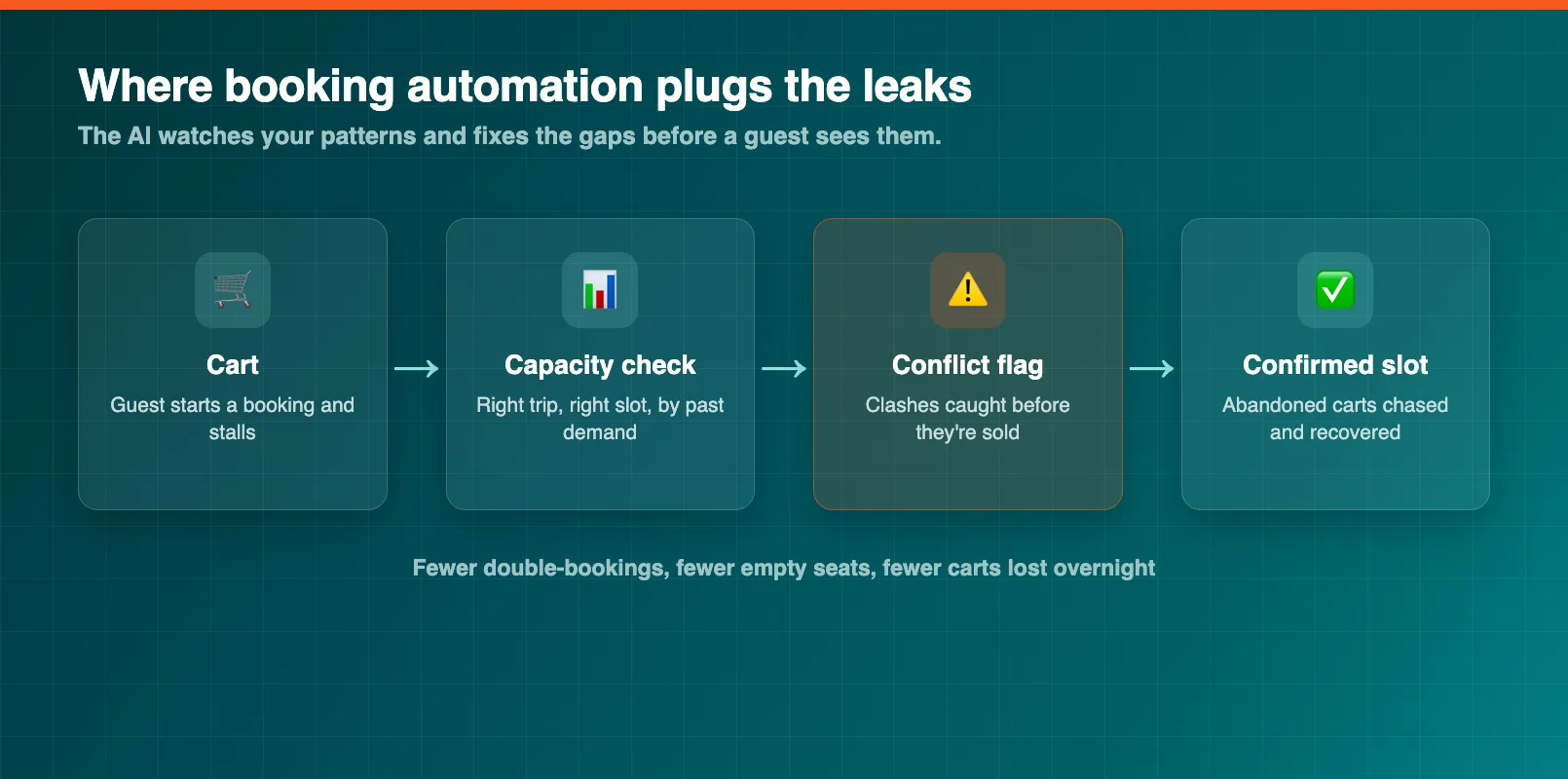
This is where most operators feel the pain first. Double-bookings, manual calendar juggling, and the slow drip of abandoned carts all cost real money. AI tools in this category watch your booking patterns and quietly fix the leaks.
The useful ones do a few concrete jobs. They suggest the right capacity for each time slot based on past demand, so you stop selling out the wrong trips. They chase abandoned bookings with a timed follow-up instead of letting them vanish. And they flag scheduling conflicts before a guest ever sees a clash.
If you want to go deeper on this one category, AI booking optimization for tours breaks down how the demand-pattern matching actually works. The short version: the more booking history a tool can see, the better its suggestions get, which is why a tool bolted onto the side of your system rarely matches one that lives inside it.
AI Customer Communication Tools
Guests message at all hours, and a slow reply costs bookings. This category is the most crowded and the most uneven — plenty of generic chatbots wear an "AI" badge without understanding a single thing about your trips.
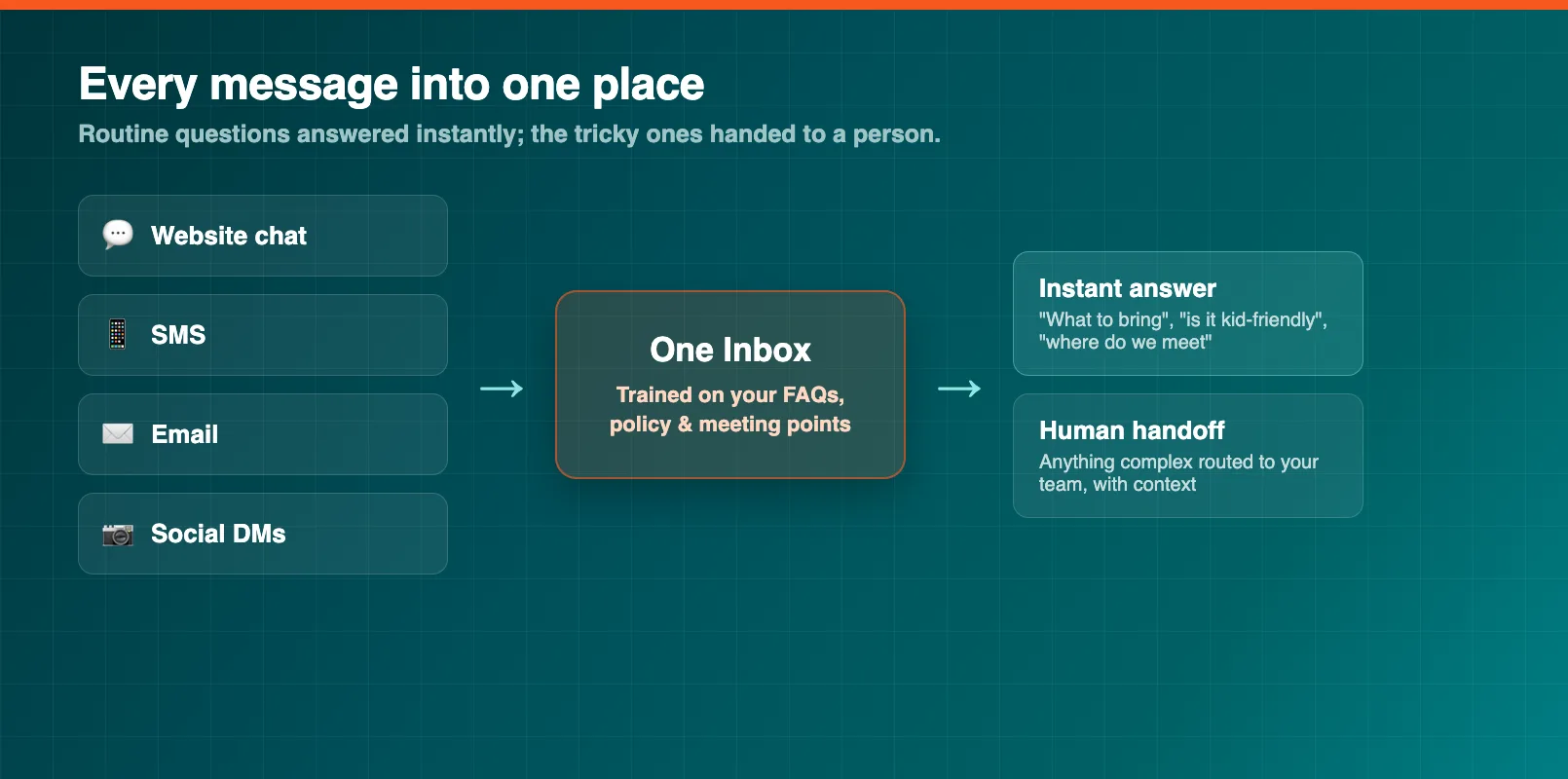
The ones worth using are trained on your own content: your FAQs, your cancellation policy, your meeting points. They answer the repetitive questions instantly ("what should I bring," "is it kid-friendly," "where do we meet") and hand off to a human the moment a question gets complicated. Done well, they deflect the bulk of routine messages without anyone feeling fobbed off.
Two of our deeper guides cover this in detail: AI chatbots for tour operators for the live-question side, and automated guest communication for the confirmations, reminders, and pre-trip messages that go out on a schedule. Between them they cover most of what an operator wants from this category.
AI Pricing and Revenue Tools
Flat pricing leaves money on the table on your busy days and empty seats on your quiet ones. Pricing tools use demand signals (season, lead time, local events, how fast a trip is filling) to suggest rate changes you'd otherwise have to guess at.
The honest framing matters here. These tools suggest; you decide. A good one shows you why it's recommending a higher Saturday rate and lets you approve or ignore it, so you keep control of your brand and your guest relationships. The same demand signals also feed forecasting, which tells you how many staff and how much gear you'll need next month.
If pricing is your weak spot, AI dynamic pricing for tours and activities walks through the mechanics, and AI demand forecasting covers the planning side. Most operators find the forecasting payoff, fewer last-minute staffing scrambles, even bigger than the pricing one.
AI Marketing and Review Tools
Reviews drive bookings, and replying to every one by hand is a chore most operators let slide. AI tools in this category draft personalized review responses, spot sentiment trends across hundreds of comments, and help write listing copy that matches how guests actually search.
The pattern to look for is draft-and-approve, not auto-post. You want a tool that writes a thoughtful reply to a three-star review and lets you read it before it goes live, not one that blasts a generic "thanks for your feedback" under every comment. The same goes for personalized recommendations: AI personalization for tours shows how guest history can power smarter upsells without turning your emails into spam.
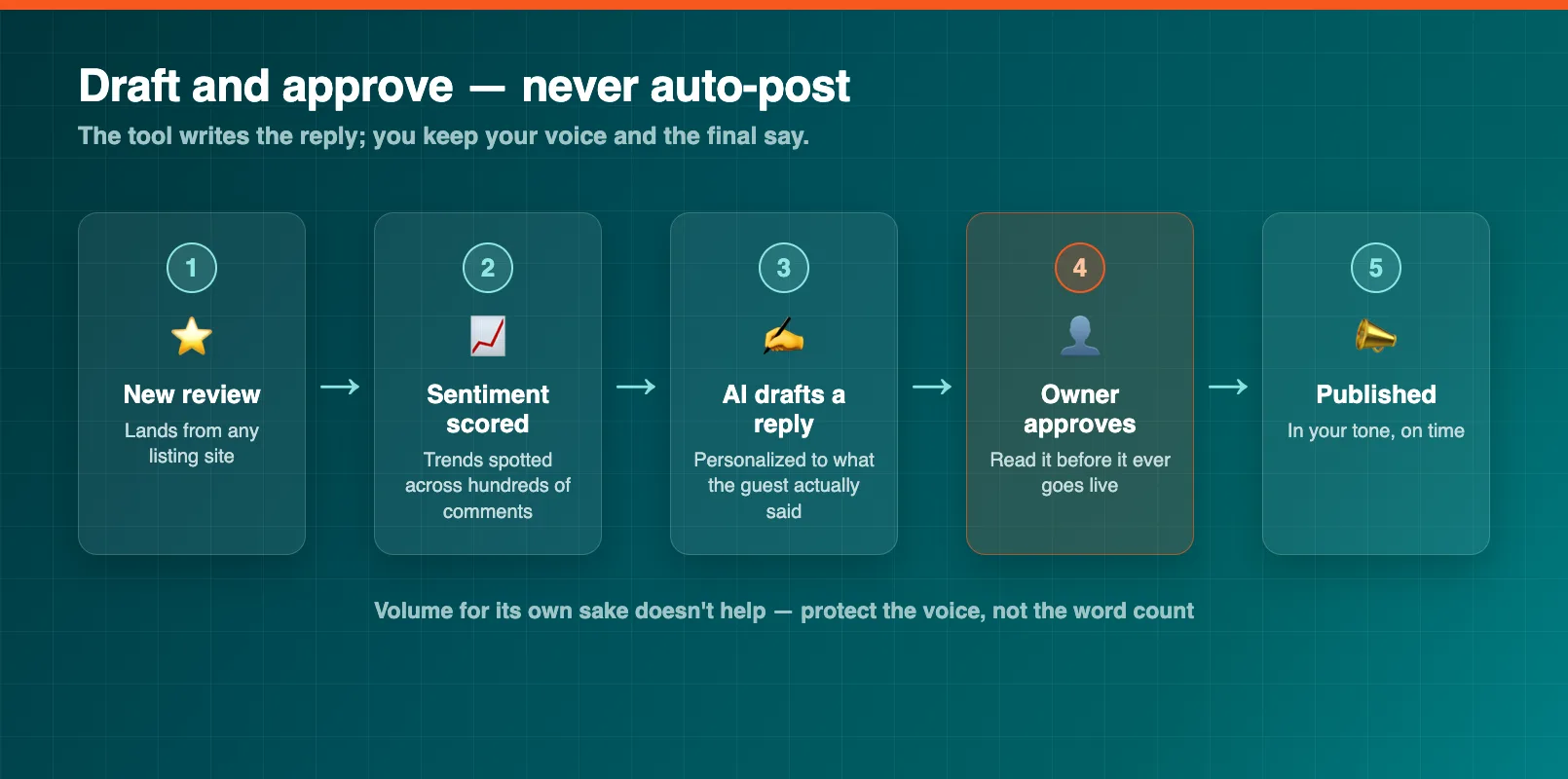
The trap in this category is volume for its own sake. More emails and more auto-replies don't help if they read like a robot wrote them. Judge these tools on whether they protect your voice, not on how much they can churn out.
The All-in-One Option
Here's the thread running through every category above: each tool works better the more of your data it can see. A standalone pricing tool needs your bookings. A standalone communication tool needs your customer records. A standalone review tool needs your booking history to personalize replies. Run four separate tools and you're maintaining four copies of the same data, four logins, and four integrations that break on their own schedule.
That's the case for an all-in-one platform. When booking, communication, pricing, and reviews share one system, the AI features see the whole picture without any integration work. EquipDash's Dash AI is built this way — the assistant that answers guest questions is looking at the same calendar the pricing suggestions come from. For a small team, one source of truth and one login usually beats a clever standalone tool you have to wire in yourself. If you're weighing the all-in-one route, our guide to AI for tour operators covers the bigger picture, and the tour operator software overview shows how the pieces fit together.
What to Look For Before You Buy
Before you pay for any AI tool, run it through five quick checks. They'll save you from the shiny demos that don't survive contact with a real operating week.
First, name the job. If you can't say in one sentence what task it removes, you're buying a buzzword. Second, find the number (hours saved, response time, no-show rate) that proves it's working, and make sure you can actually see that number. Third, check the setup. If it needs a developer or a long onboarding project, it's likely built for a company far bigger than yours.
Fourth, ask where your data lives. A tool that needs its own separate copy of your bookings is one more thing to sync and secure. Fifth, keep a human in the loop on anything guest-facing: pricing, replies, reviews. The tools worth using clear your busywork; they don't take the wheel.
Run those checks and most of the noise falls away. The AI worth using in 2026 isn't the flashiest. It's the quiet kind that already lives inside the software you run, doing the repetitive work so you can spend your time where it counts: with your guests.
FAQ
What AI tools do tour operators actually need in 2026?
Most operators get the biggest return from four categories: booking and scheduling automation, guest communication, pricing and revenue help, and review and marketing support. You rarely need a separate product for each. If your booking platform already includes these as features, that's usually a better starting point than stitching together four standalone tools.
Are standalone AI tools or all-in-one platforms better for tours?
It depends on your data. Standalone tools can be excellent at one job, but each one needs its own copy of your bookings and customers to work well. An all-in-one platform already holds that data, so its AI features see the full picture without extra integrations. For a small team, fewer logins and one source of truth usually wins.
How much should a small tour operator spend on AI tools?
Start with tools you already pay for. Many booking and operations platforms now include AI features at no extra cost, so the first move is turning on what you have before buying anything new. If you do add a standalone tool, treat it like any expense: it should save more hours or earn more bookings than it costs each month, and you should be able to measure that within 60 days.
Will AI replace my staff or my personal touch?
No. The tools worth using handle the repetitive parts (confirmation emails, late-night FAQs, draft review replies) so your team spends more time with guests, not less. The personal touch comes from people. AI just clears the busywork that was eating into it.
How do I know if an AI tool is hype or genuinely useful?
Ask what specific task it removes from your week and how you'd measure that. A useful tool ties to a number you already track: hours saved, response time, no-show rate, add-on revenue. If a vendor can only describe it as "powered by AI" without naming the job it does, treat that as a warning sign and keep your money.
Do I need technical skills to use AI tools for my tours?
For the tools worth recommending, no. The useful ones are built into software you already run and switch on from a settings page. If a tool needs custom code, a developer, or a long onboarding project before it does anything, it's probably built for a much larger company than yours.
in one place