Staff Only Experiences and Rentals
Some things you sell but don't want the public to book online: a school group rate, a corporate team day, a private party package you quote over the phone. Set them to Staff only and they disappear from your booking site, while you and your team can still book them in POS, Quick Book, the phone app and Dash.
Set an experience to Staff only
- Go to Experiences and open the experience.
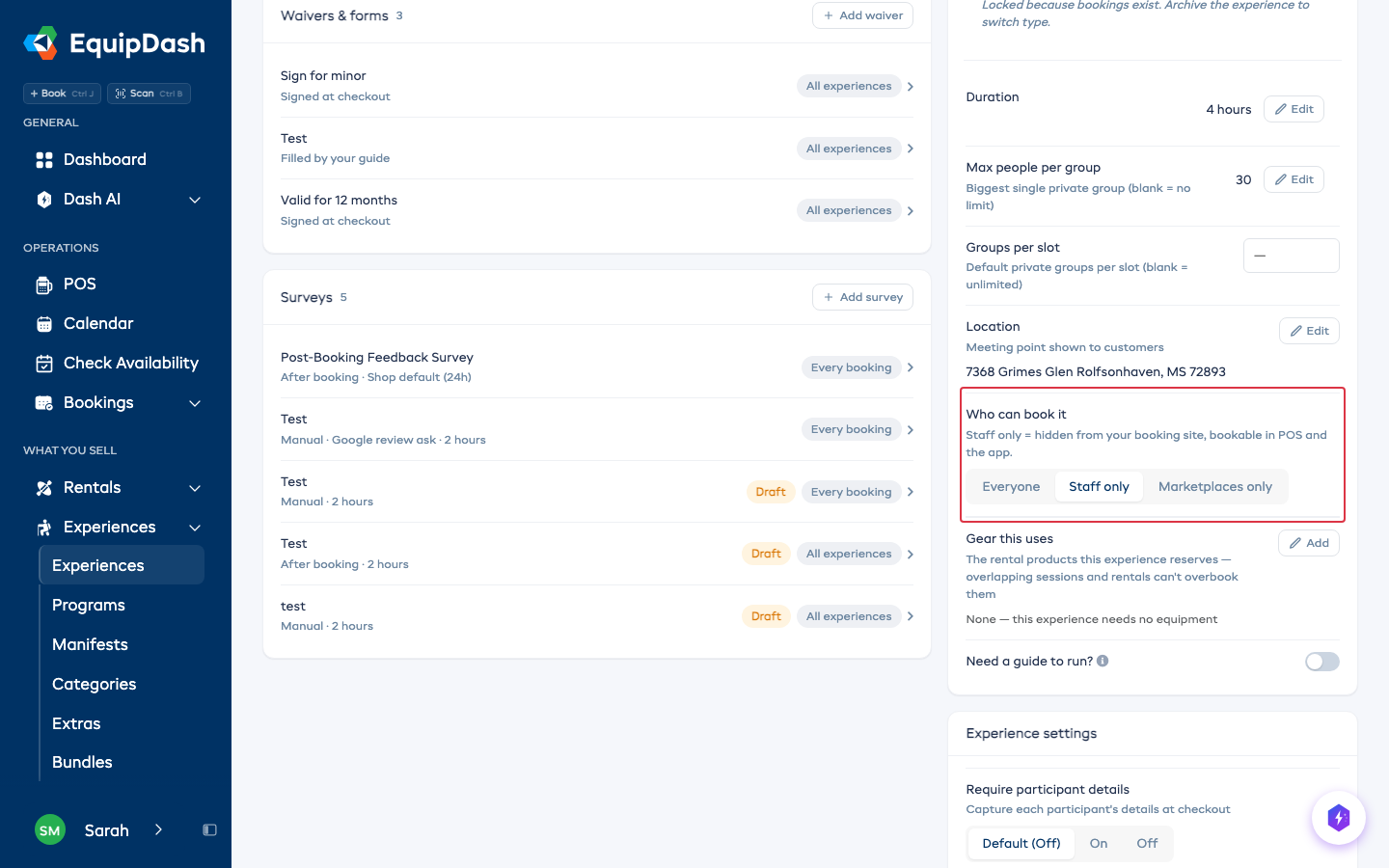
- On the Details tab, find Who can book it.
- Click Staff only. It saves right away.
Set a rental to Staff only
- Go to Rentals → Products and open the product.
- On the Details tab, find Who can book it.
- Click Staff only.
The three choices
| Choice | Your booking site | POS, Quick Book, app, Dash |
|---|---|---|
| Everyone | Listed and bookable | Bookable |
| Staff only | Hidden | Bookable |
| Marketplaces only (experiences) | Hidden | Hidden. Connected marketplaces like GetYourGuide keep selling it |
| Not on its own (rentals) | Hidden | Hidden. Bundles, extras and experiences it belongs to keep using it |
What your customers see
A Staff only item is not listed on your booking site, embeds or website, and an old link to it takes the customer back to your list instead. Your website chat won't suggest it either.
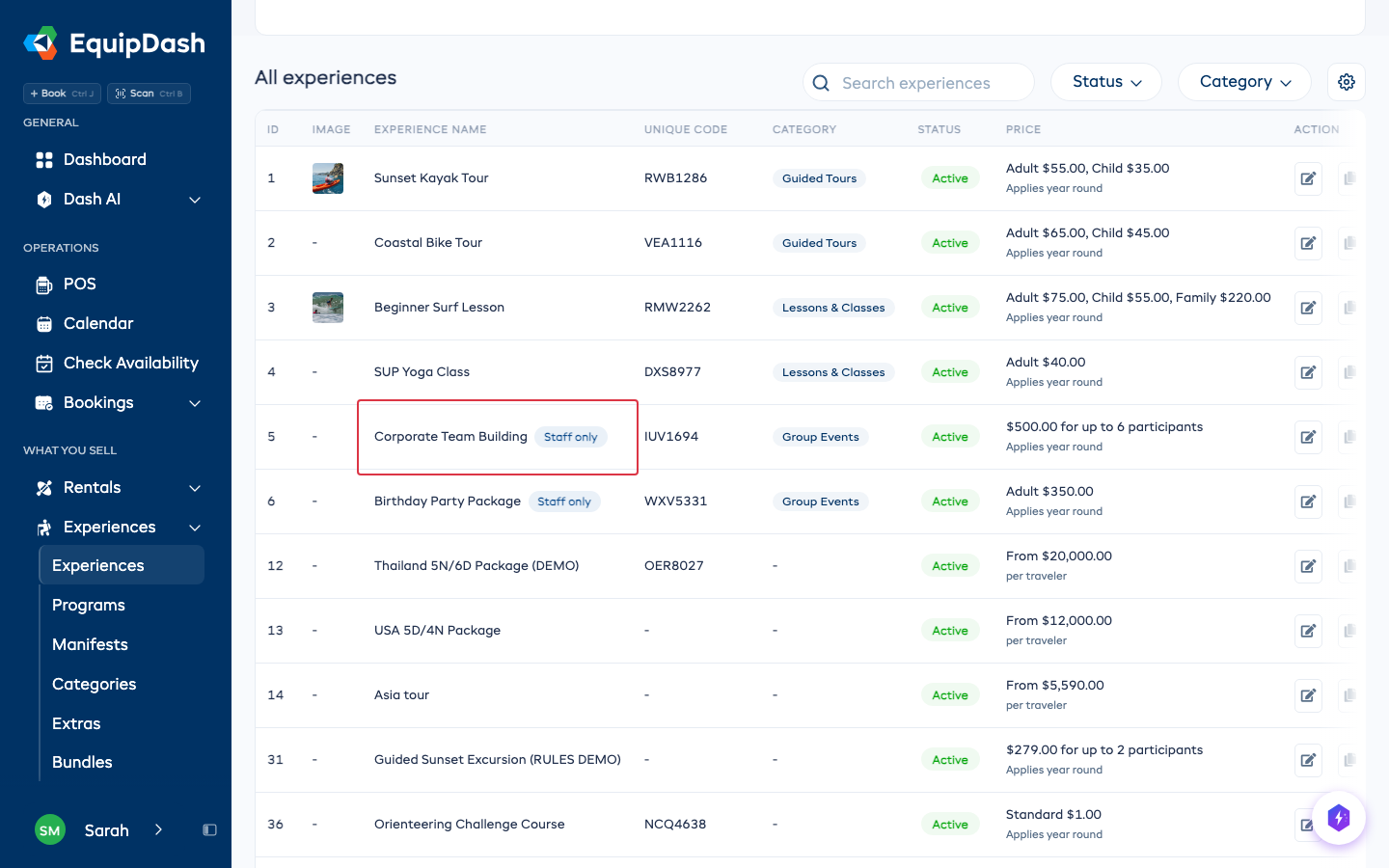
Your list pages show a Staff only tag so you can see at a glance which items are hidden from the public.
Ask Dash
You can also tell Dash in your own words, for example "Make the private party package staff only - we only take those over the phone". Dash shows you the change on a card, and nothing happens until you press Apply.
Good to know
- Existing bookings are never affected. Changing the choice only changes who can make new ones.
- The minimum group size, pricing and gear you set on the item still apply when your team books it.
- Setting it back to Everyone puts it back on your booking site right away.
- A Staff only item that is part of a bundle, an add-on or a program is still sold through that bundle, add-on or program. Take it out of there if you don't want customers buying it that way.