Holding spots while customers pay
When a customer adds an experience to their cart on your booking page, its spots are held for them for 10 minutes. Nobody else can take those spots while they fill in their details and pay, so two customers can no longer race for the last seats and have one of them fail at the very end.
What your customers see
Each held item in the cart shows how long the spots stay held.
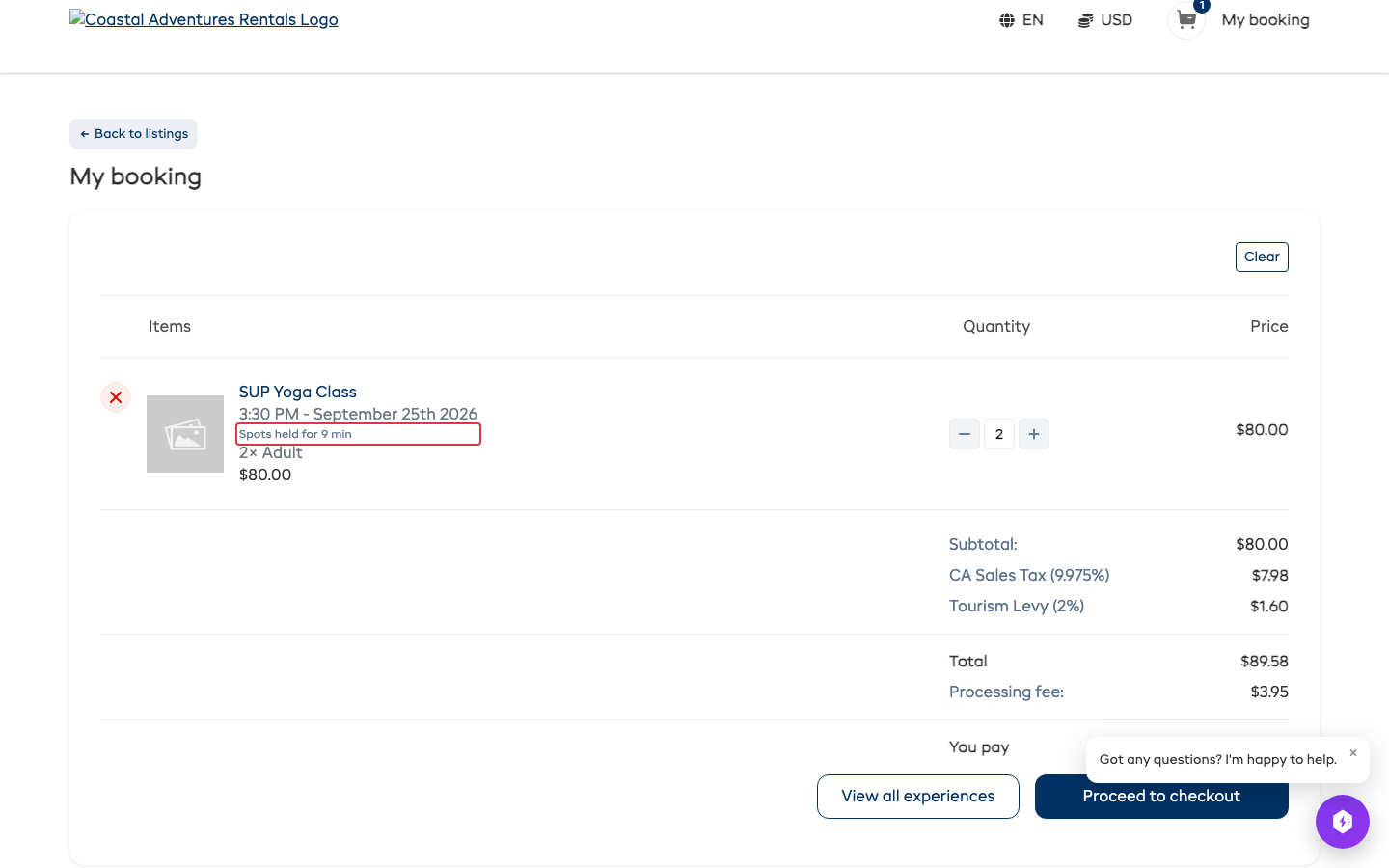
If they take longer than that, the item says the hold ended. The spots go back on sale, and checkout checks they are still free, exactly as it did before holds existed.
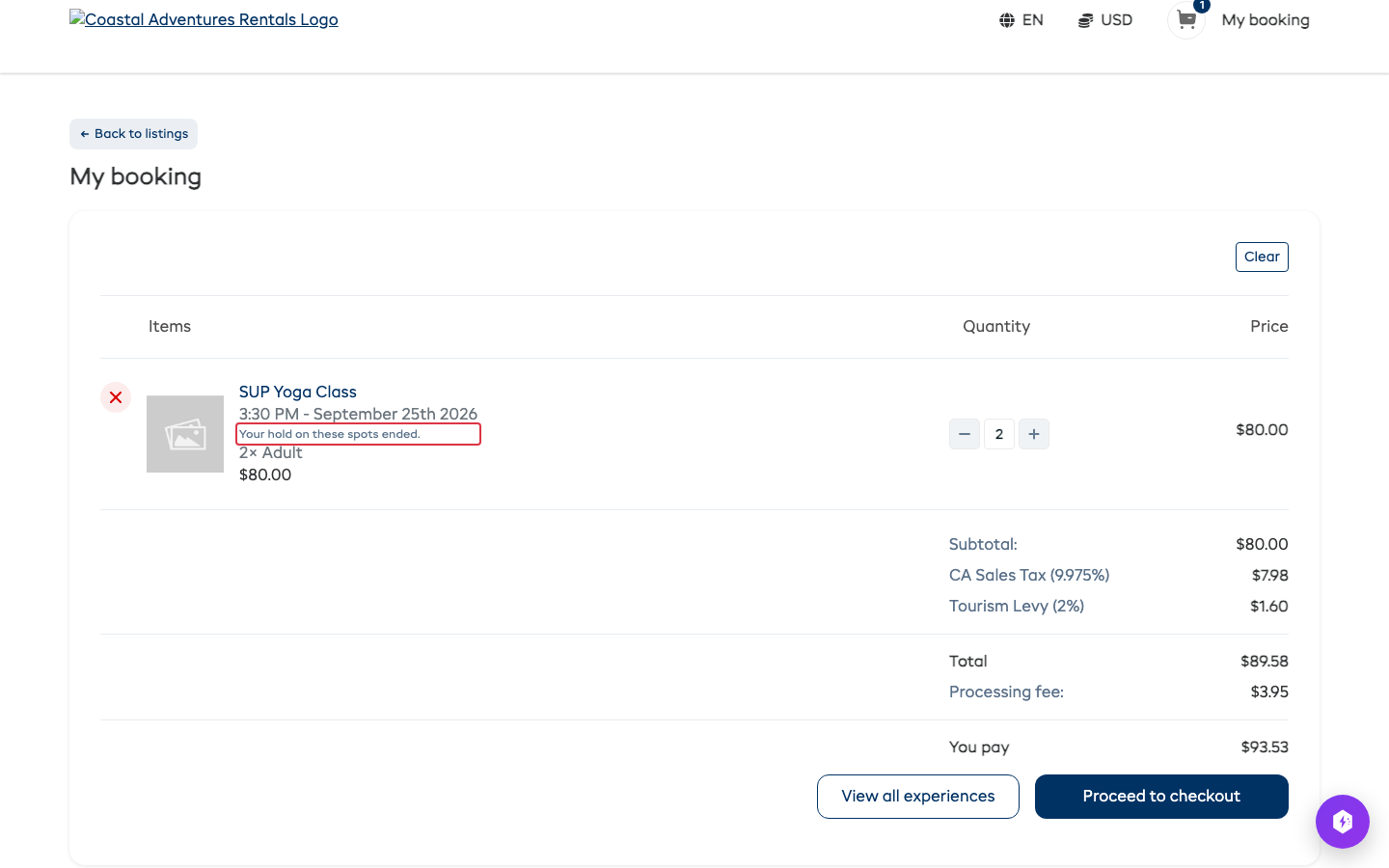
The hold ends early when the customer removes the item, empties the cart, or books.
Everywhere else
- Your booking page, the API, Dash and your marketplace connections all count held spots as taken until the hold ends. A departure whose last spots sit in someone's cart shows as full to everyone else.
- Your own screens still count only real bookings, so the number booked on a departure always matches the bookings on it.
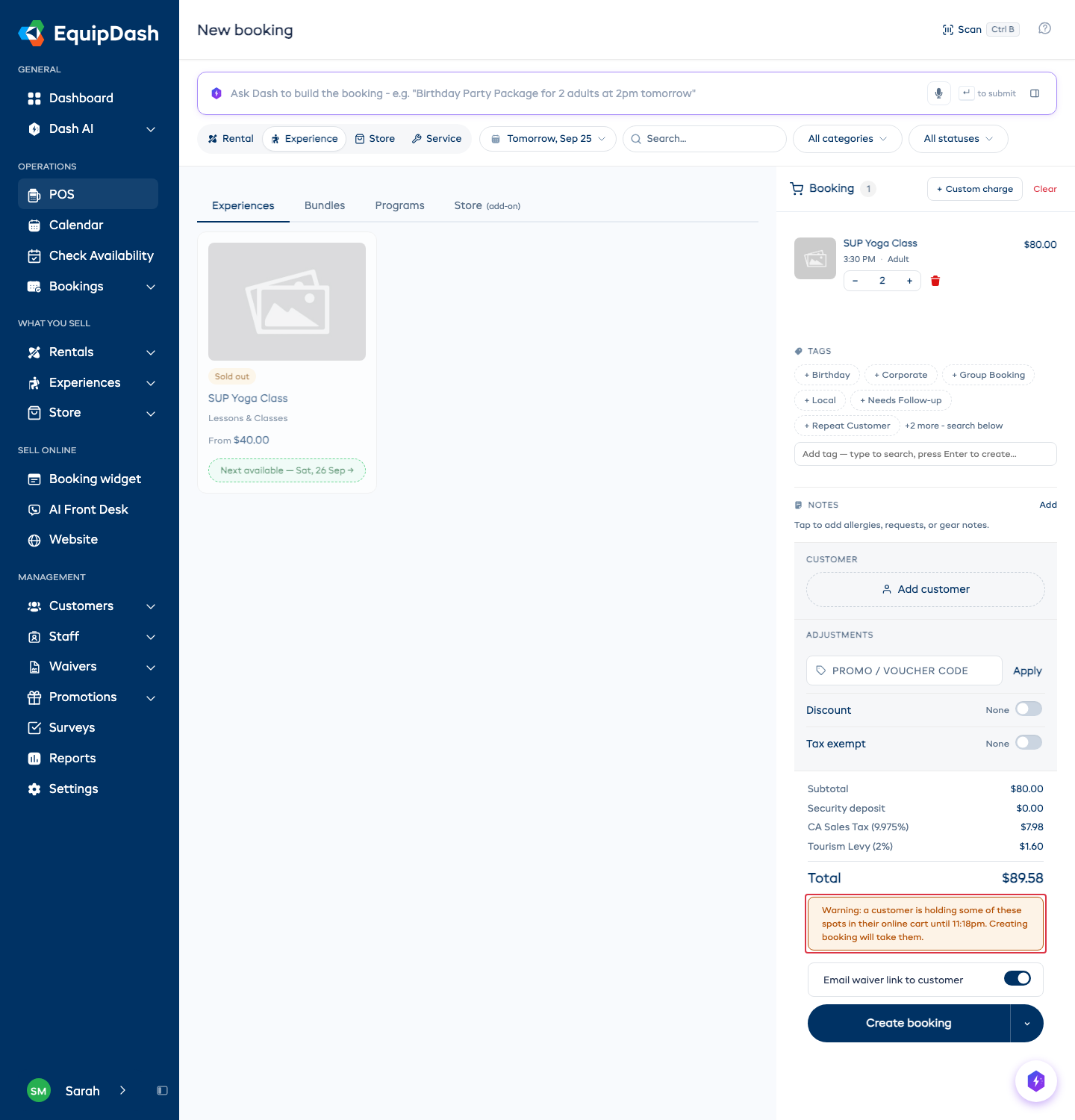
- At the POS you can still sell held spots. The cart shows one warning above Create booking with the time the hold ends. If you go ahead, the online customer sees the spots are gone when they try to pay.
Holds cover experiences. Rentals are checked the moment they are booked, as before.
Change the hold time
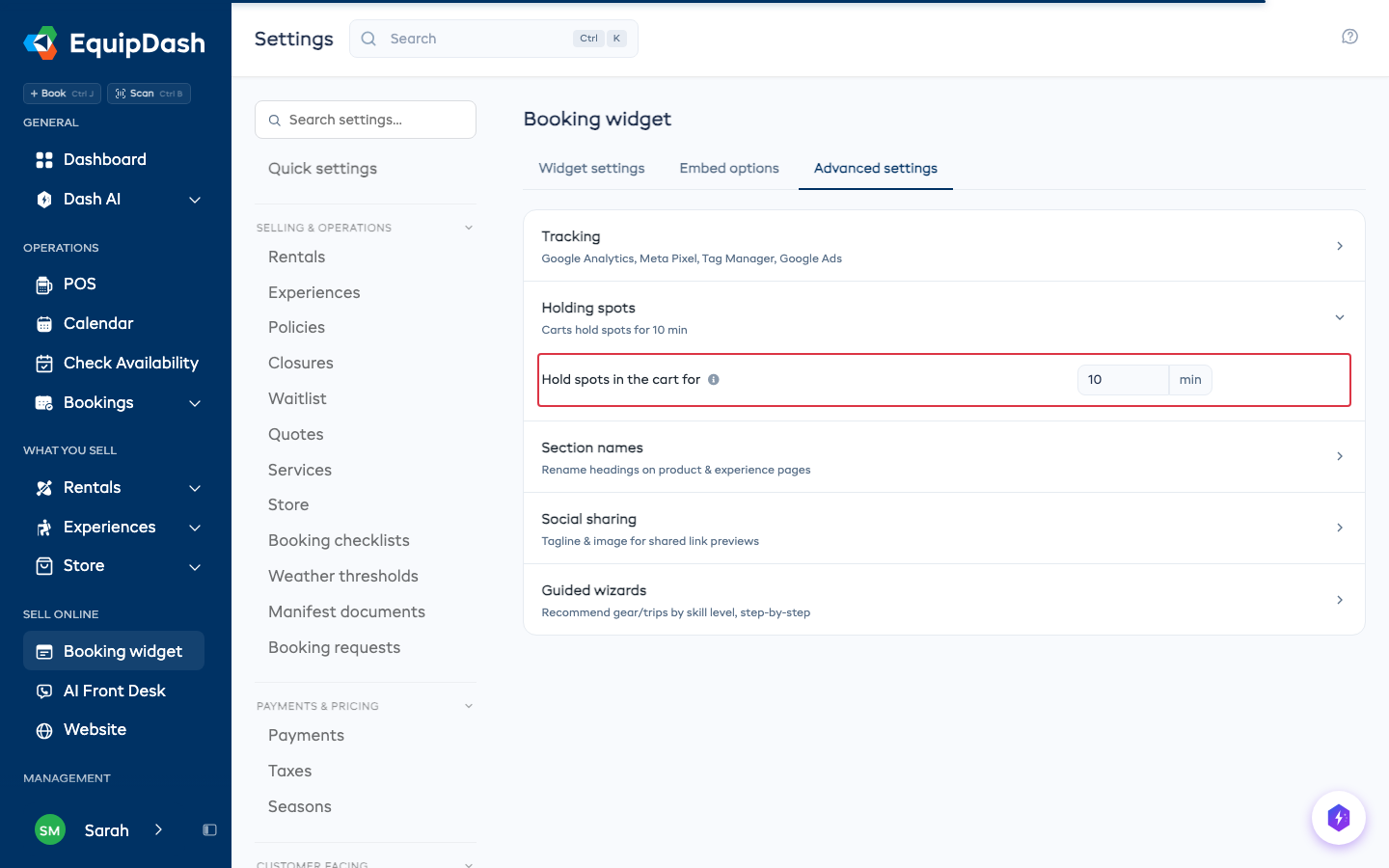
- Go to Settings > Booking widget.
- Open the Advanced settings tab, then Holding spots.
- Type the number of minutes in Hold spots in the cart for, then click away. It saves on its own.
Use any number from 0 to 60. 0 turns holding off.
A new time applies to items added from then on.