Suggestions in the cart
Your booking page shows a short You might also like strip in the cart, on the confirmation page and in the confirmation email. There is nothing to set up: EquipDash picks the items from your own bookings.
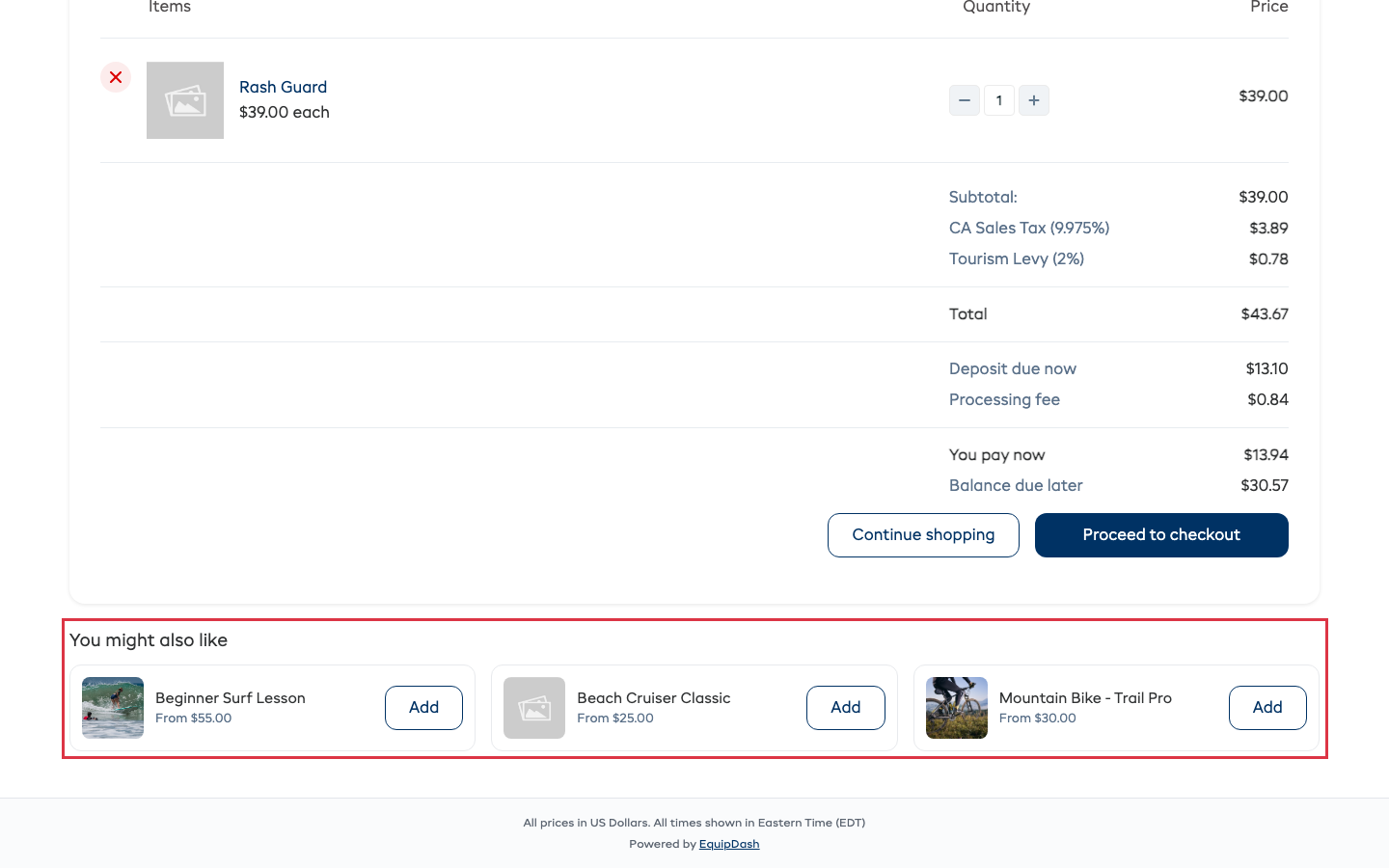
How the items are picked
In this order:
- Bought together - items your customers booked alongside what is in the cart, most often first.
- What goes with it - when an extra hands over one of your rentals or store items, that item is suggested next to what the extra is offered on.
- Popular - your most booked items lately.
- Anything else you sell on your booking page.
The strip never shows:
- anything already in the cart or on the order
- items that are Staff only, marketplace only, not sold on their own, switched off or archived
- an experience with nothing open on the day the customer picked
- a store item that has sold out
- an item you left out (see below)
A store item goes straight into the cart from the strip. Anything that needs a date, an amount or a name opens its own page.
Turn suggestions off
- Go to Settings > Booking widget > Widget settings.
- Open Selling & conversion.
- Turn off Suggest items in the cart.
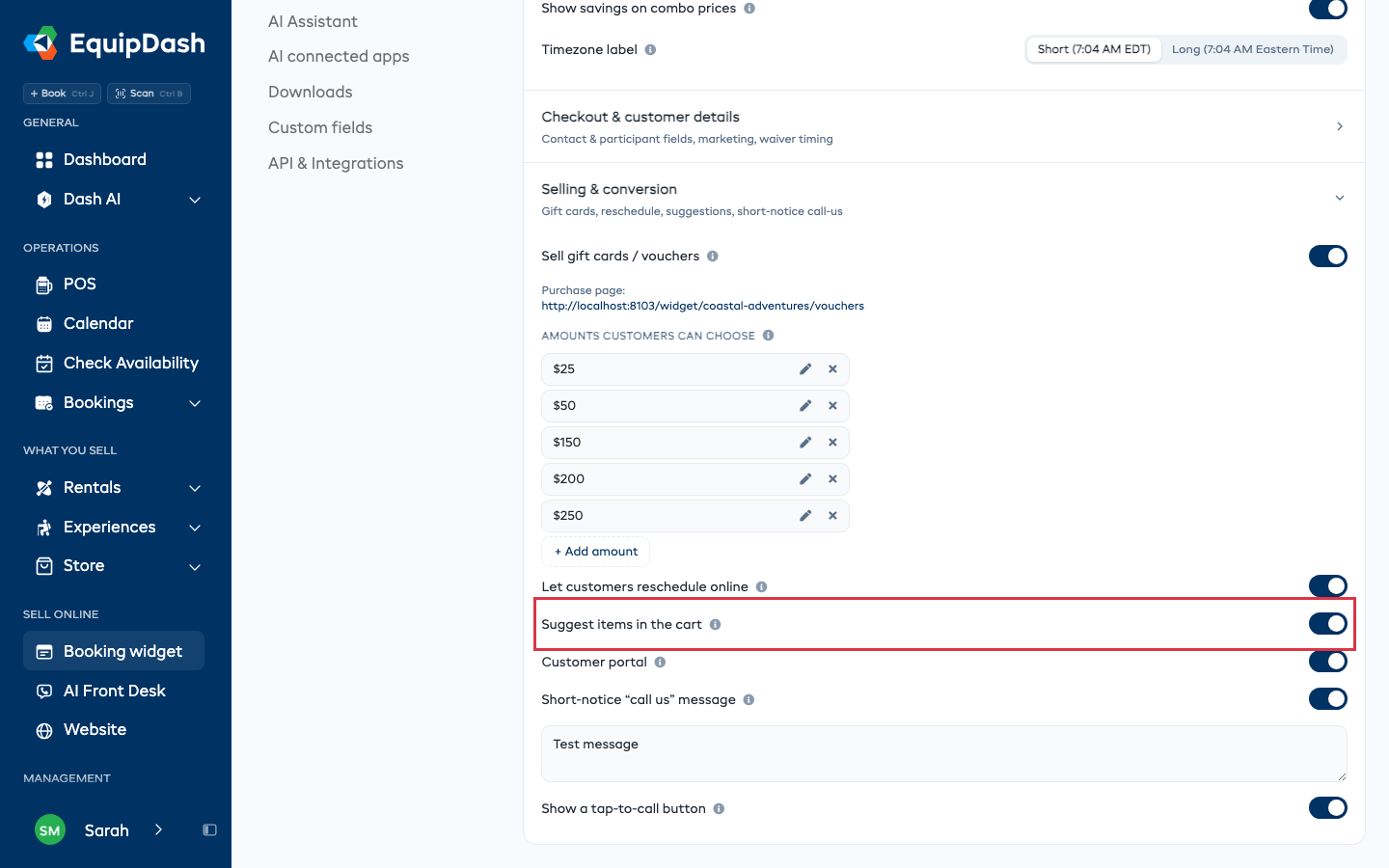
The strip disappears from the cart, the confirmation page and the confirmation email.
Leave one item out
- Open the rental, experience or store product.
- On the Details tab, find Suggest in the cart.
- Turn it off.
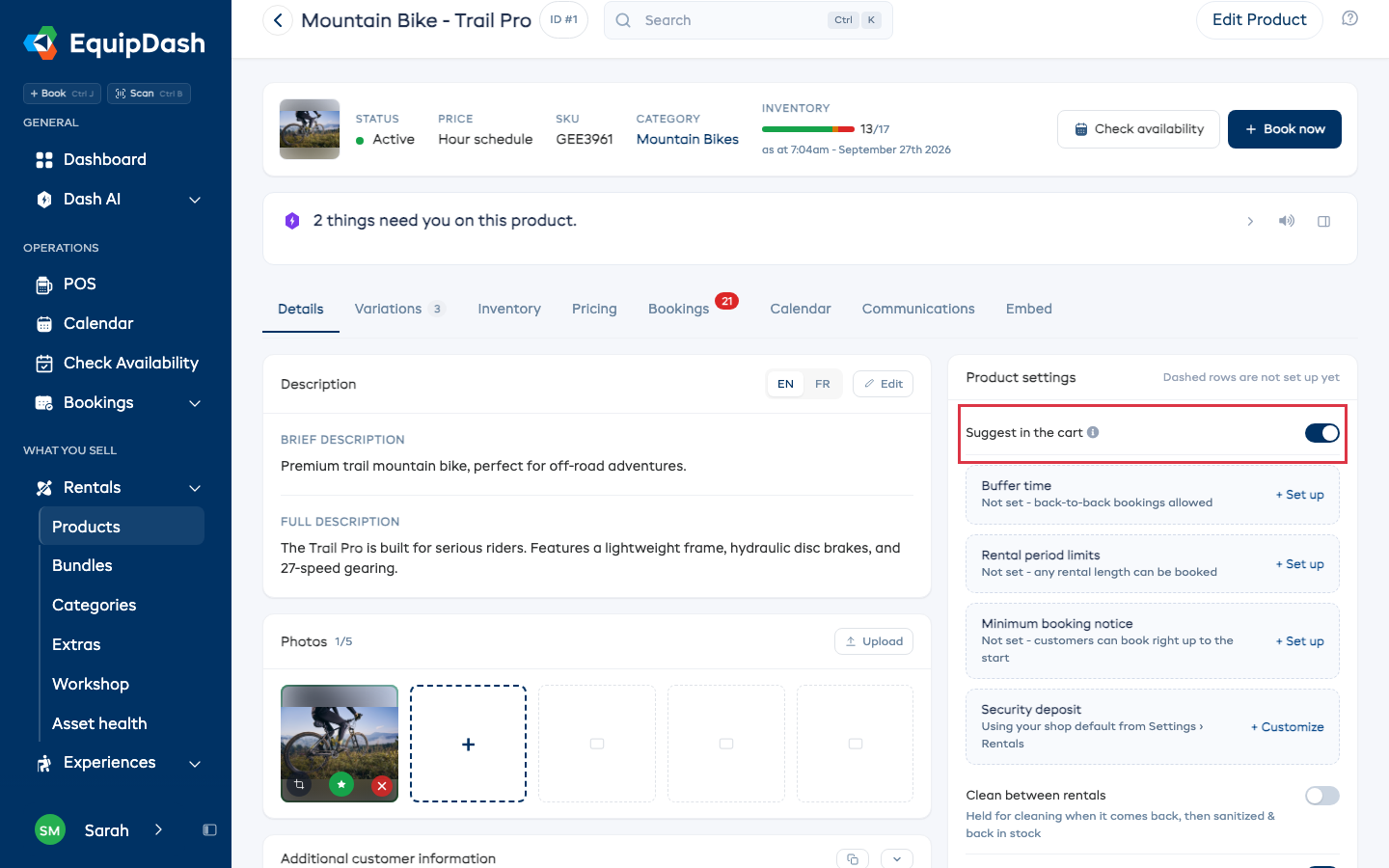
The item stays on your booking page as normal. It is just never suggested. Turn the switch back on to suggest it again.
Ask Dash
You can also say it in plain words, for example "stop suggesting items in the cart" or "never suggest the gift wrap in the cart".