Describe your shop and Dash writes the site from your rentals, experiences, prices, photos and hours. Change any word by clicking it, then publish.
Tell Dash about the shop, or press Build with the box empty.
Beginner-friendly gear and guided paddles led by people who know every cove.
Book nowSee our rentalsDash uses your own catalog, brand and hours.
Customers pay and sign without leaving.
Or connect the domain you own.
The draft waits until you are happy with it.
You edit the live page, with the same booking buttons customers press. Type over the headline, drag a section, swap a photo. It saves as you go, and Cmd+Z undoes anything.
Beginner-friendly gear and guided paddles led by people who know every cove.
Book nowSee our rentals28 kinds of section, each with its own spacing and phone layout, so the site stays tidy however you rearrange it.
Click a headline and a small toolbar appears over it with size, weight, your brand colors and alignment. No settings screen to find first.
Pick a section up by its grip and drop it higher or lower. Duplicate it, delete it, or slide a fresh one in between two you already have.
Upload once and reuse from your image library. Drag the focal point so faces and gear stay in shot when a photo gets cropped on a phone.
Not happy with a paragraph? Hit Rewrite and Dash gives you another one in the same voice. Keep it or put the old one back.
Text, colors, a section you deleted by mistake. Cmd+Z steps back through the lot, and copy and paste moves a section to another page.
Flip the canvas to tablet or phone width and fix what you see there. Most of your bookings come from a phone, so it pays to look.
One click sets your colors, fonts and buttons together.
12 fonts, your brand colors, any button shape.
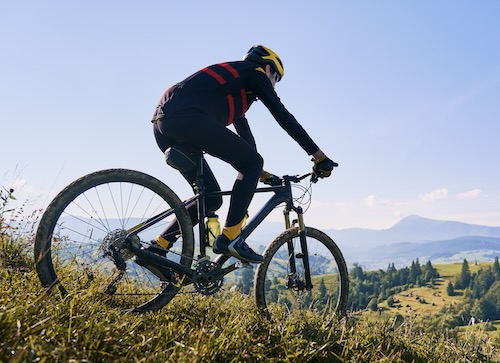
Trail bikes in every size, fitted at the counter and ready by 8 AM.
Book nowSee our rentalsAdd a rental and it's on the site. Change a price or take gear out of service and the page changes the same minute.
The cart, checkout and waiver all run on your pages, and the booking is in your calendar the moment it's paid.
Real availability from your calendar, on the page they landed on.
Gear, extras and a guided departure in one order, priced by your own rules.
Card taken, waiver signed, confirmation sent, all before they close the tab.
The jobs you would otherwise pay a web person for.
Start a page from About, Contact, FAQ, Gallery or Landing and it arrives with sensible sections in it. Drag pages to set your menu order, or keep one off the menu until it is ready.
Write what Google shows for each page, and your sitemap and robots file keep themselves current as you add pages. A draft site stays out of search until you publish it.
Every site gets yourshop.equipdash.site the moment it goes live. Point your own domain at it whenever you like and the old address keeps working.
See how many people came this month and how the last thirty days trended, right in the builder. Paste a Google Analytics ID if you want the full picture.
A contact form that emails you, your hours pulled from the business hours you already set, and a map on the page so people can find the counter.
Drop a signup block on any page, watch the list build, and download it as a CSV when you want to send the winter opening email.
Most rental shops end up running two systems that don't know about each other. This is one.
EXPLORE MORE FEATURES
The ultimate all-in-one solution that runs your entire business from one dashboard.
Online booking, POS, and automated workflows keep customers booking and you stress-free.
Build lasting relationships with CRM, digital waivers, loyalty programs, gift cards, and automated campaigns — all from one dashboard.
Track inventory across locations, coordinate guides, manage product and experience catalogs, and plan for seasonal demand — all in real time.
Manage your team, maintain equipment, track performance with real-time reports, and connect your favorite tools through integrations.
Build guest lists, generate trip manifests, and roster staff across locations — so you are always prepared, even during your busiest weeks.
Stop wrestling with disconnected systems—EquipDash brings it all together.

GetYourGuide

Stripe

HubSpot

QuickBooks

Xero

Viator

Tripadvisor

Shopify

Google Calendar

Google Drive

Zapier

WordPress
FREQUENTLY ASKED QUESTIONS
Domains, templates and editing. Contact us if yours isn't here.
Contact UsNo. Dash writes the first version from the shop you already set up, and after that you change things by clicking the words on the page. There is no code, no theme files and no plugins to keep updated.
Start your free 21-day trial, press Build with Dash AI, and see your own gear on your own site.