Combos (One Price for a Set Group)
A combo is one flat price that covers a set group of people. The classic example is a family rate: instead of two adults and two children paying separately, the customer picks one "Family" line and pays a single price for all four.
Combos sit right next to your regular per-person rates, so a customer can book a combo, individual spots, or both in the same order.
Example price list:
- Child — $75.00
- Adult — $85.00
- Family (2 Adults + 2 Children) — $285.00
How Combos Work
- One price, real people. A combo covers a fixed set of people (e.g. 2 × Adult + 2 × Child). Everyone inside it takes their own spot on the session, gets their own ticket, and signs their own waiver.
- Capacity is always right. Booking one 4-person combo uses 4 spots on the session — a combo can never oversell a departure.
- The manifest shows everyone. Your run sheet lists each person with their type (e.g. "Adult — Family"), so check-in works person by person like any other booking.
- Mixing is fine. A customer can book 1 combo plus extra individual spots in the same order — each line prices independently.
Creating a Combo
Combos are set up once in Settings, like your other rate categories, and can then be priced on any per-person experience.
- Click Settings in the sidebar.
- Go to the Experiences section.
- In Rate categories, click + Add combo.
- Enter a Label (e.g. "Family").
- Under Who's included, choose the rate categories and how many of each (e.g. 2 × Adult, 2 × Child).
- Click Create combo.
The combo appears in your rate list with a Combo badge and its composition.
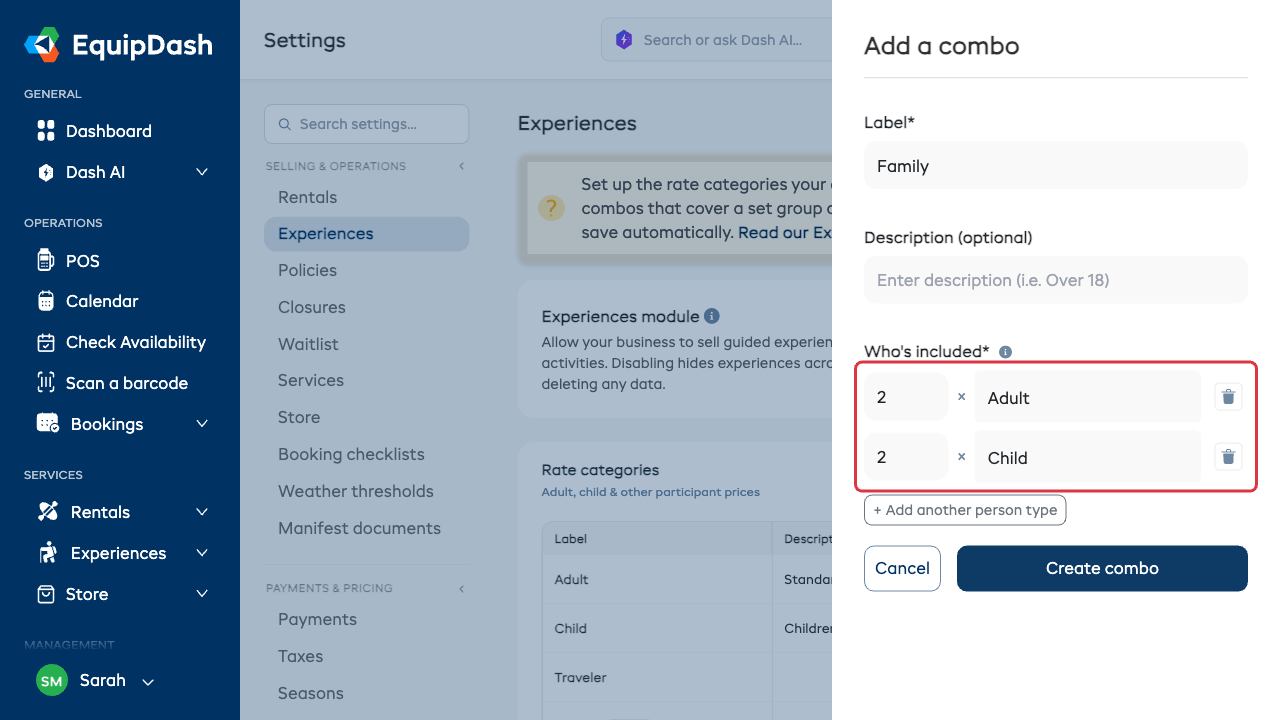
A combo can only contain your regular rate categories — create those first (e.g. Adult and Child), then build the combo from them.
Pricing a Combo on an Experience
- Open the experience and go to its Pricing tab (or the pricing step when creating one).
- Tick the combo in the rate category list, next to your per-person rates.
- Enter the combo's price — this is one price for the whole set, not per person.
- Save.
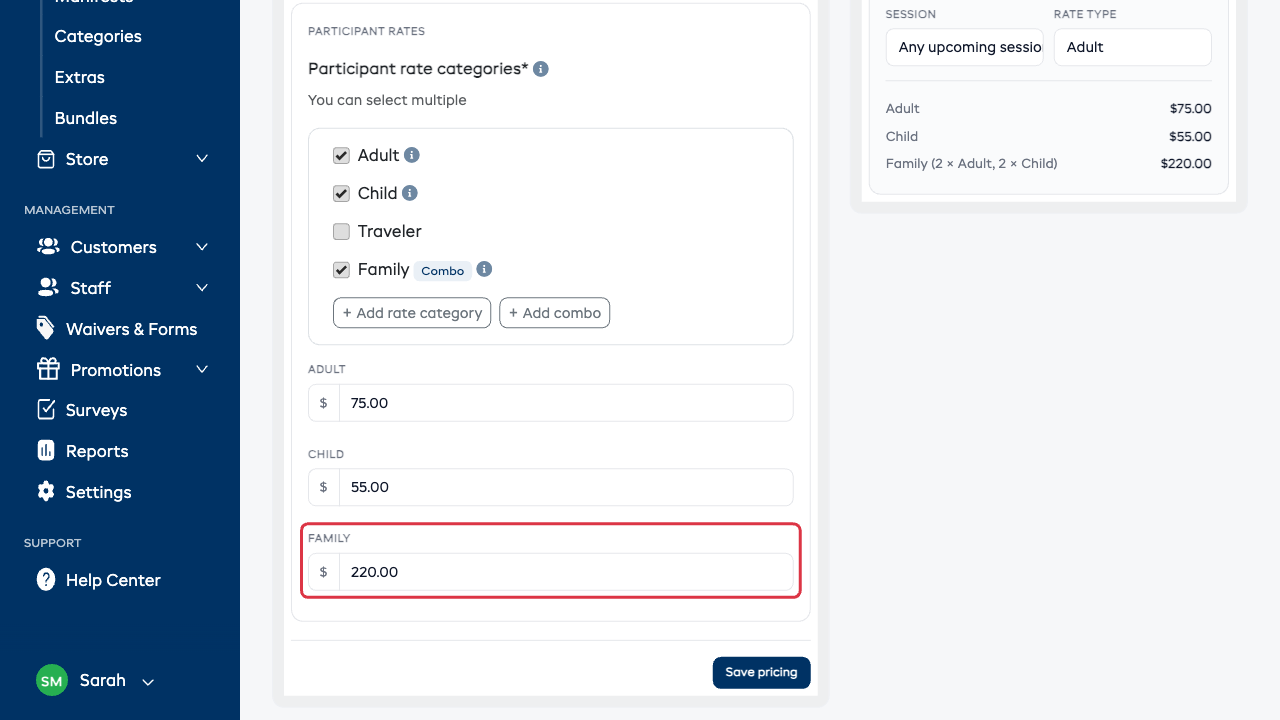
Seasonal pricing works the same way as your other rates: if the experience uses seasons, you can give the combo a different price per season.
Combos are available on experiences priced per person. Group-priced and private experiences already sell the whole slot at one price, so they don't need combos.
What Customers See
On your booking site, the combo appears as its own line under the per-person rates, showing who's included and the flat price. When the combo costs less than buying the same spots separately, customers also see how much they save (e.g. "Save $35").
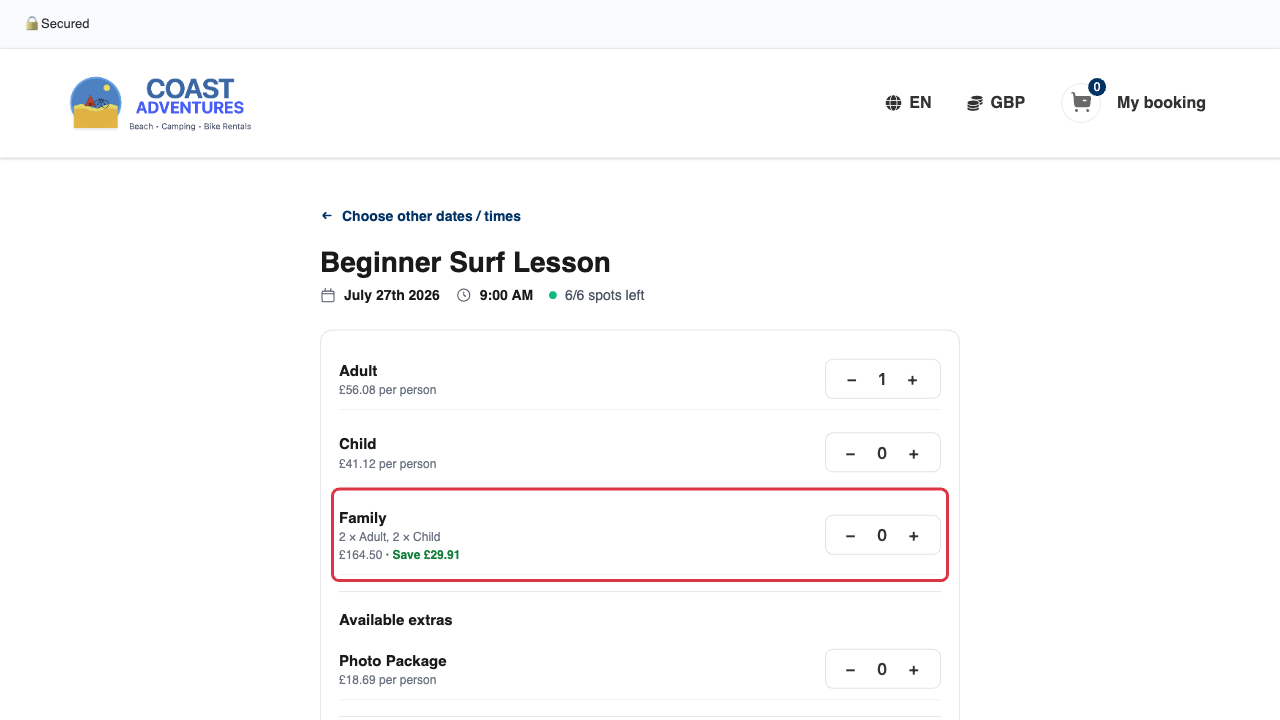
You can turn the savings note on or off in Settings → Booking widget → Show savings on combo prices.
If a session doesn't have enough spots left for the whole combo, the combo can't be selected — but individual spots that still fit can be.
Day-to-Day
- Manifest & check-in: every person in a combo appears individually, labeled with their type and the combo name. Check them in one at a time, like any booking.
- Waivers: each person gets their own waiver, exactly as with per-person bookings.
- Cancelling or moving: cancel or reschedule the booking and the whole combo's spots free up or move together.
- In the shop: the POS shows the same combo lines, so front-desk bookings match online ones.
Managing Combos
- Edit a combo from Settings → Experiences — change its label or who's included. Bookings already made keep the people they were sold with.
- Deleting: a rate category that's part of a combo can't be deleted until you edit or delete the combo; a combo with prices on experiences can't be deleted until those prices are removed.