Group Booking Rules
When you price an experience per group, you can add three optional rules that do the selling and the sums for you:
- a minimum number of groups per booking, with a fee for smaller bookings or a straight "no"
- an automatic discount once someone books several groups
- a cap on how many groups one time slot can take
Everything applies everywhere at once: your booking site, the register, your app, and anything connected through the API. A customer's quote and their final charge always match.
These rules are for experiences priced per group where different customers share a time slot, so they need Private or shared? answered Shared. Answer Private and the whole slot already belongs to one customer, so the rules don't apply.
Where to find them
- Open Experiences and click your experience.
- Click Edit Experience, then go to the Experience Pricing step.
- Under the group price, open Group booking rules (advanced).
If you use booking options, the minimum, small-group fee, and discount set here apply to the first option on your list. Other options do not inherit those rules. An option that books out the session never adds a small-group fee or requires multiple groups.
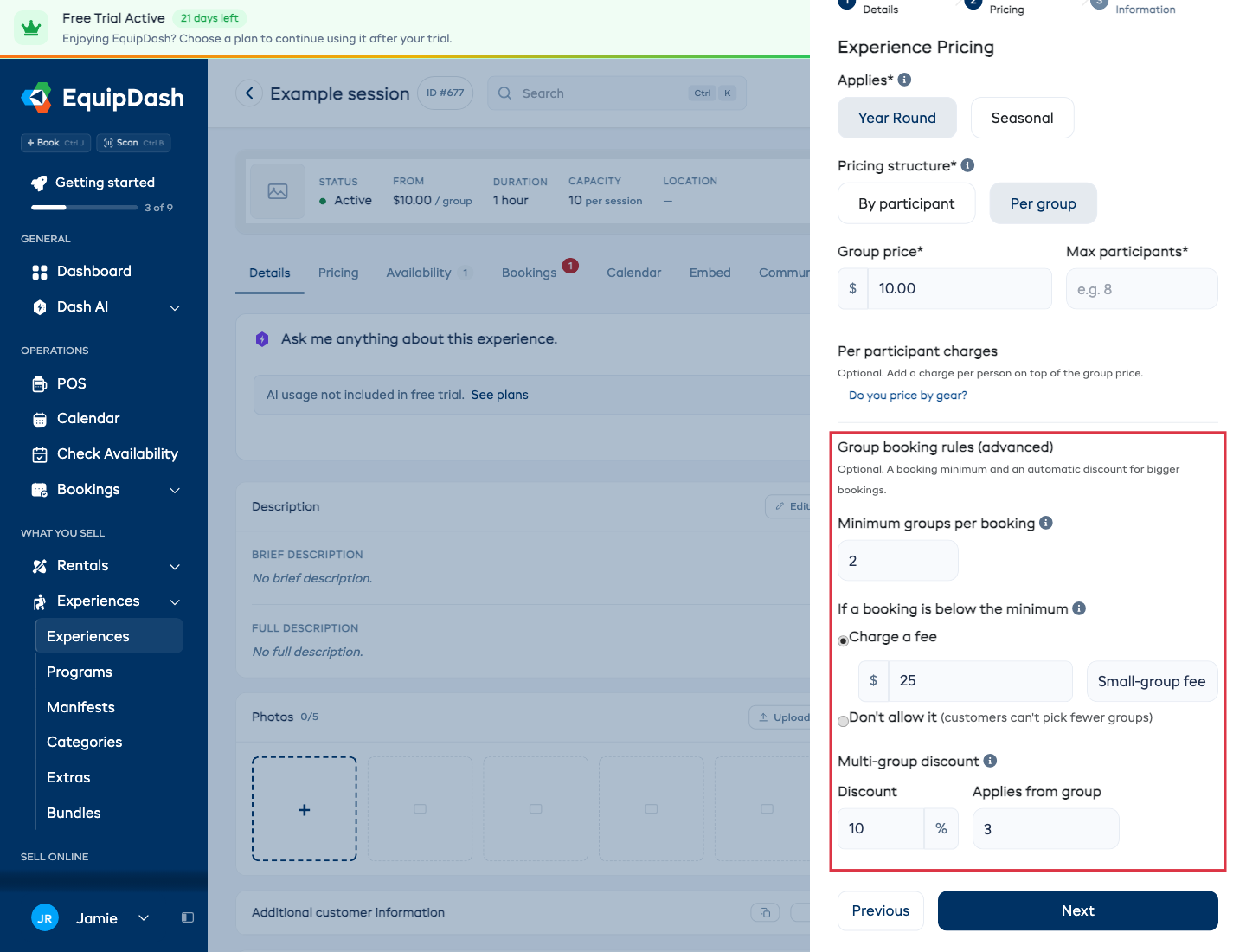
Minimum groups per booking
Some experiences aren't worth running for a single group. Set Minimum groups per booking to the smallest booking you're happy to take, then choose what happens when someone wants fewer:
Charge a fee - they can still book, they just pay extra. Enter the amount and, in the box beside it, the name your customer will see (for example Small-group fee or Private session fee). The fee is added once per booking, and it shows as its own line at checkout and on their receipt.
Don't allow it - the smaller booking simply isn't offered. Your booking site starts the group selector at your minimum, and the register does the same.
Example: minimum 2 groups, fee $200.
- Someone books 1 group → they're charged the group price + $200, shown as your fee name.
- Someone books 2 or more → no fee.
Multi-group discount
Reward bigger bookings automatically. Set the Discount percentage and which group it applies from.
Every group from that point on gets the discount. The groups before it stay at full price.
Example: 10% off, applies from group 3.
- 2 groups → full price, no discount.
- 3 groups → the third group is 10% off.
- 4 groups → the third and fourth are each 10% off.
Customers see the money they save, not the percentage, both on the booking page and at checkout.
Max groups per slot
If the real limit is how many of something you own (four of the item means four groups at a time), set Max groups per slot on the last step of the experience form. Once those groups are taken, the time shows as unavailable, even if there are still seats free by headcount.
Leave it blank for no limit.
Need to change it for one date only (something's away for repair, say)? Open Availability, edit that session, and set Groups this slot. It falls back to the experience setting when left blank.
Price by gear
If each group gets one piece of gear, such as a canoe that seats two, you can price by that gear. The whole activity then counts in your word instead of "groups".
- Open the experience's Pricing tab and choose Per group. In Add Experience, the same choice is on step 2.
- At the bottom of the price card, just above Save pricing, click Do you price by gear?, then type your word under Each group is a, for example canoe. Once a word is saved, this opens by itself next time.
- Fill in Price per canoe and People per canoe.
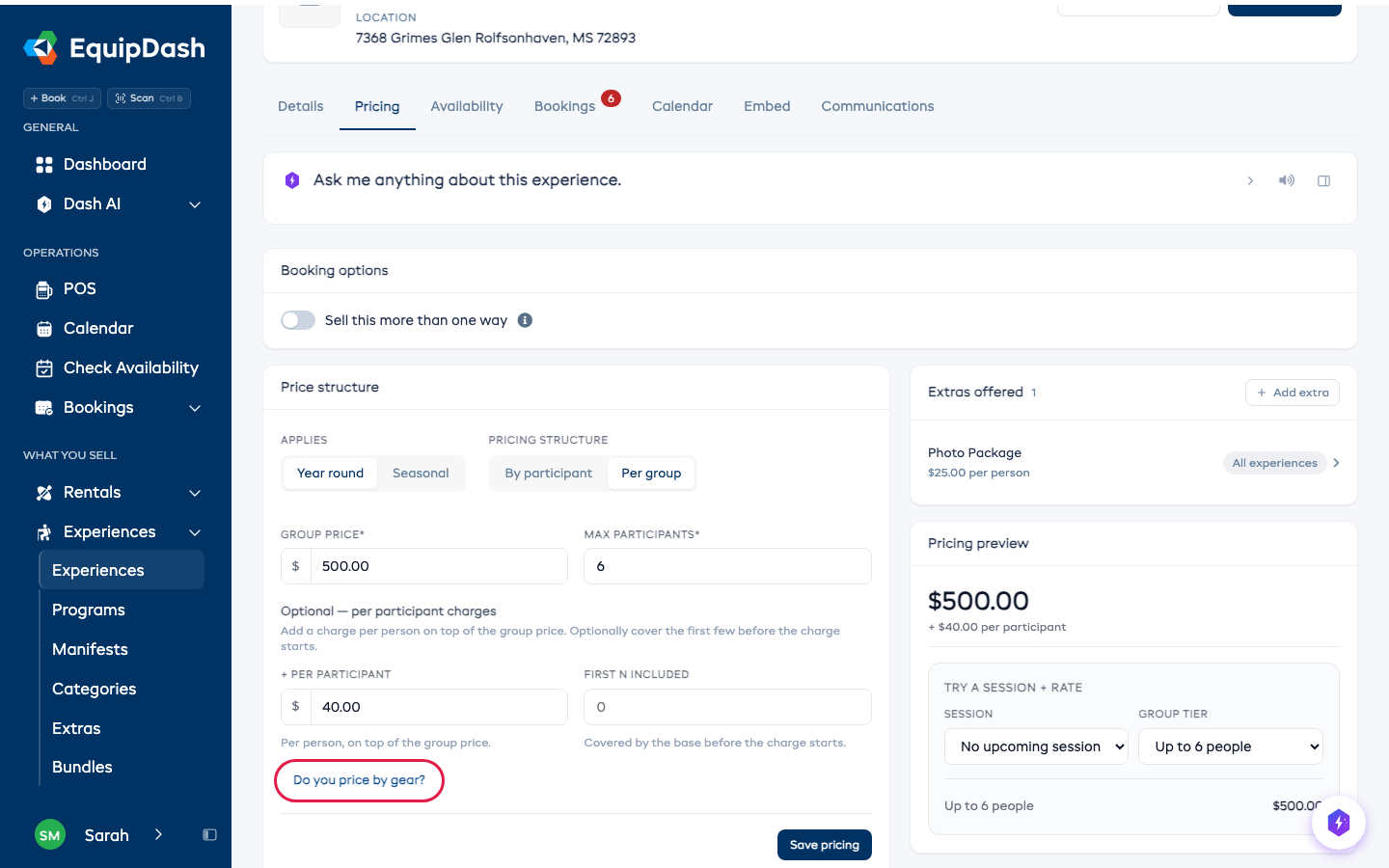
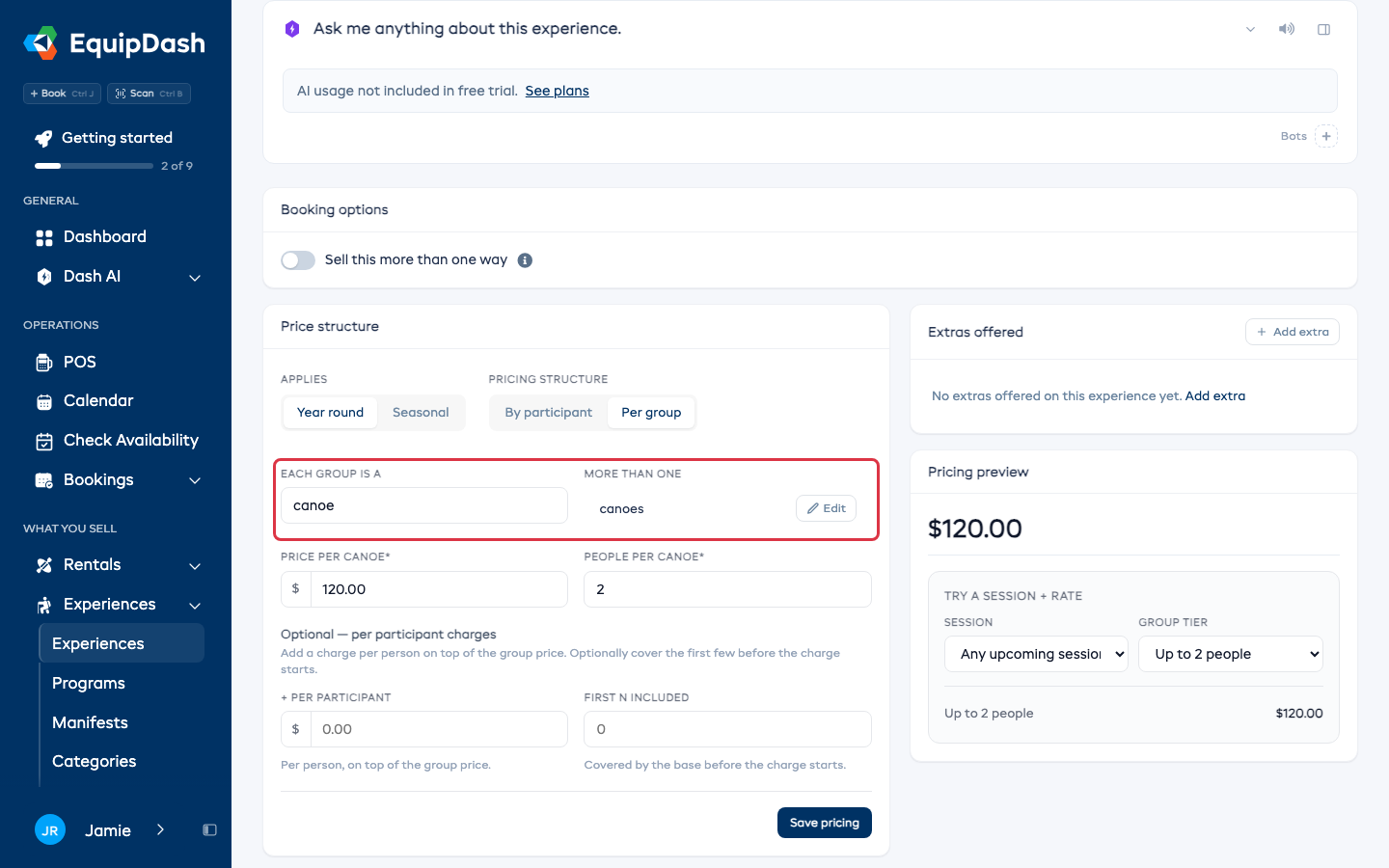
The plural is worked out for you. If it comes out wrong, click Edit beside More than one. Clear the word to go back to plain groups.
The same link is on step 2 of Add Experience, below the prices.
No limit on people
If any number of people can share one piece of gear, leave People per canoe empty. It reads No limit, and your booking page asks only how many canoes. It still asks how many people when you charge per person on top, or collect details for each person.
How many go out at once
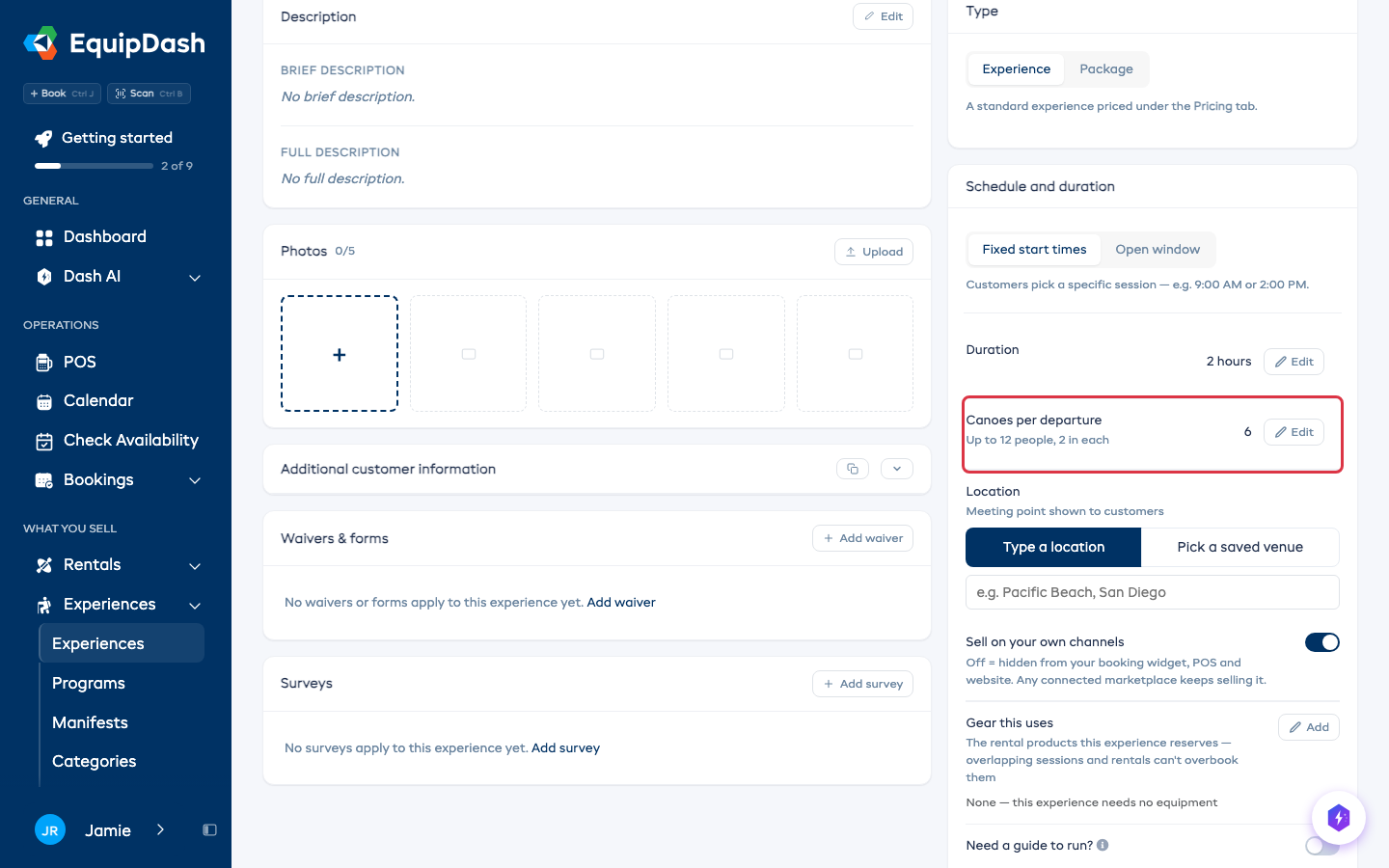
On the Details tab, Canoes per departure is the number you own. The people limit is worked out from it, so you never set two numbers that disagree: 6 canoes of 2 reads Up to 12 people, 2 in each.
A deposit per canoe
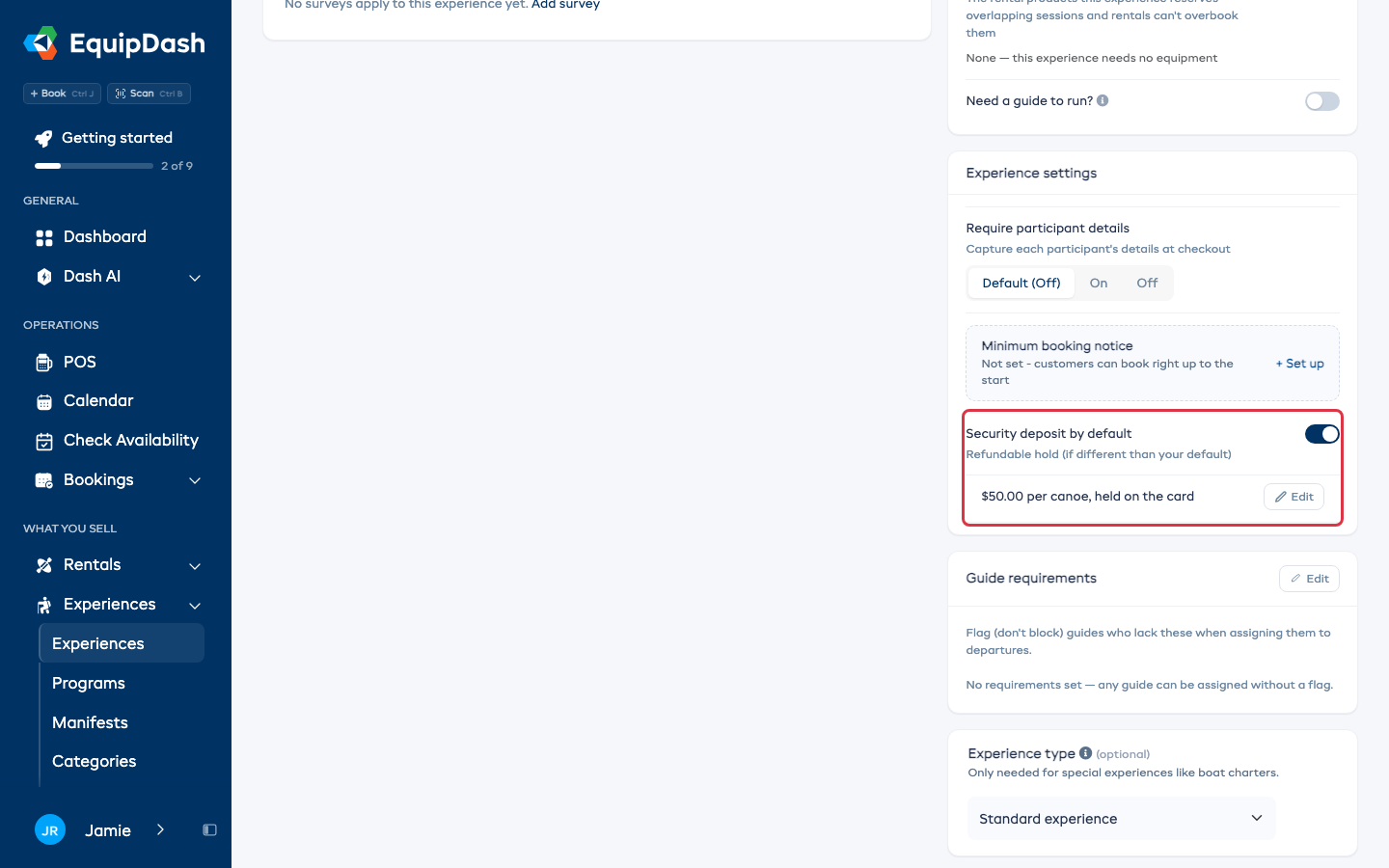
The security deposit follows the price. Under Experience settings on the Details tab, click + Customize on Security deposit and enter the Hold amount. It reads $50.00 per canoe, held on the card, and a booking of 2 canoes holds $100.
What customers and staff see
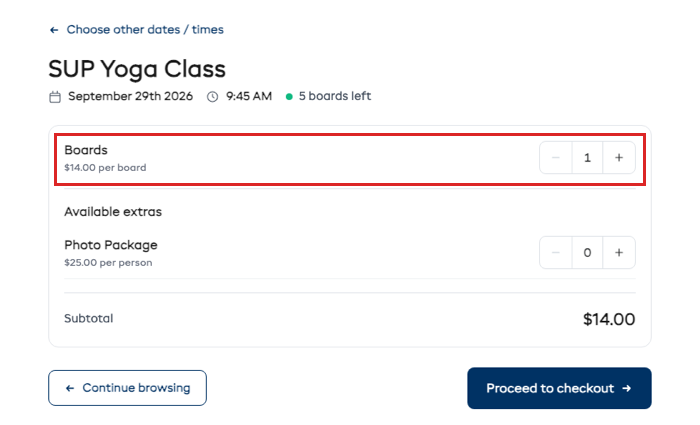
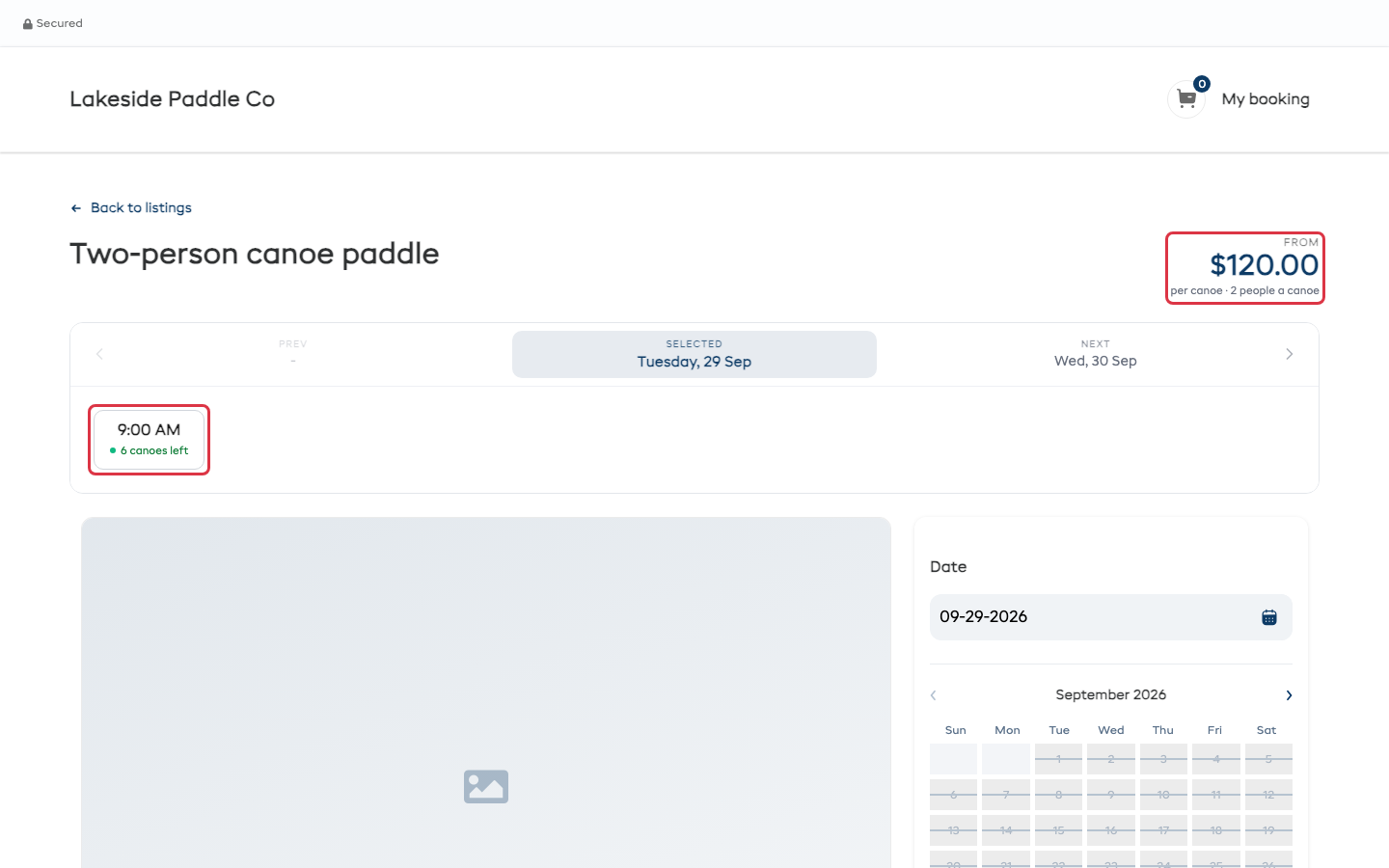
Your booking page shows the price per canoe, how many people fit in one, and how many canoes are left at each time.
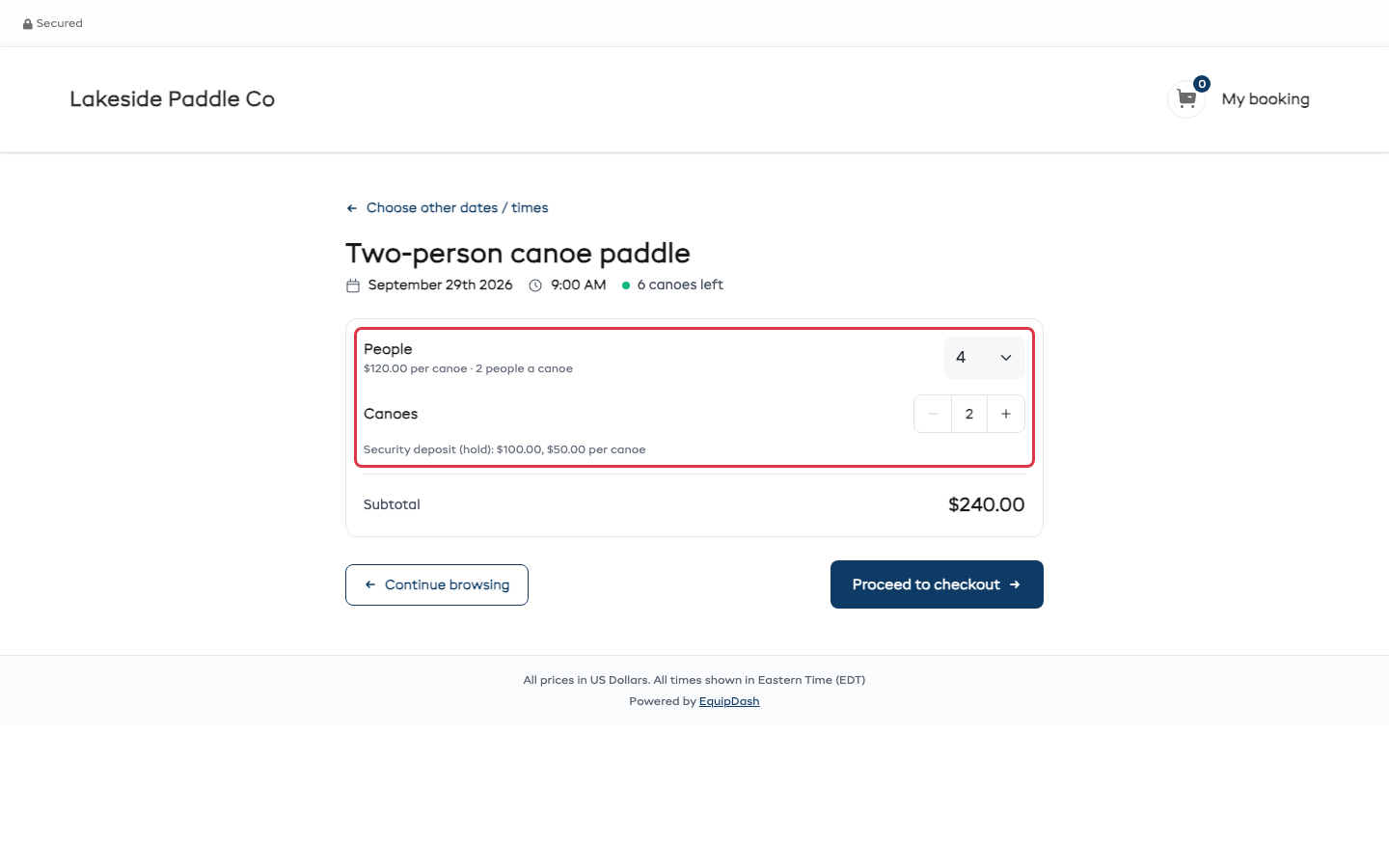
Customers pick how many People first and the Canoes fill themselves in, rounded up: 4 people in canoes for 2 get 2 canoes. They can add a canoe (two people who want one each), but never go below what the people need. The deposit shows under the canoes.
The register works the same way. Enter the people and the canoes follow, with the total underneath.
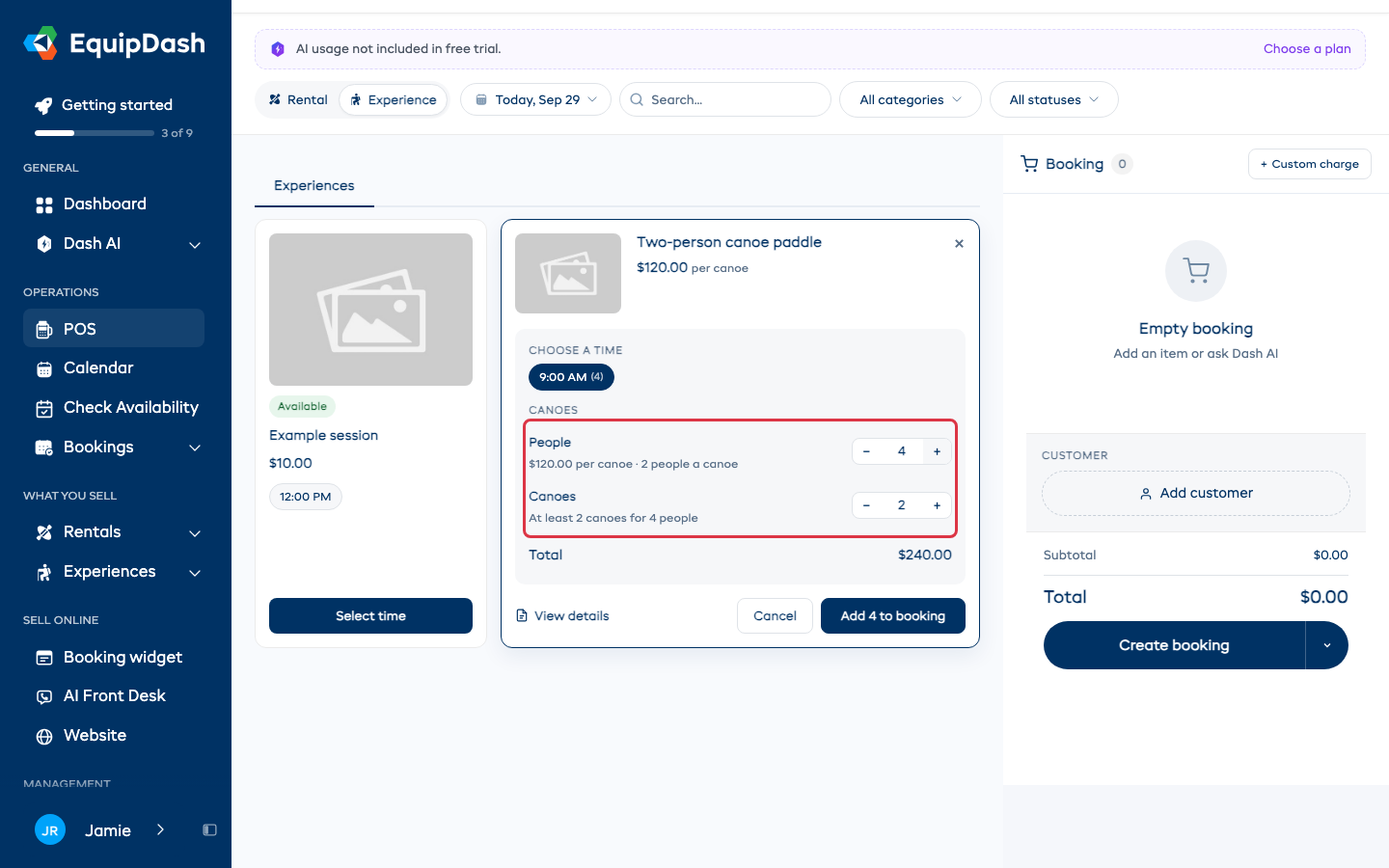
Confirmations, emails and the booking page all say it the same way, for example 2 canoes, 4 people.
Show an approximate per-person price
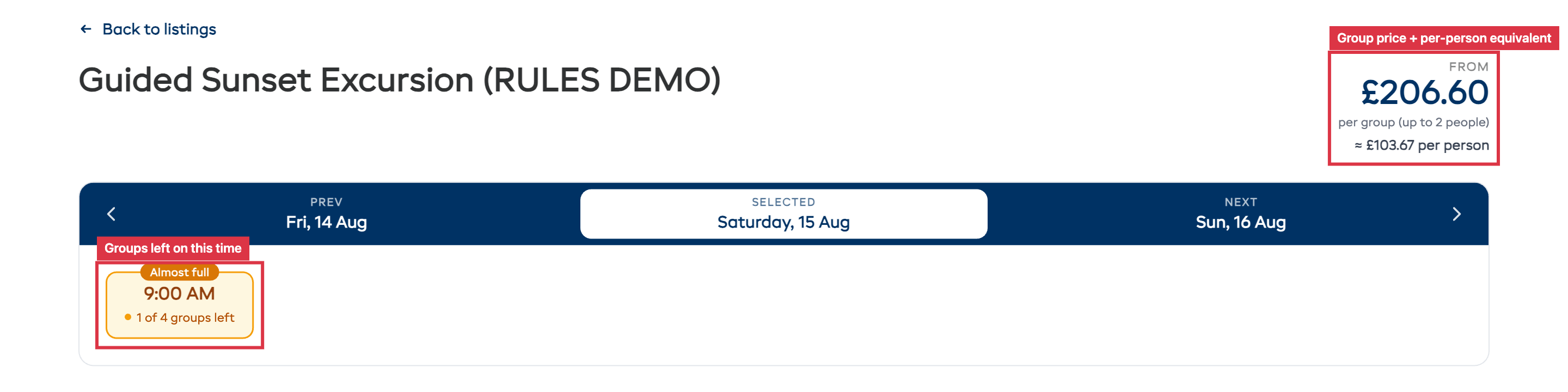
Group prices can be hard to compare against businesses that charge per head. Turn on Show approximate per-person price (last step of the experience form, under Advanced settings) and your booking page shows the per-person equivalent underneath the group price, for example $279 per group (up to 2 people) with ≈ $140 per person below it.
It's a display only. Billing, deposits and receipts all stay per group.
What your customers see
At the top of the experience page they see the group price, how many people a group covers and, if you turned it on, the per-person equivalent. Each time shows how many groups are left, colored green when there's plenty, amber when it's nearly full, and red when it's gone.
Further down, under Experience Price Structure, your fee and your discount are spelled out before they commit to anything:

When they pick their groups, any fee or discount appears in the running total before they pay, and again on the confirmation page, their emails, and any invoice.