How to Prevent Double Bookings at Your Rental Shop

You checked the calendar. The gear was available. And somehow, two customers just showed up for the same kayak at 10 a.m. on a Saturday.
Double bookings are one of the most damaging problems in equipment rental. They cost you revenue, reputation, and the trust you spent months building. The worst part? They keep happening even when you think your system is airtight.
This guide breaks down exactly why double bookings occur and gives you three proven fixes to prevent double bookings at your rental shop for good. If you're still managing availability manually, start with our complete guide to rental inventory management — it covers the foundation you need before anything else.
Why Double Bookings Happen (The 4 Root Causes)
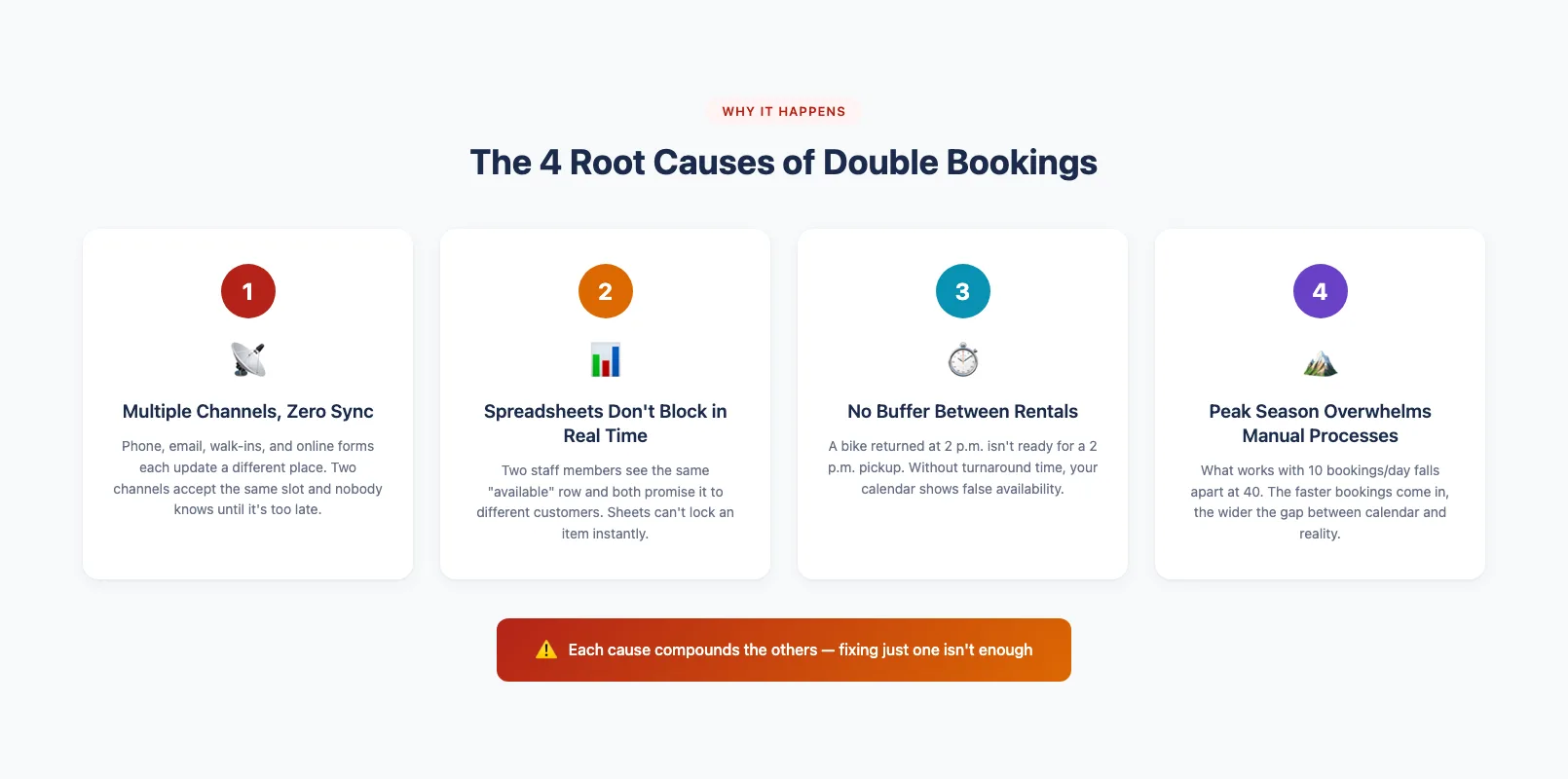
Double bookings rarely happen because someone made a careless mistake. They happen because your systems have gaps that manual effort can't close. Here are the four root causes behind the double booking problem at most rental shops.
1. Multiple booking channels, zero sync. You take reservations by phone, email, walk-ins, and maybe an online form. Each channel updates a different place — a notebook, a spreadsheet, an inbox. If your walk-in checkout is still paper-based, see our equipment sign-out sheet template for the fields that matter — but know that paper and digital channels running in parallel is exactly where double bookings hide.
2. Spreadsheets that don't update in real time. A shared Google Sheet feels like a system. But it can't block a booking the instant someone else claims that item. Two staff members can look at the same "available" row and both promise it to different customers. If you're weighing the tradeoffs, our breakdown of rental inventory spreadsheets vs software spells it out clearly.
3. No buffer time between rentals. A bike returned at 2 p.m. isn't ready for a 2 p.m. pickup. Without built-in turnaround time, your calendar shows availability that doesn't exist in practice.
4. Peak-season volume overwhelms manual processes. What works with 10 bookings a day falls apart at 40. The faster bookings come in, the wider the gaps between what your calendar says and what's actually on the shelf.
The Real Cost of a Double Booking
Turning away a confirmed customer costs far more than one lost transaction. The average equipment rental booking sits between $75 and $200. But the real damage is what happens next.
The customer you turn away doesn't just lose their booking — they lose their plans. A family that drove an hour for a paddleboard rental isn't going to say "no problem." They're going to leave a one-star review. They're going to tell friends. And they're never coming back.
One double booking can cost you:
- The booking itself — $75–$200 in immediate lost revenue
- A negative review — which deters 3–5 future customers on average
- Staff time — 20–30 minutes spent apologizing, rebooking, or issuing refunds
- Reputation damage — especially during peak season when word travels fast
Multiply that across a busy summer, and the double booking problem can quietly drain thousands from your bottom line. The shops that avoid this invest in equipment rental software that catches conflicts before customers ever see them.
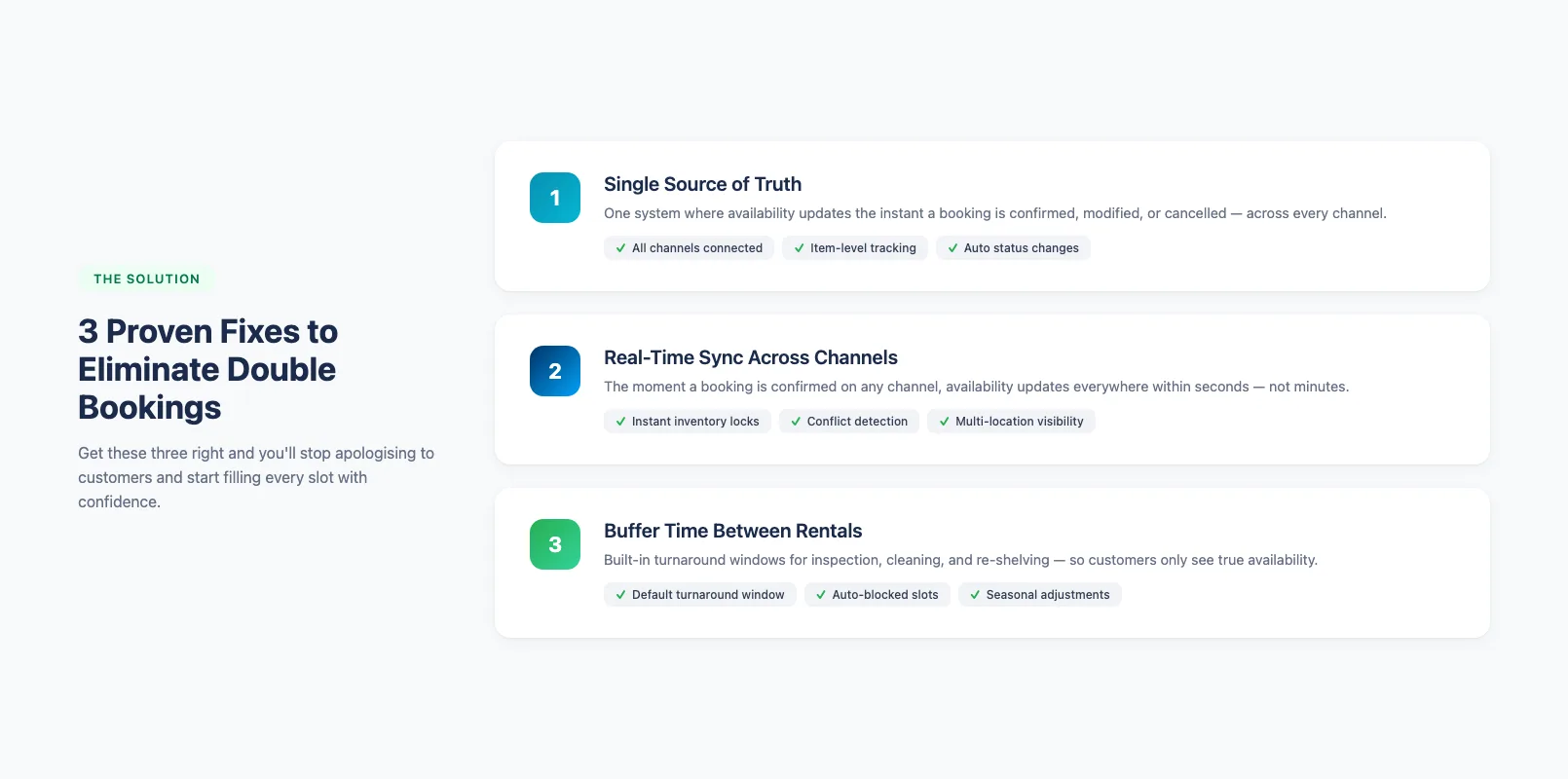
Fix #1: Single Source of Truth for Inventory
The single most effective way to prevent double bookings is to manage every piece of gear in one system. Not a spreadsheet plus a calendar plus a booking form — one platform where availability updates the instant a booking is confirmed, modified, or canceled.
Here's what a single source of truth looks like in practice:
- Connect all booking channels to one inventory database — online, phone, walk-in, and third-party platforms all read from the same pool.
- Set item-level availability so every individual unit (not just a product category) has its own real-time status: available, booked, in maintenance, or in transit. This is exactly what equipment rental software with inventory tracking is designed to do. A solid maintenance tracking process keeps those statuses accurate.
- Automate status changes so that when a booking is confirmed, that item is immediately blocked from every other channel.
When your staff, your website, and your walk-in counter all pull from the same data, the "two people booked the same thing" scenario becomes nearly impossible. A purpose-built online booking system for rentals handles this out of the box. And cloud-based equipment rental software makes it accessible from any device or location — no local server required.
Fix #2: Real-Time Sync Across All Channels
A single source of truth only works if it updates instantly. If your website shows an item as available for 15 minutes after someone books it in-store, that window is an open invitation for a double booking.
Real-time sync means:
- Instant inventory locks. The moment a booking is confirmed on any channel, availability updates everywhere within seconds — not minutes, not "after the next manual refresh."
- Automatic conflict detection. If two bookings attempt to claim the same item at the same time, the system blocks the second one before it confirms.
- Multi-location visibility. If you run more than one shop, your staff at Location B can see what Location A just booked — no phone calls needed.
This is where equipment rental booking software earns its keep. The sync happens in the background, so your team focuses on customers instead of cross-referencing calendars.
Fix #3: Buffer Time Between Rentals
Even with perfect sync, you'll still get burned if your calendar treats a return time as the next available start time. Gear needs to be inspected, cleaned, and re-shelved before it goes out again. A consistent equipment check-in/check-out process ensures every return gets inspected and routed before the next rental.
Build buffer time into your system:
- Set a default turnaround window for each product category — 30 minutes for a surfboard, 60 minutes for an e-bike that needs a charge check.
- Block that window automatically so it never shows as bookable. Customers should only see true availability.
- Adjust buffers by season. During peak weeks, you may need longer turnaround times because your team is handling higher volume.
Buffer time does double duty. It prevents overbooking and gives your staff breathing room to deliver a better experience — gear that's actually ready when the customer walks in.
Peak-Season Overbooking Prevention
Preventing overbooking during peak season requires the same three fixes above — but dialled up. Volume is higher, turnaround is faster, and the cost of every mistake multiplies.
Peak-season overbooking prevention comes down to preparation:
- Audit your inventory counts before the rush. Make sure every bookable unit is accounted for and the system reflects reality — not last season's numbers. Our step-by-step guide on how to track rental equipment walks you through building a complete master list and tagging every item.
- Increase buffer times by 25–50%. More bookings means more wear, more cleaning, and more chances for late returns to cascade into the next reservation.
- Set availability caps. Hold back 5–10% of popular items as a float for walk-ins, late returns, or last-minute damage replacements. This cushion absorbs the chaos without forcing you to turn away confirmed customers. A solid fleet management strategy helps you decide exactly how many units to hold back — and utilization tracking shows you which categories have room to spare.
- Automate confirmation and reminder messages. No-shows are the silent cause of peak-season inventory confusion. Automated reminders reduce no-shows by up to 30%, which keeps your real availability closer to your projected availability. Learn how to automate your rental business to handle this and more.
The rental shops that survive peak season without double-booking drama are the ones who set these guardrails before the first big weekend — not after the first angry customer.
Frequently Asked Questions
What causes double bookings at rental shops? Double bookings are caused by four root issues: multiple booking channels that don't sync, spreadsheets that can't block availability in real time, no buffer time between rentals for turnaround, and peak-season volume that overwhelms manual processes. Each cause compounds the others.
How much does a double booking cost a rental business? A single double booking can cost $75–$200 in lost revenue, plus a negative review that deters 3–5 future customers, 20–30 minutes of staff time handling the situation, and long-term reputation damage. Across a busy season, double bookings can quietly drain thousands from your bottom line.
What is the best way to prevent double bookings? The three most effective fixes are: (1) a single source of truth where all booking channels connect to one inventory database, (2) real-time sync that instantly locks availability across every channel when a booking is confirmed, and (3) built-in buffer time between rentals for inspection and turnaround.
How do I prevent overbooking during peak season? Audit your inventory counts before the rush, increase buffer times by 25–50%, hold back 5–10% of popular items as a float for walk-ins and damage replacements, and automate confirmation and reminder messages to reduce no-shows by up to 30%.
Can rental software automatically prevent double bookings? Yes. Purpose-built equipment rental software connects all booking channels to one inventory pool, updates availability in real time, and automatically blocks conflicting bookings before they confirm. It also lets you set buffer times and availability caps to prevent overbooking during peak periods.
Stop Double Bookings Before They Start
Double bookings aren't inevitable. They're a symptom of disconnected tools and manual processes that can't keep up with your business. Whether you're just starting an equipment rental business or running a small rental operation, or managing tours and guided experiences, getting booking management right from day one saves you from painful lessons later.
Fix the root cause: one inventory system, real-time sync, and built-in buffer time. Get those three right, and you'll stop apologizing to customers and start filling every slot with confidence. Need help choosing the right tool? Our equipment rental software comparison ranks every major platform side by side.
in one place