Default Listing Mode
The Default listing mode setting controls what customers see the moment they land on your experiences widget. There are three choices — pick the one that matches how your customers actually shop.
The Three Modes
| Mode | What customers see first |
|---|---|
| Activities | Experience cards first. They click one, then pick a date. |
| By date | A date picker first. They pick a day, see everything available that day. |
| Let customer choose | Both options, with a toggle to switch. |
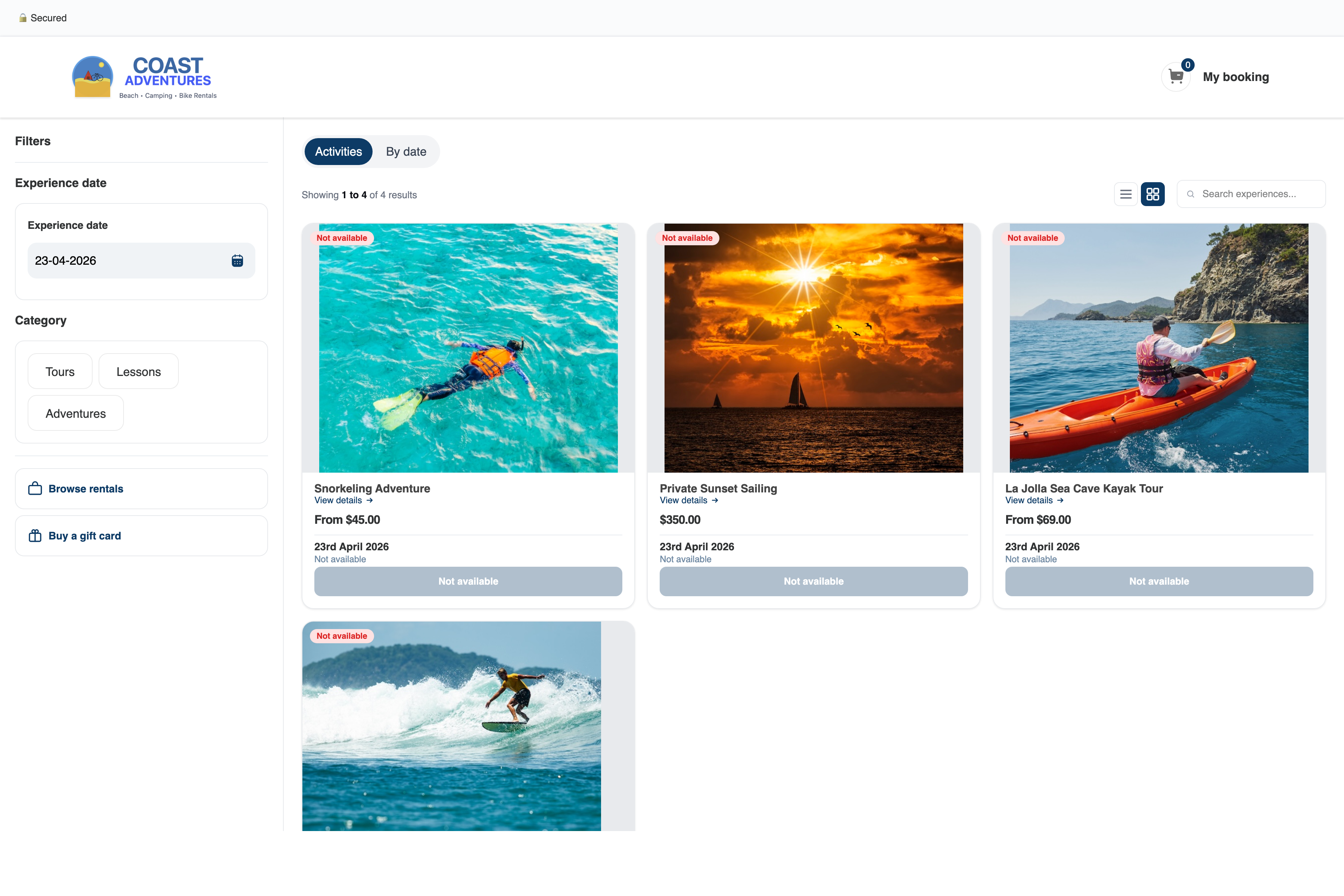
Activities (classic view)
Best when your catalogue is small or each experience has a clear identity. Customer reads the card, reads the description, then picks a time.
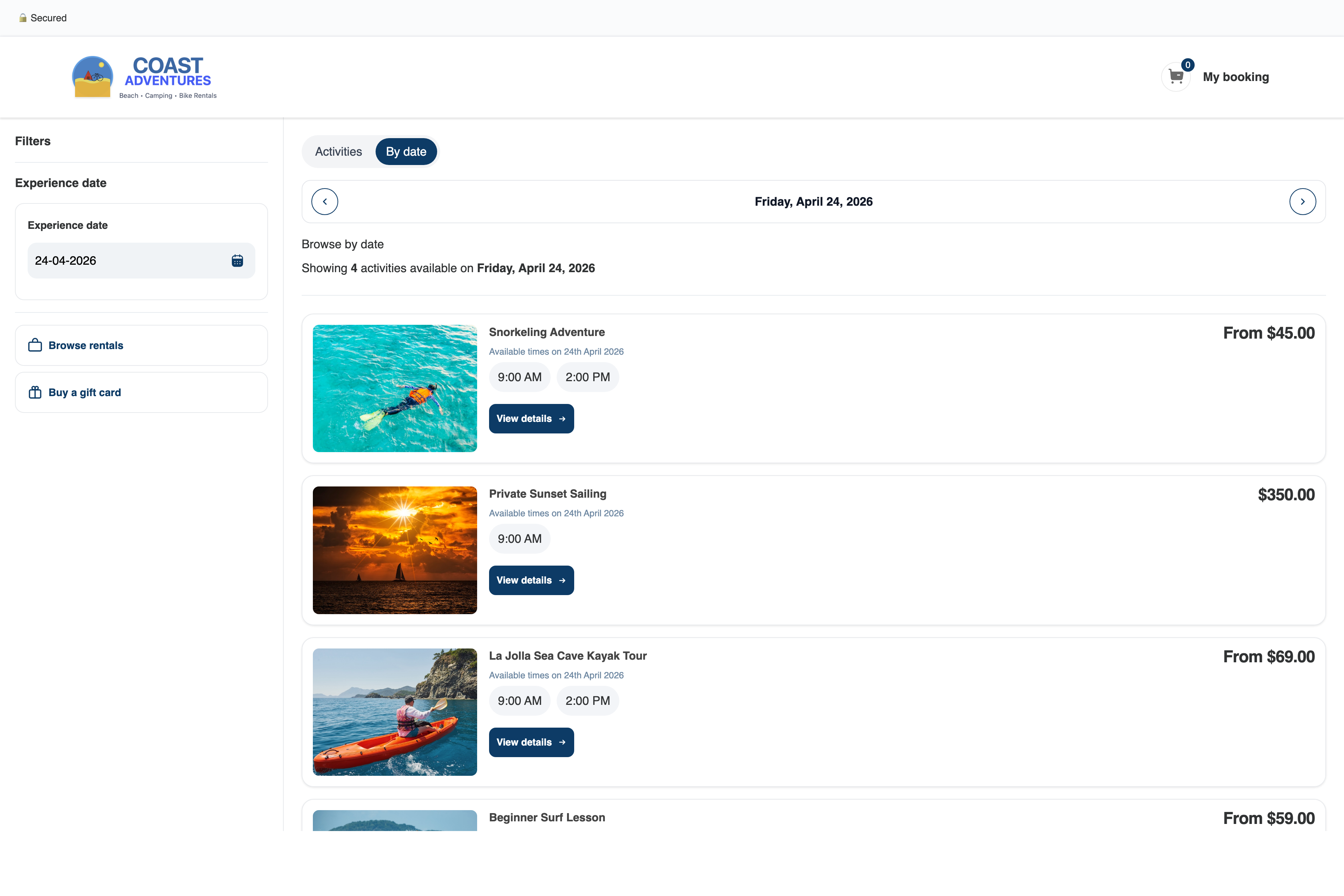
By date
Best when you run many departures of similar experiences — a surf school with 6 morning sessions, a dive shop with 12 daily tanks. Customer picks a date, sees a flat list of everything bookable that day.
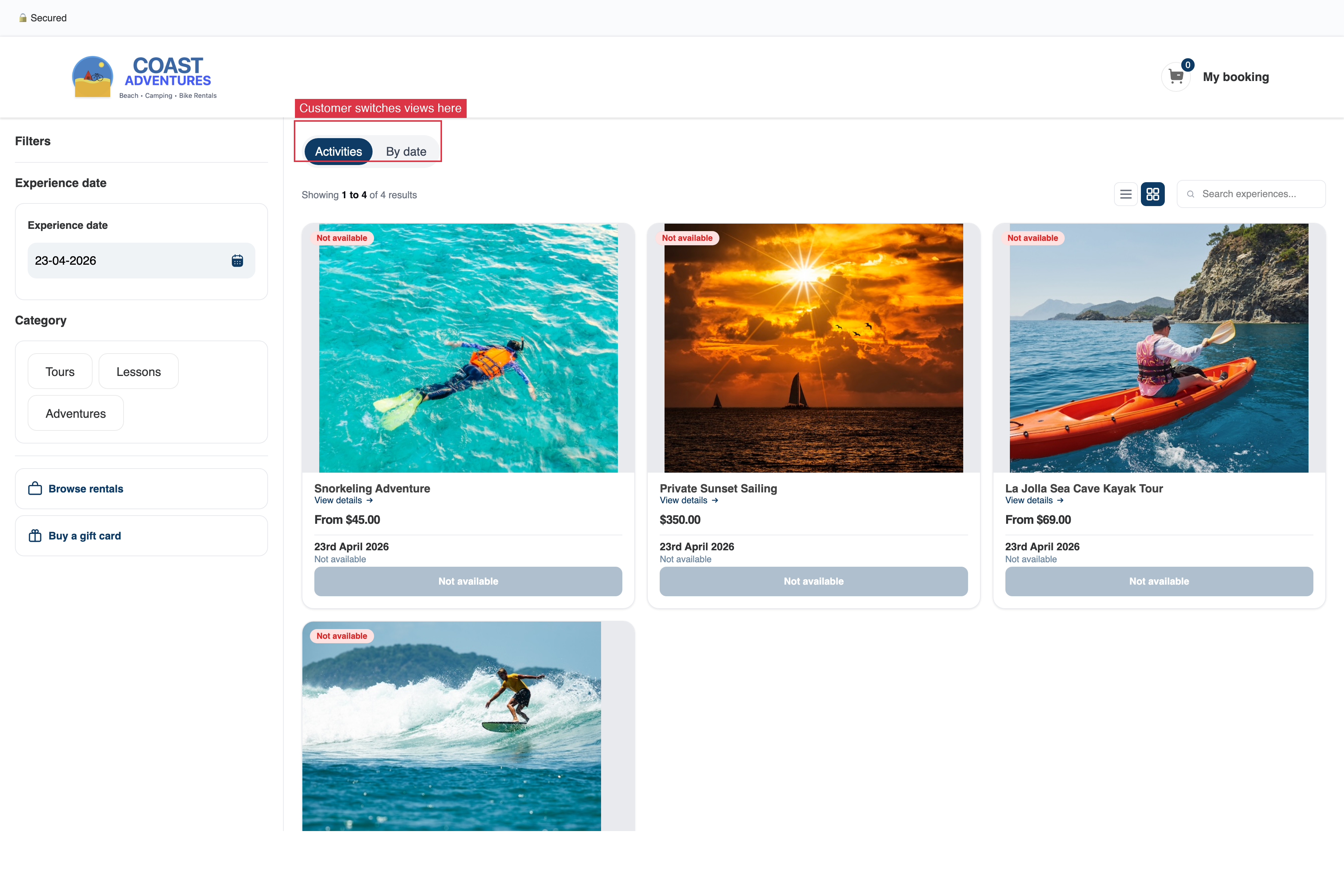
Let customer choose
A toggle lets the customer switch between the two views at any time. Picks up whichever view matches how they shop.
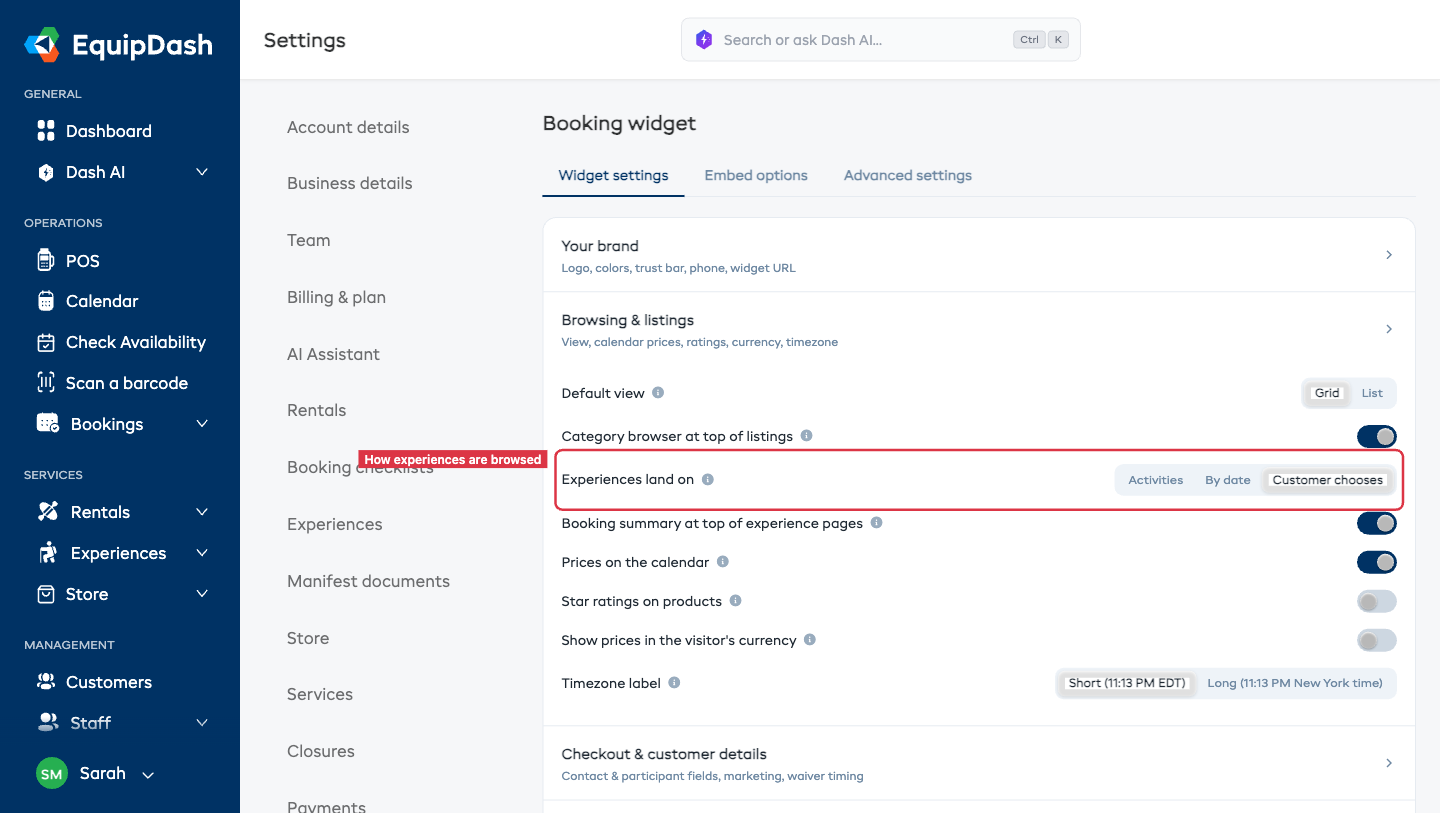
Changing the Setting
- Go to Settings → Booking widget → Widget settings tab.
- Find the Browsing & listings section and the Default listing mode setting.
- Pick Activities, By date, or Let customer choose.
Your choice saves automatically — there's no Save button.
When "By date" Really Shines
- You have many time slots per day — a 6-tank dive operator, a bike rental with 8 sizes.
- Customers shop around for a specific day ("we're in town on the 24th, what can we do?").
- You run similar experiences with different durations — customers want to compare.
When "Activities" Still Wins
- You have 2–6 experiences, each distinctive.
- You want to tell the brand story per experience before pricing.
- Your experiences run on fixed schedules everyone knows (Saturday mornings only, for example).
Which Modules Use This
Only the Experiences module uses this setting. The Rentals and Store modules always use activity-first browsing.
Customer-facing controls
No matter which default you choose, customers can jump to a specific date via the direct date URL — /widget/{slug}/experiences/by-date?date=2026-05-12.