Checkout Field Requirements
A shorter checkout converts better. EquipDash lets you control which fields show up on your widget's checkout and whether each one is Required, Optional, or Hidden — so you can collect exactly what you need and nothing you don't.
Why this matters
Every extra field on mobile costs roughly 2–4% of completed bookings. The defaults below are tuned for fast checkout. Only promote a field to Required when you genuinely need it on every booking.
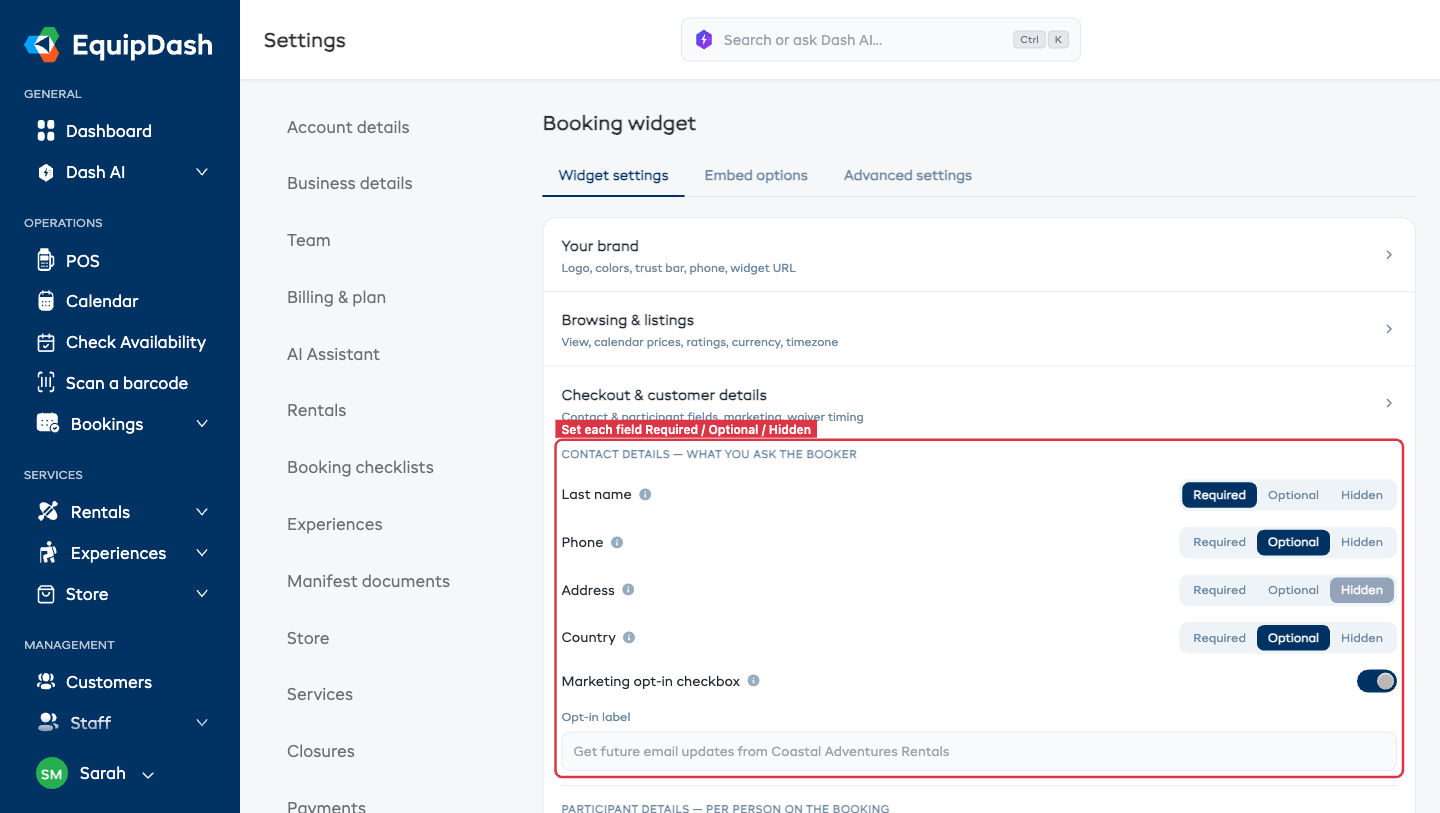
Contact Fields
These are on the lead booker (the person paying).
| Field | Default | Choices |
|---|---|---|
| Last name | Required | Required / Optional / Hidden |
| Phone | Optional | Required / Optional / Hidden |
| Address | Hidden | Required / Optional / Hidden |
| Country | Optional | Required / Optional / Hidden |
First name and email are always required for the lead booker — they're how the booking gets confirmed.
Participant Fields
These are on each individual participant (if your experience or rental has more than one participant).
| Field | Default | Choices |
|---|---|---|
| First name | Always required | — |
| Last name | Required | Required / Optional / Hidden |
| Required | Required / Optional / Hidden | |
| Date of birth | Hidden | Required / Optional / Hidden |
| Emergency contact | Hidden | Required / Optional / Hidden |
| Emergency phone | Hidden | Required / Optional / Hidden |
First name is always required so you can identify participants on the manifest.
Emergency contact and emergency phone are available for any experience or rental (not just boat charters), and are Hidden by default. Turn them on to collect a next-of-kin name and number for each guest — the values flow straight onto the Emergency columns of your manifest documents. (Boat charters with a passenger manifest collect these automatically regardless of this setting.)
Date of birth feeds the Age column on manifests — age is worked out from the date of birth automatically, so you never enter it separately.
Changing the Settings
- Go to Settings → Booking widget → Widget settings tab → Checkout & customer details section.
- Under Contact details, pick Required / Optional / Hidden for Last name, Phone, Address, Country.
- Under Participant details, pick Required / Optional / Hidden for Last name, Email, Date of birth, Emergency contact, and Emergency phone.
- There's no Save button — every change saves automatically as you make it.
Participant Comments
Separately from required fields, you can enable a free-text Comments textarea on each participant card — useful for allergies, mobility notes, or pickup requests.
See Participant Comments for details.
Marketing Opt-in
Below the participant fields there's a Show marketing opt-in checkbox toggle.
- Off (default for new suppliers since April 2026) — no marketing checkbox appears on checkout.
- On — a checkbox appears at the end of checkout. You can set your own label, e.g. "Get future email updates from {your business}".
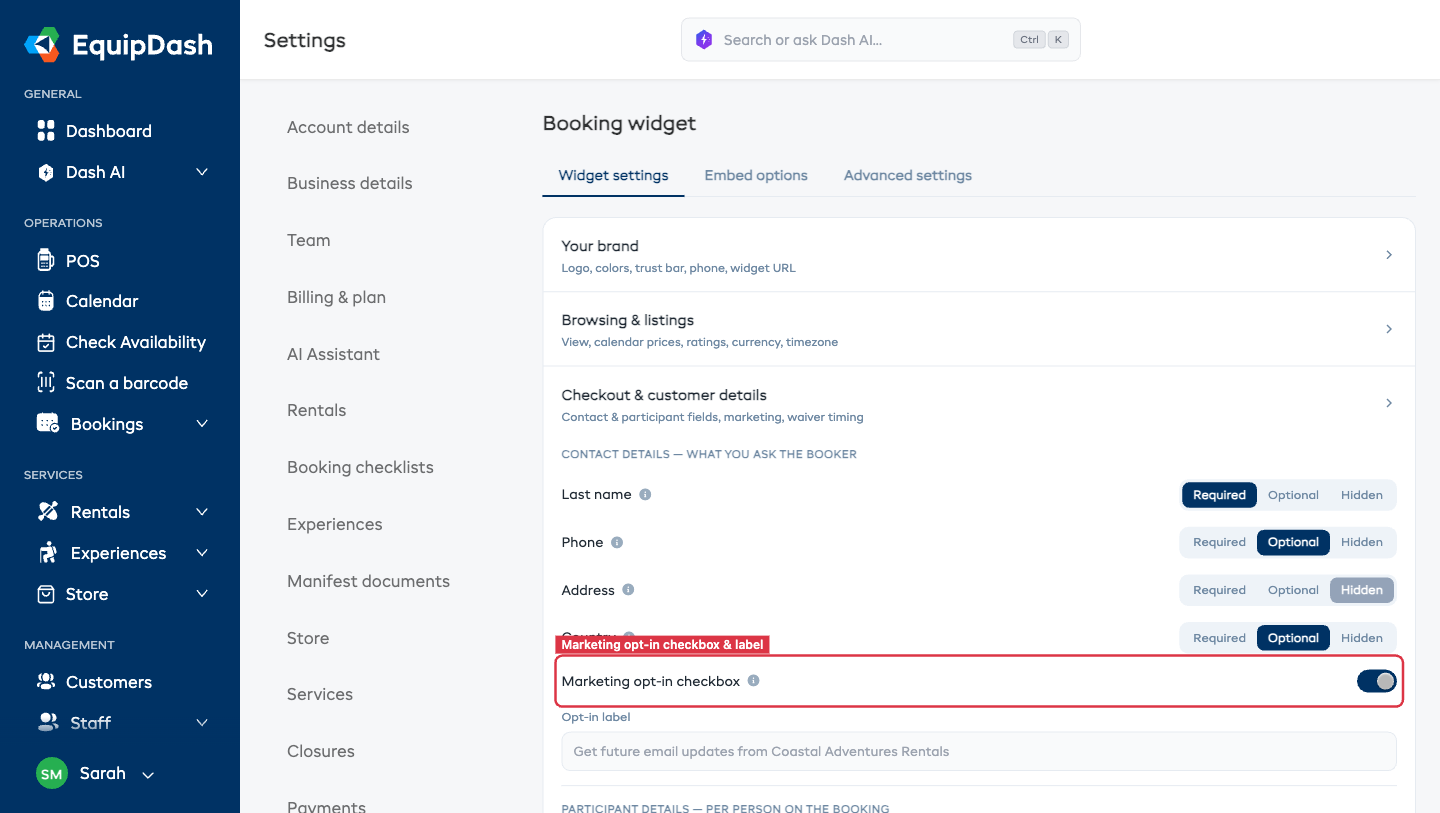
When on, anyone who ticks the box is flagged marketing_opt_in = true on the customer record — so your Campaign sends respect consent automatically.
How Customers See It
- Required fields show a red asterisk and block checkout until filled.
- Optional fields render normally with no asterisk.
- Hidden fields don't render at all — the value is skipped entirely.
Tips
- Hide Address unless you need it. Most experiences and day rentals don't need a postal address. Leave it hidden.
- Require Email on every participant if waivers are signed by each person — otherwise the waiver email has nowhere to go.
- Require DOB only if you have age-gated activities. Otherwise it's a friction cost with no payoff.
- Make Phone required for pickup-heavy rentals. You'll want to text customers about changes.