Trust Badges & Safety Statement
Trust badges are small reassurance tags that appear at the top of your booking widget. They tell a first-time visitor two things at a glance: "your payment is safe" and "this operator runs a safe operation." Both are proven conversion levers.
The Two Badges
| Badge | What it says | Notes |
|---|---|---|
| 🔒 Secured | Payment is SSL-encrypted and processed by Stripe | Static, always accurate |
| ✨ Health & Safety | You follow your own published safety protocols | Customer can click to read your statement |
The Secured badge is static — no configuration required. The Health & Safety badge is supplier-authored; customers can click it to read your full statement.
Turning the Badges On
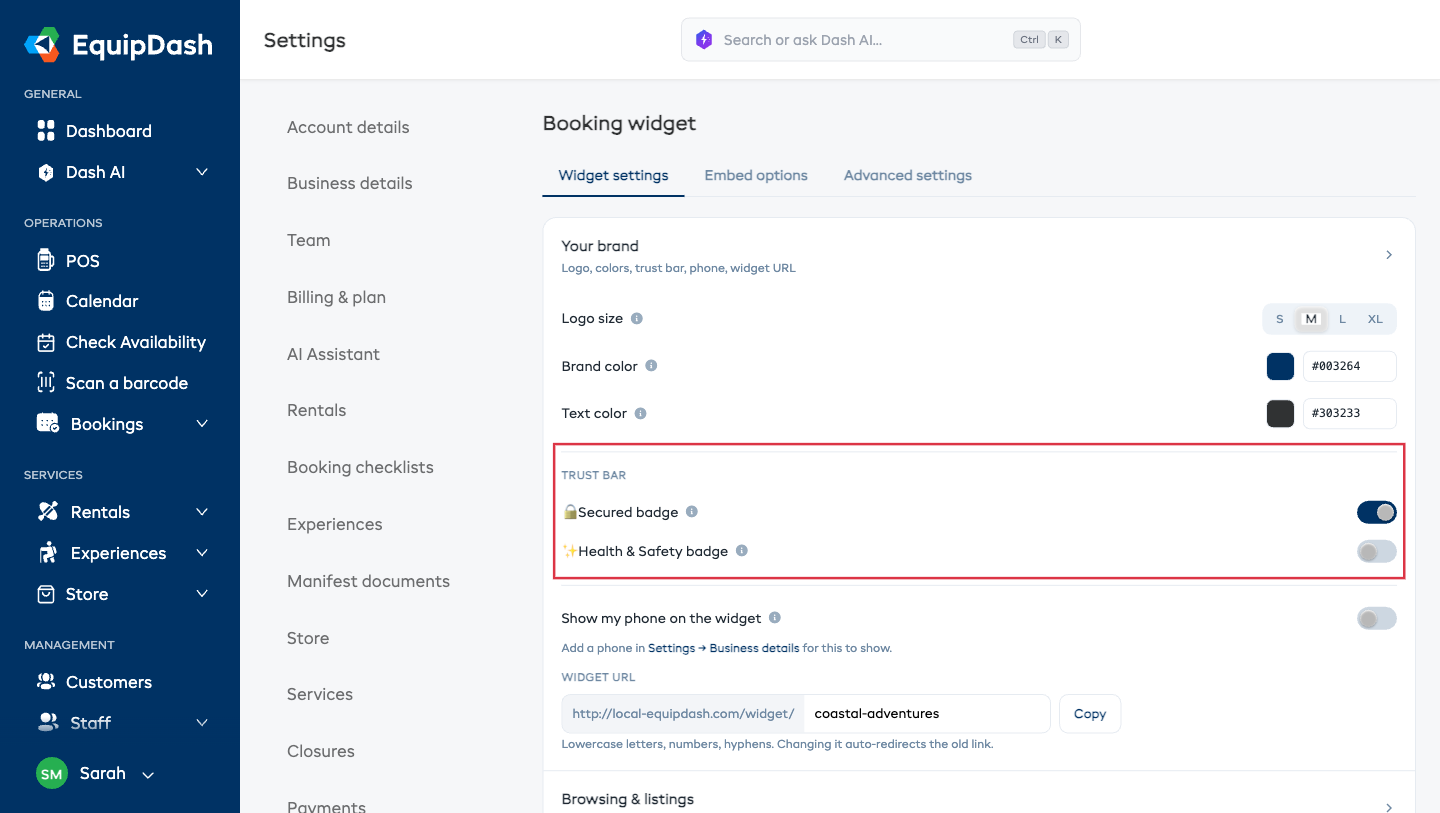
- Go to Settings → Booking widget → Widget settings tab.
- Scroll down to the Your brand section.
- Tick Show 🔒 Secured badge to display the payment-safe badge.
- Tick Show ✨ Health & Safety badge to display the safety badge.
- If you enabled Health & Safety, write your safety statement in the Health & Safety statement field that appears.
Every change saves automatically — there's no Save button.
Writing a Good Health & Safety Statement
Your statement can be up to 2,000 characters. Line breaks are preserved. Good statements cover:
- Certifications — e.g. "Licensed tour operator, state registration #4521."
- Briefings — e.g. "Every guest gets a 15-minute safety briefing before departure."
- Equipment checks — e.g. "All gear is inspected before and after every trip."
- Insurance — e.g. "Covered up to $5M public liability."
- Emergency protocols — e.g. "All guides are WFR certified; two-way radios + first-aid kits on every trip."
Write it in your own voice. Customers respond better to specifics than to boilerplate.
How Customers See It
The badges render in a row at the top of every widget page.

Clicking the Health & Safety badge opens a modal with your full statement.
When to Skip the Badges
- If you can't back the safety badge up with real detail, leave it off. An empty "we care about safety" paragraph is worse than no badge.
- If you sell store items only (no experiences or rentals), the safety badge doesn't land the same way. The Secured badge still helps.