April 2026 Product Releases
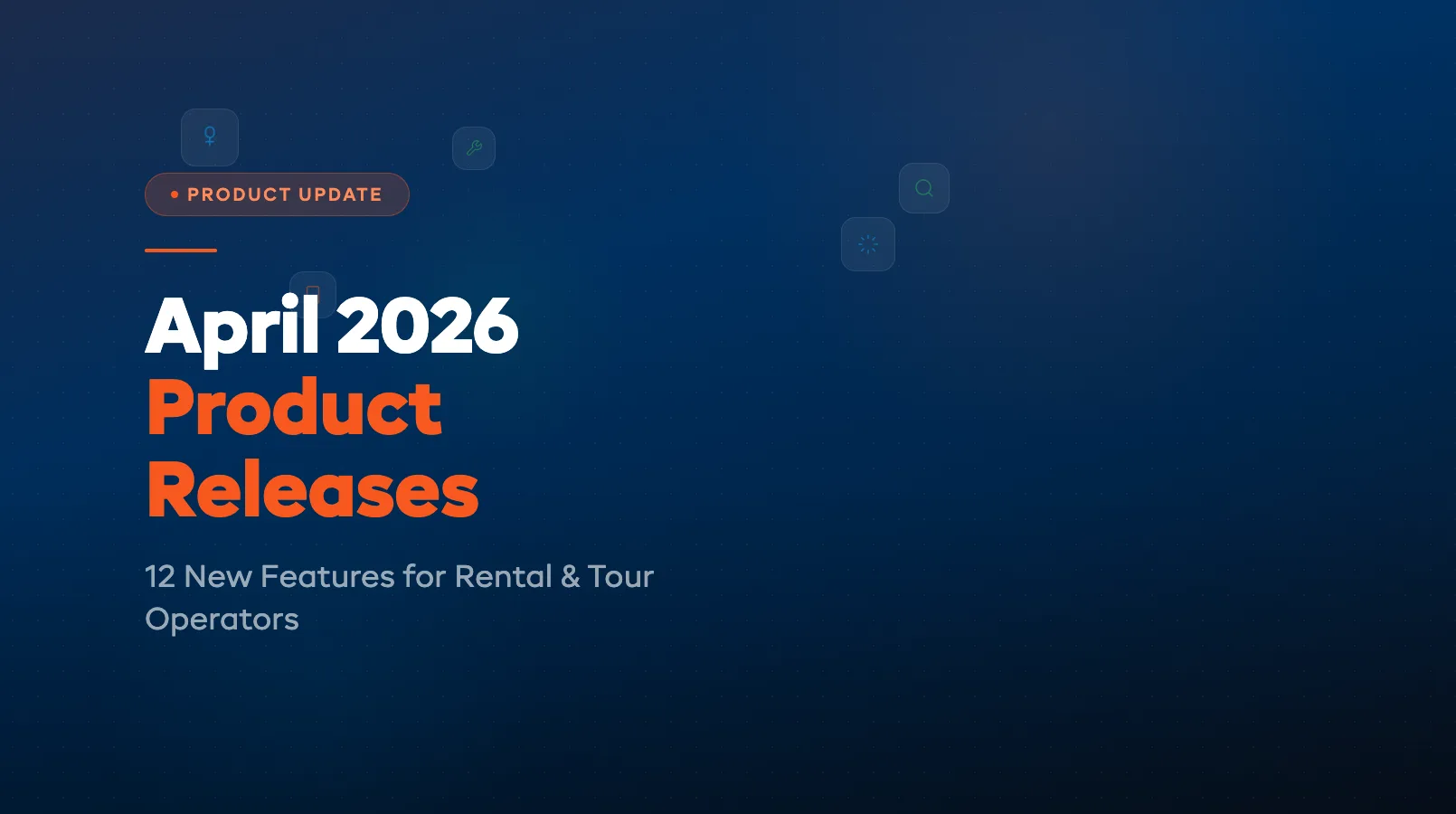
April was a big month. We shipped 12 features across AI, operations, and mobile — all built from operator feedback. Whether you run a bike rental shop, a kayak tour company, or a multi-location ski operation, there's something here that'll save you time heading into peak season. Here's every feature, what it does, and why it matters for your daily workflow.
AI Features
Seven new AI capabilities landed in April. Every one of them works inside your existing dashboard — no extra apps, no complicated setup.
AI Morning Briefing
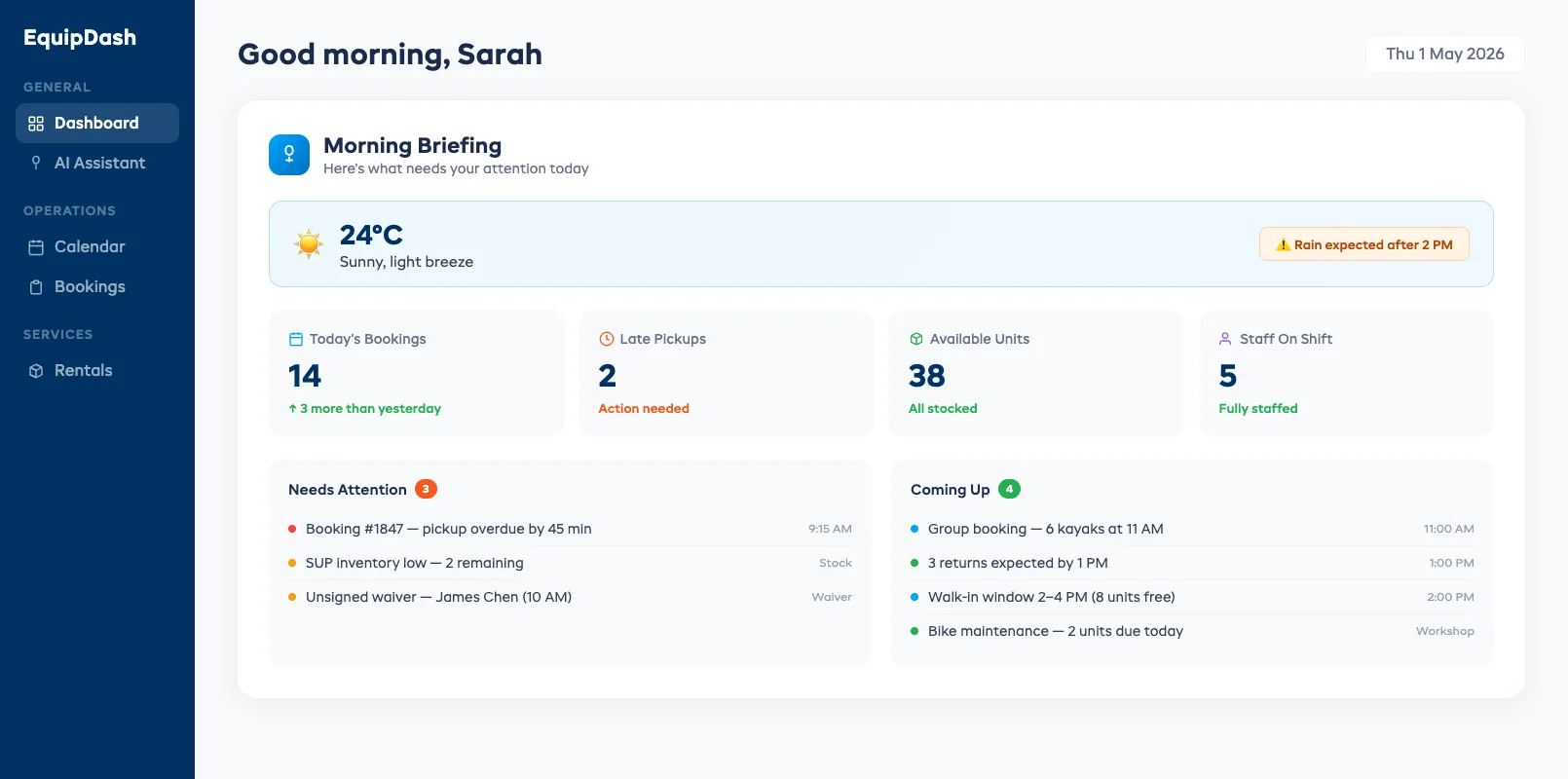
Open your dashboard and Dash AI greets you with a morning briefing. It pulls together today's weather forecast, upcoming bookings, late pickups, low-stock items, staff gaps, and unsigned waivers — all in one glance.
No more opening five tabs before your first coffee. The briefing highlights what needs attention right now and what can wait. If rain is forecast at 2 PM, you'll know before your morning rush even starts.
AI Insights
Every product page, customer profile, booking detail, experience page, and calendar view now shows AI Insights — one-line reads plus smart suggestions tailored to what you're looking at.
Viewing a kayak that's been sitting idle for two weeks? Dash AI suggests a price drop or a bundle. Looking at a customer who's booked three times? It flags them as a loyalty candidate. These aren't generic tips — they're specific to your data, your season, and your patterns.
More AI Models
Dash AI now routes tasks to the best model for the job. Behind the scenes, we added ChatGPT, Claude, Gemini, xAI, and Kimi alongside our existing models. Each model has strengths — some are faster at quick lookups, others are better at writing customer emails or analyzing booking patterns.
What does that mean for you? Faster responses, better accuracy on niche tasks, and zero extra steps on your end. You still talk to Dash AI the same way. The routing happens automatically — the right model picks up the right task every time. If you ask Dash AI to draft a follow-up email, it picks the model best at writing. If you ask for a revenue breakdown, it picks the model best at data analysis.
Bring Your Own AI Key
If you already have an API key from OpenAI, Anthropic, Google, or another provider, you can now plug it directly into EquipDash. Your plan's AI credits stay untouched.
This is ideal for operators who use AI heavily and want unlimited capacity. Plug in your key under Settings → AI → API Keys, and your own key handles the load while your plan credits sit in reserve.
More AI Credits
We increased AI credit allocations across the board — same price, more capacity:
- Growth plan: 500K → 3M tokens (6x increase)
- Pro plan: 2M → 8M tokens (4x increase)
Most operators won't hit the new ceilings even during peak season. But if you do, the Bring Your Own Key option above has you covered.
AI Search
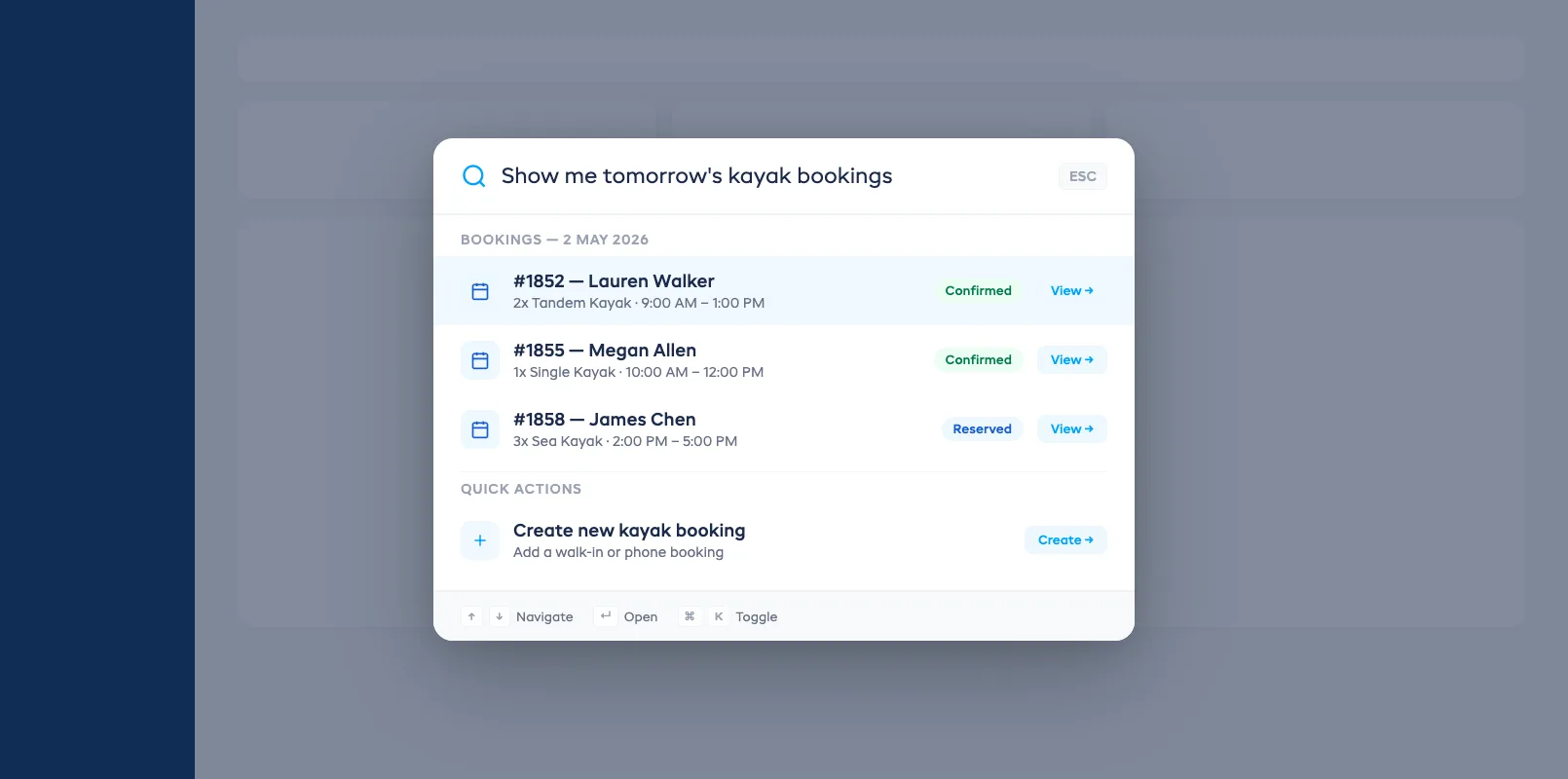
Press Cmd+K (or Ctrl+K on Windows) anywhere in the dashboard and type what you need in plain language. "Show me tomorrow's kayak bookings" or "Find the customer who booked last Friday" — Dash AI understands the intent and returns results with one-click actions.
No more clicking through menus or remembering which page has the filter you need. Just describe what you're looking for and act on the results immediately.
AI-Suggested Pricing
Set competitive prices without the guesswork. Dash AI researches competitor pricing in your area and proposes price points for your products, experiences, and store items.
You'll see a recommended price, the reasoning behind it, and how it compares to local competitors. Accept the suggestion, adjust it, or ignore it — you're always in control. This works for rental products, tour experiences, and retail store items.
Pricing suggestions update as market conditions change. If competitors raise their rates for summer or drop prices in the off-season, Dash AI catches the shift and flags it. You decide whether to follow — the data just shows up when you need it.
Operations Features
Five features focused on the daily grind — inventory, maintenance, scheduling, and a new way to manage your business from your phone.
Multi-Location Inventory Tracking
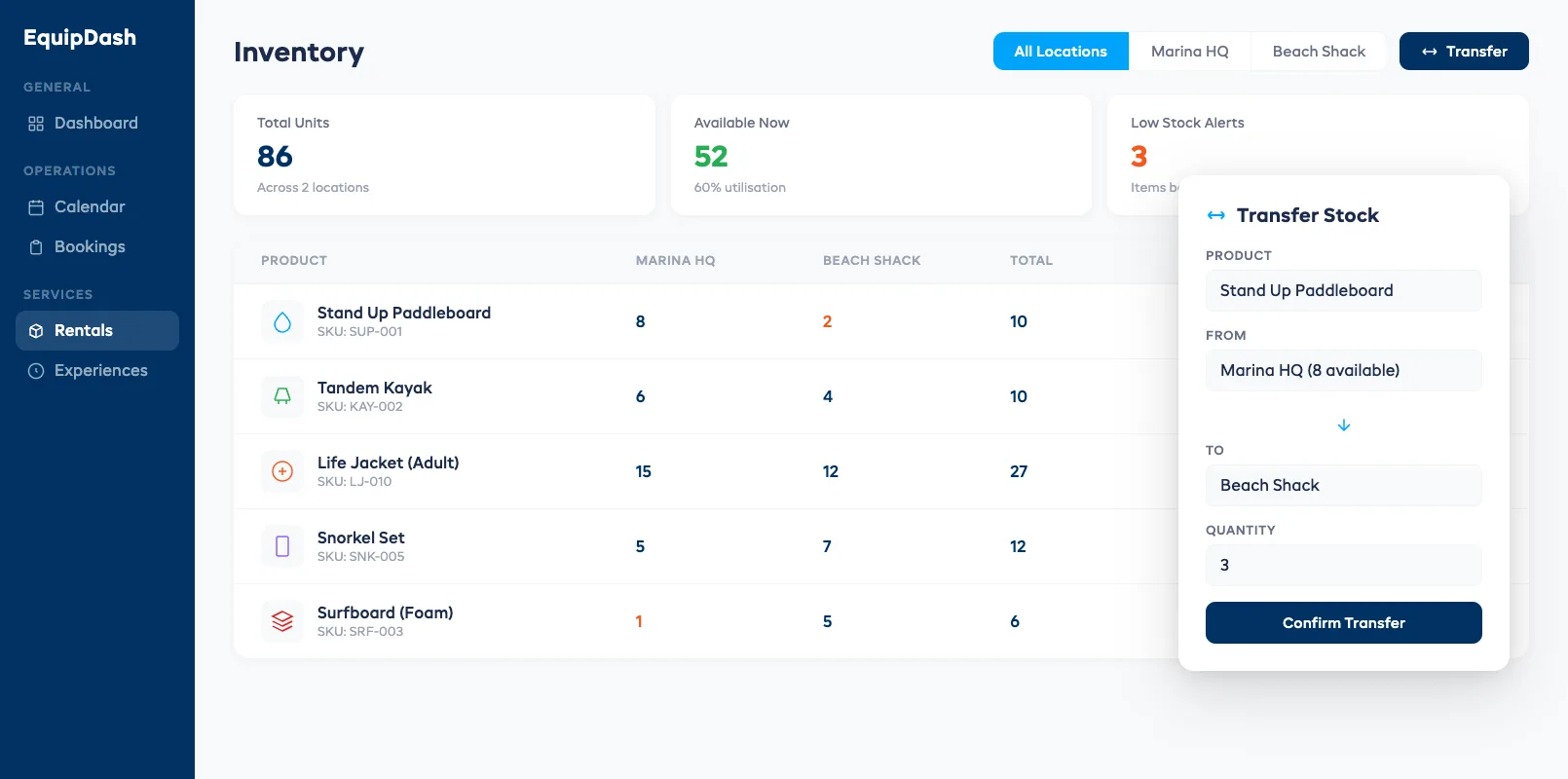
If you run more than one location, inventory just got a lot clearer. Real-time tracking now works across all your sites with a unified view showing what's where.
Need to move 10 paddleboards from your marina location to the beach shack? Initiate a transfer right from the inventory screen. Stock levels update at both locations instantly. No more phone calls or spreadsheets to figure out where your gear ended up.
iOS App
EquipDash now runs on iPhone and iPad. Check today's bookings, scan barcodes, process walk-ins, and manage inventory — all from your pocket.
The app is built for speed in the field. Scan a barcode to check out a bike in under 5 seconds. Pull up a customer's booking while they're standing at the counter. Push notifications alert you to new bookings, cancellations, and late returns in real time. The interface mirrors the web dashboard, so your staff won't need retraining.
For shops that operate from a beach, a dock, or a trailhead — anywhere that isn't behind a desk — the iOS app turns your phone into your front counter.
Available now on the App Store.
Workshop Templates
Pre-built maintenance checklists for every equipment type — bikes, kayaks, skis, surfboards, boats, and more. Select a template, assign it to a workshop job, and your tech knows exactly what to inspect.
Templates cover seasonal prep, post-rental inspections, and deep maintenance routines. Customize any template to match your fleet's specific needs. Completed checklists attach to the equipment's history so you can prove maintenance compliance at audit time.
Inventory Condition Tracking
Every check-out and check-in now includes a condition report. Staff photograph the equipment, note any existing damage, and rate overall condition — all from a structured form on their phone or tablet.
When gear comes back damaged, the system compares the check-out photos to the check-in photos and flags discrepancies. If a repair is needed, the item routes automatically to your workshop queue with the damage details attached. No more "it was already like that" disputes.
Condition reports build a complete history for each piece of equipment. Over time you'll see which items take the most wear, which customers handle gear carefully, and when a piece of equipment is approaching end-of-life. That data drives smarter purchasing decisions when it's time to refresh your fleet.
Staff Scheduling Enhancements
Scheduling got four upgrades in one release:
- Copy week: Duplicate last week's schedule in one click. Tweak the exceptions instead of rebuilding from scratch.
- Schedule templates: Save your peak-season and off-season staffing patterns as templates. Load them when the season shifts.
- Drag and drop: Move shifts between staff members by dragging. Reassign coverage in seconds when someone calls in sick.
- Booking demand overlay: See your booking volume overlaid on the schedule grid. Spot understaffed windows before they become problems.
You can also print any week's schedule as a PDF for posting in the break room — because not every operator manages their team through screens.
FAQ
Q: Are these features available on all plans? A: AI Morning Briefing, AI Insights, AI Search, and AI-Suggested Pricing are available on Growth and Pro plans. More AI Models, BYOK, and the increased credit allocations apply to all plans with AI access. Operations features (multi-location, iOS app, workshop templates, condition tracking, staff scheduling) are available on all plans.
Q: Do I need to update anything to get these features? A: No. EquipDash is cloud-based, so all features are live in your dashboard automatically. The iOS app requires a separate download from the App Store.
Q: How do I enable Bring Your Own Key? A: Go to Settings → AI → API Keys. Paste your provider's API key and select which tasks should use it. Your plan credits remain available as a fallback.
Q: Does the iOS app work offline? A: The app requires an internet connection for real-time data sync. Core features like viewing today's bookings work with cached data if your connection drops temporarily.
Q: Can I use workshop templates for custom equipment types? A: Yes. Start from any built-in template and customize it, or create a blank template from scratch. Templates support unlimited checklist items with pass/fail criteria and photo requirements.
Q: How does AI-Suggested Pricing find competitor rates? A: Dash AI analyzes publicly available pricing from competitors in your area. It factors in your equipment type, rental duration options, and local market conditions to propose competitive price points.
Q: Is the multi-location feature available on all plans? A: Multi-location inventory tracking is available on Growth and Pro plans. Starter plans support a single location.
That's April wrapped up. Every feature above is live now — no waiting list, no beta flags. Log in and try them, or start a free trial if you're not on EquipDash yet.
in one place