Kit Prep: How to Stop Gear Going Out Incomplete
Kit Prep: How to Stop Gear Going Out Incomplete
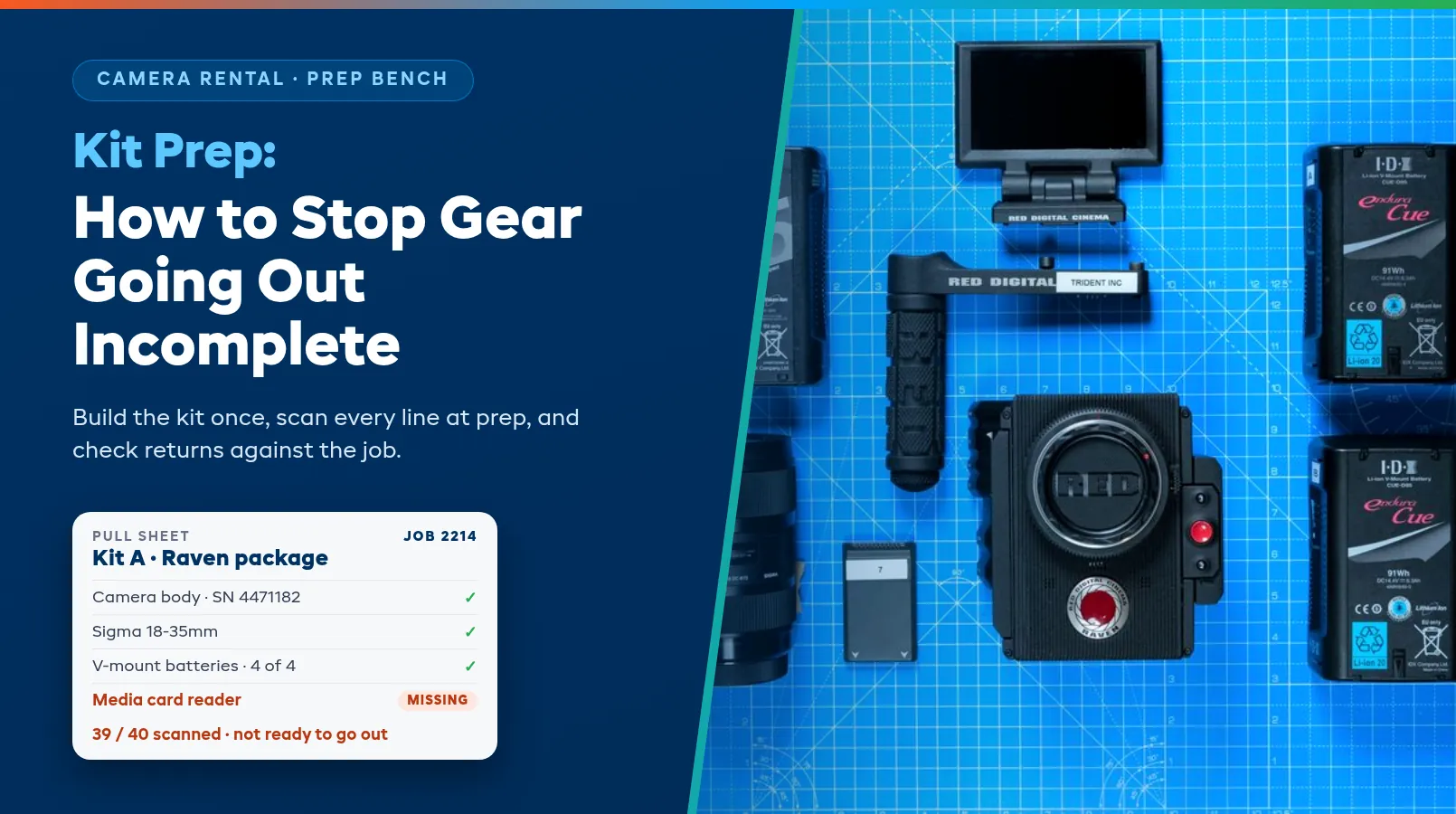
The FX6 package left at 7 AM. At 9:40 the DP calls from set: there's no top handle, and the second V-mount charger isn't in the case. Thirty-eight of forty items arrived, and to the production that's a failed job. Kit prep is where that phone call gets prevented or guaranteed, usually the evening before, by whoever is on the bench.
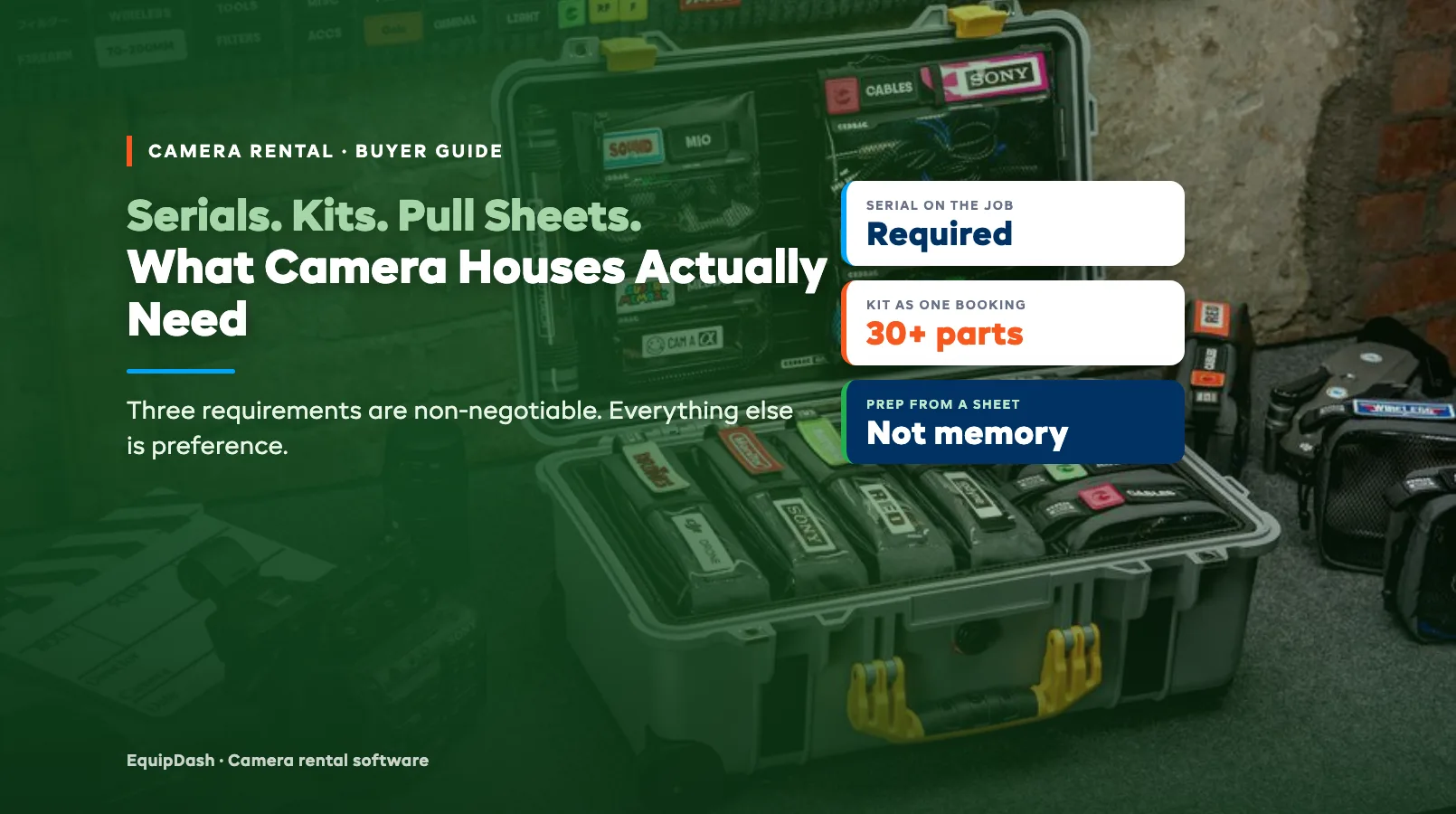
Careless techs cause fewer incomplete kits than most owners think. The usual causes are kits that were never written down in full, pull sheets that lag behind the booking, and returns that get shelved before anyone counts them. This guide walks the prep cycle in order: build the kit once, give the bench a pull sheet it can trust, scan at prep, handle swaps on the day, check returns against the job, and catch a short return before the next booking inherits the hole. For the product side, see our camera rental software page.
Building a kit once
At most shops a kit lives in three places: the booking ("Kit A, 3 days"), the cage shelf, and the memory of the tech who packed it last. On a busy Thursday only the first two are reliable, and the booking usually says nothing about what's inside.
Write the kit down once, in your system, with every component. List everything that has to be in the case for the job to work, including the small parts: body, top handle, side handle, base plate, rods, media, card reader, batteries, charger, power cables, monitor and mount, and the 1/4-20 screws that hold it together.
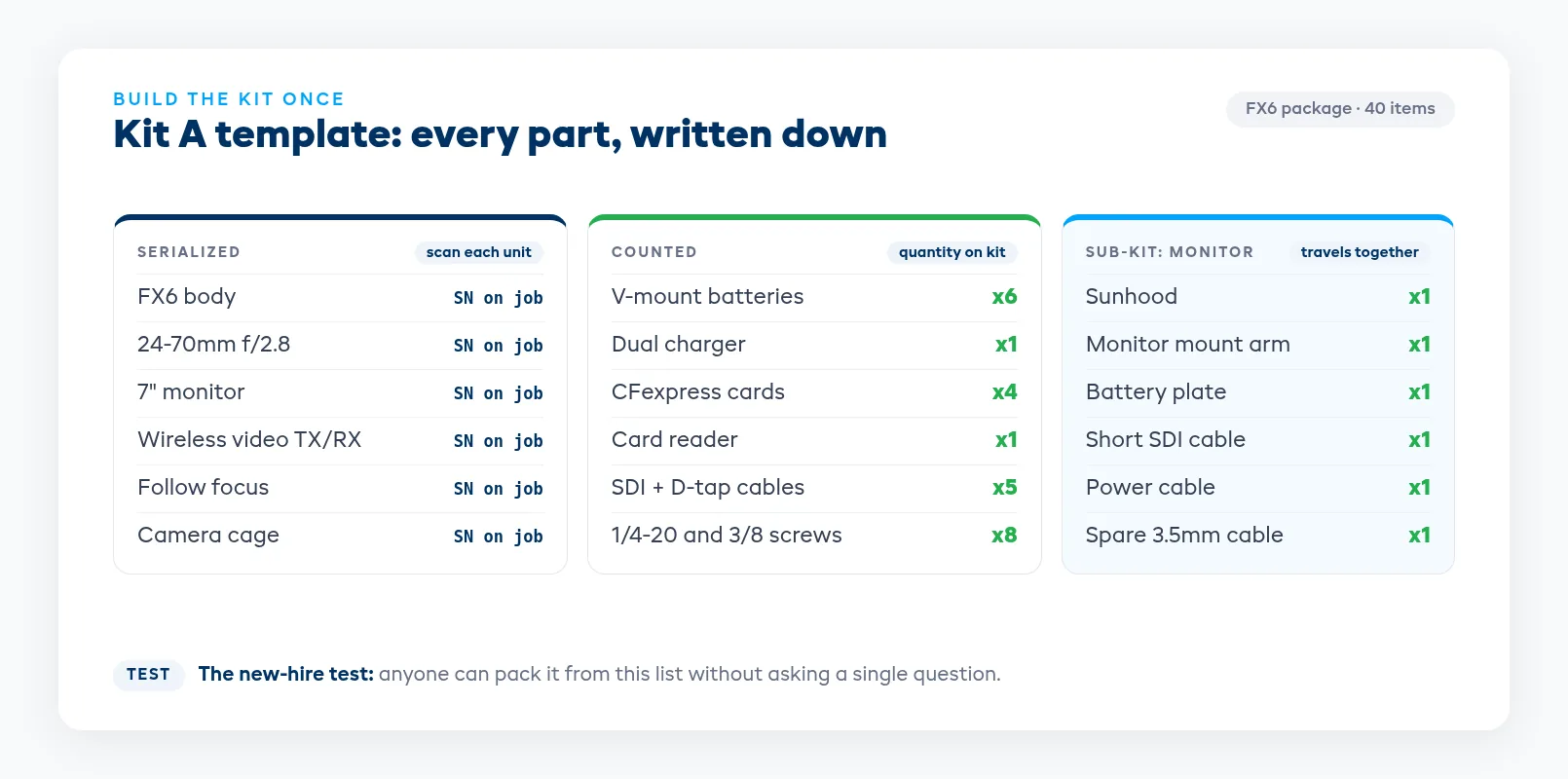
Split the list into two kinds of line:
- Serialized items. Bodies, lenses, monitors, wireless video, and gimbals. Each unit carries a serial or barcode, and the booking records which one went out.
- Counted items. Batteries, cables, media cards, clamps, and sandbags. Track a quantity, and put that quantity on the kit: "V-mount x6", never just "batteries".
Two details catch most houses out. Sub-components are the first: a monitor with its own sunhood, cable, and battery plate is a small kit inside the kit, so list those parts under the monitor and they travel with it. Consumables are the second. Gaffer tape, lens tissue, and a spare 3.5mm cable either belong on the kit or on a separate prep tray, and somebody needs to decide which and write it down.
Once the kit exists as a template, every prep works from the same list. When a part changes across the fleet, say you replace the stock top handle with a better one, you edit the template once instead of retraining twenty memories.
A quick test for any kit list: hand it to the newest person in the building and ask them to pack it without asking anyone a question. Every place they stop to ask is a missing line.
What belongs in a pull sheet
The pull sheet is the kit list applied to one job: these dates, this production, these exact serials. It's what the bench works from, so it has to answer every question before the tech asks it.
- Job header. Production name, job number, pickup or delivery time, return date, and who's collecting.
- Base kit and add-ons, separated. The kit first, then anything the producer added on top, like extra primes, a second monitor, or a wireless follow focus. Add-ons cause most misses because they aren't part of the usual routine.
- Pack order. Group lines by case or bag in the order a tech actually loads them. Alphabetical sorting puts the base plate next to the batteries and sends the tech back and forth across the cage.
- Serial column. The specific unit assigned to each serialized line, or a blank space to scan one into.
- Check column. One box per line, plus a count for quantity lines ("6 of 6").
- Notes. Client requests ("wants the matched prime set") and known quirks ("lens 3 has a stiff iris, send lens 5 if it's free").
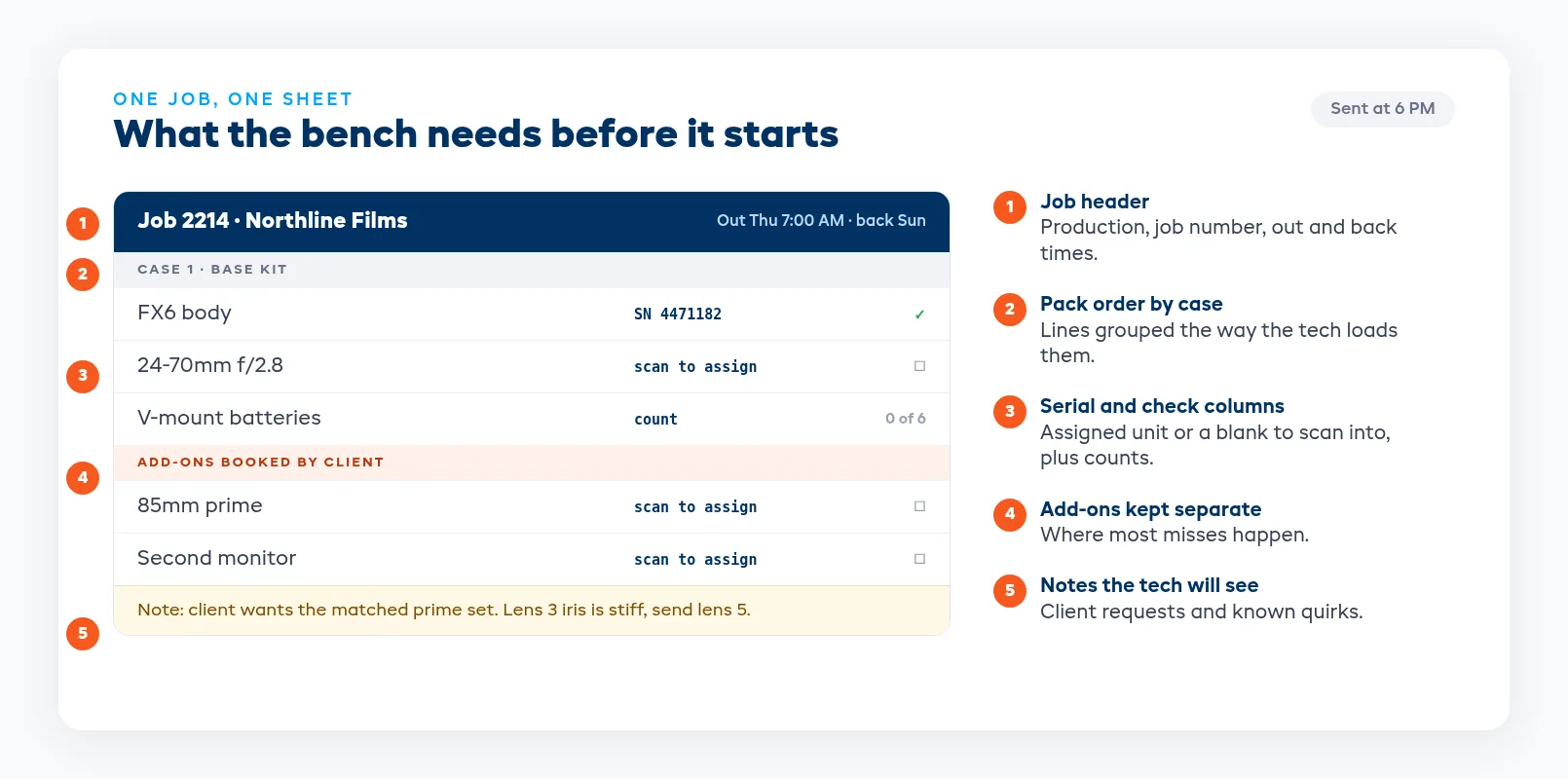
Get the sheet to the bench early. Many houses send tomorrow's sheets out at a fixed time, such as 6 PM, so prep isn't waiting on whoever wrote the quote. If the booking changes after that, the sheet has to change with it, and the bench has to see that it changed. A sheet that was edited without anyone noticing is worse than no sheet at all, because the tech trusts it.
Scanning at prep
A pen and a checkbox work until the bench gets busy. Scanning closes the gap between what the sheet says and what went into the case, because a line only counts as done once that item's barcode has been read against that job.
Set it up so that:
- Every serialized item has a barcode or QR label in a spot that survives handling: lens barrels, body undersides, monitor backs. Re-label anything worn on the day you notice it.
- The scan puts the serial on the job. If the sheet says FX6 body and the tech scans SN 4471182, that body is now on the booking, and three weeks later you can say exactly which unit went out.
- Wrong scans stop the tech. Scanning a 24-70 into a 70-200 line, or a unit already booked on another job, should block the line instead of being logged quietly.
- Quantity lines get counted. Scan the bin label and enter the count, or scan each battery if your batteries are labeled.
- A kit with open lines can't be marked ready. If two lines are still empty, the job stays in prep, and the counter can see that before the driver shows up.
Take condition photos while you scan: front element, body corners, monitor screen. They take seconds at prep and save a long argument at return. Keep them on the serial's record, not in a staff phone's camera roll.
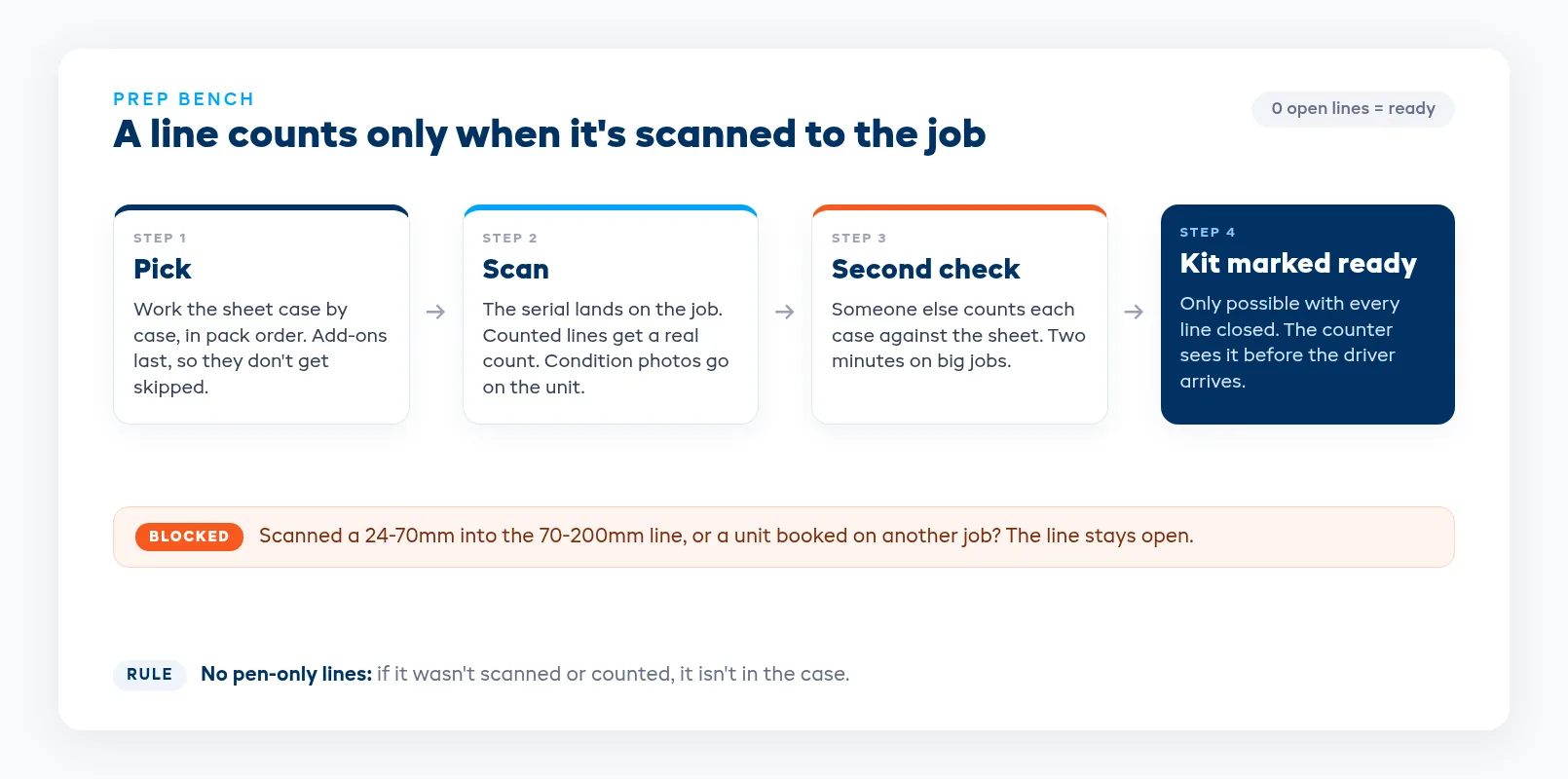
On big jobs, add a second pair of eyes. The tech who packed forty items is the worst person to spot the one they skipped. A two-minute count of each case against the sheet by someone else catches most of what the first pass missed.
Substitutions on the day
The 70-200 you planned to send came back from its last job with a sticky zoom ring. The fix is easy: send the other one. The risk is that the sheet, the booking, and the case now disagree.
Treat every substitution as a change to the job instead of a scribble on paper:
- Swap the serial on the booking so the record shows the unit that actually left.
- Check the replacement is free for the whole rental. A lens that's free this morning but booked on Friday's job turns today's fix into Friday's problem.
- Go like for like, or tell the client. Same model, same mount, same accessories. If you're sending a different model, message the production before it leaves and note the change on the rental agreement.
- Take the faulty unit off sale with a note on what's wrong, so the next prep doesn't pick it again.
- Put sub-hired gear on the same job. If you borrow a lens from another house to fill the gap, it needs the same check-out and check-in as your own stock, because you answer to its owner if it comes back short.
Write the reason on every swap. "Zoom ring sticky, sent to service" takes ten seconds to type and answers the question the producer will ask at return.
Checking back in against the job
Most incomplete kits start at the return counter. The case comes back at 6 PM, someone puts it on the shelf, and nobody notices the missing card reader until the next prep, when it's too late to chase.
Check every return against the job it went out on instead of a generic kit list. The job knows the add-ons, the substitutions, and the exact serials. The template doesn't.
- Open the job and scan each item back in. Serialized items have to match the serials that went out. A different lens of the same model is a problem to sort out now.
- Count the quantity lines. "5 of 6 V-mounts" is the moment to ask, while the driver or camera assistant is still at the counter.
- Inspect as you go. Compare each unit with its prep photos and put new marks on the record now.
- Set a status for each item: back on the shelf, needs a charge or clean, or off to service.
- Close the job only when every line is in or flagged.
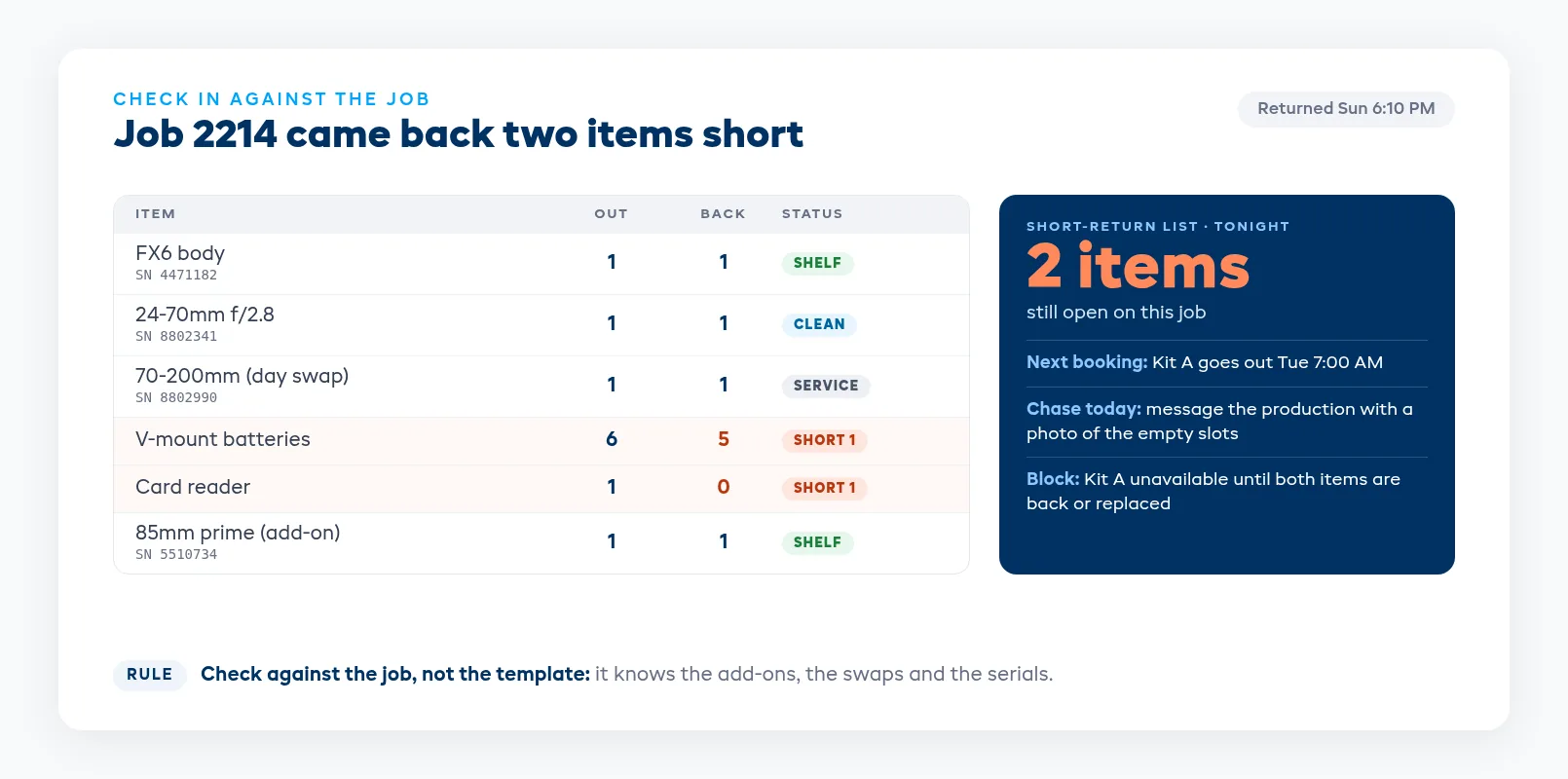
Do this with the customer present whenever you can. An assistant who hears "we're one battery and a card reader short" at the counter can go check the van. The same news by email two days later turns into a debate.
Catching a short return same-day
Even a good check-in misses things on a busy night. The goal is to know about every short return on the day it happens, before the missing item is needed for the next job.
Run a short-return list every evening. It should show every job returned today with a line still open: what's missing, who had it, and the next booking that needs it. If that booking is tomorrow, you sub or rebuild the kit tonight instead of at 7 AM.
Chase while it's fresh. Message the production the same day with the item, the serial if it has one, and a photo of the empty slot in the case. Most missing pieces are sitting in a van, on a DIT cart, or in a bag that went home with the wrong person. After a day they're harder to find, and after a week they're usually gone.
Block the kit as well as the item. A kit without its top handle can't go out complete. Mark the kit unavailable, or send it short with a clear note on the next pull sheet and a call to the client, until the part is back or replaced. Otherwise the next booking inherits the gap.
Decide the charge with a written rule. Give small parts that often turn up a short grace period, set a replacement charge after that, and capture the deposit for anything expensive. When deposits are sized to package value, a missing lens is a cost you recover instead of a write-off.
A rental system makes the gaps visible sooner. In EquipDash, kits book as one item while each component is tracked underneath, prep scans attach serials to the job, and swaps update the sheet. A scheduled Incomplete Kit Check bot can flag a kit about to go out with a component missing or still on another job. See how that works on the camera rental software page and in resource management.
Where to start this week
Pick your three busiest kits. Write each one down in full, screws and cables included, and have someone who didn't write the list pack from it. Fix every line they had to ask about. Then run one week of returns against the job instead of the template, and keep the short-return list every evening. By Friday you'll know whether your misses happen at prep, on swaps, or at the counter, which tells you where to spend next month.
FAQ
What should be on a camera kit prep checklist?
Every item that has to be in the case for the job to work: the body and its handles and plates, lenses, monitor and mount, media and card reader, batteries with the exact count, chargers, power and video cables, and the small hardware that holds the rig together. Serialized items get a serial column and counted items get a quantity. Add the job header, any add-ons the client booked, and space for notes.
What's the difference between a kit list and a pull sheet?
The kit list is the template: what a given package always contains. The pull sheet is that list applied to one job, with the dates, the production, any add-ons, and the exact serials assigned. The bench packs from the pull sheet, and returns get checked against the job it belongs to, not against the template.
Should batteries and cables be serial-tracked?
Usually not. Track interchangeable items like cables, clamps, and most batteries as quantities, and put the count on the kit ("V-mount x6"). Serial-track anything expensive or anything whose condition varies from unit to unit, such as bodies, lenses, monitors, and wireless video. Some houses label high-capacity batteries individually so they can retire weak cells on a schedule.
How do we handle a substitution after the kit has been prepped?
Swap the serial on the booking, confirm the replacement is free for the whole rental period, and note the reason. If the replacement is a different model, tell the production before the kit leaves and record the change on the rental agreement. Take the original unit off sale until someone checks it, so the next prep doesn't send it out again.
What should we do when a production returns a kit short?
Note the missing item against the job and serial before the return is closed, message the production the same day with a photo of the empty slot, and block the kit until the item is back or replaced. Follow a written rule for charges: a short grace period for small parts, then a replacement charge or a deposit capture for higher-value items.
How far ahead should we prep a camera package?
For early-morning pickups, prep the evening before and leave time for a second check. For larger jobs, start a day earlier so you can sub-hire or swap anything that fails inspection. Send pull sheets to the bench at a fixed time each day so prep never waits on the office, and re-send the sheet if the booking changes after that time.
in one place