Surf Lesson Booking Software: Group, Private, Multi-Day Camps
Most surf schools start the same way: a whiteboard timetable, a stack of paper waivers, and a phone that rings while you are already in the water with a group. It works until it doesn't. Two coaches get booked for the same 9am, a family shows up for a camp nobody wrote down, and half your beginners are still signing waivers when the tide is dropping.
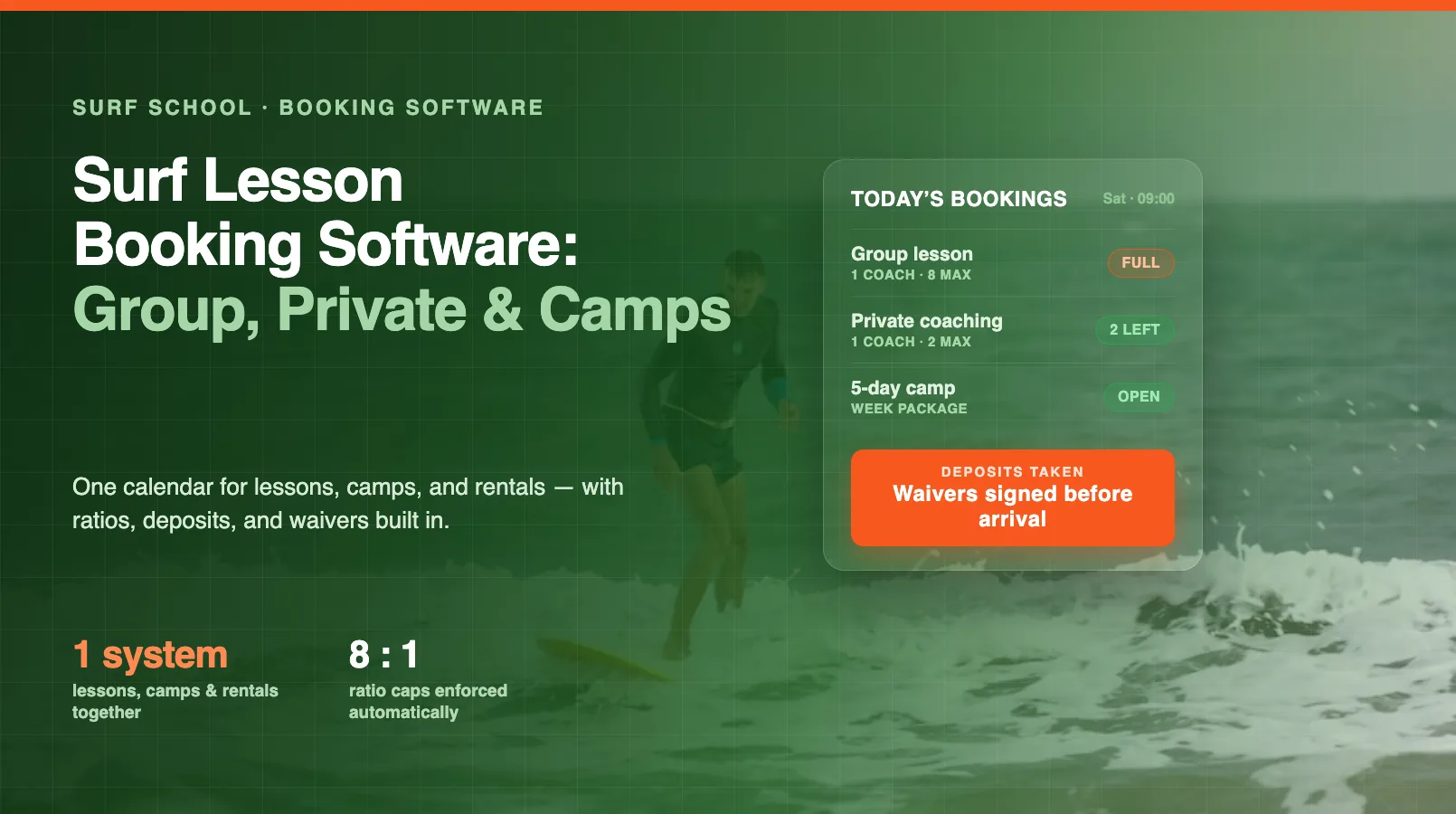
The right booking software fixes that by putting every product you sell (group lessons, private coaching, and multi-day camps) on one calendar that takes payment, holds a spot, and collects the waiver before anyone reaches the sand. This guide walks through what to look for and how to set it up. For the bigger picture on running the whole operation, start with our guide on how to run a surf school and board rental business.
Start by mapping your lesson types
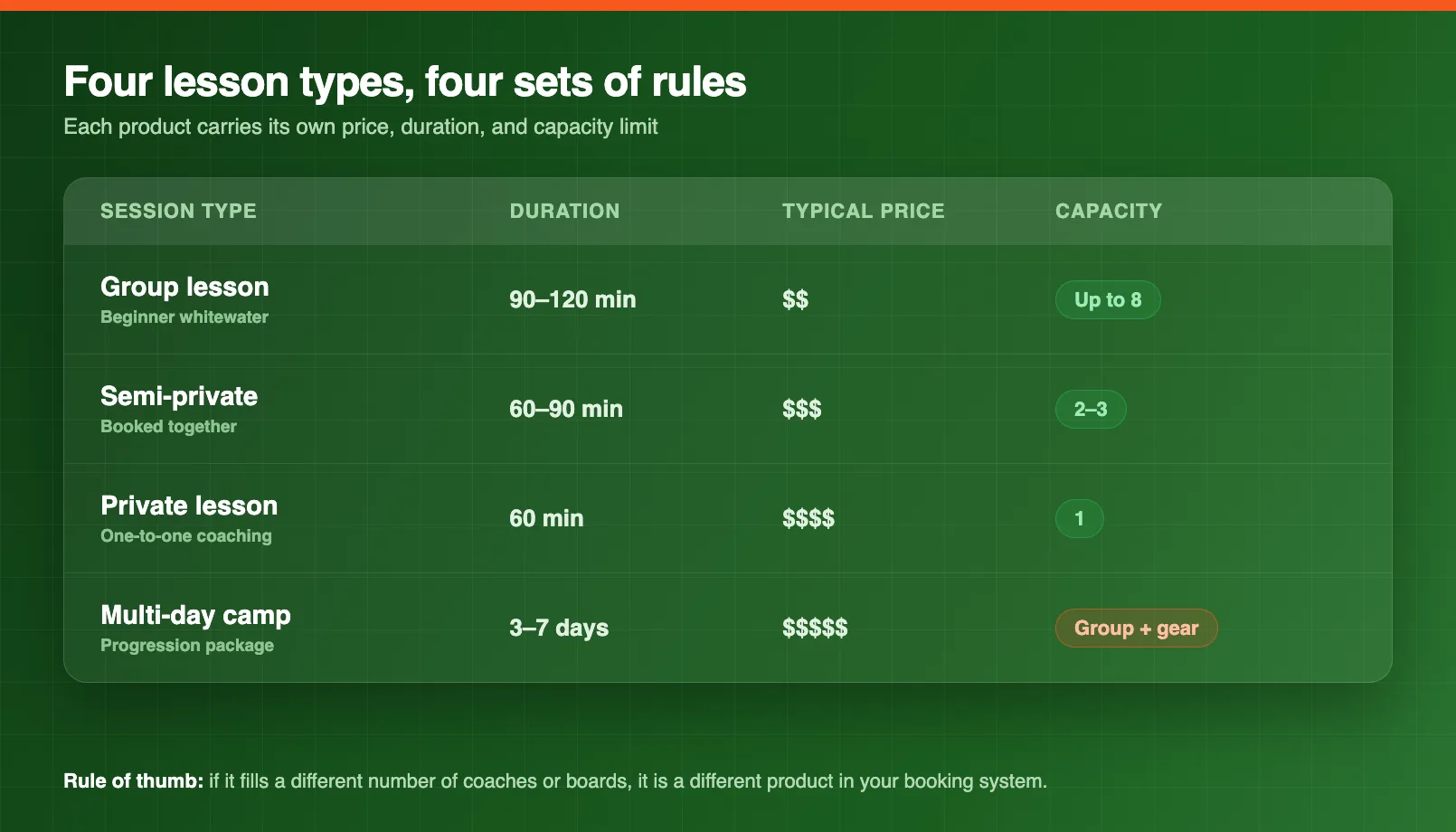
Before you touch any software, write down every product you actually sell. Most surf schools land on four:
- Group lessons: the volume product, usually 90 minutes to two hours of whitewater coaching for beginners.
- Semi-private lessons: two or three students who booked together and want more attention.
- Private lessons: one coach, one student, priced for the undivided time.
- Multi-day camps: a package that runs across several days, often with the same group progressing together.
Each of these needs its own price, its own duration, and its own capacity rule. That last point is where a lot of schools get caught: a group lesson and a private lesson both fill "one slot" on a whiteboard, but they are completely different in how many people and how many boards they consume. Good booking software treats them as separate products so the numbers stay honest.
Set capacity and ratio limits that hold
The single most useful thing surf booking software does is stop you overselling a coach. You set a maximum number of students on each group session, and once it fills, the system simply stops taking bookings for that time.
That cap is not arbitrary. It is your safe student-to-instructor ratio. Many schools and insurers cap beginner group lessons at around eight students per coach, and tighter, often six, for children. When your ratio lives inside the booking system, you are not counting heads against a spreadsheet on a busy Saturday. You are physically unable to sell the ninth spot.
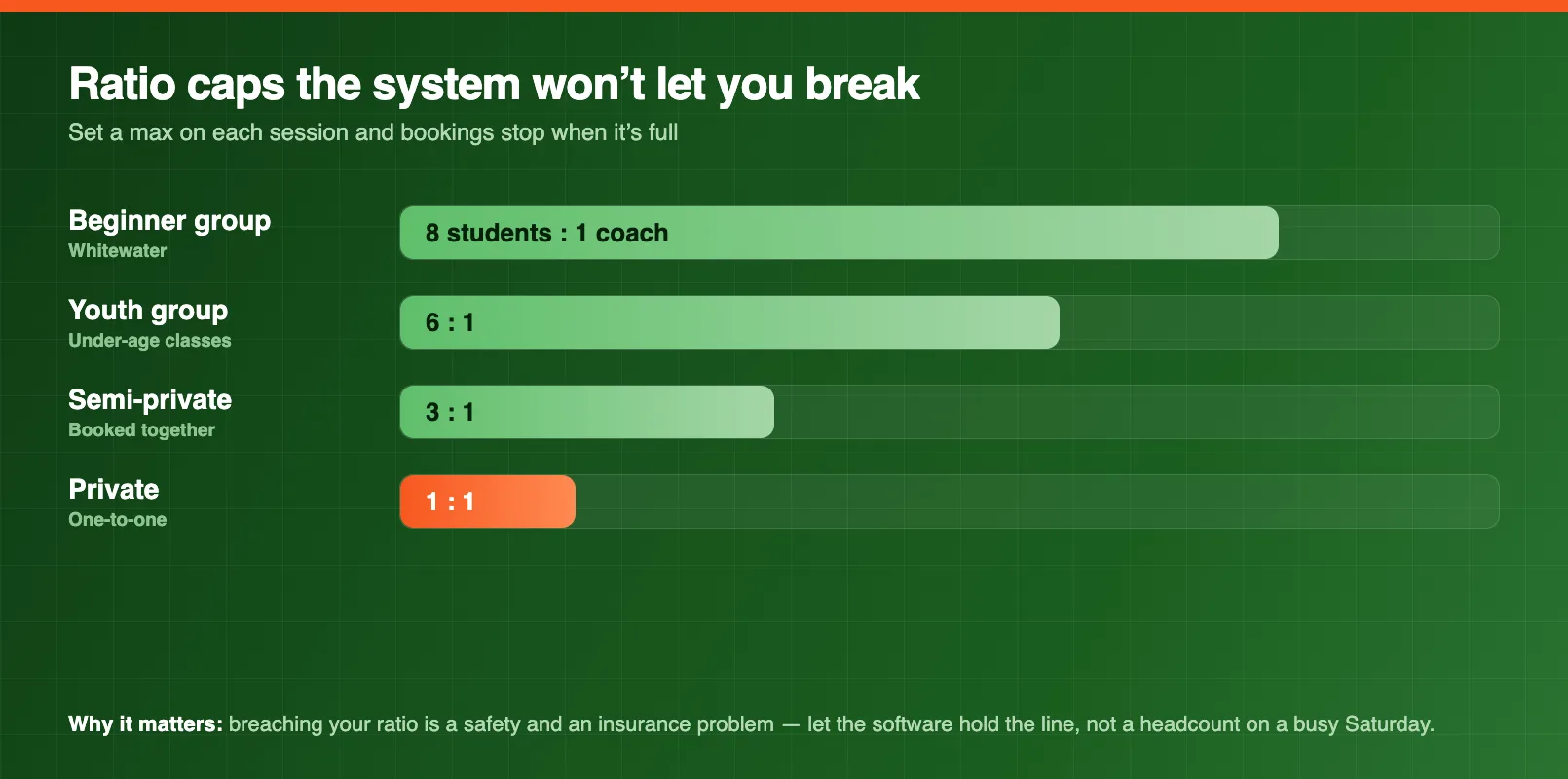
This matters for more than tidiness. Breaching your ratio is both a safety problem and an insurance problem. If something goes wrong in an overloaded lesson, an insurer may look hard at whether you were operating inside your policy. Letting the software enforce the limit removes the temptation to squeeze one more paying beginner into a full session.
Sell private and semi-private lessons without the back-and-forth
Private and semi-private lessons are where schools lose the most time to messaging. Someone asks for a 2pm private, you check the whiteboard, you text a coach, the coach replies an hour later, the slot is gone, and now you are apologizing.
Online booking kills that loop. A customer sees the coach's real availability, picks a time, and pays. The slot is held the moment they book, so there is no double-handling and no coach turning up to find two "private" students who each thought they had the hour. Because a private lesson commits a whole coach, most schools take full payment up front and apply a firmer cancellation window than they do for group sessions.
Package multi-day camps as one booking
A surf camp is not seven lessons. It is one product that happens to run over several days. If your booking software makes a customer add seven separate sessions to a cart, most will give up halfway.
Build the camp as a single package instead: a start date, a set number of days, one price, and one spot held across every day. That does three things for you:
- It holds the student's place for the whole week, so you are not hoping day four still has room.
- It lets you take a deposit up front and the balance later, which protects you against a late cancellation on an expensive product.
- It lets you bundle gear and extras (board hire, wetsuit hire, a photo package) into the same booking rather than selling them piecemeal.
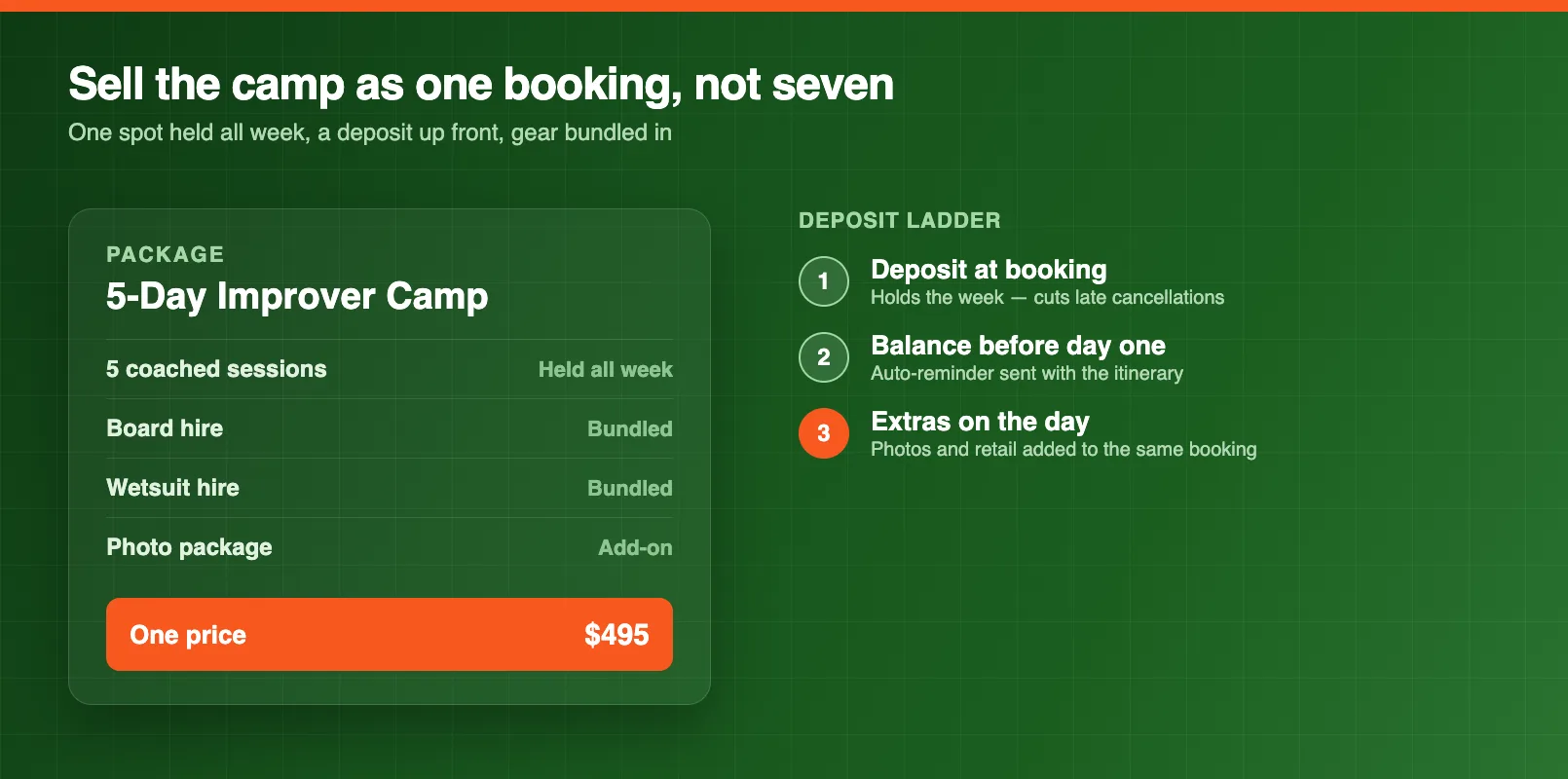
Camps also carry your best margin per booking, so making them easy to buy online is one of the highest-value things a booking system does for a surf school.
Capture waivers and payment before arrival
The two things that always seem to happen at the water's edge, signing waivers and taking payment, are exactly the two things software should move online.
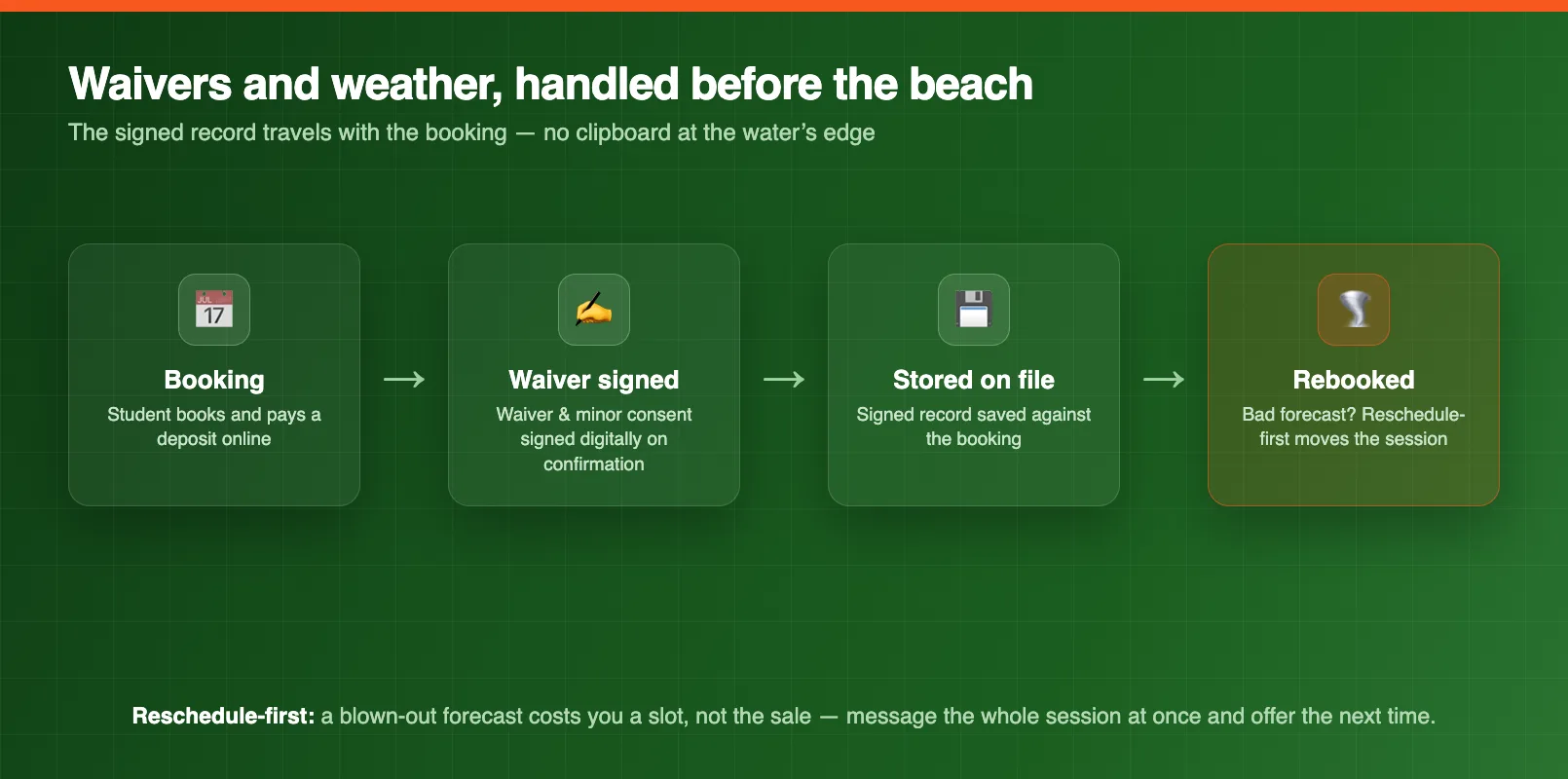
Attach a digital waiver, and a minor-consent form where a student is under age, to every booking. The forms go out with the confirmation email, students sign before they arrive, and the signed record is stored against their booking. No clipboard, no lesson starting late while a parent hunts for a pen, no unsigned form discovered after someone is already in the water. If you want a starting point for what a good ocean-safety waiver covers, the surfboard inspection checklist is a useful companion for the gear side of the same handover.
Taking a deposit or full payment at booking does the quieter work of cutting no-shows. A student who has paid is far more likely to show, and if they don't, you are not out of pocket for a coach who stood on the beach waiting.
Plan for weather with a reschedule-first policy
Surf schools live and die by conditions, and a booking system that pretends otherwise will cost you. When a forecast blows a session out, you want to move students, not refund them.
A reschedule-first policy (move the booking to the next suitable session, or issue a credit rather than a straight refund) keeps the revenue in the business while still treating the customer fairly. The practical test of your software here is simple: when you cancel a session, can you message everyone on it at once and offer them the next available time in a couple of clicks? A weather alert agent can watch the forecast and flag the sessions at risk before the morning of, so you are rescheduling the day before instead of turning people away at the beach.
Run everything on one timetable
The final piece is consolidation. Your lessons, your board and wetsuit rentals, your camps, and your instructor roster should all live on one calendar. When they don't, the gaps between systems are where the double-bookings live — a coach rostered for a private while their name is also on a group, a soft-top out on rental when a camp needed it.
One shared timetable means every booking checks against real availability of both people and gear. That is the difference between a school that can add a second location and one that can barely keep one beach straight. If you want to see the surf terms behind all of this spelled out, the surf glossary is a quick reference, and the wider surf and water-sports operator hub covers the rest of the toolkit.
Putting it together
Surf lesson booking software earns its keep by doing the boring things reliably: enforcing your ratios, holding camp spots for a whole week, collecting waivers and deposits before arrival, and rescheduling cleanly when the ocean has other plans. Map your lesson types, set your capacity rules to match your safe ratios, package your camps, and get the paperwork online, and you turn a whiteboard-and-clipboard operation into one you can actually grow.
FAQ
What is surf lesson booking software?
Surf lesson booking software lets students book and pay for lessons and camps online, and gives the school one calendar for group and private sessions, multi-day camps, board and wetsuit rentals, waivers, and instructor scheduling. It replaces the whiteboard timetable, paper waivers, and phone-and-text bookings that cause double-booked coaches and over-issued boards.
Can booking software enforce student-to-instructor ratios?
Yes. You set a maximum capacity on each group session that matches your safe ratio (for example eight beginners per coach, or six for children) and the system stops taking bookings once that session is full. That keeps you inside your insurance and permit limits without anyone counting heads on a spreadsheet.
How do you sell a multi-day surf camp online?
You build the camp as a single package with a start date, a set number of days, and one price, rather than listing seven individual lessons a customer has to add one by one. The software holds a spot across every day, takes a deposit up front, and can bundle board hire, wetsuit hire, and extras into the same booking.
Should surf lessons take a deposit or full payment?
Most schools take at least a deposit at the time of booking to cut no-shows, and full payment for camps and private lessons where the instructor time is committed. Taking money online also lets you enforce a clear cancellation and reschedule policy instead of chasing payment on the beach.
How does booking software handle surf waivers?
The waiver and any minor-consent form are attached to the booking and sent with the confirmation, so students sign digitally before they arrive. The signed record is stored against the booking, which means no clipboard at the beach and no lesson starting with an unsigned form discovered at the water's edge.
What happens to bookings when the surf is unsafe?
A reschedule-first policy lets you move affected students to another session or issue a credit instead of a straight refund, so a bad forecast costs you a slot, not the sale. Good software makes it easy to message everyone on a canceled session at once and offer them the next available time.
in one place