Tool Hire Software vs a Spreadsheet: When the Counter Outgrows It
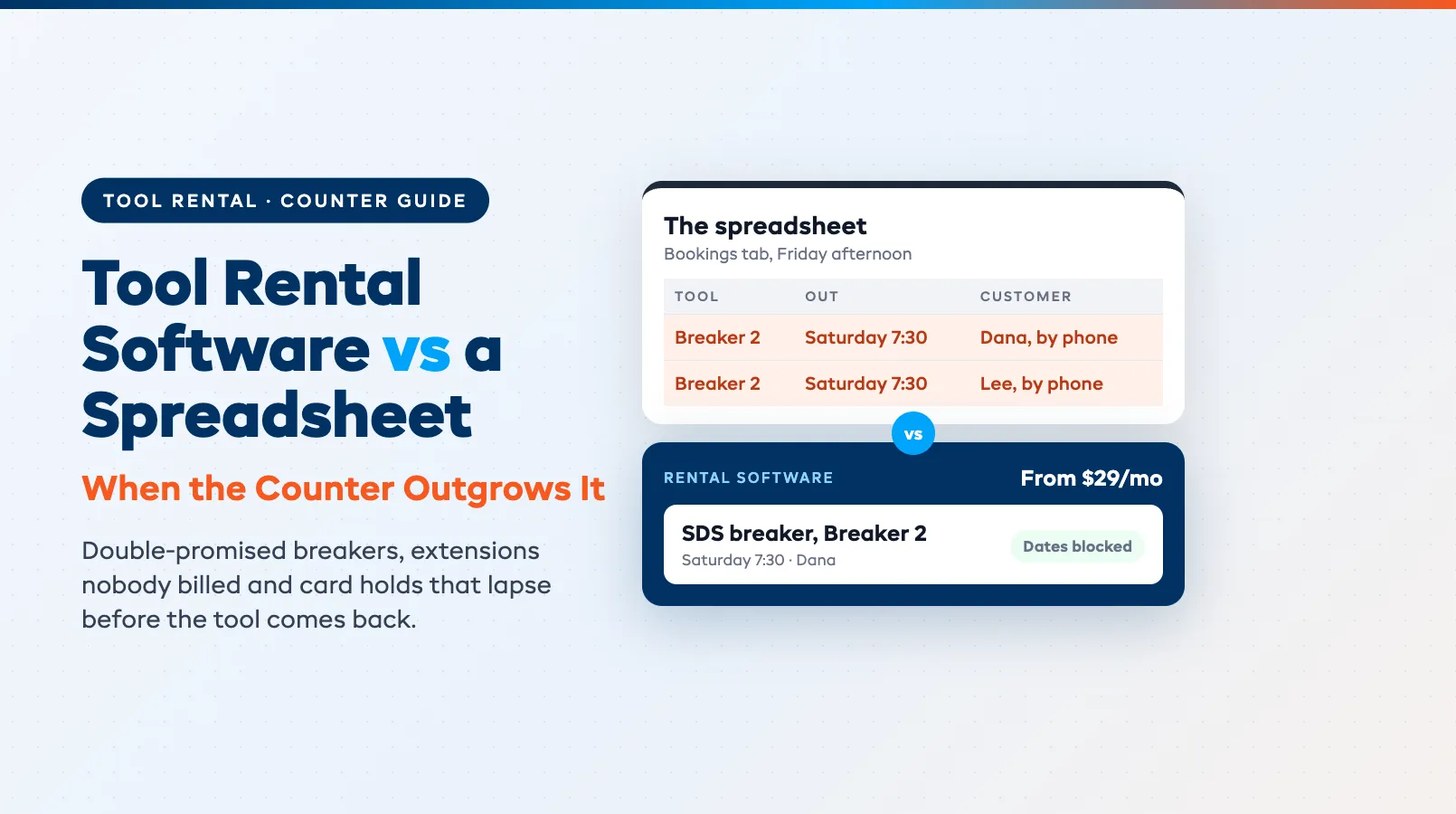
A spreadsheet can run a small tool hire counter for years. Tool hire software (tool rental software, if you're in the US) starts paying for itself once the sheet costs you real money, and on a busy counter that usually begins with the same SDS breaker promised to two contractors for Saturday.
Then a weekend floor sander comes back on Wednesday, billed for two days because nobody wrote down the Monday phone call. We'd look at the switch once things like that happen every week, and not before.
If you hire bigger machines from a yard, our plant hire software checklist fits you better. For gear rental in general, the rental inventory spreadsheet guide covers the wider picture.
When a spreadsheet is still the right tool
Keep the sheet if one person takes every booking, most tools go out in the morning and come back the same evening, and you rarely book more than a few days ahead. That shop needs a diary, and a sheet is a decent diary.
A mostly walk-in counter with a short range is fine on a sheet too. If you can see every tool from the register, you don't need software to tell you what's free.
Make the sheet harder to break
If you're staying, spend an hour making the sheet stricter. In Google Sheets, data validation gives you drop-down lists, so "Breaker 2" can't be typed as "breaker #2" and dodge your filters.
Protected ranges stop staff editing your rate columns, and version history lets you see who changed a row and roll it back. Use one row per tool per hire, with the unit number in its own column.
Six signs the counter has outgrown the sheet
Any one of these, once in a while, is just a bad morning. When they show up weekly, you're paying for the sheet in lost hires and unbilled days.
The same tool is promised twice
A spreadsheet doesn't refuse a second booking for the same dates. Two people take phone bookings on Friday afternoon, both see "Breaker 2" free in the last row they scrolled to, and Saturday at 7:30 one contractor drives home empty-handed.
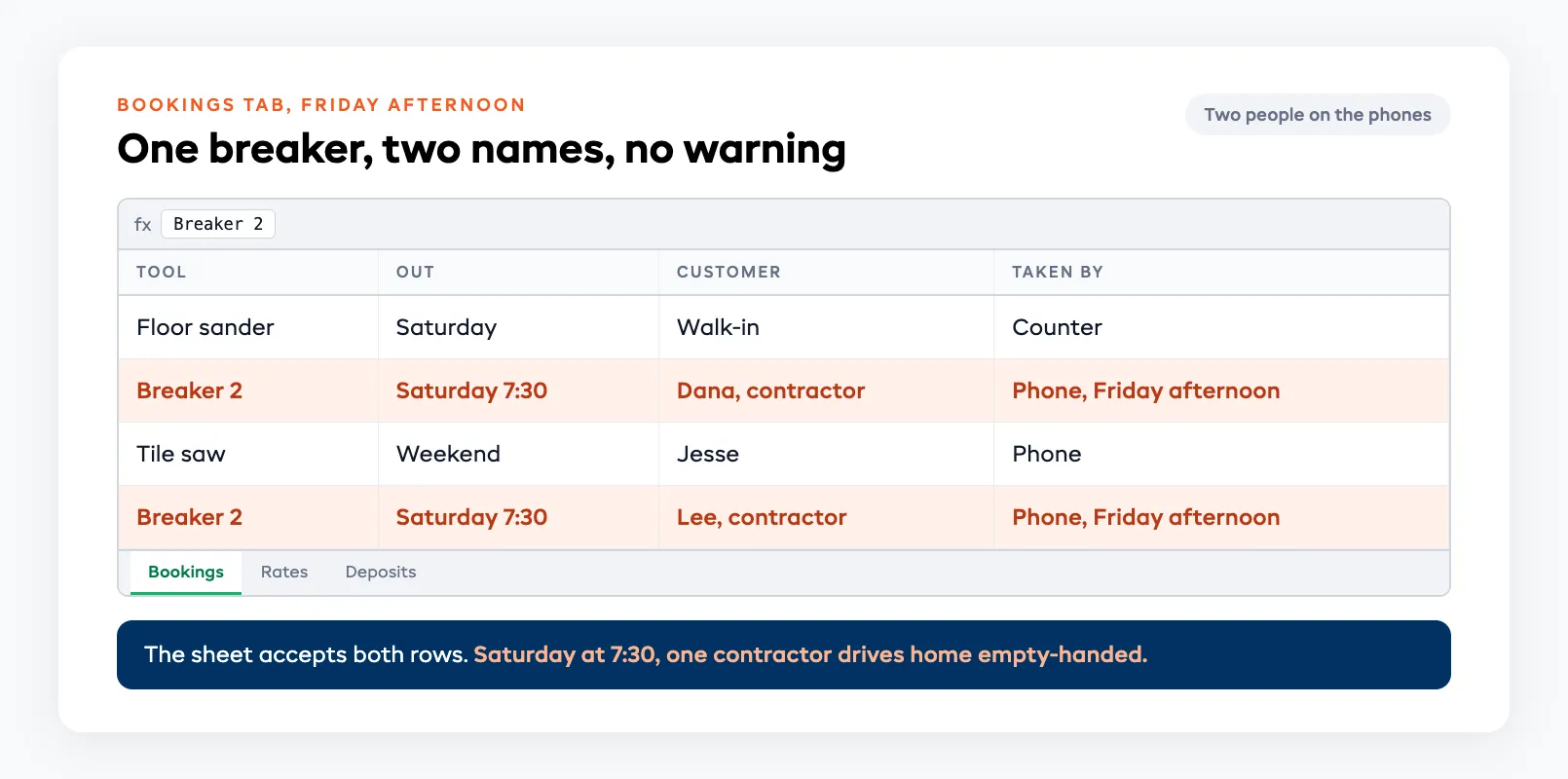
Identical tools make it worse. Four floor sanders look the same in a sheet, so staff book "a sander" and assume one will be there.
Hires run long and nobody bills the extra days
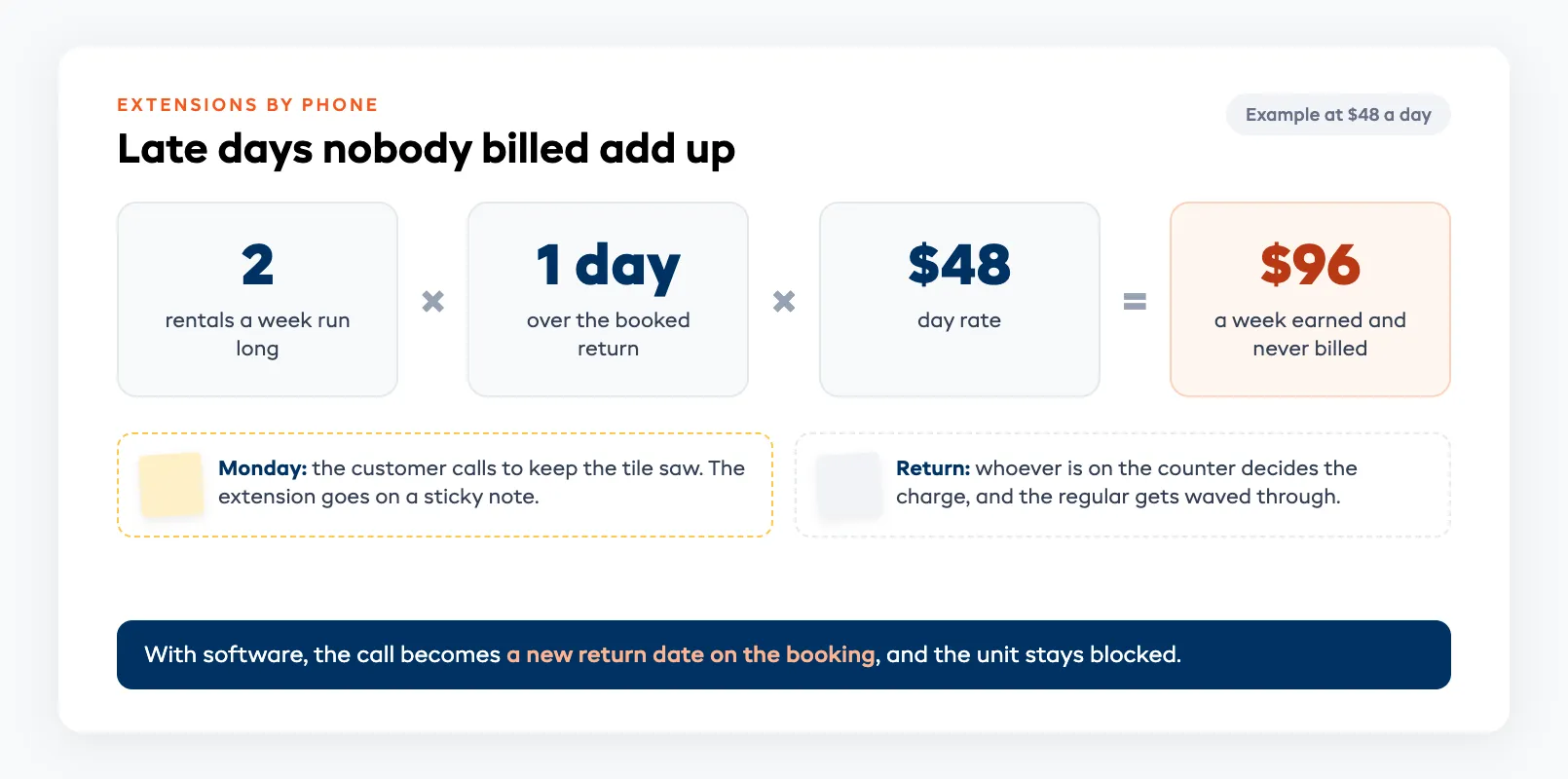
Tool hire runs long all the time. A weekend job overruns, the customer calls on Monday to keep the tile saw, and the extension lives on a sticky note.
When the saw comes back, whoever is on the counter decides what to charge, and the regular gets waved through. Say two hires a week run one day over at $48 a day: that's about $96 a week you've earned and never billed.
Deposits depend on who's on the counter
The sheet can record a deposit, but it can't make anyone take one. On a busy morning the new hire skips it for a regular, and the angle grinder comes back without its guard.
Long hires have a second deposit problem, and it catches careful shops too.
A card hold doesn't last the whole hire
On Stripe, an online card hold typically lasts 7 days, and holds taken in person on a card reader are shorter. A hold placed at pickup for a 10-day hire has lapsed before the tool comes back, and a sheet won't remind you.
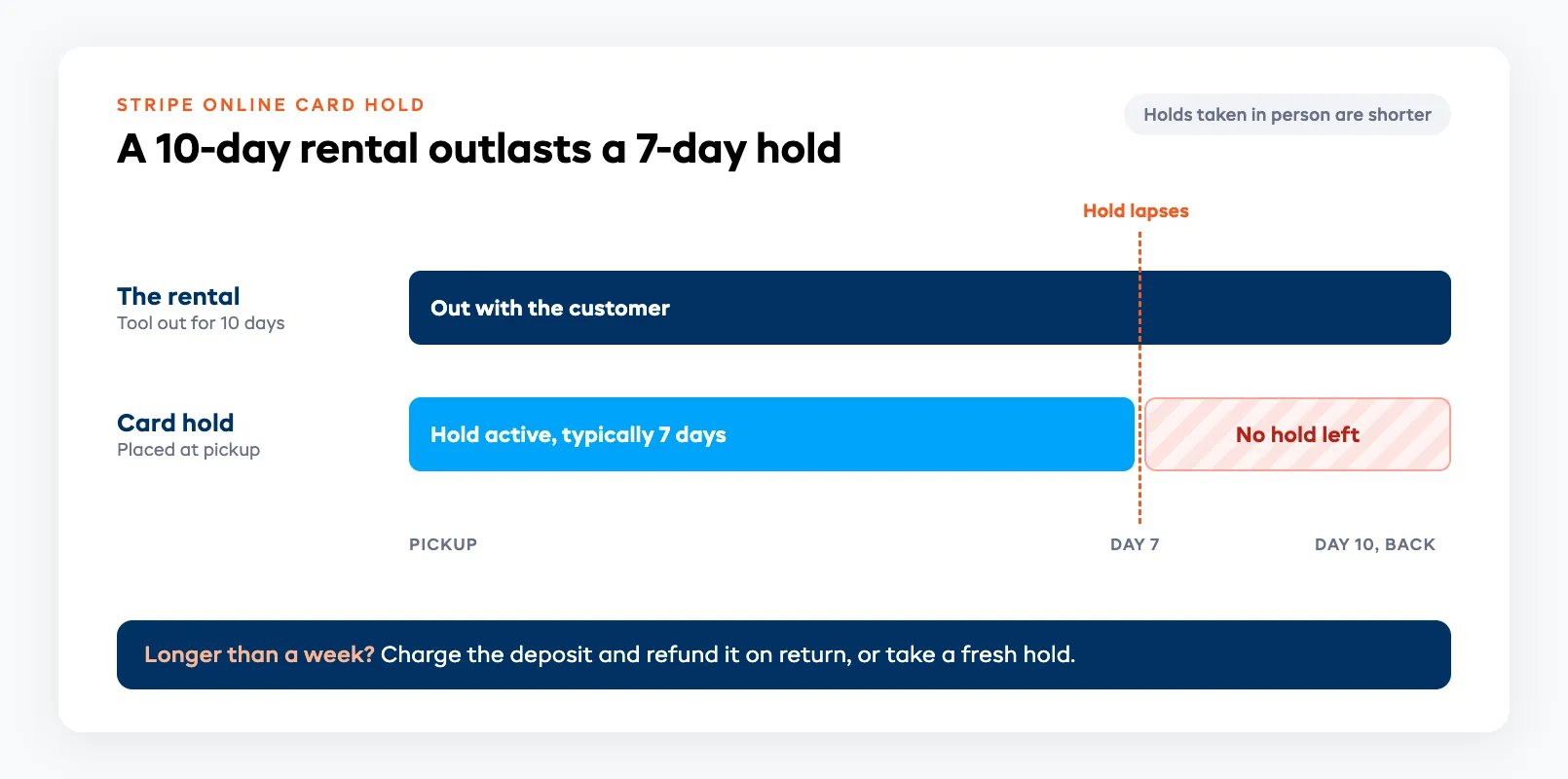
For anything longer than a week, charge the deposit and refund it on return, or take a fresh hold. Our deposits and partial payments guide goes deeper on which to use.
Damage turns into an argument
"It was like that when I got it" is hard to answer from a spreadsheet cell. Without a photo or a note taken at handover, you either eat the repair or lose the customer.
Take ten seconds at checkout. Photograph the tool, write down how many blades or chisel bits went out with it, and keep both on the hire.
The tool in the workshop still looks free
A breaker goes to the workshop for a new chuck, but its row in the bookings tab still says free. Someone books it for Thursday, and you find out on Thursday.
What tool hire software changes at the counter
| Counter job | Spreadsheet | Tool hire software |
|---|---|---|
| Is it free Saturday? | Scroll and hope the rows are current | Each unit blocks its own dates, so a clash can't be booked |
| Extension by phone | Sticky note, priced later | New return date on the booking, so the unit stays blocked |
| Deposit | Taken if someone remembers | Part of the checkout, every time |
| Damage | A cell that says "scratched" | Condition notes and photos on the booking, and the charge added at return |
| Late returns | Someone checks the sheet at close | A late list each morning, and the customer reminded for you |
| Workshop | Hope nobody books it | Unit marked out of service, so it can't be sold |
Once each unit has its own record, most of the other rows follow, because the software always knows where Breaker 2 is.
For a closer look at the counter side, our equipment check-in and check-out guide walks through scanning tools out and back.
What it costs next to a free spreadsheet
A sheet costs nothing to open, but you still pay for it in staff time at close and in late days nobody billed.
On EquipDash pricing, Starter is $29 a month for up to 20 rental products, Growth is $69 a month for 100 rental products with barcode scanning and inventory management, and Pro is $149 a month with no product limit. A small tool counter with more than 20 product types will usually start on Growth.
Then check your own last month. Count the late days you didn't bill and the repairs you couldn't charge for, and compare that with $69.
How to move off the sheet without losing a Saturday
Pick a quiet Tuesday or Wednesday. The Friday before a long weekend is the worst day to try this, so work through it in this order.
- Clean the sheet first: one row per unit, with a unit number, the rates you actually charge and the deposit amount.
- Import your products from the cleaned sheet, then set hourly, half-day, daily and weekly rates once.
- Enter every future booking from the sheet, and check the count matches.
- From that day, take new bookings only in the software, so there's one diary.
- Keep the old sheet read-only for a month in case a customer disputes an old hire.
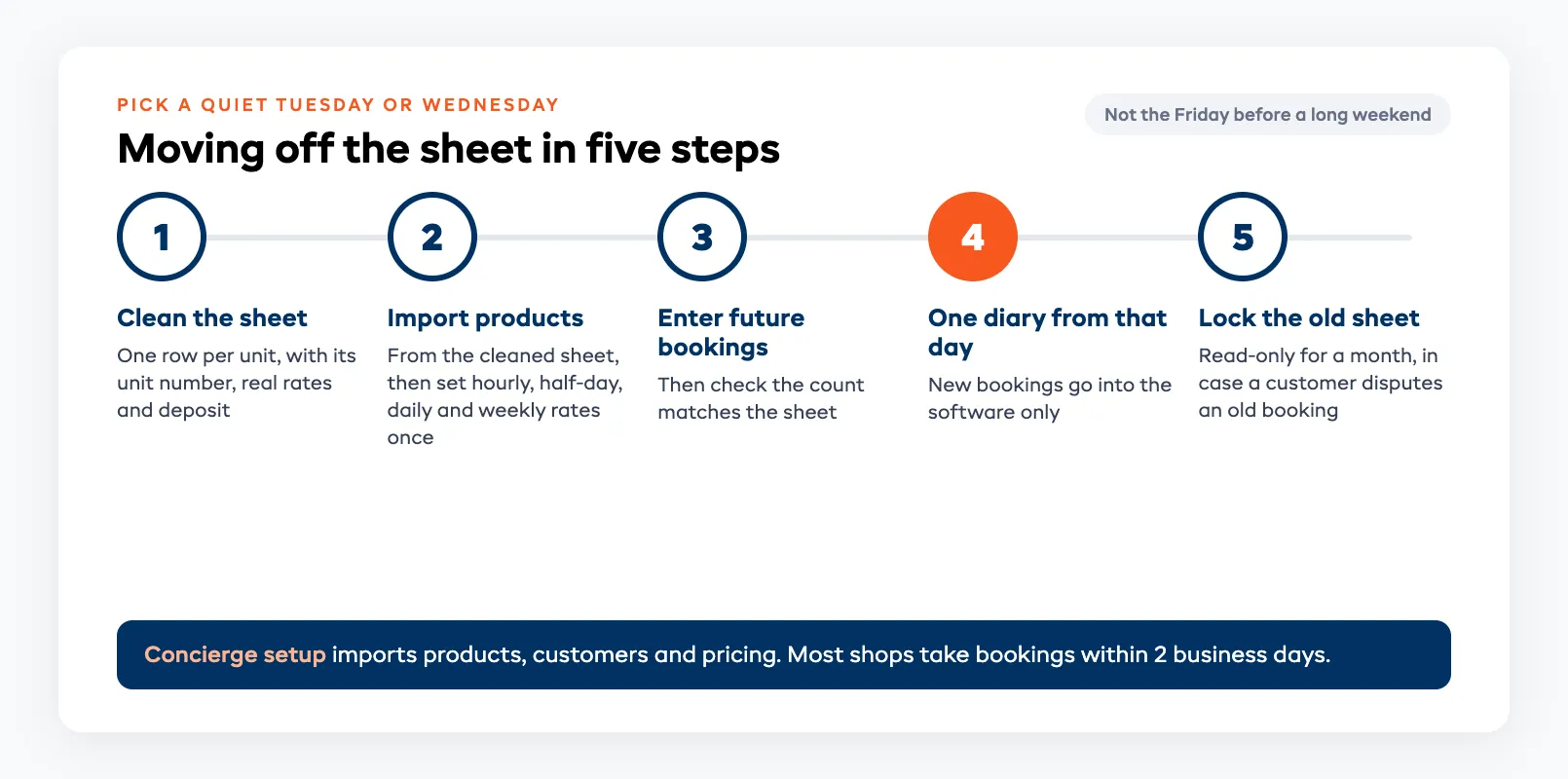
In EquipDash setup, Import from my old system takes a CSV of up to 500 rows a file, and each item comes in as a draft you approve before it goes live. If you'd rather not do it yourself, concierge setup imports your products, customers and pricing from a spreadsheet, and most shops are taking bookings within 2 business days. Doing it yourself, you can take your first booking in about 10 minutes.
Running five apps for the jobs a sheet used to do? Our guide to consolidating your rental business tools covers what one system should replace.
Where EquipDash fits a tool hire counter
Each rental product carries its own units, and you can set how many are Out of service so a tool in the workshop can't be booked. Rates can be hourly, daily or weekly, with a Half-day price if you sell mornings.
Each product can have its own Deposit amount, or you can leave it blank to use your shop's default hold. On Stripe, for bookings made more than 7 days out, EquipDash collects the deposit 7 days before pickup, because a card hold only lasts about that long.
The Today screen lists Late returns, Due back today and To settle up. EquipDash can email the customer a Late Return Reminder, with a link to extend online if you allow it, and the return window has Add a charge for a late fee or damage.
Barcode scanning comes with Growth and Pro. The tool rental software page shows the counter flow, and there's a 21-day free trial with no card needed.
FAQ
When should a tool hire shop stop using a spreadsheet?
When it starts costing money. The usual signs are a tool promised twice, extensions that never get billed, deposits that depend on who is working, and damage you can't prove. One of those now and then is fine; every week means the sheet is the expensive option.
What does tool hire software do that a spreadsheet can't?
It blocks a unit's dates once it's booked, so the same tool can't be promised twice. It also builds the deposit into checkout, keeps condition notes and photos on the hire, lists late returns each morning and reminds the customer for you.
How much does tool hire software cost?
EquipDash starts at $29 a month on Starter for up to 20 rental products. Growth is $69 a month for 100 rental products with barcode scanning, and Pro is $149 a month with no product limit. Each plan has a 21-day free trial with no card.
Can a card hold cover a two-week tool hire?
Usually not. An online card hold on Stripe typically lasts 7 days, so for longer hires charge the deposit and refund it on return, or take a new hold before the first one lapses.
How long does it take to move from a spreadsheet to tool hire software?
With EquipDash's concierge setup, most shops are taking bookings within 2 business days. If you set it up yourself, you can take your first booking in about 10 minutes, then add your future bookings from the sheet in a quiet week.
in one place