Day-After-Thanksgiving Ops: Returns, Exchanges and Thin Staff
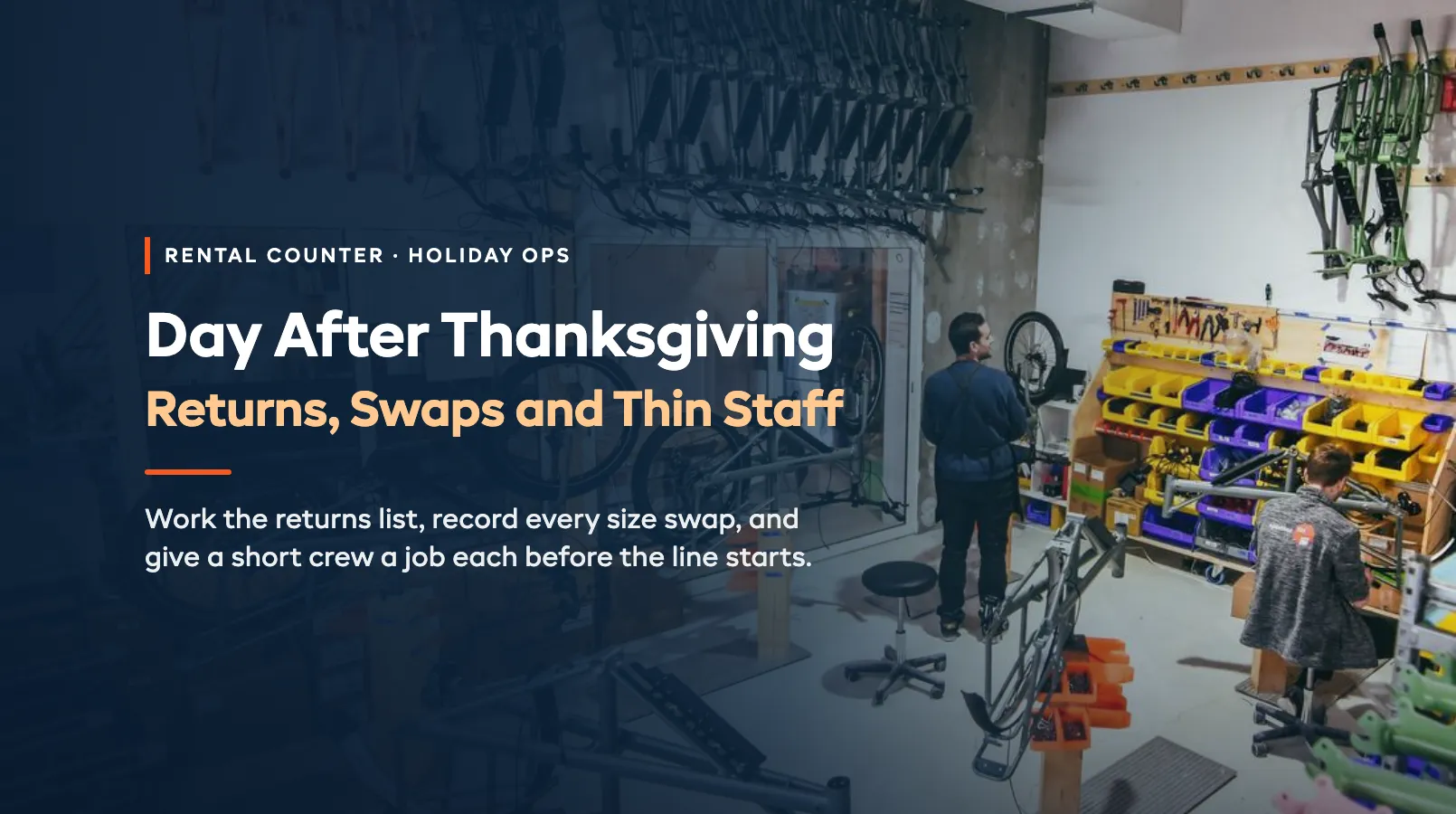
It's Friday morning and the counter already has a line. A family that picked up four bikes on Wednesday is back early because the in-laws changed plans, a dad wants his daughter's ski boots swapped for a bigger size, and two walk-ins are asking what's left for Saturday. Two of your regulars booked the day off weeks ago.
The day after Thanksgiving pushes returns, exchanges and new rentals through one counter. Staff it like a normal Friday and you spend the afternoon untangling what got rushed in the morning.
This guide is for outdoor rental shops and tour operators working that Friday with a short crew. It covers how to split the jobs, how to work returns from a list, how to handle swaps once gear is out, and what to set up before Wednesday night.
Why the Friday after Thanksgiving is its own kind of busy
AAA calls Thanksgiving the busiest holiday of the year for travel, and it projected 81.8 million Americans would travel at least 50 miles over Thanksgiving 2025, across a seven-day window from the Tuesday before to the Monday after.
Those trips shape your week. Gear goes out Tuesday and Wednesday, and it comes back whenever each family's plans wrap up or fall apart.
Three kinds of work hit the counter at once
On a normal Friday, most of the work is pickups. This Friday you also get:
- Returns. Some on time, some early, and a few late from rentals that were due back Thursday night.
- Exchanges. Mostly sizes. Boots that felt fine in the shop hurt after a day on the hill, and a kid's bike turns out too small once the whole family rides together.
- Walk-ins. It's also Black Friday, still the top in-store shopping day by NRF's count, with 80.3 million in-store shoppers in 2025. Main street fills with visiting families, and some of them want something to do this afternoon.
Your crew wants the day too
The Friday after Thanksgiving isn't on the federal holiday list, but plenty of staff treat it like one. Holiday pay is your call: the Labor Department says the FLSA doesn't require payment for holidays not worked.
So the realistic plan is a short crew. The question is which jobs get a person.
Staff it by job, not by headcount
Split the day into three jobs before you think about names:
- Counter: pickups, walk-ins, exchanges and the phone.
- Returns bench: checking gear back in, logging damage, settling deposits.
- Shop floor: cleaning, quick fixes, and getting checked gear back on the rack.
Then match the jobs to the people you have.
With three people
One person on each job. Put your most experienced person on the counter, because exchanges take judgment: which size, whether the swap costs more, whether a binding needs resetting.
With two people
One on the counter, one on returns. Shop-floor work waits for a lull, so checked gear stacks up in a holding area, tagged by booking, and goes back on the rack in the afternoon.
Don't let the returns person drift to the counter when the line grows. That's how a cracked helmet goes back out unchecked.
With one person
Pick return windows, say 8 to 10 AM and 4 to 6 PM, and tell every Wednesday pickup about them before they leave. Outside those windows, returns go into a drop area and get checked in as a batch.
Watch the clock on that drop area. In EquipDash, gear counts as out until someone presses Return, and the overdue reminder goes out on its own once the return time and your grace period pass. Check the pile in before then, or a family gets a late notice for skis already leaning on your wall.
Set the counter screen up for whoever's on
On a short day, the person at the counter might be a seasonal worker who started last week. On the Today screen, open the ⋯ menu and click Lock this screen to Today, then enter a manager's time clock PIN.
The screen then shows only Today, with no menu, settings or reports. Each person taps their name under Who is at the counter? once per shift, so every booking they change shows their name in its history.
For a login that should never see more, tick Today screen only for that person or their role under Settings > Team.
Check Friday's shifts against Friday's bookings
On the staff schedule, a Booking demand row sits above the shifts and shows rental and experience activity for each day. A Time off row below it counts approved time off.
If Friday shows a heavy day and one shift, you see it while there's still time to call someone. More on staff rostering in EquipDash.
Returns: work the list, not the line
A line at the counter tells you who showed up. It doesn't tell you who's late, who owes money or whose deposit is still held.
The Returns column on the Today screen does. Late returns sit on top, then Due back today, earliest first. Rentals out for more days fold at the bottom with their due date, so Saturday's returns don't clutter Friday.
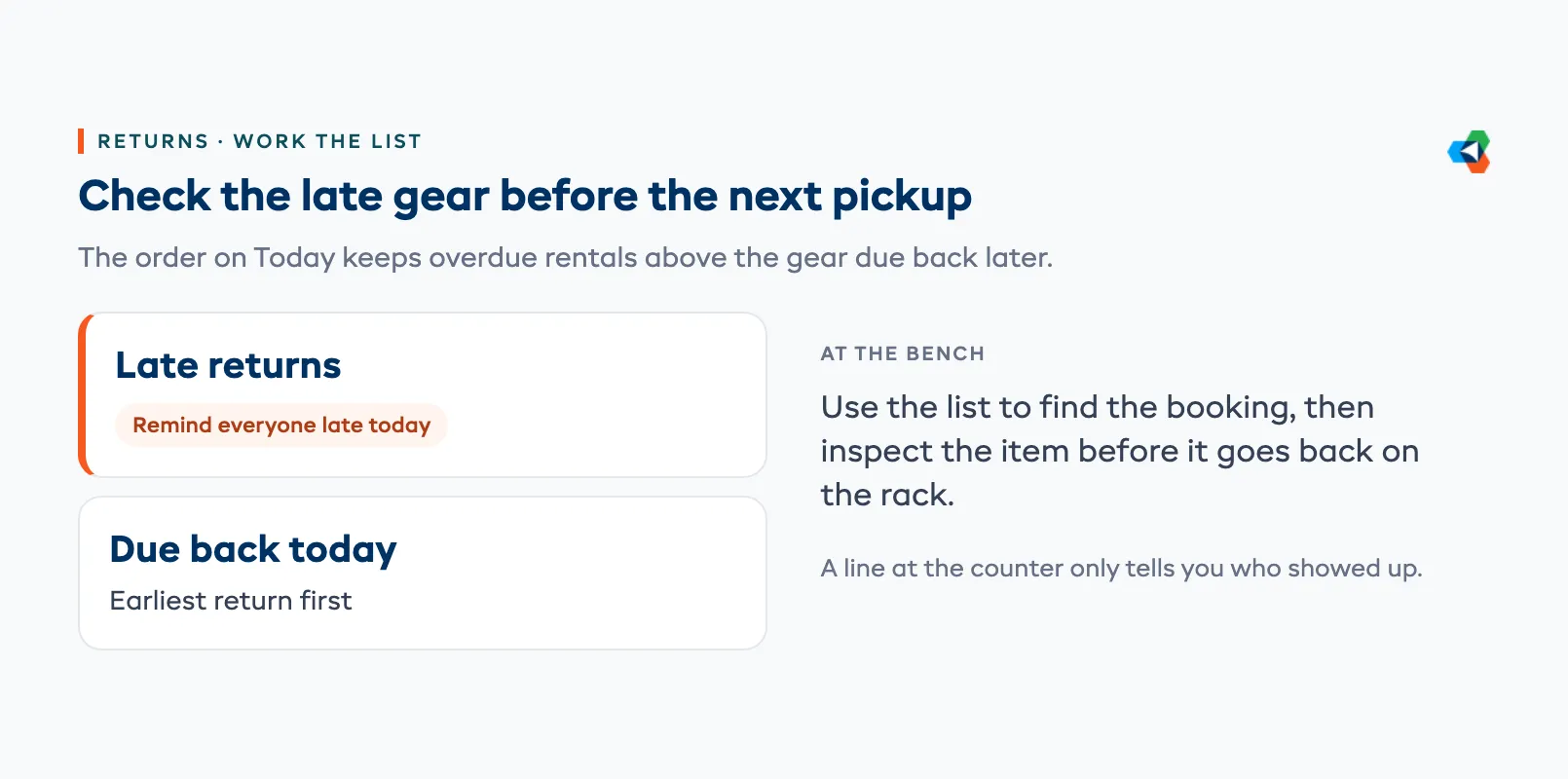
When more than one rental is late, Remind everyone late today on the late heading sends them all a reminder at once. Each card then shows when the customer was reminded, and the button reads Remind again, so nobody gets two messages from two staff.
Turn late returns into paid extensions
The family staying through Sunday doesn't think they're late. They just haven't told you.
Turn on Allow customers to extend active rental online under Settings > Rentals, then Offer online extension on the Late Return Reminder email template. The reminder then carries a link showing the cost of more time, and the customer confirms and pays from their phone.
EquipDash checks the gear is free on the new dates first, so an extension can't eat into Saturday's bookings.
Check each item in once, properly
Rushed check-ins are where damage goes missing. The Return window lets staff pick a Condition for each item: Excellent, Good, Fair, Poor or Damaged. Poor or Damaged needs at least one photo.
Choose Damaged and the window warns that the item will be sent to Workshop automatically. It comes off the available count until the workshop job is done, so a bike with a bent derailleur can't go out Saturday morning with someone who didn't see it come in.
If your crew skips the condition step when it's busy, an admin can turn on Require condition report on return under Settings > Rentals. On a short-staffed Friday, we'd turn it on.
Staff can also type a quick note, such as "scratch on the base, one pole missing". Dash splits it into parts marked Needs repair or Missing, and nothing changes until staff confirm the return.
Settle the money at the bench
A return that leaves with money owing is a phone call next week. The Return window has a Settle up section: what's still to pay, and the security deposit with Give it back, Keep some or Later.
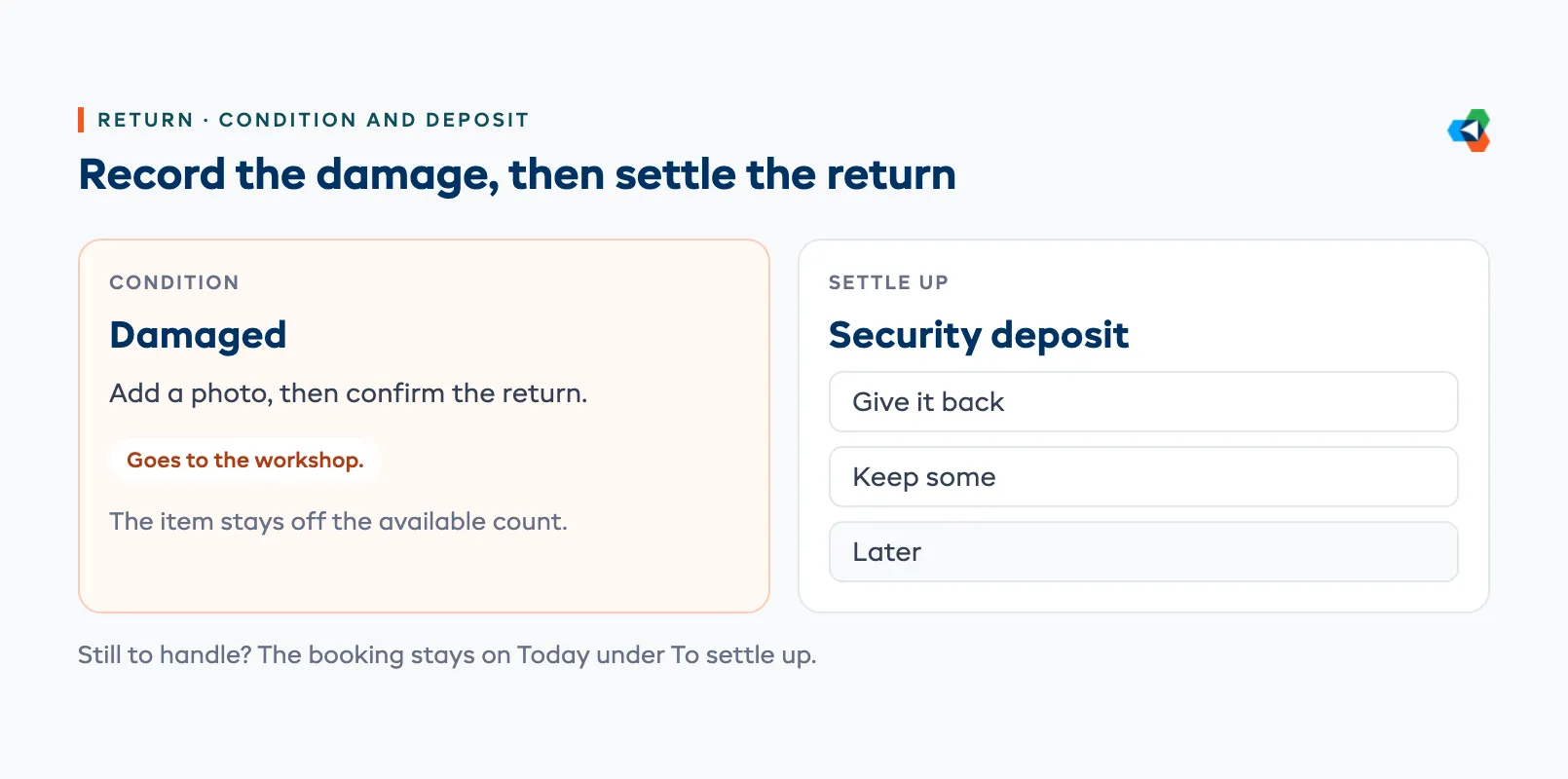
Keep some asks how much to keep for damage, and the rest is recorded as given back. Anything you can't settle on the spot stays on Today under To settle up, so a manager can clear it after close.
Our guide to rental deposits and partial payments covers how much to hold in the first place.
Early and partial returns
Not everyone brings everything back at once. A family might return two bikes on Friday and keep two through the weekend.
In the Return window, untick the items still out and confirm the rest. The two bikes still out keep counting as out, so they stay off your booking page until they're back.

Decide before Wednesday whether an early return gets money back. We wouldn't refund unused days on a holiday rental, because the gear was held for the whole booking and you turned other people away. Whatever you pick, put it in your rental terms.
Party rental: Friday is collection day
Party and event rental shops get the same Friday from the other direction. Tables, chairs and linens from Thursday dinners all need collecting, and the van crew is as thin as the counter.
If you deliver, Today's columns use the van's words. A booking's button reads Collected on the way back, and a late one sits under Not collected yet with a Run sheet link to the day's stops. Since the van brings it back, the customer never gets a late return reminder.
Our Halloween weekend ops guide covers load order and the Sunday return rush, and most of it applies to the Friday after Thanksgiving.
Exchanges: treat a swap as a booking change
Size swaps are the Friday job that goes wrong without anyone noticing. Someone grabs a bigger pair of boots off the wall, the old pair goes back on the shelf, and the booking still shows the old size.
Then your counts are off for the rest of the weekend, and nobody knows why the booking page sold a pair you don't have.
Before pickup, swap the unit
If the gear hasn't gone out yet, open the booking on Today and click the unit to swap it for another. That covers "this one has a scuff, can I get a different one?"
After pickup, return the old item and add the new one
Once gear is out, the edit page shows a banner: Items have been picked up. You can extend dates, add items or adjust prices, but you can't remove an item the customer already has, so the record keeps the unit they actually took.
So a swap after pickup takes three steps:
- In the Return window, return only the old item and log its condition.
- Open Actions ▾ > Edit, add the new size and click Update booking.
- If the price changed, a payment prompt opens after you save, with Take payment in person, Send payment link or Skip for now.
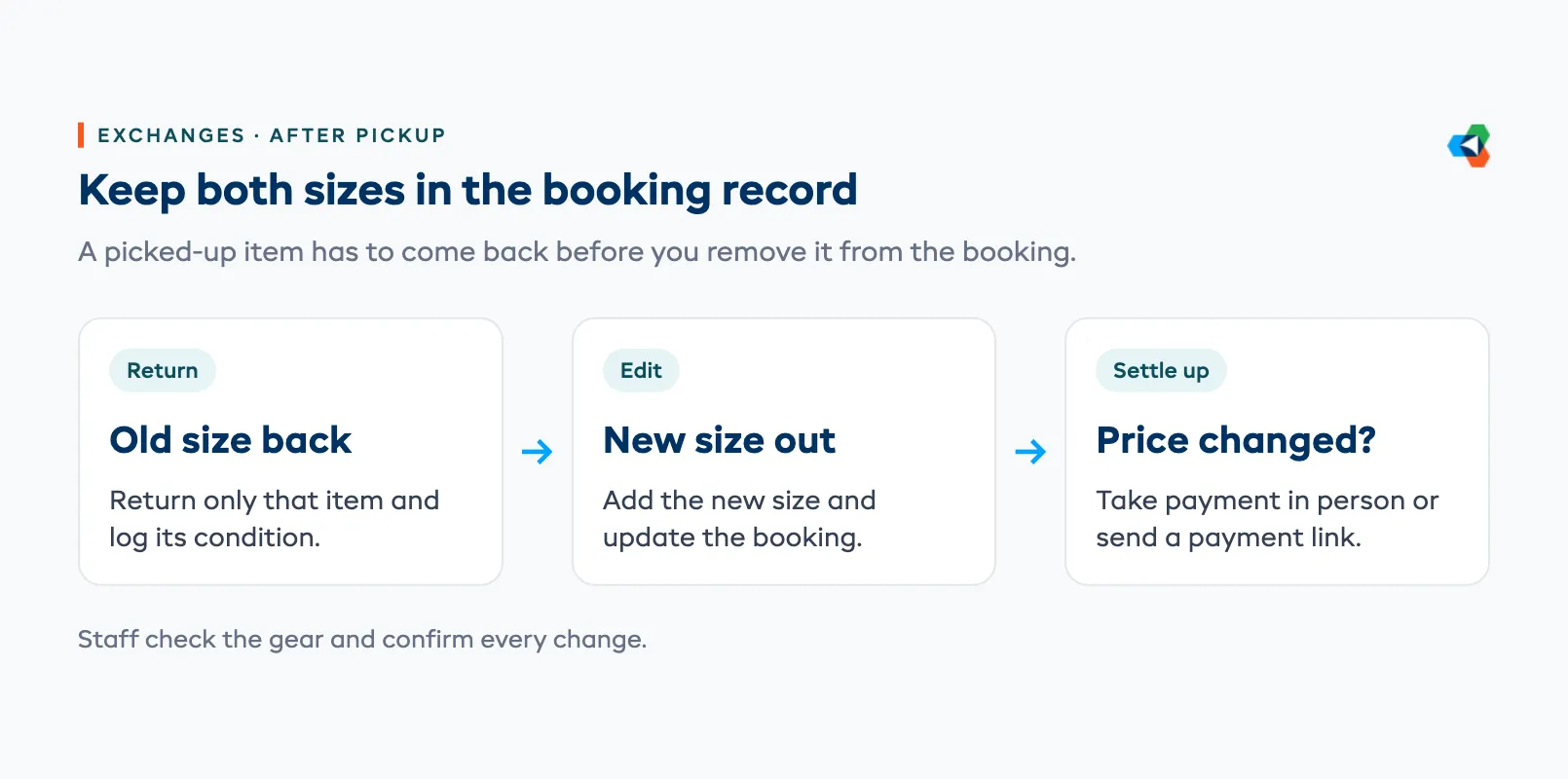
That takes a minute longer than grabbing a box off the wall, and it's what keeps Saturday's booking page honest about what's on the shelf.
Ski boot swaps need a binding check
A new boot size usually means a different boot sole length, and the binding is set to the sole, so it gets adjusted and checked again before the skier leaves.
In the US, shops pick release settings with ASTM F939, the practice for selecting alpine binding release values, which works from skier type, age and other factors. For the fleet itself, ISO 13993 sets how rental shops inspect ski, binding and boot systems rented for less than 15 days.
That's a job for a trained tech, not whoever's free. If your only tech is busy, the swap waits, so tell the customer up front and give them a time.
If you use fit tickets in EquipDash, the booking's Fit ticket tab holds each skier's boot sole length and confirmed DIN from the first fitting. The tech starts from what was set, not from a guess.
Bike swaps need a fit check
A bigger frame needs the saddle height set and the brakes checked before the rider leaves. Do it at the returns bench, where the tools are, not on the sidewalk.
Tours on the Friday after Thanksgiving
Tour operators get their own version of the day. Families with relatives in town book late, and sessions fill with mixed groups where not everyone has signed a waiver.
On Today, the Needs you row flags waivers still to sign in the next 2 hours and people not back from a session that has ended. Send them the link beside the waivers sends the signing link to everyone due in the next 2 hours.
Once a session starts, its button changes to Mark back. Staff click Back beside each person as they return, so a short crew always knows who's still out on the trail.
Cap the afternoon to the guides you have
Friday afternoon is when visiting cousins decide they want in. If one guide is working, don't sell the 2 PM session to the size you'd run with two.
A full group, one guide and three unsigned waivers at the meeting point is the slowest ten minutes of the day. Lower the cap on Wednesday, and raise it again if someone picks up a shift.
For winter departures, read our post on winter tour capacity caps for Thanksgiving week, since a session that runs late eats into Friday's check-ins.
Set it up before Wednesday night
Most of Friday's mess can be headed off with an hour on Wednesday:
- Tell every Wednesday pickup their return time and your return windows.
- Turn on the extension offer, so families staying longer can pay for it without calling.
- Decide your early-return rule and put it in your rental terms.
- Pick a holding spot for returned gear that hasn't been checked in yet.
- Check the Booking demand row against Friday's shifts.
- Make sure your binding tech works Friday, or tell boot customers when they'll be in.
- Set Friday's session caps to the guides you actually have.
For caps and group bookings earlier in the week, see our guide to Thanksgiving week bookings and family groups. Running a deal this weekend? Early Black Friday ops covers hold windows and no-show rules.
For the check-in routine on a normal day, read our equipment check-in and check-out system guide.
Where EquipDash fits
EquipDash runs pickups, returns, sessions and payments from one Today screen, built for a counter with one or two people on it. See how bookings, returns and deposits fit together on the booking management page, and compare plans on the EquipDash pricing page.
FAQ
What's different about rental returns the day after Thanksgiving?
Returns, exchanges and walk-ins land on the same day, usually with fewer staff. Work returns from a list of who's late and who's due back today, not from the line at the counter.
How do I handle a size exchange after the customer has the gear?
Return the old item first and log its condition, then edit the booking to add the new size and settle any price difference. EquipDash won't remove an item the customer already has while you edit, so the record shows which unit they had.
Can customers extend a rental themselves if they're staying longer?
Yes, if you turn on online extensions. The overdue reminder can include a link that shows the cost of more time and takes payment, and EquipDash checks the gear is free before the return date moves.
What happens to rental gear that comes back damaged?
Mark its condition as Damaged in the Return window, with at least one photo. EquipDash sends it to the workshop automatically and keeps it off the available count until the workshop job is done.
Is the day after Thanksgiving a federal holiday?
No. The federal holiday list has Thanksgiving Day but not the Friday after it. Holiday pay is your own policy, since the FLSA doesn't require payment for holidays not worked.
in one place