Dumpster Rental Software: Bookings, Swaps and Haul Days
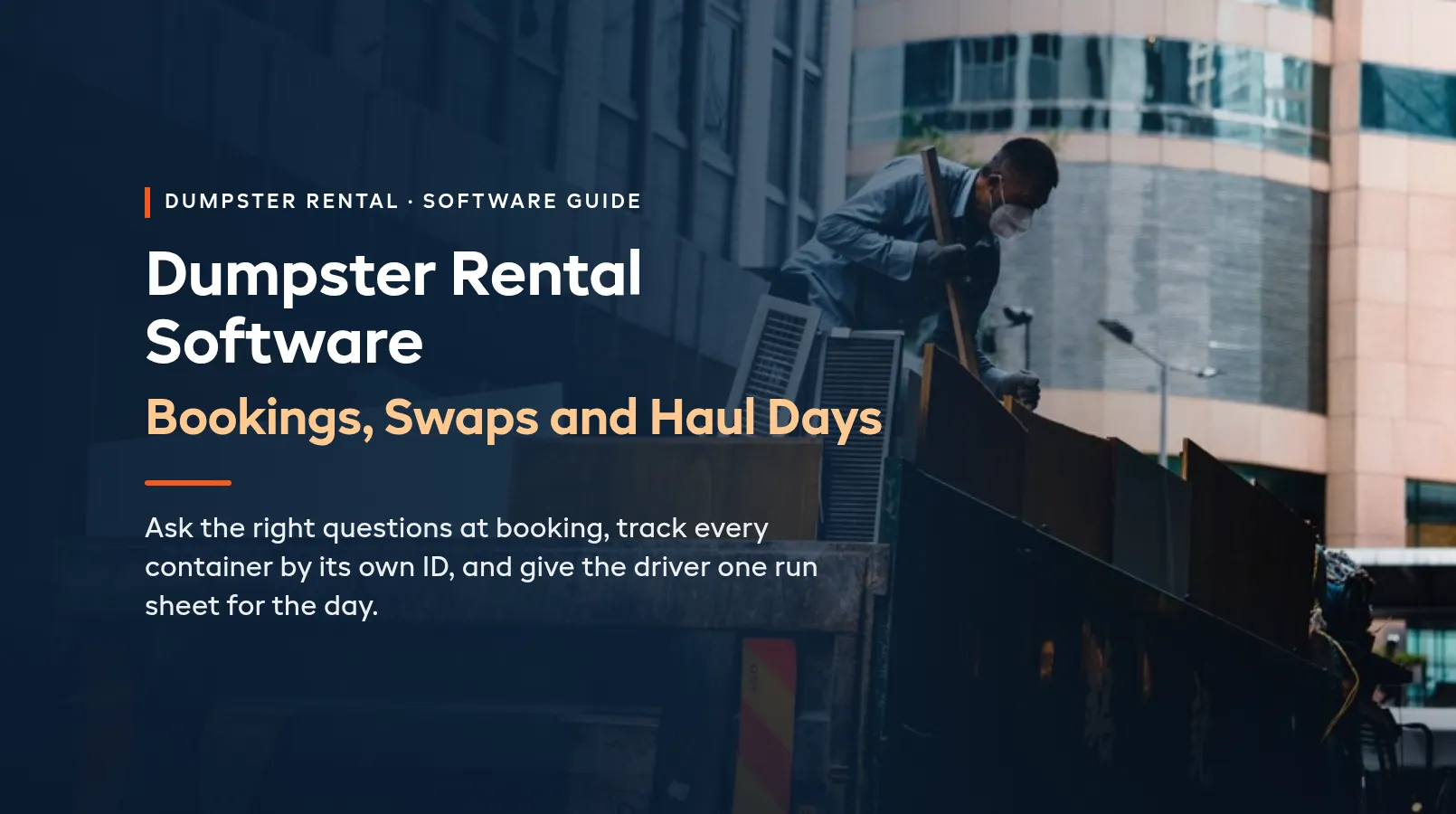
A roofer calls at 4 PM. Their 20-yard is full and they want a swap first thing, and a homeowner across town wants to know why the container on their street is still there. Dumpster rental software is for that phone call, because the office, the yard and the truck all need the same answer before tomorrow's first drop.
This guide is for small roll-off operators choosing software. It covers what to ask at booking, how to track each container, how to book a swap, what the driver needs on a haul day, and when a hauler-only system is the better buy.
What dumpster rental software has to handle
A dumpster rental isn't one visit. It's a drop-off, maybe a swap or two, and a collection. In between, the container sits on someone's driveway earning rent, or sits there forgotten after the job ended.
The software has four jobs:
- Take the order with the address, size, dates and placement, and price the delivery.
- Block the exact container from the drop until it's back in the yard.
- Put every drop-off and collection for the day on one list the driver can work from.
- Bill extra days and overweight loads once the container comes back.
What a one to three truck operation can skip
Route optimization pays off once several trucks cross a metro area every day. With one or two trucks, a driver who knows the town and a list in time order covers most days.
Scale ticket imports are the same. If you weigh a handful of loads a week, typing the ticket weight onto the booking is faster than setting up an integration.
Bookings: what to ask before a container leaves the yard
Size, address and delivery charge
Set each size up so the customer picks it and the price follows, for example a 10, 20 and 30-yard. In EquipDash that's a product with a variation for each size.
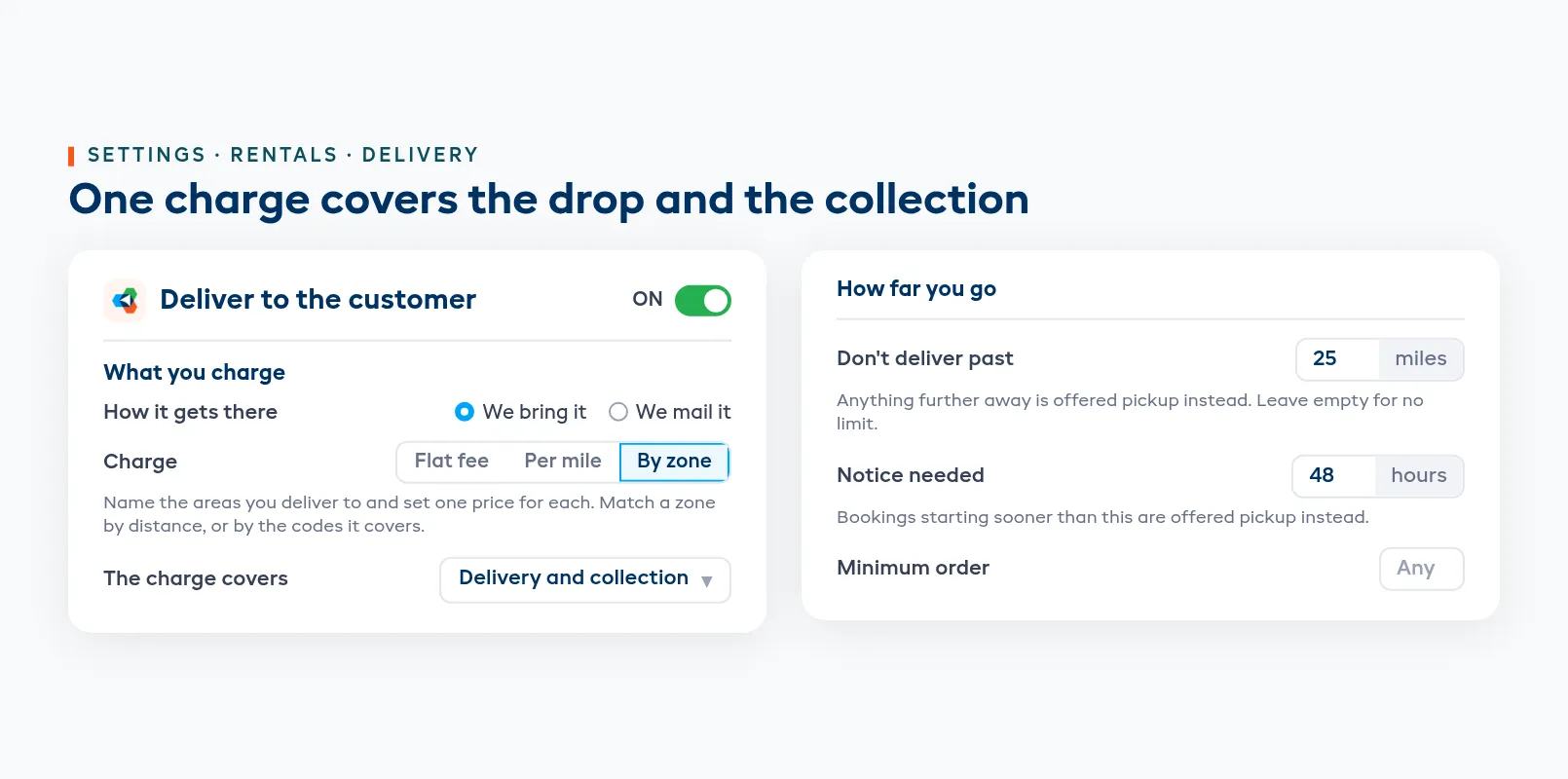
Delivery lives in your rental settings under Deliver to the customer. Under What you charge, the Charge can be a Flat fee, a rate Per mile, or By zone, where you name areas and set one price for each, matched by distance or by ZIP code.
Set The charge covers to Delivery and collection, and every delivered booking gets a collection stop on its end date. With Notice needed at 48 hours, a booking that starts sooner is offered pickup instead of delivery. Don't deliver past caps how far out you go, say 25 miles, and anything further is offered pickup too.
Delivery is on the Pro plan, so check EquipDash pricing before you plan around it.
Street placement and permits
Ask where the container goes. A driveway drop is simple, but a street drop usually needs a city permit, and the rules change from one town to the next.
Wauwatosa, Wisconsin wants a storage in the right-of-way permit before a dumpster goes on the street. It costs $75, lasts seven days at most, and needs two flashing barricades, one at each end.
Jefferson County, Colorado charges $50 per permit and asks for 48 hours to review. Seattle's residential dumpster permit guidelines ask for at least 30 feet from intersections, 10 feet from driveways and 15 feet from hydrants.
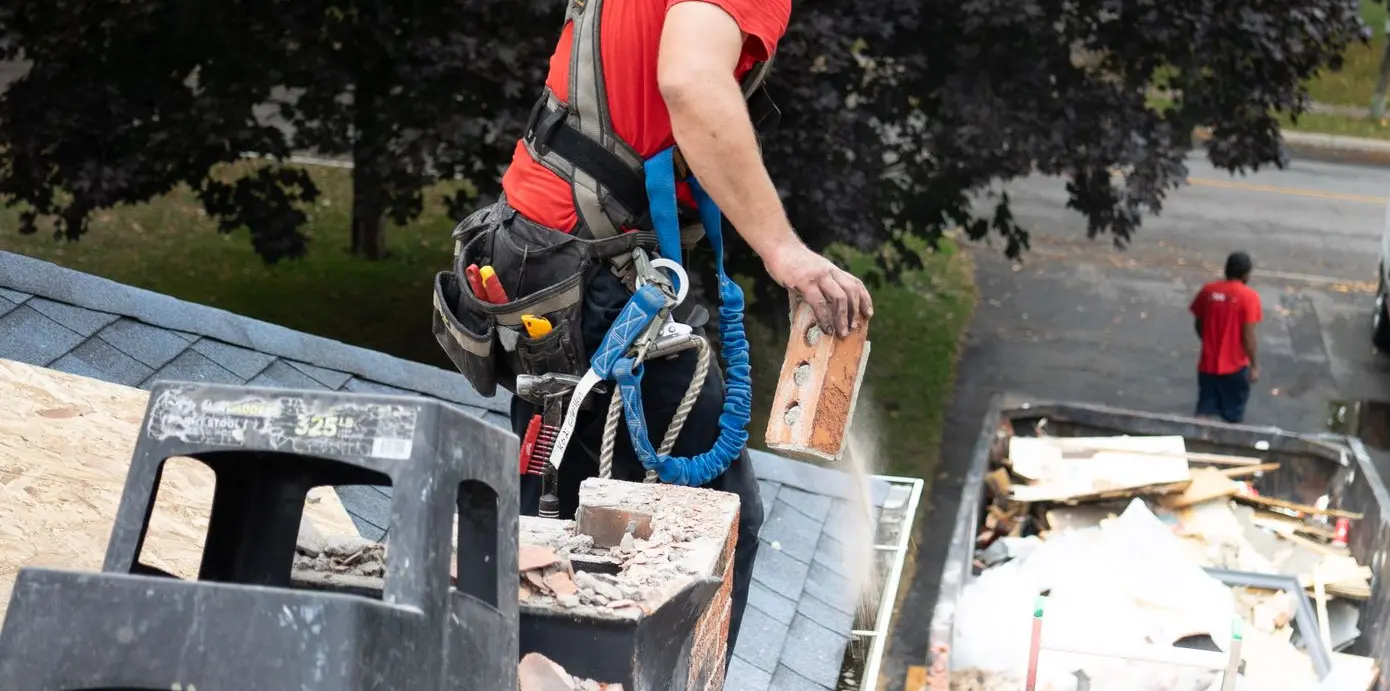
So put placement on the booking, not in a phone note. EquipDash Custom fields add your own questions to bookings, and they show on your booking page and in POS. Ask whether it goes on the driveway or the street and, for street drops, the permit number.
For a paved driveway, ask whether they want boards under the rails. Then say in your terms who pays if the concrete cracks.
Then set Notice needed long enough to cover your city's permit review. Watch the permit length too, because a 10-day rental on a seven-day permit outlives it. We'd cap street rentals at the permit length and offer a swap or a move onto the driveway after that.
What goes in the container
Ask what's going in. Concrete and dirt are heavy, a garage cleanout isn't, and some things shouldn't go in at all.
Name lithium batteries outright. The EPA says to keep lithium-ion batteries out of household trash and recycling bins because they can start fires. List what you won't take on your booking page and in your terms.
Track every container by its own ID
Counting stock as "we have 12 twenty-yards" breaks the first time a container sits on a job for three weeks. You need to know which container is where.
In EquipDash, set a dumpster product's inventory tracking to Track each item, then use Generate barcodes and Print barcodes to tag each container. The Product Fulfillment page lists the Inventory ID going out on each booking, and Change Inventory swaps in a different unit when the driver grabs another can.
Turn on Buffer time to block a window after each rental for the dump run and a rinse. A container with a cracked floor or a sprung door can go Out of service or Send to Workshop, so it can't be booked until it's fixed.
Our guide on how to track rental equipment goes further into barcodes, and equipment maintenance tracking covers repair records.
Swaps: one container out, one in
A swap is two jobs at one address: take the full container away and leave an empty one. EquipDash has no swap job type, so you book it as two rentals.
End the first booking on the swap day, and start a new booking for the empty container on that same day. On swap morning the Deliveries tab shows a Collect for the full one and a Drop off for the empty one at the same address, so the driver does both in one visit.
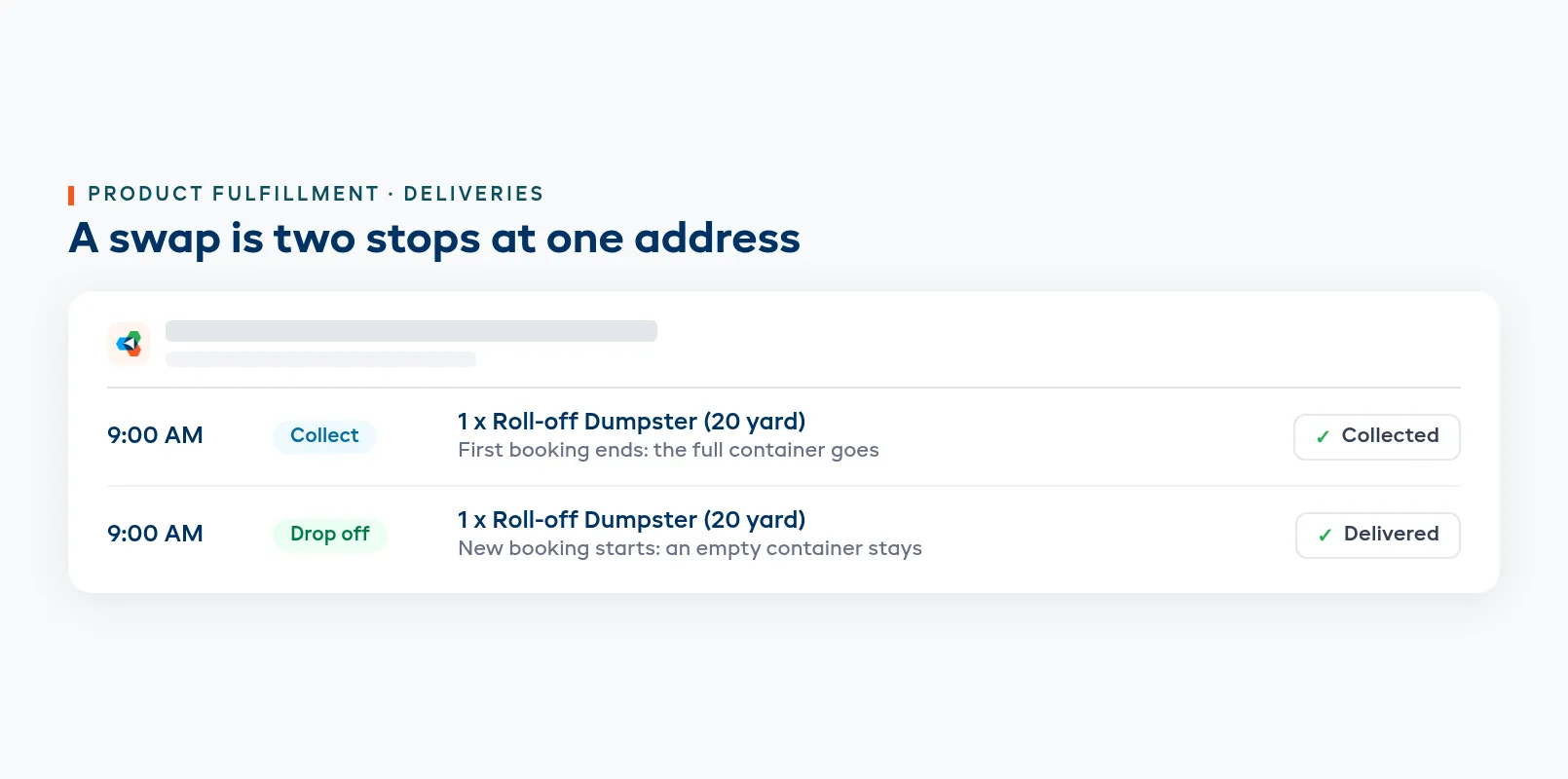
Price the swap as its own line on the new booking. Every swap means a run to the landfill and a tipping fee, so it shouldn't ride free inside the first rental.
Haul days: the driver's run sheet
In EquipDash, open Product Fulfillment from your rental bookings and switch to the Deliveries tab. Every drop-off and collection for the day sits in one list, because one truck does both.
Stops left over from an earlier day come first, marked Late, then the rest in time order. Each row shows the time, Drop off or Collect, the customer, the address, what's on the truck and the distance, with Directions and Call buttons.
Say Tuesday, December 1, 2026 has a collection that slipped from the day before, a drop-off at 7:30 AM, a swap at 9:00 AM and a collection at 1:00 PM. That's 2 drop-offs and 3 collections with 1 late, and the late one, dated Nov 30, 2026, sits at the top so it either goes first or gets a call.
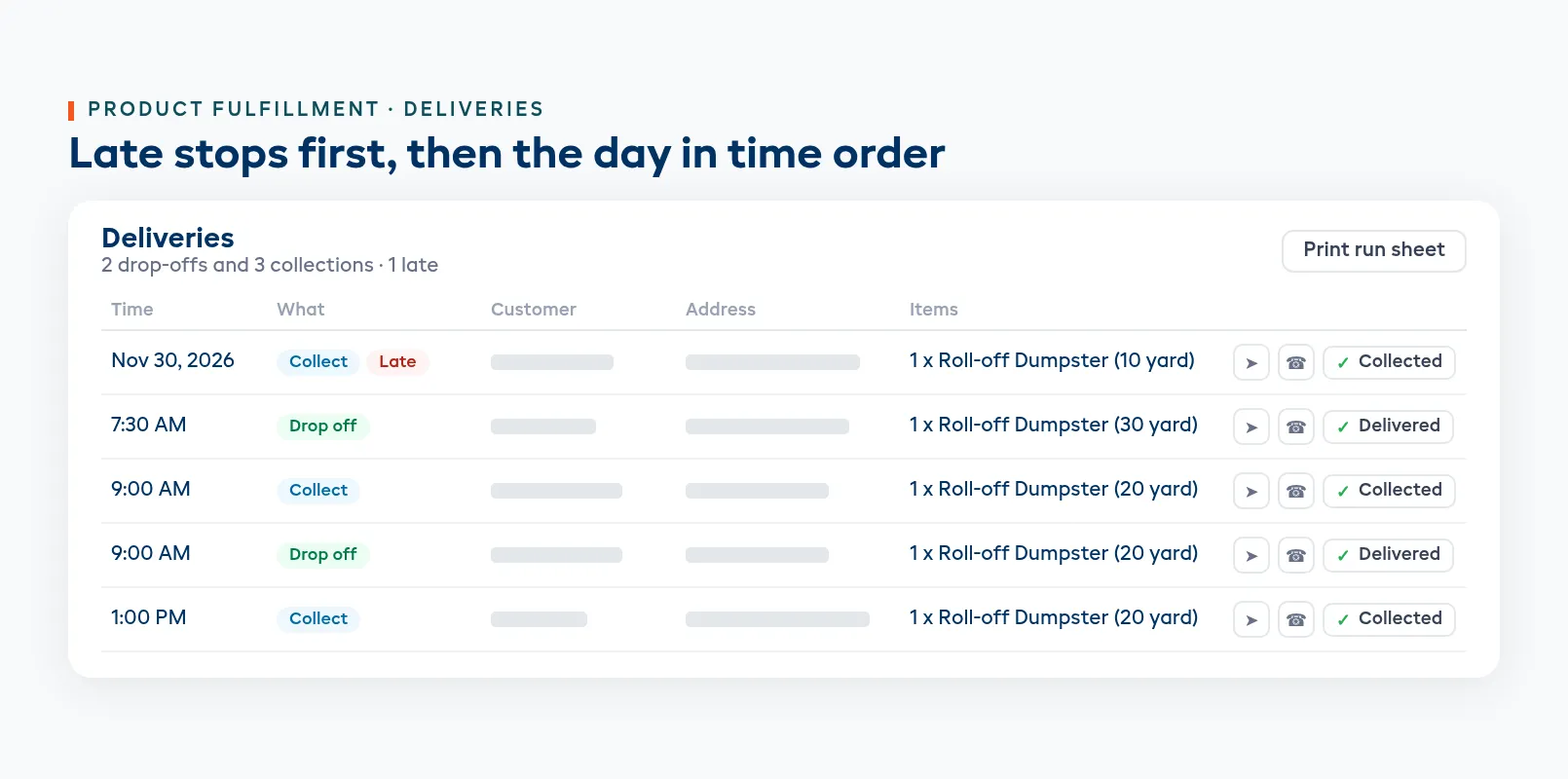
On a phone each stop stacks into one block, and the driver taps Delivered or Collected as they go. Back in the office the stop reads Done, and Print run sheet downloads the day as a CSV for anyone who wants paper on the dash.
It doesn't plan the route or the load order. You or the driver still pick the sequence.
Who can drive the truck
Check the gross vehicle weight rating on your truck's door label before a new driver takes the run. Under FMCSA rules, a single vehicle rated at 26,001 pounds or more needs a Class B commercial driver's license.
Extra days and overweight loads
Customers keep containers longer than they planned. Turn on Allow customers to extend active rentals online in your rental settings, and they can add days from their booking instead of calling you.
Overweight is the other bill. Write a weight allowance for each size and a per-ton overage rate into your terms, then charge it when the scale ticket comes back.
In EquipDash the return screen has Add a charge, where you name it under Charge for and enter the amount. Tipping fees differ by landfill and by material, so set your overage rate from your own landfill's posted rate. Our guide to deposits and partial payments covers card holds and balances.
When a dedicated roll-off system fits better
EquipDash suits operators who rent dumpsters alongside other equipment, or a small fleet where bookings, containers and the day's run matter more than routing. The EquipDash dumpster rental software page shows how those pieces fit.
If you run many trucks, need route planning, or also run commercial collection routes, look at systems built only for haulers. For a broader view of what a small yard needs, see equipment rental software for small business and rental software with inventory tracking.
Dumpster rental software checklist
- Each size set up as a product variation, with every container tracked by its own ID and barcode.
- A delivery charge, with The charge covers set to Delivery and collection.
- Booking questions for placement, permit number and what's going in.
- Notice needed long enough for your city's permit review.
- Swaps booked as a collection and a new drop-off on the same day.
- One run sheet a day, late stops first, marked done from the phone.
- A weight allowance, overage rate and banned items written into your terms.
FAQ
What should dumpster rental software do?
It should take the order with the address, size and placement, block the exact container until it's back in the yard, put each day's drop-offs and collections on one list for the driver, and bill extra days and overweight loads after the haul.
Does EquipDash handle dumpster swaps?
There's no separate swap job type. End the first booking on the swap day and start a new booking for the empty container on the same day, and the Deliveries tab shows a Collect and a Drop off at that address.
Do you need a permit to put a dumpster on the street?
Usually, and the rules are set by each city. Wauwatosa, Wisconsin charges $75 for a permit that lasts seven days at most, and Jefferson County, Colorado charges $50 and asks for 48 hours to review. Check your own city before you book a street drop.
Does EquipDash plan delivery routes?
No. The Deliveries tab lists the day's drop-offs and collections with late stops first and the rest in time order, with directions and the distance for each stop. You or the driver choose the order.
Can customers extend a dumpster rental online?
Yes, if you turn on Allow customers to extend active rentals online in your rental settings. They can then add days from their booking instead of calling you.
in one place